The Meeting Is the New Content Funnel (And Calendly Just Noticed)
Every creator I know has the same dirty secret: the real money isn’t made in the post. It’s made in the DM slide, the “quick call,” the sponsored pitch, the brand-deal discovery. The algorithm gets you the audience; the calendar gets you the check. For years, we’ve treated scheduling as a utility — a boring link we throw into a Linktree or a bio. But the meeting lifecycle is where deals get closed, where sponsors get onboarded, and where your community manager turns a commenter into a paying subscriber. So when a scheduling incumbent like Calendly — a company that’s been around since before the iPhone was cool — starts talking about “before, during, and after the meeting,” I stop scrolling. Because that’s not a scheduling update. That’s a pivot toward becoming the operating system for your revenue conversations. And for social media operators who live and die by the follow-up, that’s a signal worth decoding.
I’ve tested more scheduling tools than I care to admit — from the bare-bones free tiers to the enterprise behemoths that require a sales call to get a demo of a scheduling tool (irony noted). Calendly has always been the default, but it’s also been the dumb link in the chain. It booked the slot, then went silent. The new features — an AI assistant named Callie and an automated Notetaker — are an attempt to make Calendly the connective tissue between your content and your cash flow. Let’s break down what’s actually new, whether it’s worth your attention, and what it tells us about where the creator economy is heading.
The Problem: Your Content Funnel Leaks at the Booking Page
Here’s the operational reality for any creator or social media manager running a serious operation: your content is a top-of-funnel machine. You post on Instagram, you drop a thread on X, you upload a long-form breakdown on YouTube. The goal is to drive a specific action — usually a link click, a DM, or a comment like “send me the details.” And where does that lead? To a calendar link. The moment a potential sponsor, a podcast host, or a high-ticket client clicks that link, your carefully crafted content funnel hands off to a piece of software that does exactly one thing: it finds an empty slot. It doesn’t qualify the lead. It doesn’t set expectations. It doesn’t start the relationship. It just… books.
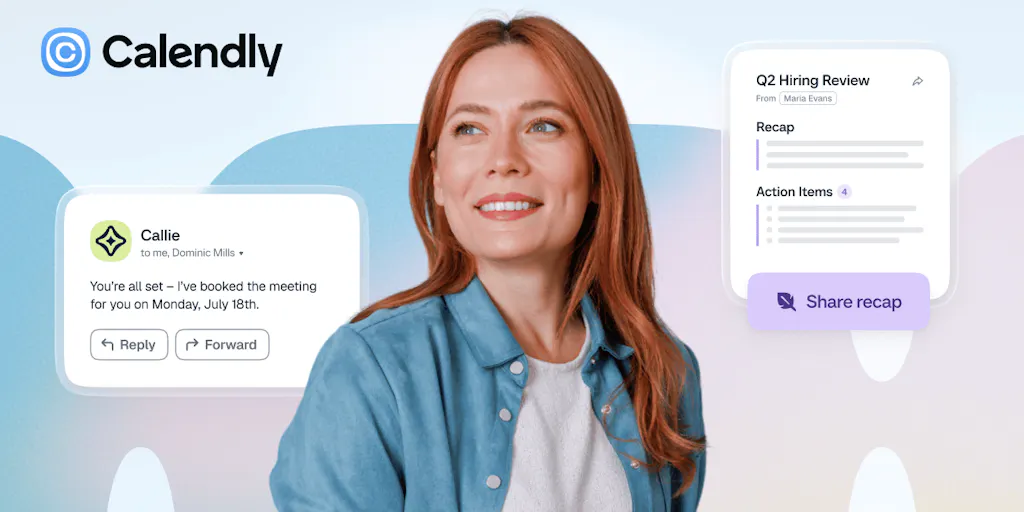
That’s the gap Calendly is trying to close with what I’ll call the “full-lifecycle” play. The Product Hunt launch page describes a three-part system: Before the Meeting, During the Meeting, and After the Meeting. Before, you have Callie, an AI assistant that you can CC on an email thread to negotiate times without the “Does Tuesday work for you?” back-and-forth. During, you have Calendly Notetaker that records and transcribes across Zoom, Google Meet, and Microsoft Teams. After, that same Notetaker generates recaps, action items, and pre-drafted follow-up emails.
For a social media operator, this is huge. Think about the last time you did a sponsored content walkthrough. You spent 20 minutes talking deliverables, deadlines, and approval processes. Then you hung up, and the follow-up email took another 15 minutes to write, and then you had to chase the client for the assets. That’s not value creation; that’s administrative tax. Calendly’s bet is that you’ll pay to get that time back. My take: it’s a solid bet, but the execution is where it gets tricky.
How It Differs: The Incumbent’s Moat vs. The Upstart’s Speed
We have to be honest about the landscape here. Calendly isn’t entering a vacuum. The meeting lifecycle is already being attacked from multiple angles. There’s Fathom, which one commenter on the launch page, Anna Ludwinowski, mentions she’s been using for note-taking and is curious how it compares. There’s the open-source flexibility of Cal.com, which a reviewer on the page notes is more customizable but less “dependable” than Calendly. And then there’s the elephant in the room: the AI notetaker space is crowded with tools like Otter.ai and Fireflies.ai that have been doing transcribing and summarization for years.
So what’s Calendly’s actual differentiator? It’s not the AI. It’s the context. Calendly already knows who’s meeting, why they’re meeting, and when they’re meeting. It owns the pre-meeting state. By bolting on the notetaker and the follow-up, they’re not just adding a feature; they’re trying to own the entire data trail of your business relationships. That’s the moat.
But here’s where my judgment kicks in. Calendly’s strength has always been its simplicity. The reviews on the Product Hunt page consistently praise it for being easy and reliable, while criticizing it for feeling limited when needs get complex — multi-party scheduling, fixed windows, customization. The launch page even summarizes this: reviewers see it as “dependable” but say it “can feel limited or awkward once needs get more complex.” By adding AI transcription and follow-ups, Calendly risks becoming the very thing it avoided: a complex tool that requires setup and configuration. When I’m in the middle of a sprint to get a sponsorship deck out, I don’t want to fiddle with whether Callie can access my email thread. I want it to just work. The team claims it’s “easy,” but I’ll believe that when I see it handle a chaotic group email with three conflicting time zones.
Where the Math Breaks: The Fathom Comparison
Let’s talk about the Fathom comparison for a second, because it’s the most relevant one for creators. Fathom is free for the core note-taking tier, and it lives inside your meeting platform. Calendly’s Notetaker is bundled into a subscription, though the pricing for the new features is not disclosed on the launch page. For a solo creator or a small agency, the cost structure matters. If I’m paying for Calendly’s premium tier and a separate AI notetaker, the value equation shifts. The integration is nice, but is it worth the premium over a free tool that does the same thing? The answer is “maybe,” but only if Calendly’s version is more accurate and more deeply integrated into the follow-up workflow. I’d bet that most power users will still keep a dedicated notetaker for heavy lifting and use Calendly’s for the automated follow-up emails. That’s a fragmented workflow, which is exactly what Calendly is trying to eliminate.
What Creators Can Borrow: The Follow-Up Is the Monetization
Regardless of whether you adopt Calendly’s new features, the strategic lesson here is critical: the meeting is not the end of the funnel; it’s the middle. The launch page hammers this home with the “Before, During, After” structure. For a social media operator, this translates to a simple audit of your own workflow.
Ask yourself: what happens after you get a “yes” from a brand? If your answer is “I send a PDF and hope for the best,” you’re leaving money on the table. Calendly’s new flow forces you to think about the post-meeting action items. The pre-drafted follow-up email is a killer feature — not because it’s AI-generated, but because it forces you to define what the next step is. In my own tests of similar tools, the discipline of writing the follow-up before the meeting ends is what saves the most time. You can borrow this without buying anything. Set a rule: before you hang up, you state the next action and the owner. Then you write that email immediately. The tool is just a crutch for good behavior.
Why TikTok Creators Should Care More Than LinkedIn Ones
This is a hot take, but hear me out. If you’re a LinkedIn ghostwriter or B2B consultant, your meetings are the product. You’re selling your time. The scheduling and follow-up are part of the deliverable. For you, Calendly’s new features are a direct upgrade to your service quality. But if you’re a TikTok creator doing brand deals, your meetings are usually with a marketing manager who is juggling 15 other creators. The “action item” is usually just “you send the raw footage.” The Notetaker’s value is lower because the meeting is more transactional. My advice: don’t pay for the premium tier just for the AI notes if you’re a volume creator. Instead, use the free tier for scheduling and invest in a simple CRM or a spreadsheet to track your sponsor deliverables. The AI is a nice-to-have, not a must-have, for that workflow.
The Elephant in the Room: The Outdated Interface
I have to be transparent here. The most common criticism on the Product Hunt page, aside from complexity, is that Calendly’s interface feels dated. One reviewer, Ola Rybacka, explicitly says, “The user interface seems quite outdated; it would be nice to make it more aesthetically pleasing.” I’ve felt this myself. When you open Calendly’s dashboard, it feels like a 2015 SaaS tool. It’s functional, but it lacks the polish of newer tools like Motion or Reclaim.ai. For a creator who is used to the visual polish of Canva or CapCut, this matters. Your scheduling link is often the first branded touchpoint a client sees. If it looks dated, it reflects on you.
This is where Calendly’s “dependable” reputation cuts both ways. It’s the boring, reliable choice. And for a busy operator, boring is good. But in a world where Notion can run your entire business and look good doing it, Calendly’s aesthetic staleness is a liability. They’ve spent their engineering budget on AI features, not on a design refresh. That’s a strategic choice, but it’s one that might cost them the younger generation of creators who prioritize brand aesthetics.
Where I Think It Falls Short: The Integration Trap
Here’s my biggest concern, and it’s the one that makes me hesitant to recommend you switch your entire workflow today. The launch page mentions that Notetaker works with Zoom, Google Meet, and Microsoft Teams. That’s great. But what about the rest of your stack? A creator’s meeting lifecycle doesn’t just live in the meeting app. It lives in Slack, in Notion, in Airtable, and in your email. The pre-drafted follow-up email is useless if it doesn’t sync with your CRM or your project management tool. The action items are useless if they don’t pop up in your task manager.
Calendly is trying to be the hub, but it’s not integrated into the spokes. Until I see native integrations with the tools where the actual work happens — not just the meeting tools — this is a half-solution. It’s a better scheduling tool with a notepad attached. It’s not the “connected meeting lifecycle” that the marketing copy suggests. I’d bet that within six months, they’ll announce a partnership with a major CRM or project management platform to close this loop. Until then, I’m treating the Notetaker as a nice bonus, not a reason to switch.
Who This Is NOT For
Let’s be clear about the target user. This is not for the casual user who books one or two calls a month. The free tier of Calendly is fine for that. It’s also not for the enterprise team that needs heavy customization and complex routing — they’re still better off with Cal.com or a custom-built solution. This is for the power user: the agency owner, the course creator, the consultant who lives in their calendar and loses hours every week to meeting prep and follow-up. If that’s you, the new features are worth a test drive. If you’re just looking for a link to put in your bio, save your money and stick with the free version.
What I’d Watch / Test Next
This week, if you’re intrigued by this, here’s what I’d do — and what I’m doing myself.
First, test the Callie AI assistant on a low-stakes email thread. Don’t use it for a big sponsor yet. CC callie@calendly.com on a thread with a friend or a colleague where you’re trying to find time for a casual catch-up. See if the time negotiation is smooth or if it creates more back-and-forth than it saves. My hunch is it’s impressive for simple two-person scheduling, but it will break down on complex threads with multiple people and conflicting priorities.
Second, run a meeting with the Notetaker and compare it to your current workflow. If you’re using a free tool like Fathom, run them side-by-side. Check for transcription accuracy — especially for industry jargon — and see if the action items are actually actionable or just generic summaries. The canned sample they provide is a good starting point to see the output format, but you need to test it on your own voice and your own content to know if it’s worth the upgrade.
Third, and most importantly, audit your own follow-up process. Even if you never buy Calendly’s premium tier, adopt their “before, during, after” framework. Write your follow-up email template now. Define your standard action items. Set up a system where every meeting ends with a clear next step. That’s the real productivity hack here. The tool is just trying to sell you a faster way to do what you should already be doing.
Calendly has been the quiet utility of the business world for a decade. With this launch, they’re making a loud statement: the meeting is the new content. And for creators who treat every call as a potential partnership, that’s a statement worth listening to. Just don’t let the shiny AI distract you from the fact that the fundamentals — clear communication and disciplined follow-up — are still the real moat.