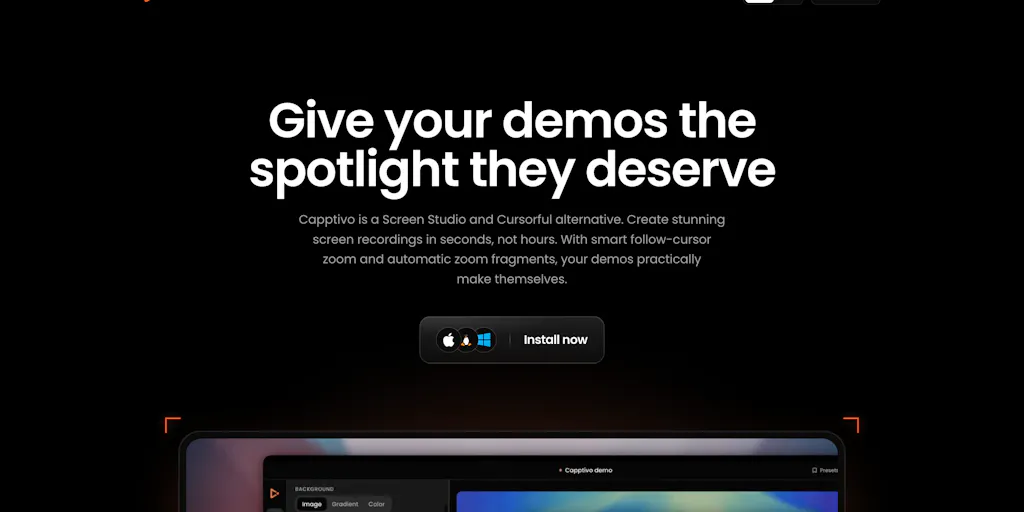
The most expensive part of publishing in the creator economy isn’t the camera or the editing software. It’s the gap between “I know how to do this” and “I can show someone else how without losing their attention.” For anyone whose product lives in a dashboard, an app, or a SaaS interface, that gap is a screen recording. The category has been ruled by premium subscription tools and free tools that feel abandoned. So when Capptivo shows up as a free, open-source screen recorder and demo editor with follow-cursor zoom, click-based auto-zooms, face-cam, on-device captions, and draw-on-screen annotations, I pay attention. Not because the feature list is exotic, but because the positioning is exactly where creators get stuck: turning a boring recording into social-native content without burning a production budget or adding another monthly subscription.
The demo bottleneck is a content problem, not a software problem
I spent years treating screen recording as a utility, not a content format. Open OBS, hit record, talk over the cursor, stop, export a 1080p file. Then I’d open a video editor, cut the dead air, add a caption file, crop it to 9:16, realize the captions were too small or off-screen, and start over. That process is why so many SaaS and indie products end up publishing videos that look like engineering artifacts: no zoom, no captions, no pointer emphasis, no idea what the viewer’s eye is supposed to do.
The problem is not that we don’t have screen recorders. We have plenty. Loom made async screen recording comfortable, but it’s oriented toward internal communication and quick replies, not polished exports. Screen Studio made beautiful cursor-following zooms mainstream, but it’s a paid subscription that feels aimed at product marketing teams. Camtasia has been around forever and can do almost everything, but its timeline feels like a video editor, not a demo recorder. And OBS is free but gives you a blank canvas and says “good luck.” The missing layer is the one that understands a screen recording as a social asset: it needs to be short, readable on a phone, captioned for muted autoplay, and visually directed so the viewer never wonders where to look.
That’s the job Capptivo is trying to do. The Product Hunt launch page describes it as a free, open-source screen recorder and demo editor for macOS, Windows, and Linux. It records locally, adds follow-cursor zooms, polishes the look, burns on-device captions, and exports. No account, no subscription. The maker, Abdessamad, says he built it because he got tired of paying monthly for polished demo videos, and every tool he tried either didn’t fit how he worked or was missing something he needed: draw-on-screen annotations, like a pen, a highlighter, and shapes you can lay over the screen mid-recording to point at exactly what matters.
In my experience, annotations are the most underrated piece of demo content. A cursor alone is a weak pointing device. It drifts, it gets lost on a cluttered screen, and on a phone-sized crop it’s almost invisible. A highlighter or a shape that appears at the moment you’re talking about a button does what zooms do: it forces the eye to the right pixel. The fact that Capptivo treats this as a core feature rather than an afterthought tells me the maker has actually recorded demos for an audience, not just for a QA ticket.
It’s also a deliberate response to the subscription video tools. He says Capptivo isn’t a clone of Screen Studio or Cursorful, and he open-sourced it under the MIT License so anyone can use it, improve it, customize it, or build on top of it without restrictions. That’s a meaningful fork in the road: you’re either building a product that has to generate revenue, or you’re building a public utility that runs on goodwill. For a solo maker, that’s a risky distinction, and I’ll come back to it.
What Capptivo actually solves (and what it doesn’t)
The clearest way to understand what Capptivo solves is to map the demo-video production pipeline: record, trim, direct attention, caption, format, export. Record and export are solved. Direct attention is solved by Screen Studio and Cursorful, but at a price. Captioning is solved by Descript and CapCut, but often through the cloud. Formatting is solved by Canva and CapCut templates, but only if you’re willing to rebuild the video.
What Capptivo collapses is the middle of that pipeline into one local app. The launch page lists follow-cursor zoom, click-based auto-zooms, editor presets, face-cam, on-device captions, and draw-on-screen annotations. No account, no subscription, local recording and local export. For a solo creator or a small social team, that’s a workflow, not just a feature list. It means I can record a fifteen-minute walkthrough, cut it to sixty seconds, let the zoom follow the cursor, point at the button with a highlighter, burn captions into the frame, and export a 9:16 file without ever uploading a raw video to a cloud service. That last part matters more than it sounds. If your demo shows unreleased screens or customer data, cloud processing is a compliance headache. On-device processing keeps the raw footage on your machine.
The maker also says captions follow the export frame. They’re laid out and burned into the final aspect, including 9:16, with wrapping based on that width, so they shouldn’t get cropped when you switch ratios. You can nudge the size and bottom offset if you want breathing room. That’s a small detail, but it’s the kind of detail that separates a tool built by someone who has actually tried to export a vertical video from a tool built by someone who just assumed “captions” means “text at the bottom.”
Under the hood, it’s built with Tauri, FFmpeg, and React. Tauri is a lighter footprint than most Electron-based editors, and FFmpeg gives it a serious backbone for encoding and export. That doesn’t make the output better by itself, but it tells me the project is not a thin wrapper around a web view with a fake recording UI. It’s a real desktop app.
What Capptivo doesn’t solve is the rest of the content operation. It is not a Loom replacement for async workplace communication. It won’t give you a shareable link, comments, or viewer reactions. It is not a full multi-track editor. If you need to mix audio from multiple sources, add b-roll, color grade, or do any serious motion graphics, you’ll still reach for Camtasia or Descript. And it’s desktop-only. The launch page lists macOS, Windows, and Linux, so if your recording workflow is “pick up the phone and record the screen,” this isn’t that.
That’s fine. The tools that try to be everything usually end up being mediocre at the one thing creators actually need. Capptivo is aiming at a narrower lane: make a clean, polished, export-ready demo video without a monthly fee. That lane is wider than most people think.
Why TikTok creators should care more than LinkedIn ones
On TikTok and Instagram Reels, distribution is driven by watch time and early retention. A demo video that opens with a static desktop screen and a wandering cursor will get swiped before anyone hears the value proposition. The first two seconds need to tell the eye where to look. Follow-cursor zoom and annotations are not cosmetic features; they’re retention mechanics.
On LinkedIn, the audience is often watching from a computer, and there’s more tolerance for desktop-captured content because the format itself is familiar in B2B feeds. But LinkedIn also autoplays muted, so burned-in captions still matter. The difference is that a LinkedIn audience might forgive a slow start if the topic is relevant. A TikTok audience won’t. If you’re producing demo content for short-form platforms, the bar for attention direction is higher, and a tool that burns captions into the export frame while letting you zoom and annotate is worth testing for that reason alone.
What creators and social media teams can borrow from it
You don’t have to download Capptivo to learn from its workflow. The bigger lesson is that screen recording should be treated as a social-native content format, not a screen capture.
First, record at the highest resolution your machine can handle and decide the aspect ratio later. If you record a 1920x1080 screen and then crop to 9:16, you’ll lose a lot of context. That’s why follow-cursor zoom is not just a flourish. It’s the difference between a vertical video that shows the whole app but nothing readable, and a vertical video that follows the cursor so the viewer sees the field or button you’re actually talking about. Capptivo’s approach is to record the full screen and then let the editor direct attention through zooms and annotations. That’s the same principle behind good repurposing: create one master, then cut it into multiple formats with intent.
Second, burn your captions into the video. Platform auto-captions are better than they used to be, but they still get restyled, misdetected, and occasionally stripped in re-uploads. If caption position matters, you want a tool that lays them out inside your export frame and keeps them there. The fact that Capptivo claims captions are laid out based on the final width, including 9:16, is a meaningful check on a problem I’ve hit more times than I can count: you crop a video, and the subtitles that looked perfect in landscape are now chopped off at the edge.
Third, point at things. Use a pen, a highlighter, a shape, anything that tells the viewer where to look. In my own tests of similar tools, I’ve found that a simple arrow or highlight frame at the right moment does more for retention than a fancy transition. People watch demos because they want to learn a process. If the process isn’t visible, the video fails.
Fourth, treat every demo as a multi-format asset. Export a 16:9 version for YouTube, a 9:16 version for Reels and Shorts, and a square or 4:5 version for LinkedIn and X. You don’t need three separate recordings. You need one recording and an editing layer that respects each frame’s safe areas. Capptivo’s local export model makes that easy because you’re not locked into a cloud rendering queue; you just export the file again in a different aspect ratio.
And fifth, keep control of your raw footage. On-device recording and on-device captions mean the source material never leaves your machine. For creators working with unreleased products, confidential dashboards, or client data, that’s not a niche concern. It’s the difference between being able to post a demo today and having to wait for legal review.
Where my judgment says it falls short
Capptivo is early, and the maker says so himself. In the launch thread, he writes that it’s early and he’s building it mostly solo, and he asks for honest feedback. I trust that framing more than I trust a polished “10x your demos” landing page. But the same honesty exposes real risks.
The first risk is polish. The launch comments already include a bug report from someone testing on a MacBook with Tahoe 26.6 where the face-cam frame shows up as a black box in the editor. Another commenter on Windows 11 hit an export failure with an EncodingError: Decoding error, plus a custom background that rendered as solid black. The maker says he’s working through those issues, and I believe him. But when you’re building a cross-platform desktop app solo, the bug list is never empty. Every OS update can break something.
The second risk is sustainability. A commenter on the launch thread raised the Apple Developer Program cost: $99/year out of pocket for a free tool with no revenue. The maker’s answer is that he’ll cover it for the first year and would love to explore sponsorships or something like OpenCollective if the project grows. That’s a fair place to land for year one. But it’s also the exact point where many promising open-source tools stall. Once the novelty fades, the maintenance tax is real. If the project doesn’t get enough contributors or sponsorship, the “free forever” promise can quietly become “free until the maintainer burns out.”
The third risk is coverage. Capptivo is not a full editor, and it’s not trying to be. That’s good. But it means you’re still depending on other tools for the parts of the pipeline it doesn’t handle. If you need multi-track audio, podcast-style polish, or heavy green-screen work, this won’t replace your existing editor.
Where the math breaks
The “$29/month” comparison is the heart of Capptivo’s pitch. The maker writes that he got tired of “paying monthly for polished demo videos” and later says, “No more paying $29/month just to ship a clean product video.” That’s a direct jab at Screen Studio’s pricing, and it’s a compelling pitch for indie founders who don’t want another subscription line on their credit card.
But free tools have hidden costs. The Apple Developer Program fee is one. Code signing is another. One commenter noted that unsigned apps can be blocked by Gatekeeper on MDM-managed macOS computers, which matters for anyone trying to get a tool approved on a company-owned Mac. The maker says he’s planning to sign the app but is waiting on an Apple Developer account issue. Until that’s resolved, the “free” version won’t be frictionless for every user. That’s not a failure, but it’s a limitation worth knowing before you build your whole workflow around it.
Who should wait for the next release
If you’re an individual creator or a small team that needs a clean demo video this week, I’d test Capptivo now, but not on your only production machine. The export bug reports and the face-cam issue tell me the rough edges are still being sanded. If you’re a company with managed Macs, wait until the signing situation is resolved. If you’re a mobile engineer looking for polished iOS or Android device demo presets, the maker says Capptivo supports presets for device recordings, but he also says he hasn’t tested the mobile recording features much. That’s a “wait for more feedback” signal, not a “switch your workflow” signal.
I’d also be cautious for anyone who needs guaranteed support. Open source doesn’t come with a service-level agreement. If you’re using this to produce client deliverables, you need a fallback editor and enough lead time to switch.
What I’d watch / test next
This week, I’d do two things. First, download Capptivo and run a small, controlled test: record a two-minute walkthrough of any dashboard, add a follow-cursor zoom, draw one annotation, burn captions, and export the same clip in 16:9 and 9:16. Check whether the captions stay inside the frame and whether the cursor is still visible on a phone-sized export. That single test will tell you more than any feature list.
Second, watch the Product Hunt launch page for how the maker responds to the bug reports already in the thread. The face-cam black-box issue, the Windows export error, and the unsolved Apple signing question are all early indicators of sustainability. If the fixes land quickly, this becomes a serious option for creators who want polished demos without a subscription. If they don’t, it becomes another reminder that free open-source tools are only as good as the attention their maintainers can afford to give them.
In my view, Capptivo is worth watching because it’s asking the right question: why should a polished demo video cost $29 a month? It shouldn’t. The question is whether a solo developer can keep that answer alive long enough for the community to build on it.


