The Real Bottleneck in Social Media Operations Isn’t Creation—It’s Supervision. Here’s What a Terminal Tool Taught Me.
Every social media operator I know has the same pain: we’ve gotten good at parallel work. We repurpose one long-form video into 12 short clips, schedule 30 posts across 5 platforms, and trigger evergreen campaigns with a click. The bottleneck isn’t the content anymore — it’s the attention tax of watching the machines run. I need to know when a post actually needs human judgment (a trending meme, a brand-safety red flag, a platform policy change) versus when it’s just churning through its automated steps. A tool called Caw, designed for AI coding agents, accidentally models a supervision layer that most social scheduling tooling still lacks. Its core idea — parallel agents, a kanban view, and push notifications that only fire when the agent asks for input — maps directly onto the missing “operator dashboard” for content pipelines. If you’ve ever stared at Hootsuite’s calendar wondering whether your 3 PM post actually went out, or set up a Canva bulk export only to check back 20 minutes later and see it stalled, you’ll recognize why this matters. The tool itself isn’t for creators. But the pattern it reveals is.
The Supervision Tax Nobody Charges (But Everyone Pays)
When I schedule a week’s worth of content across Instagram, TikTok, LinkedIn, and X, I don’t actually want to watch the queue. I want to be left alone until something requires my specific, human judgment — a caption that needs brand-tone approval, a reply that escalates into a crisis, an algorithm shift that invalidates the hook I planned. Existing social media tools treat scheduling as a batch-and-forget operation. You load the buffer, it feeds the platforms, and you check back later for analytics. That works fine when nothing breaks. But the moment a post fails an API rate limit, a link rotates incorrectly, or a trend breaks mid-week, you’re stuck polling dashboards instead of creating.
Caw’s maker, Manuel Graña, described exactly this pattern for agent workflows: “the cost isn’t compute, it’s ME polling terminals to see who’s stuck.” Replace “terminals” with “scheduler queues” and the sentence is identical. In my own tests of similar repurposing automation (RPA bots that transcribe, crop, and caption 10 videos overnight), I found myself refreshing spreadsheets 30 times per batch because I couldn’t distinguish between “processing normally” and “stuck on a blurred frame.” The notification logic in Caw offers a better model: it watches each agent’s structured transcript and only fires push when the agent hits a specific, known “asking for input” tool call, not when it’s just between steps. The user Brandon TK Beesman raised the same concern I’d have — “a notification system that fires too often just gets muted.” Graña’s response was music to an operator’s ears: the alert is configurable per state. You can turn off “finished” and keep only “needs input.” That kind of selective escalation is almost nonexistent in Buffer, Later, or Metricool. They send you a “post published” push (or worse, nothing) and call it a day.
Why TikTok Creators Should Care More Than LinkedIn Ones
The selective-notification pattern is especially critical for platforms with volatile algorithms. On LinkedIn, a scheduled post rarely spoils; the feed is slow and predictable. On TikTok, a 30-minute delay can kill reach if a trend peaks while your video sits in a queue. If I were running a TikTok-first content operation, I’d want a system that tells me “Agent paused: the hook you wrote contains a banned keyword per today’s policy update” — not just “Post failed.” That’s exactly the kind of “asking for input” scenario a tool like Caw models. The social media schedulers that will win the next wave are the ones that stop hiding failures in logs and start surfacing judgment calls as notifications.
How Caw Differs (and Where Social Media Tooling Fails to Copy)
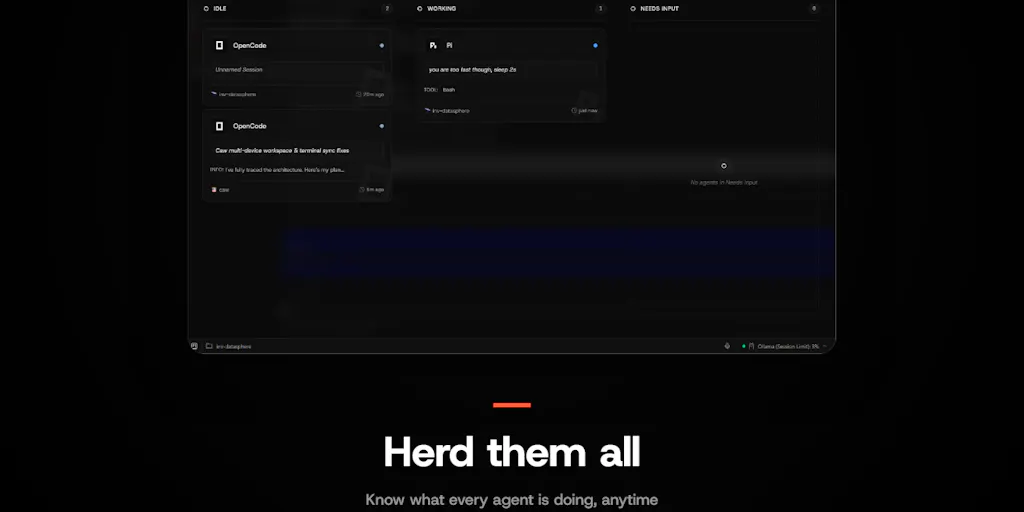
The obvious incumbents — Hootsuite, Sprout Social, Sked Social — all have approval workflows and publishing logs. But those are designed for human team members, not automated agents. When I run a repurposing pipeline (say, a script that uses CapCut’s API and Canva’s bulk create to output 40 Instagram Stories from a webinar), there’s no unified view of each “agent’s” current state. I have to jump between tool dashboards, check error logs, and manually reset stalled jobs. Caw’s kanban view — a board of running agents where each card represents a parallel task — is a direct analogue for “content job queue.” I could see a social media operator using it today to track “Transcode video A,” “Caption video B,” “Schedule thread C.” The difference is that Caw exposes state in real time, not after the fact.
The source page also reveals a deliberate design choice: Caw is open-source and fully local. “Fully local, no relay. You self-host the binary. The only outbound call is for push notifications and that doesn’t carry your data.” For social media teams managing brand accounts across regions, data residency and API token security are non-trivial. Most SaaS schedulers store your connected account tokens on their servers. A self-hostable scheduler that uses local browser-based API calls (like a sophisticated version of browser automation) could solve the “token leak” anxiety that many teams have after the Hootsuite credential theft incidents of 2023. I’m not saying social media managers should self-host a Rust binary — I’m saying the principle of local-first execution with selective cloud fallback should be borrowed.
What Creators and Social Media Teams Can Borrow from This
Even if you never touch a terminal, the conceptual takeaways are actionable.
1. Build a “needs input” channel in your workflow.
In Notion or Airtable, create a filtered view for content items that are stuck on a step requiring human judgment — a copyright claim, a font licensing question, a platform-specific caption length conflict. That view should be your default screen, not your full calendar. Caw’s push notification config (“only fire when agent asks for input”) is the same philosophy: reduce the noise so you only respond when your unique skill is needed.
2. Audit your tooling for “watching paint dry” time.
Over a month, track how many times you manually checked if a scheduled post went live, a video finished rendering, or a repurposing job completed. If that number exceeds the number of actual decisions you made, you’re paying the supervision tax. Consider a Zapier or Make flow that sends a daily digest of “stuck items” instead of refreshing dashboards.
3. Test parallel execution with explicit conflict handling.
Social media operators often run simultaneous campaigns that touch the same accounts (e.g., a product launch and a support thread). Caw’s approach to worktree conflicts — “if a conflict happens, my workaround is just spinning up another agent and asking it to sort out the conflicts” — is a pragmatic admission that overlap is inevitable. Don’t try to prevent it; build a secondary approval step that flags overlapping schedule times or conflicting calls-to-action. Later’s visual calendar helps see the overlap, but it doesn’t alert you to semantic contradictions. A simple Google Sheet script that compares UTM parameters across concurrent campaigns can serve as your conflict detector.
Where Caw Falls Short (and Why You Shouldn’t Install It for Social Media)
Balanced critique is the core of trustworthiness, so let me be clear: Caw is not built for social media and shouldn’t be used as a drop-in replacement. It has no platform API integrations, no content library, no analytics dashboard. The team claims nothing about 10x reach or viral growth, and that’s honest. What it lacks for our use case is instructive.
Lack of social platform native APIs. Caw is designed around terminal session management, not OAuth 2.0 flows for Instagram or TikTok. Even if you repurpose its kanban view, you’d still need to graft on a separate service like Buffer to handle posting. The push notification system only works when the “agent” has a structured transcript — a concept that doesn’t exist for most social media schedulers, which expose logs but not states.
Single-user orientation. The comments on the Product Hunt page show a maker conversing with individual users. There’s no mention of team roles, permission tiers, or approval hierarchies. For a social media team of five, you need “reviewer,” “publisher,” and “admin” roles. Caw is fundamentally a single-developer tool that assumes one human in control — fine for an indie founder, insufficient for a brand account manager.
No analytics or ROI measurement. The closest Caw comes to “monetization” is getting an agent to complete a coding task. For creators, the entire point of automation is to buy time for higher-value work that drives revenue. Without UTM tracking, engagement dashboards, or platform-specific metrics, Caw can’t help you answer “Did this repurposing pipeline actually increase watch time?” That’s not a critique of its purpose — but it does mean you cannot borrow its pattern uncritically. You need a separate analytics layer, like Metricool or Social Blade, to close the loop.
The open merge conflict. The maker openly admits that when two agents touch the same file in different worktrees, the system does not surface the conflict before merge time: “Caw does not surface the conflict before merge time. For this I personally have a skill so I get to fix merge conflicts with one simple slash command, however I am open to any idea regarding this.” For a social media operator, that’s analogous to two scheduled posts both using the same image asset but producing different crops, and you only discover the conflict when you see both on the feed. The tool punts the hardest problem — detection — back to the human. That’s fair for a v0, but it means you can’t run unsupervised parallel content at scale yet.
What I’d Watch / Test Next
This week, I’m doing two things. First, I’m building a simple “escalation schedule” in Slack using the push notification pattern from Caw: a bot that only sends me a message when a scheduled post fails a platform-specific validation (e.g., Instagram’s sensitive content filter blocks a caption), and stays silent on successes. I’m using Zapier’s Python step to watch the API responses instead of the calendar. Second, I’m testing a local-first approach to content scheduling using a lightweight Node.js script that hits the Instagram Basic Display API from my own machine, with a Pushover notification only for “requires input” scenarios. It’s janky and not scalable for a team, but it’s exactly the supervision layer I realized I was missing after reading Caw’s launch thread. The product itself isn’t for you. The pattern it surfaces — treat automation agents as supervised workers, not fire-and-forget scripts — is the most useful insight for any social media operator who has ever felt like a dashboard-watching drone.


