The Real Cost of “I Know I Saw That Somewhere”
Every social media operator I know runs the same broken workflow: a competitor’s pricing page you meant to screenshot, a hook you saw in a TikTok caption three days ago, a client’s offhand approval in a Zoom call that you now need in writing, a link someone dropped in a Slack thread you can’t find again. The work of running accounts across Instagram, TikTok, YouTube, X, LinkedIn, Facebook, Threads, and Pinterest generates an enormous amount of ephemeral context — and almost none of it is captured. We’ve solved distribution (schedulers), we’ve solved creation (AI writing tools), but we have not solved recall. That’s the gap Earlyn is trying to close, and it’s worth paying attention to even if you never install it, because the problem it names is the actual bottleneck in most content operations I’ve audited. The maker, also named Earlyn, frames it plainly: “I kept losing things I had already seen: a number in a document, a link someone posted, what was said in a call.”
That’s not a productivity complaint. That’s a description of the research layer of content strategy quietly failing every single week.
What Earlyn Actually Does (and Why It’s Not Just Another Note App)
Let me strip the launch copy down to mechanics, because the mechanics are what matter for anyone evaluating whether this fits a social workflow.
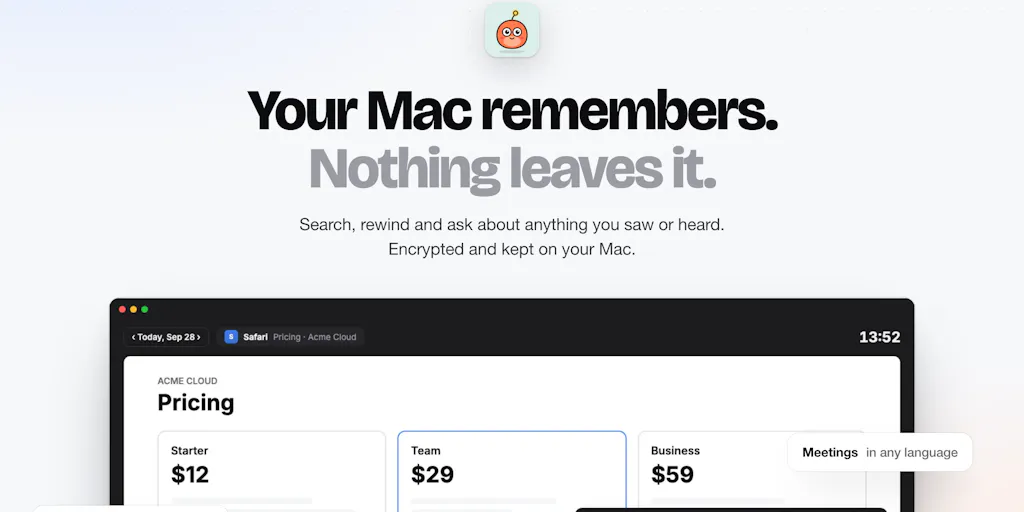
Earlyn is a Mac app that continuously keeps the text and a picture of what’s on your screen, encrypted locally on your machine using SQLCipher and AES-GCM. You can search any word you saw, or ask natural-language questions like “what was that pricing page yesterday?” It transcribes meetings in any language using Whisper running on your Mac, with live translation in a side panel. And it exposes that accumulated context to coding agents — Claude Code, Codex, and Cursor — over MCP. Apps you exclude are never captured, private browser windows and password fields are skipped, and recording only starts when you turn it on. It’s free for 7 days, then $19/month. That pricing and the security stack are both stated directly in the launch post.
The distinction that matters: this is not a note-taking app, and it is not a screenshot manager. It’s a passive memory layer. The difference between those categories is the difference between a tool you have to remember to use and a tool that works whether or not you’re disciplined. In my experience running content calendars, the tools that survive are the ones that don’t require a behavior change. Every “second brain” system I’ve watched a creator adopt has died the same death — the capture step requires a decision, and decisions get skipped on busy days.
Why search-by-meaning is the actual feature, not search-by-word
A commenter, Ill Robyn, asked the sharpest question on the thread: how accurate is search when you only remember part of a word or a rough idea? The maker’s answer is the most technically interesting part of the whole launch. There are two search modes running together. Word search matches the last word you type as a prefix from three letters, so “pric” finds “pricing.” Meaning search uses an on-device embedding model to find moments that are about the same thing even when the words differ — the example given is “listening to music” surfacing a YouTube tab.
The maker also cited an internal test: the right result came first in 12 of 12 queries, in English and Turkish. I’d flag that as a maker’s own benchmark on a small sample, not independent validation — treat it as a signal of intent, not proof. The maker was also upfront about a real gap: typos aren’t corrected yet, and that’s “on the list.”
For creators, the meaning-search mode is the whole ballgame. Here’s why. When I’m researching a niche, I don’t remember the exact phrasing of the hook that stopped my scroll. I remember the feeling — “that one video where the founder talked about churn being a retention problem, not an acquisition one.” Keyword search fails that query. Semantic search is the only thing that can answer it. This is the same reason Perplexity and NotebookLM have trained a generation to expect meaning-based retrieval; Earlyn is applying that expectation to your own screen history rather than the public web.
How It Stacks Up Against What You’re Already Paying For
If you’re a social media manager, you are almost certainly already paying for a stack that claims to solve adjacent problems. It’s worth being precise about where Earlyn overlaps and where it doesn’t.
Scheduling and publishing: Buffer, Hootsuite, Later, Metricool. None of these touch recall. They’re pipes, not memory.
Analytics: Metricool, Sprout Social. These tell you what performed. They don’t tell you why you decided to post it, or what you saw that inspired it. The rationale behind a post is lost the moment you hit publish.
Creation: Canva, CapCut, Descript. Descript is the closest cousin here — it transcribes and makes audio/video searchable, which is genuinely useful for repurposing long-form into shorts. But Descript only sees media you’ve imported. Earlyn sees everything, including the stuff you never thought to save.
Meeting capture: Otter.ai, Granola, Fathom. These are Earlyn’s most direct competitors on the transcription feature. The differentiator the maker is pushing is that transcription happens on your Mac via Whisper rather than on someone’s cloud — which is a real architectural difference, not marketing.
The category Earlyn is actually inventing: Rewind.ai is the obvious incumbent in “searchable screen history,” and Microsoft Recall is the platform-level threat on Windows. Earlyn’s bet is that Mac users who care about local encryption will pay $19/month rather than trust a cloud service or a first-party OS feature. My take: that’s a defensible niche, but a niche.
Why TikTok creators should care more than LinkedIn ones
Here’s an operational observation from running accounts on both. LinkedIn content is largely evergreen and text-based — you can find your old posts, and your research is mostly reading, which your browser history and bookmarks already handle reasonably well. TikTok is the opposite. The research that feeds a TikTok strategy is ephemeral by design: trends spike and die in 72 hours, sounds get pulled, competitor videos get deleted, and the For You Page is deliberately un-archivable. If you’re doing trend research on TikTok, your evidence base evaporates while you’re still deciding whether to act on it.
A local, always-on capture layer is disproportionately valuable for short-form video operators for exactly this reason. The same logic applies to Instagram Reels and YouTube Shorts. If your content strategy depends on catching things before they peak, you have a research-durability problem, and it’s worse than most teams admit.
What Social Teams Should Steal From This, Tool or Not
Even if you never install Earlyn, the launch is a useful mirror. Here are the patterns I’d lift for a content operation regardless of tooling.
1. Treat recall as a first-class part of the workflow. Most content teams have a publishing calendar and an analytics dashboard but no research archive. That’s backwards. The inputs to strategy — competitor pages, comments, DMs, call notes — are the raw material, and they’re the least protected asset in the stack.
2. Local-first is becoming a buying criterion, not a nice-to-have. The encryption stack here (SQLCipher, AES-GCM) and the on-device Whisper transcription are the pitch. For agencies handling client NDAs, the ability to say “this never leaves our machines” is increasingly a procurement requirement, not a preference. I’d expect more creator tools to lead with this in 2025 and beyond.
3. MCP is quietly becoming the integration layer. The fact that Earlyn pipes context into Claude Code, Codex, and Cursor over MCP is a signal about where the AI tooling ecosystem is heading. A year ago, “integrates with your AI assistant” meant a custom plugin. Now it means speaking a shared protocol. If you’re evaluating any AI-adjacent tool for your stack, “does it support MCP” is a question worth asking.
4. Transcribe everything, then search it. The meeting-transcription feature is table stakes now — Otter, Granola, and Fathom all do it. The differentiator isn’t transcription, it’s cross-referencing transcription against everything else you saw that day. When a client says “let’s do the thing we discussed” on a call, being able to pull the exact moment from three weeks ago is the difference between a fast turnaround and a clarifying email thread.
Where the math breaks
$19/month is cheap for a solo creator and expensive for a team. There’s no team plan mentioned in the launch, no shared archive, no admin controls. For a five-person social team, that’s either five separate $19 subscriptions with five separate siloed memories, or nothing. That’s a real structural limitation, and it’s the kind of thing that decides whether a tool stays a personal productivity toy or becomes an agency line item.
Where I Think It Falls Short
I want to be balanced here, because the launch thread is uniformly positive and that’s usually a sign nobody’s stress-tested the claims yet.
The 12-of-12 benchmark is a maker’s test. It’s cited in the launch discussion as an internal result on a small query set. It tells us the maker cares about retrieval quality. It does not tell us how the system performs at scale — after six months of screen history, with tens of thousands of captured moments, does semantic search still surface the right thing first? Nobody knows yet. I’d want to see how it degrades.
Typos aren’t handled. The maker admits this directly. For fast typers and anyone searching in a second language, that’s a friction point. It’s “on the list,” which is honest, but it’s not shipped.
Mac-only, and that’s a hard ceiling. A huge share of social media managers work on Windows, and the entire agency world is mixed-OS. If your team isn’t all-Mac, Earlyn can’t be a shared workflow. That’s not a knock on the product — it’s a scoping decision — but it narrows the addressable audience considerably.
Privacy claims need independent verification. The encryption stack is described but not audited publicly, as far as the launch shows. “Never captured” and “excluded apps” are strong claims that deserve third-party review before anyone routes client-confidential material through it. I’d treat the privacy architecture as credible-but-unverified until an audit surfaces.
No disclosed user numbers, funding, or team size. The launch doesn’t say. That’s not unusual for a Product Hunt debut, but it means you’re evaluating a very early product. Plan accordingly — don’t build a workflow dependency on it this quarter.
Who it’s not for: anyone on Windows, anyone who needs team-shared memory, anyone who wants a cloud-synced archive across devices, and anyone uncomfortable with an always-running screen-capture process regardless of the encryption story. That last group is larger than the maker’s target market probably assumes.
What I’d Watch / Test Next
If you’re a creator or social operator and this caught your attention, here’s what I’d actually do this week — no purchase required for most of it.
First, run the 7-day free trial as a research instrument, not a productivity tool. Spend the week doing your normal competitor research and trend-scouting on TikTok, Instagram, and YouTube. On day seven, try to retrieve three things you saw but didn’t save. That’s the real test — not whether the app works, but whether it changes what you’re able to recall when you need it.
Second, before you install anything, audit what’s already in your stack. Do you have a research archive, or just a publishing calendar? If it’s the latter, the gap Earlyn names is real for you regardless of whether Earlyn is the fix. Notion, Obsidian, or even a well-tagged Raindrop.io collection can close part of it manually — less elegantly, but without an always-on capture process.
Third, watch three things over the next quarter: (1) whether Earlyn ships typo tolerance and any team features, (2) whether Rewind.ai or a platform player like Apple moves into this space with OS-level integration, and (3) whether MCP support becomes a standard checkbox across creator tooling. Any of those three shifts the calculus.
My take: the problem Earlyn identifies is more valuable than the product as currently scoped. Recall is the missing layer in every content operation I’ve seen, and the first tool that solves it for teams, cross-platform, with verifiable privacy will be a genuine category winner. Earlyn may or may not be that tool. But it’s the right question, and it’s worth watching who answers it next.