The “no send button” AI tool is a bigger deal for social teams than it looks
Most AI writing tools aimed at social media operators are trying to remove you from the loop entirely. Schedule the post, let the model pick the hook, auto-reply to comments, fire off the DM sequence. The pitch is always fewer decisions. So when a launch shows up that deliberately refuses to send anything — that builds the absence of a send path into the product as a feature — it’s worth pausing on, because it cuts against the grain of where most creator tooling is heading. Ghostwriter by MyHandler is a Windows-only, local-first AI that drafts in your voice and then hands the keyboard back. For anyone who runs brand accounts, that constraint is either the whole point or a dealbreaker. I think it’s the former, with caveats.
What it actually is, and what problem it’s really solving
The maker is Tery Emilson, who describes 40 years of shipping software, going back to a Tandy CoCo with 4K of RAM. His framing in the launch comments is that MyHandler is “a local-first AI for Windows — think OpenClaw, for the rest of us who don’t have a Mac Mini in a closet.” That line matters because it positions the product against the current wave of always-on local agents that assume you’ve got dedicated hardware sitting in a closet indexing your life.
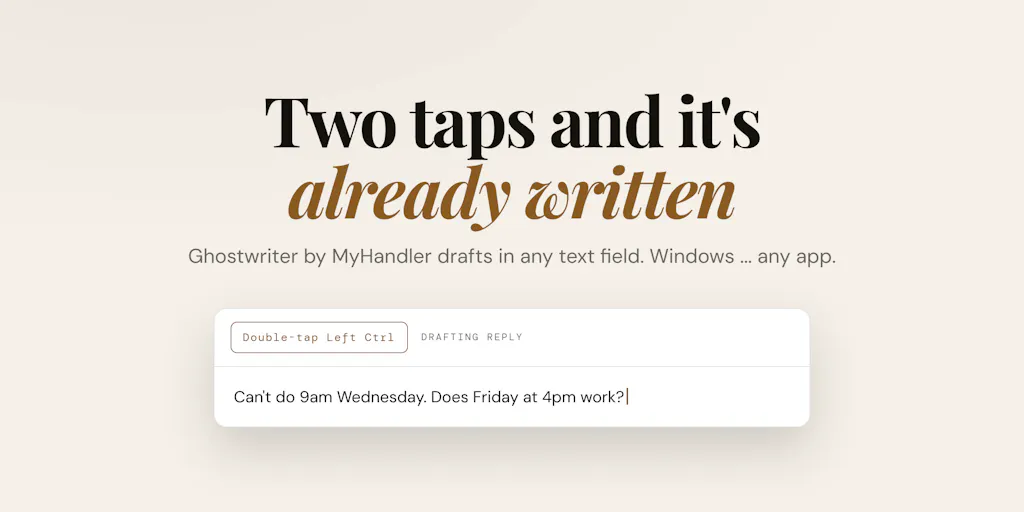
The mechanics, per the maker: it indexes your screen, files, mail, dictations, calendar, and meetings into an encrypted vault on your own drive. Not their servers. Ghostwriter is the first feature they’ve shipped on top of that vault. You double-tap Left Ctrl in any text field, in any app, and it reads what’s on screen and drafts a reply in your voice, pulling from your calendar, files, and past meetings.
The operational detail that separates this from the ChatGPT-in-a-sidebar crowd is what it actually sees. In response to a direct question about screen reading, the maker says Ghostwriter “captures the literal text that Windows reports for the active window — all UI labels, headings, paragraphs and any selectable text you can copy,” and that it also pulls from calendar, files, and recent messages indexed in the local vault. Not hidden code, not images. That’s a meaningful distinction, because a lot of “AI reads your screen” claims quietly mean OCR on a screenshot, which is slower and lossier.
Why the “no send path” constraint is the interesting part
The maker’s own framing in the forum thread is blunt: “So many tools in this category are racing toward autonomy. Read the inbox, write the reply, send it, tell you afterwards… I went the other way.” And then the line that should make any social media manager sit up: “Where OpenClaw acts for you, Ghostwriter never sends. There’s no send path in the product.”
I’ve watched enough brand accounts get burned by an over-eager automation — a scheduled post that went out with a placeholder, an auto-reply that fired on a crisis thread — to find this refreshing. The failure mode of full autonomy on a public-facing account isn’t “slightly worse copy.” It’s a screenshot of your brand saying something stupid, circulating for a week. A drafting tool that structurally cannot post is a different risk category than one that can.
My take: for solo creators and small teams, the drafting bottleneck is real but rarely the actual bottleneck. The bottleneck is usually judgment — knowing whether the reply is on-brand, whether the joke lands, whether the timing is wrong. A tool that drafts and stops respects that. A tool that drafts and sends assumes the judgment is the removable part. It usually isn’t.
How it compares to what you’re probably already using
Let’s be honest about the competitive set, because “AI writing assistant” is a crowded shelf.
Against general LLMs. The maker’s claim is that because MyHandler connects to your Gmail, Outlook, calendars, Slack, and other channels — and can index files on your hard drive — it “gets to know you, and thus is able to answer much more intelligently and in your own voice than ChatGPT.” That’s a claim, not a benchmark, and I’d treat it as such. But the underlying logic is sound: voice-matching quality scales with context, and a model that has seen your actual sent mail has more signal than one that hasn’t. The catch is the same one that dogs every “trained on your data” tool — the quality of the retrieval layer matters more than the model, and retrieval quality is exactly what’s hardest to evaluate from a landing page.
Against social-specific tools. If your job is publishing, not drafting, this isn’t competing with Buffer, Hootsuite, Later, or Metricool. Those tools solve scheduling, cross-platform publishing, analytics, and UTM tracking. Ghostwriter doesn’t publish anywhere, doesn’t schedule, and as far as the source shows, has no social platform integrations at all. It’s a pre-publish writing surface, not a distribution layer.
Against the local-first agent crowd. The comparison the maker invites is to OpenClaw-style agents and to the broader “AI that watches your screen” category. The differentiator is the Windows-first, no-dedicated-hardware positioning plus the deliberately limited action space. Whether that’s a moat or a temporary gap is an open question — the maker says a Mac version is “already scaffolded out” and offered a commenter beta access, so the platform exclusivity is a timing thing, not a philosophy.
Where the math breaks for social teams
Here’s the part I’d flag before anyone gets excited. Social media work is mostly not typing. It’s shooting, editing in CapCut, designing in Canva, pulling clips for TikTok, writing alt text, checking a LinkedIn post doesn’t read as AI-generated, and then reconciling what actually performed in native analytics. A tool that helps you draft a reply in your voice solves a slice of the caption-and-comment layer. It does not touch the parts of the job that eat the most hours.
If you’re a solo operator writing 15 captions a day, that slice is worth something. If you’re a team of five running eight accounts, the drafting step is already the cheapest part of your workflow, and the ROI math gets thin fast unless the voice-matching is genuinely better than what you get from a well-prompted frontier model.
What creators and operators can actually borrow from this
Even if you never install it, there are three transferable ideas here.
1. Voice-matching is a data problem, not a prompt problem
The most useful thing this launch reinforces: if you want AI output that sounds like you, the leverage isn’t in prompt engineering. It’s in giving the model your actual corpus — past posts, sent DMs, comment replies, old newsletters. Every creator I know who’s gotten good AI output has done some version of this manually: a “voice doc” with 20 real examples, a folder of past captions fed into a custom GPT, a Notion page of phrases they actually use. MyHandler’s pitch is that it automates the corpus-building by indexing your mail and files. You can replicate 60% of that benefit this week by exporting your last 50 sent items and your best-performing captions into a reference doc.
2. The “no send path” principle is a template for your own stack
You can apply this constraint to your existing tools even if you don’t switch. Turn off auto-publish on Threads and X scheduling for a week and see what changes. Disable auto-replies on Instagram comments and handle them manually. The point isn’t that automation is bad — it’s that the last step before a public post is where your judgment has the most value per minute. I’d bet most operators who try this find they catch at least one near-miss they’d have missed.
3. Local-first is becoming a buying criterion
The maker’s line — “in my opinion local first is not an option when it comes to your personal data” — is a positioning bet that a growing number of creators care about. If you handle client DMs, unreleased campaign assets, or anything under NDA, “where does this data live” is a legitimate procurement question, not paranoia. Worth asking every vendor in your stack, not just this one.
Where my judgment says it falls short
Platform lock. Windows 10 and 11 only, per the launch. If your team is on Macs — which, anecdotally, most creative and social teams are — you’re waiting. The maker confirmed a Mac version is in progress but gave no timeline. Not disclosed.
No social integrations. The source describes connections to Gmail, Outlook, calendars, Slack, and local files. It does not mention Instagram, TikTok, YouTube, X, LinkedIn, Facebook, Threads, or Pinterest. For a social-specific workflow, that’s a significant gap — the tool doesn’t know what performed, doesn’t know your posting cadence, and can’t pull your best-performing captions as voice examples unless they happen to live in your mail or files.
The screen-reading scope is narrower than it sounds. The maker was explicit: it reads “the literal text that Windows reports for the active window.” That means it doesn’t see images, video, or anything not exposed as selectable text. If your workflow is visual-first — Reels, TikToks, carousels — the context it can pull from what’s on screen is limited.
Pricing and limits. Free tier is 300 credits/month, no card, and there’s a launch code (PRODUCTHUNT30) for 30% off. What a credit buys, what the paid tiers cost, and whether the discount is permanent are all not disclosed in the source. Treat the free tier as a trial, not a plan.
Who it’s not for. If you’re a Mac-based team, if your primary output is short-form video, if you need scheduling and analytics in the same tool, or if you want an agent that actually posts — this isn’t it, and the maker would probably agree, since the no-send design is intentional.
What I’d watch / test next
Three concrete things an operator can do this week.
First, if you’re on Windows, install the free tier and run one real workflow through it — not a test prompt, but an actual client reply or a caption you were going to write anyway. Compare the draft to what you’d have written. The only question that matters is whether the voice-matching holds up on your real corpus.
Second, regardless of platform, build your own voice corpus. Export 50 sent items, 20 top-performing captions, and 10 DMs you’re proud of into a single reference doc. Feed it to whatever model you already use. This is the highest-leverage 30 minutes in AI-assisted content work right now, and it costs nothing.
Third, audit your current stack for send paths you didn’t know you had. Auto-publish, auto-reply, auto-DM, scheduled engagement. Pick one and turn it off for a week. See if you miss it or if you catch something.
The bigger thing I’m watching: whether “deliberately limited” becomes a real product category, or whether it’s a stopgap until trust in autonomous agents catches up. My bet is it’s a category — because the cost of an AI mistake on a public account is asymmetric, and operators who’ve been burned once don’t go back to full autonomy easily. The tools that respect that asymmetry will win the accounts that matter.