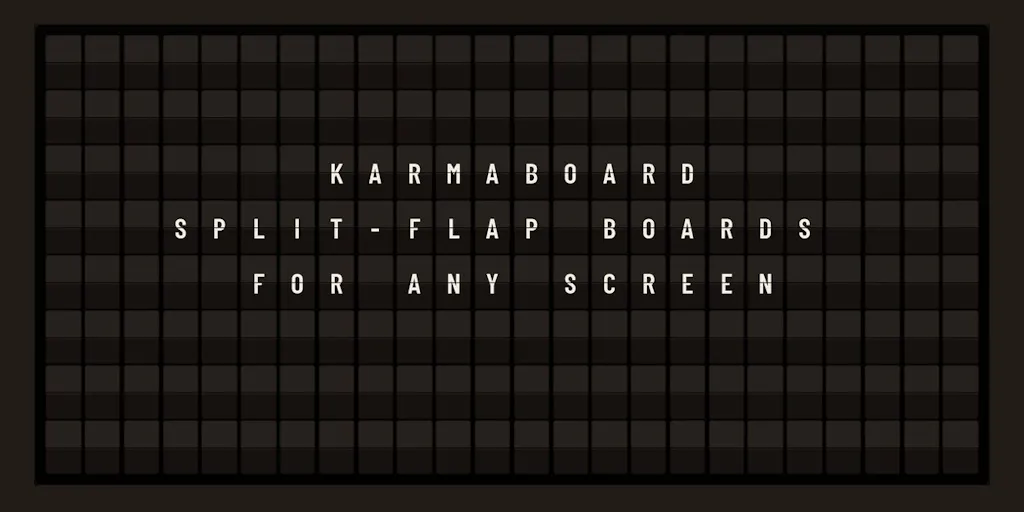
The hardware-free split-flap board is a small story with a big lesson for anyone who publishes on a schedule
Most product launches I skim past. This one I stopped on, because KarmaBoard is a split-flap message board that runs in any web browser — no $3,500 hardware investment, per the maker’s own comparison to Vestaboard — and if you have ever run a social calendar, you already understand the itch it scratches. A split-flap display is the original scheduled-publishing surface: a fixed grid, a finite character budget, a forced refresh cadence. That is exactly the constraint set social operators live inside, minus the satisfying clack. So the interesting question here isn’t “should I buy this.” It’s what a browser-based ambient display teaches us about the boring infrastructure underneath every content operation — scheduling, rotation, source feeds, and the discipline of deciding what deserves a slot.
What KarmaBoard actually is, and the problem it’s really solving
Strip away the novelty and the product is a rendering layer plus a content pipeline. Per the Product Hunt listing, the board runs in any web browser, displays custom messages alongside news, sports scores, stock prices, and transit schedules, and is controlled from a phone or tablet — light or dark mode, audio on or off, playlist organization — “from anywhere on the planet.” The maker positions it explicitly as an alternative to Vestaboard “without the $3500 hardware investment.” Pricing for KarmaBoard itself is not disclosed in the source material.
That framing is the whole pitch, and it’s a smart one. Vestaboard’s genius was never the flip mechanics — it was that a physical object in your home creates a deadline for content. You can’t leave the same message up for three weeks without it becoming furniture. A browser tab has no such social pressure. So the real product problem KarmaBoard has to solve isn’t rendering; it’s making a tab feel like an object. Whether it clears that bar is an open question, and I’ll come back to it.
Why this matters more to social operators than to smart-home tinkerers
Here’s my take: the split-flap format is a content strategy in disguise. A split-flap board has a hard character ceiling per cell, a fixed number of rows, and a rotation you have to author in advance. That is a Buffer queue with worse typography. If you’ve ever built a week of Later slots and then stared at an empty Thursday, you already know the discipline the format enforces: you decide what earns a slot before you’re in the mood to post.
The second thing KarmaBoard gets right, structurally, is the data-source model. News, scores, stock prices, transit times — those aren’t written, they’re piped. That’s the same architecture behind a huge share of high-performing social content: RSS-to-social automations, sports-score bots, price-alert accounts, weather accounts. The accounts that quietly compound are usually feed-driven, not inspiration-driven. A tool that normalizes “mix hand-written messages with live data feeds in one rotation” is teaching a workflow most creators never formalize.
How it stacks up against the tools you already pay for
Let me be precise about the comparison set, because “browser-based display board” sounds like it competes with things it doesn’t.
Against Vestaboard: this is the maker’s own comparison and the most honest one. Vestaboard is hardware with a hardware price and a hardware’s permanence. KarmaBoard’s advantage is cost and instant setup; its disadvantage is that a browser tab is trivially ignorable. The maker claims the platform is “similar to Vestaboard, without the $3500 hardware investment” — that’s a positioning claim, not a feature parity claim, and I’d read it that way.
Against Canva and CapCut: not competitors at all, but worth naming because they occupy the same mental shelf for a lot of creators — “the thing I open when I need to make a visual.” Canva produces artifacts; KarmaBoard produces a rotation. One is a design tool, the other is closer to a signage CMS.
Against scheduling suites — Buffer, Hootsuite, Later, Metricool: these are the real functional cousins, and the overlap is narrower than it looks. Those tools push to platform APIs under rate limits and per-network format rules. KarmaBoard pushes to a screen you own. No API quotas, no aspect-ratio matrix, no Instagram Reels-vs-feed decision tree. Which is precisely why it’s a useful thought experiment: it isolates the scheduling problem from the distribution problem, and most creators conflate the two.
Where the math breaks
If you’re evaluating KarmaBoard as a content tool rather than a gadget, run this test first. Count how many distinct messages you can honestly author per week that are worth a stranger’s glance. For most solo creators I’ve worked with, that number is under ten. A split-flap board with a rotating playlist will burn through ten messages in a day and then either repeat or go stale. The format is only as good as your pipeline — and if your pipeline is “I’ll think of something,” you’ve bought a very expensive way to display the word “hello.”
The same math applies to your social queue, by the way. If you’re running five platforms on original content alone, you’re almost certainly running at least three of them on fumes. That’s the argument for repurposing infrastructure, not more posting.
What creators and social teams should steal from this
Three transferable ideas, and I’d argue all three are worth more than the product itself.
1. Treat your queue as a rotation, not a backlog
A split-flap board doesn’t have a “drafts” folder. It has a rotation: a defined set of items, cycling in a defined order, with live data injected at defined points. That’s a healthier mental model for a social calendar than the infinite backlog most teams maintain in Notion or a spreadsheet. A rotation has a fixed size. A backlog doesn’t. Rotations force you to retire weak content; backlogs let it rot.
In practice: define a rotation of, say, 12 evergreen posts, 4 live-data posts, and 2 hand-written posts per week. When something underperforms, it leaves the rotation. That’s it. No 400-item content bank you’ll never touch.
2. Separate “written” content from “piped” content
KarmaBoard’s feature list is a quiet argument for splitting your content into two streams: things you author, and things a source authors for you. The piped stream — scores, prices, schedules, news — is where leverage lives, because it runs without you. On social, that’s RSS-to-X automations, YouTube upload notifications, Substack cross-posts, or a simple Zapier or Make flow that turns a Google Sheets row into a scheduled post.
My take: most creators under-invest here because piped content feels less “creative.” It’s also the content that keeps an account alive during the weeks you’re heads-down on a big project.
3. Ambient surfaces are underrated distribution
A board in your kitchen, a tab on your second monitor, a Threads post that shows up in someone’s feed at 8am — these are all ambient surfaces. They don’t demand attention; they accumulate it. If you’re a creator with a product, a browser-based board is a genuinely cheap way to keep your own team oriented, or to run a live display at a market stall, a studio, or a conference booth. That’s a real use case the listing implies but doesn’t spell out.
Why TikTok creators should care more than LinkedIn ones
A TikTok creator already lives inside a rotation-driven, feed-piped system — the For You page is a split-flap board with better targeting. The transferable skill is cadence discipline and hook density. A LinkedIn creator, by contrast, is usually optimizing for a handful of high-effort posts per week, where a rotating ambient display offers almost nothing. If you’re on the LinkedIn side of that split, this product is a curiosity, not a tool. I’d rather you spend the hour on your UTM tracking hygiene.
Where I think it falls short, and who should skip it
Honest limitations, in order of how much they’d bother me.
The source is thin on specifics. No pricing, no user counts, no integrations list, no mention of how playlists are shared or whether multiple screens can be synced. The listing says users organize playlists and control screens from a phone or tablet — that’s the extent of the operational detail. Everything else is not disclosed. For a tool you’d potentially run in a public-facing space, that’s a lot of unknowns.
A browser tab is not a display. This is my biggest structural skepticism. Vestaboard works because it’s an object with presence. A browser tab competes with 40 other tabs and loses. KarmaBoard would need to solve for always-on rendering, screen burn-in on the device you park it on, and the fact that most people don’t have a spare always-on screen. A cheap tablet or an old monitor plus this tool is a real setup — but it’s a setup, not a download.
No social publishing integration, as far as the source says. If you were hoping this replaces a piece of your Buffer or Metricool workflow, it doesn’t, based on what’s published. It’s a display layer, not a distribution layer.
Who it’s not for: anyone whose bottleneck is reach rather than internal communication. If your problem is “nobody sees my content,” a board in your own kitchen solves nothing. If your problem is “my team doesn’t know what’s shipping this week,” or “I want a live display at my booth,” it’s a cheap experiment.
Who it might be for: indie founders running a physical space, podcasters who want a live “now playing” wall, agencies who want a client-facing status board, and tinkerers who already have a spare screen and a Raspberry Pi gathering dust.
What I’d watch / test next
Concrete things to do this week, whether or not you ever open KarmaBoard.
First, audit your rotation math. Open your scheduler and count how many items are genuinely evergreen versus how many are one-and-done. If more than 70% are one-and-done, you don’t have a rotation — you have a treadmill. Build a 12-item evergreen set this week and slot it into the gaps.
Second, build one piped source. Pick a single feed — your YouTube uploads, your Substack posts, a Google Sheets row — and wire it to one platform via Zapier or Make. One flow. See if it survives a month.
Third, if the ambient-display idea appeals, test it for free before you buy anything. Open the KarmaBoard listing, check whether pricing is published yet (it wasn’t at the time of writing), and if there’s a free tier, park it on a spare screen for two weeks. If you stop looking at it by day four, you’ve learned something about your own attention — and about whether a physical Vestaboard would have been a $3,500 mistake.
What I’m watching: whether KarmaBoard publishes integration details and pricing, and whether the split-flap aesthetic becomes a durable format or a one-quarter novelty. My bet is the format outlives most of the apps built on it — because the constraint was always the point.


