The Clipboard Is a Content Workflow Engine, and Most Creators Are Leaving It Idle
Here’s the thing about the creator economy that nobody puts in the glossy “get famous on TikTok” guides: the job is 10% inspiration and 90% administrative plumbing. You’re not just making videos; you’re moving text. You’re copying captions from a Google Doc into Instagram, then re-copying them into Threads with a different hook. You’re grabbing a client’s brand guidelines, pasting them into a brief, then copying the URL of a reference video into a Slack channel. You’re pulling a quote from a tweet into your newsletter draft, then copying the final version back into a scheduling tool. For every minute of creative output, there are ten minutes of copy-paste logistics. We’ve built an entire industry on the assumption that the clipboard is a temporary, forgettable buffer—a place where data goes to die the second you copy something new. But for a social media operator, the clipboard isn’t a buffer; it’s a de facto content library that we’ve been managing with our bare hands and our short-term memory. This is why I’m genuinely interested in Pastea, a macOS clipboard manager that launched recently on Product Hunt. It’s not a scheduling tool or an AI video editor, but it might be solving a bottleneck that’s quietly strangling your content operations. We obsess over the algorithm, but we ignore the friction of the copy-paste. Pastea is betting that reducing that friction is a competitive advantage. And honestly, after a decade of watching tools like Buffer and Hootsuite try to solve distribution, I think the next battleground for creator efficiency is the space between the copy and the paste.
The Problem Isn’t “Saving” Clips — It’s Finding Them
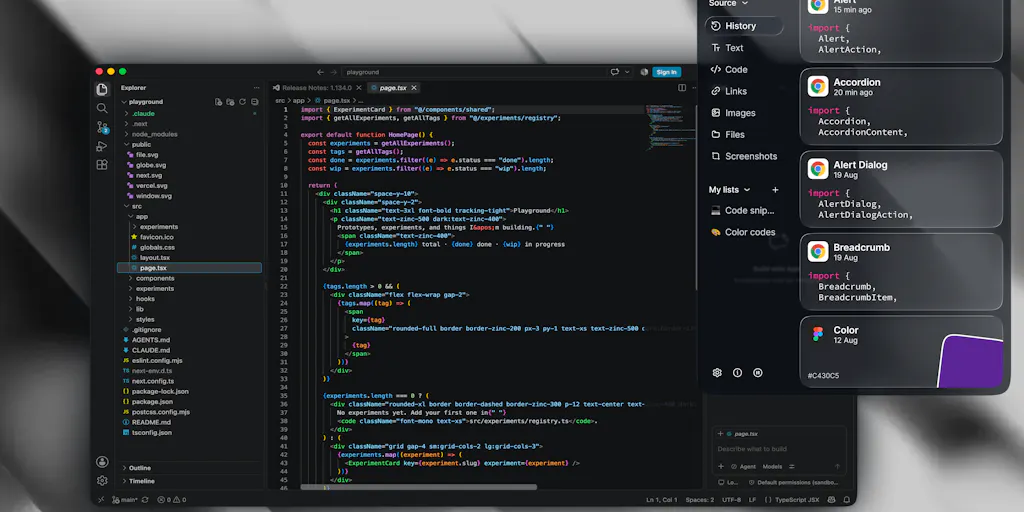
We need to separate the idea of a clipboard manager from the legacy perception of the utility. For years, apps like Paste and CopyClip have existed to do one thing: keep a history of what you copied so you don’t lose it. That’s table stakes. The problem that Hamza Ait darhem and his team identified isn’t that creators lose their copy history—it’s that we drown in it. My clipboard history after a week of work is a terrifying graveyard of half-written tweets, discarded hooks, and old client bios. The sheer volume makes the archive useless. If I have to scroll through 500 entries to find the one email address I copied on Tuesday, I might as well just type it out again.
Pastea’s thesis, which I find compelling, is that the value isn’t in the storage—it’s in the retrieval. The maker’s framing on the launch page is telling: the more things you copy, the harder it becomes to actually find and reuse them. This is the exact pain point of a social media manager who juggles multiple brands. When I scheduled posts for three different clients last month, I was constantly copying and pasting between analytics dashboards, content calendars, and approval threads. The ability to search by source app is a killer feature that most generic managers lack. If I can filter my clipboard history to only show clips that came from Slack, or only from my analytics tool, I can instantly find that specific metric I copied without wading through a swamp of meme text.
Why TikTok Creators Should Care More Than LinkedIn Ones
There’s a hierarchy of pain here. A LinkedIn thought-leader who writes a 500-word text post might copy a few links and a quote. That’s low-volume, high-context work. But a TikTok or Instagram Reels creator operates on a different plane entirely. We are constantly pulling assets. We copy trending audio names, we copy hashtag lists, we copy the text from a viral video to analyze the script structure, and we copy screenshots of comments to use as overlays. The volume is massive and the types of media are varied. The fact that Pastea remembers images, files, and colors is specifically relevant to visual creators. I can’t tell you how many times I’ve copied a hex color code from a brand deck, lost it, and had to go back to the PDF to re-copy it because I was too lazy to open the color picker. Having a history that retains that specific data type—and allows you to search by *type*—is a workflow saver that directly impacts the speed of asset creation in tools like Canva or Figma.
Beyond the Buffer: Turning “Snippets” into “Actions”
The feature set that elevates Pastea from a “utility” to a “workflow tool” is the inclusion of what they call Inline shortcuts. This is where my interest peaks, because it crosses the line from passive storage into active automation. The idea is simple: you assign a text trigger like [@email](https://www.producthunt.com/@email) or [@signature](https://www.producthunt.com/@signature) to a clip. When you type that trigger, it expands into the full content.
This is the mechanics of how a content operation scales. It’s not about saving time on typing your email—that’s negligible. It’s about standardizing the output. In my experience, the biggest drag on a social media team isn’t the creation of the content; it’s the consistency of the metadata around it. Think about the boilerplate text you paste into every client report: the methodology, the definition of “engagement rate,” the disclaimers. Think about the standard response you give to comments asking “What camera do you use?” or “How did you grow so fast?”
By turning these into shortcuts, you aren’t just speeding up the paste—you are enforcing a single source of truth. If I update the clip associated with [@signature](https://www.producthunt.com/@signature), every future paste will use the new one. This guarantees that I never accidentally send an outdated email address or an old promo code. For a growth marketer running a newsletter, this is gold. You can have shortcuts for your boilerplate sponsor deck, your media kit link, and your standard “welcome to the list” DM.
Furthermore, the Quick Preview feature—which brings the manager up near your cursor—is a direct response to the context-switching hell that plagues our workflow. When I’m writing a YouTube description, I don’t want to Alt-Tab out of my browser to find a piece of data in a notes app, then Alt-Tab back, only to realize I forgot the exact timestamp and have to do it again. Pulling the history up near the cursor keeps your eyes on the screen and your hands on the keyboard. It’s a small UX detail, but it speaks to a deep understanding of the operator’s flow. It’s the difference between a tool that feels like a filing cabinet and one that feels like an extension of your desktop.
The “Useful Actions” Gamble: AI as a Post-Processor
This is where I have to put on my critical hat. The team has bundled in Useful actions like extracting text from images, rewriting, translating, and removing image backgrounds. On paper, this sounds amazing—a one-stop shop for the mundane tasks. But in practice, I am deeply skeptical of feature creep in clipboard managers. The core loop of a clipboard manager is copy → search → paste. It is a low-latency, high-trust action. The moment you introduce AI rewriting or image background removal, you introduce latency and a new failure mode.
When I copy a screenshot of a tweet to extract the text, I want it to be instant and accurate. If Pastea uses an on-device OCR, that’s great for privacy, but it might be slower than a cloud-based API. If it uses a cloud API, I have to worry about the privacy implications of sending my screen captures to a server—even if the team claims otherwise. The privacy-first approach is highlighted on the launch page, stating that history stays on your Mac. But the “actions” like rewriting and translation likely require network calls to an LLM. This is a contradiction that needs clarity. Is the OCR on-device? Is the “rewrite” feature sending text to a third-party API? The source doesn’t specify, and in my view, this is the biggest open question for trust.
The maker mentions that these actions are meant to help you “do more with it,” but I’d argue that the rewrite feature is a solution in search of a problem. I have ChatGPT and Claude open in a tab at all times. If I need a tone shift, I’m going to paste the text into the AI chat where I have a full conversation context, not rely on a popup menu in my clipboard manager. The one action that does make sense in this context is extracting text from images. That is a genuine friction point—copying text from a video thumbnail or a screenshot of a PDF is a nightmare on macOS.
Where the Math Breaks
Let’s talk about the economics of time. The 7-day free trial is standard, but the pricing after that is not disclosed in the source. For a solo indie founder, a $20 one-time purchase or a $2/month subscription is a no-brainer. But if this is priced like a prosumer tool (think $10+/month), the value proposition gets murkier. You are competing for budget against tools that have a more direct impact on revenue. A Metricool subscription gives me analytics and scheduling. A CapCut subscription gives me editing templates. A clipboard manager has to be priced low enough to be an impulse buy, or high enough to be a business expense that saves a dedicated VA (virtual assistant) an hour a day. If it saves a $20/hour VA just 15 minutes a day, the tool pays for itself. But for a solo creator just starting out, that $10/month could be the difference between paying for a stock photo subscription or not.
What Social Media Teams Can Steal From This (Even If They Don’t Buy It)
Regardless of whether Pastea becomes your daily driver, the philosophy behind it offers a blueprint for how to structure your content operations. The first takeaway is the concept of Lists & Collections. Most of us use our notes app as a catch-all. We have a “Content Ideas” note, a “Client Links” note, and a “Random Quotes” note. The problem is that these notes become massive walls of text. Pastea’s approach of organizing clips into dedicated spaces for projects, research, and writing is a better mental model. I’ve started doing this manually in my notes app—creating a specific note for “Q3 Campaign Hooks” and “Email Signatures” rather than lumping them together. It’s not as seamless as a dedicated clipboard manager, but it’s a step toward treating your snippets as a database, not a list.
The second takeaway is the Search by Type function. When you are deep in a content sprint, you don’t think in keywords; you think in formats. “I need the link to the source article.” “I need the screenshot of the stat.” By forcing users to categorize their clips by type (text, link, image, code), Pastea is subtly training you to think about your assets differently. I’ve started naming my files and folders based on the function they serve (e.g., “Pinterest_Image_Link” vs. “Blog_Quote”) rather than just the topic. This reduces cognitive load when you are moving fast.
The Verdict: A Promising Utility With a Focus Problem
My honest assessment is that Pastea is a well-executed version of a necessary tool, but it is currently trying to be too many things. The core clipboard history and search functionality—especially the search by source app and type—is a legitimate step forward for operators who live in a multi-app world. The Lists feature is excellent for segmenting client work.
However, the “AI actions” feel bolted on. They dilute the focus and raise privacy questions that the team hasn’t fully answered in the launch copy. When I read the claim about extracting text from images, I immediately thought of the use case of grabbing text from a viral TikTok screenshot. But the maker clarified in the comments that text extraction does not run automatically on screenshots that existed before installation—you have to copy them into Pastea first. This is a limitation that isn’t immediately obvious. It means the “search your screenshots” dream is only applicable to new screenshots you take after installing the app. That’s a significant caveat for a feature that is prominently displayed.
Who is this NOT for? It’s not for the casual user who copies a link once a day. It’s not for teams that rely on cloud-synced clipboards to share snippets between a Mac and a Windows machine (Pastea appears to be macOS only, which limits its utility in mixed-OS teams). And it’s not for the privacy absolutist who wants zero network calls—the AI features necessitate some level of external processing, even if the core storage is local.
But for the solo creator or the social media freelancer who lives on a Mac, who manages multiple clients, and who is tired of losing that perfect hook they wrote at 2 AM—this is worth a look. It’s a reminder that the tools we use to manage our content are just as important as the tools we use to create it.
What I’d Watch / Test Next
If I were to download Pastea today, I wouldn’t mess with the AI rewriting or the background removal—those are distractions. My test protocol would be purely operational:
- The Client Switch Test: I’d set up Lists for my two biggest clients. I’d copy all the links, specs, and brand colors into the lists. Then, I’d try to switch contexts rapidly—posting for Client A, then Client B—and see if the search-by-list feature reduces my mental friction.
- The Source App Filter: I’d spend a week copying metrics from my analytics dashboard. At the end of the week, I’d filter my clipboard by that analytics source app to see if I can quickly compile a performance report without revisiting the dashboard. If that works, it’s a game-changer for reporting efficiency.
- The Shortcut Stress Test: I’d immediately set up shortcuts for my most common email addresses, my standard sponsorship inquiry response, and my content disclaimer. I’d try to use them in a live client email. If the expansion is seamless and doesn’t require me to open the Pastea app, it’s worth the price of admission.
The next iteration I’d want to see is Cloud Sync (even if it’s encrypted) so I can use it on a work Mac and a personal Mac. I’d also want the ability to set a “time-to-live” on clips—auto-deleting anything older than 30 days to keep the database lean. Finally, I’d ask the team to clarify the data flow for the AI features. If the OCR is on-device using Apple’s Vision framework, that’s a massive selling point for privacy. If it’s not, they need to be upfront about it.
The clipboard is the last frontier of the creator workflow. We’ve automated posting, we’ve automated analytics, but we haven’t automated the act of reusing our own past output. Tools like Pastea are the first step toward treating our copy history as a strategic asset rather than a temporary cache. It’s not going to make your video go viral, but it might just buy you back the hour you need to edit it. And in this game, that hour is everything.