Why a Mac-Only, On-Device Meeting Notetaker Matters More to Cross-Border Sellers Than to Office Workers
If you manage a cross-border operation—whether on Amazon, Shopify, or a TikTok Shop—you probably spend a third of your week on calls that shouldn’t be stored on someone else’s server. Supplier negotiations on Alibaba, customs broker briefings, competitor intel swaps with a sourcing agent in Shenzhen, or a late-night debrief with your Vietnam warehouse manager. Most of those conversations contain the exact data you’d never want a cloud-based meeting bot to index: unit economics, landed cost breakdowns, exclusivity clauses, and the real reason your last container got held at Long Beach.
Now look at the tools the market offers you. Otter.ai and Fireflies.ai are the default choices. They send a bot into your video call, plaster a tiny avatar in the participant roster, and ship your audio to a server whose data-safety promises you have to squint at. Every operator I know has had the moment where a supplier asks, “Who is that bot? Is it recording us?” It’s a trust liability dressed up as convenience.
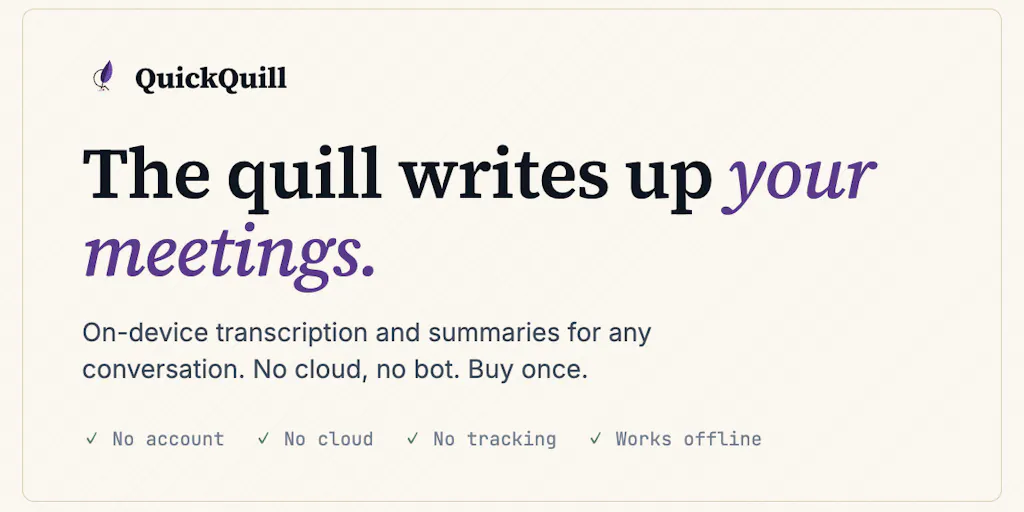
That’s why when I saw the Product Hunt launch of QuickQuill by solo developer Taisei, I didn’t see another productivity app. I saw a template for how we should handle sensitive operational data in a cross-border business. QuickQuill is a macOS-native meeting transcription and summary tool that runs entirely on-device, requires no account, and costs a flat $49 (launch) or $79 (post-launch) with zero subscription. It records system audio and your mic locally, merges them, transcribes on the machine using Apple’s SpeechAnalyzer, and summarizes with on-device Foundation Models. The demo video was recorded with Wi-Fi off—a flex that should make every cloud-first note-taker ashamed.
This essay is not a review of a niche Mac utility. It’s a reflection on why local-first, trust-minimizing software is the right architecture for cross-border operators, and what you can borrow from QuickQuill’s approach even if you never install it.
The Problem QuickQuill Actually Solves: Trust as a Business Liability
Cross-border e-commerce runs on asymmetric information. Your supplier knows their cost floor; you don’t. Your logistics partner knows which carrier has the best hidden rate; you don’t. Your customs broker knows which HS code classification triggers fewer exams; you almost never do. In every one of those conversations, you’re trying to extract reliable data while exposing your own strategic posture. A bot in the room—even a benign one—changes the power dynamic. The other party may clam up, give you sanitized answers, or simply refuse to share any nuance.
QuickQuill doesn’t just remove the bot from the participant list. It removes the trust dependency. As the maker explains, “Nothing appears in the participant list because nothing joins the call.” That’s not a feature; it’s a new category of meeting capture: one where the other side never knows a recording is happening unless you choose to tell them.
Now, the ethical dimension is real. As commenter Peter Digitalis astutely noted in the thread, the invisibility of QuickQuill’s capture means the other party loses the visual cue that they’re being recorded. For cross-border sellers, this cuts both ways. You can use it to capture honest feedback from a supplier who would otherwise clam up—or you can use it to record without consent in jurisdictions where that’s illegal. My advice: always disclose. The app makes it easy to share the summary afterward, and the maker is thinking about a frictionless disclosure flow. Transparency is a competitive advantage, not a handicap.
But the structural point stands: when you don’t need to ask a third-party server to process your conversation, the risk surface shrinks dramatically. No server logs, no data breach liability from an AI transcription provider, no chance that a disgruntled employee at the cloud provider leaks your conversations to a competitor. For a 6-figure Amazon seller negotiating an exclusive distribution deal, that peace of mind is worth more than any subscription fee.
How QuickQuill Differs from the Incumbents (And Why It Matters for Your Tooling Stack)
The meeting note-taking market is crowded, but every major player makes the same architectural trade-off: cloud-first. Otter.ai transcribes on the cloud and stores your data on its servers. Fireflies.ai requires you to invite a bot to the call. Zoom’s own transcription stores the text in its cloud. Even Notta, which offers on-device transcription for mobile, still uses cloud models for summaries and search.
QuickQuill flips that. According to Taisei’s comments, the app uses macOS’s ScreenCaptureKit to grab system audio (no virtual audio driver, no extra permissions re-granted after updates), SpeechAnalyzer for local transcription, and Apple’s Foundation Models for on-device summarization. Everything runs on the M1/M2/M3 Mac. The demo was recorded with Wi-Fi off.
For a cross-border operator, this means you get: - No data sovereignty questions. Your supplier call recorded in Bangkok can’t be subpoenaed from a US data center. - No subscription bleed. $49 one-time vs. $16.99/month for Otter Pro. Over three years, that’s $1,764 saved. - No bot-induced awkwardness. The other side never sees a participant they don’t know. - Offline operation. If you’re in a factory in Dongguan with flaky wifi, QuickQuill still works.
But the trade-offs are real and must be acknowledged. The maker admits that on-device summaries can’t match cloud models in context window or raw intelligence. He mitigates this by chunking the transcript and summarizing each chunk, but a 90-minute negotiation call will produce a less coherent summary than a cloud model with 128K context. Also, speaker separation is rudimentary: the mic stream is labeled “You,” and system audio is labeled “Others.” If three people are on the other end, you won’t be able to tell who said what.
Why Amazon sellers should care more than Shopify ones
Amazon FBA brand owners have a unique privacy burden. Your calls with listing optimization agencies, PPC managers, and even Amazon account health specialists contain granular data about your ad spend, your keyword strategy, and your supply chain. Leak any of that to a competitor who happens to use the same cloud meeting bot provider, and you risk losing a category ranking. Shopify DTC operators, while also sensitive, typically have more control over their tech stack and are less exposed to the platform’s TOS gatekeeping. For Amazon sellers, a tool like QuickQuill that never leaves a digital footprint is not a luxury—it’s a layer of operational security.
What Cross-Border Sellers Can Borrow from QuickQuill’s Approach (Even If You Don’t Own a Mac)
QuickQuill is macOS-only and requires Apple Silicon running macOS 26. That locks out 90% of PC-using operators. But the underlying philosophy is transferable to any tool you evaluate or build for your business:
1. Prefer one-time payments over subscriptions for tools that handle sensitive data.
The SaaS industry has trained us to accept monthly billing, but that creates a perverse incentive: the vendor must keep you engaged to keep revenue. With a $49 flat fee, QuickQuill aligns its incentive with yours—it wants you to get value once and be done. When you vet tools for your Martech stack (e.g., Helium 10, SellerSprite, Jungle Scout), ask if they offer a lifetime deal or at least an annual plan that doesn’t creep up. Your unit economics will thank you.
2. Demand local-first architecture for any tool that touches PII or trade secrets.
If you’re using a Chrome extension that reads your Amazon seller dashboard and sends data to a cloud server, you’re leaking margin data to a third party. Apply QuickQuill’s standard: can the core function work with Wi-Fi off? For a product research tool? Sure—if it downloads the database locally. For a metrics dashboard? Maybe not. But at least ask the vendor where the data lives.
3. Look for the “no account required” pattern.
QuickQuill requires no signup. That’s a huge trust signal. The next time you evaluate a tool for cross-border operations—whether it’s a supplier database like ImportYeti or a translation tool—check if you can try core features without creating an account. If the vendor demands your email for a 7-day trial, they’re building a mailing list, not a solution for you.
4. Embrace the honesty of “we’re not there yet” over overpromising.
When a commenter asked about speaker separation for in-person meetings, the maker replied, “Showing no labels felt like a better choice than showing wrong ones.” That’s the rare kind of candor that builds long-term trust. When your supplier promises a product quality that doesn’t hold up, you fire them. When a software vendor is honest about limitations, you keep using them because you know they’ll improve without gaslighting you.
Where the math breaks: QuickQuill’s practical limits for operators
Let’s be blunt. QuickQuill is not a replacement for your existing meeting workflow if you need: - Multi-language speaker attribution. If you talk to a Cantonese-speaking supplier and an English-speaking translator on the same call, the current “Others” label lumps them together. You lose the thread. - Cross-platform support. Your team likely has Windows and ChromeOS laptops. QuickQuill is Mac-only, Apple Silicon-only. That’s a dealbreaker for team adoption. - Searchable archive. The app doesn’t offer a central repository. You get local markdown exports. If you run 20 supplier calls a week, you’ll need to manage those files manually or wire up your own system. - Real-time human-level summary. The on-device models are improving but still lag behind GPT-4 for nuanced insights. A supplier who says “maybe we can do $1.80 per unit if you order 5K” in a roundabout way might get summarized as “discussed pricing,” not “can get $1.80/unit at 5K MOQ.”
QuickQuill is a brilliant tool for the individual operator doing sensitive one-on-one calls. It’s not yet ready as a team-scale note-taking solution. Use it for your own negotiations, not for your whole team’s weekly standup.
What I’d Watch / Test Next
QuickQuill launched on Product Hunt today. The pricing page shows $49 during launch (one-time, no subscription). That’s a no-brainer for any cross-border seller who owns a MacBook Air M1 or later.
Here’s what I’d do this week:
Buy it and run it on your next supplier call. Use a Zoom or Google Meet that you normally record. Compare the QuickQuill summary to your usual Otter/Fireflies transcript. Pay attention to the summary fidelity for pricing numbers and commitments. If it holds up, cancel your cloud subscription.
Test the export workflow. The maker confirmed markdown export is available. Hook it into your knowledge base—whether that’s Obsidian, Notion, or a private GitHub repo. A CLI and MCP support are planned; watch for those to automate ingestion.
Use it for internal team meetings where you discuss proprietary strategy. Maybe your weekly Amazon PPC review. Because no data leaves the machine, you eliminate the risk of a contractor’s meeting bot accidentally transcribing your full ad budget into a cloud you don’t control.
Give feedback to the maker about speaker separation. The maker is exploring on-device diarization. If that ships, QuickQuill becomes the default tool for multi-party supplier negotiations. Let them know you need it.
Cross-border e-commerce is a business built on information asymmetry and trust arbitrage. Tools that reduce the trust you have to place in a third-party server are not just nice-to-have—they’re structural hedges against data leaks and compliance nightmares. QuickQuill is a small app with a big idea: that the best way to handle sensitive conversations is to never let them leave your machine. Every operator should pay attention, even if they never click “buy.” The architectural lesson is bigger than the product itself.