The quiet infrastructure problem behind every AI-powered content workflow
If you run social for a living, you’ve spent the last year bolting AI into your publishing stack — a caption generator here, a clip-repurposing tool there, an agent that drafts LinkedIn carousels from a YouTube transcript. And if you’ve done that, you’ve almost certainly hit the same wall I have: the tools are smart, but the interfaces around them are mute. You hit “generate,” and then you stare at a spinner with no idea whether the model is thinking, searching, retrying, or quietly dead. That’s not a cosmetic problem. It’s a trust problem, and trust is the currency of every creator workflow. Thinking Orbs, launched by Yogesh, is a small, unglamorous answer to exactly that — and I think it’s worth more of your attention than the flashier AI tools in your bookmarks.
What Thinking Orbs actually is
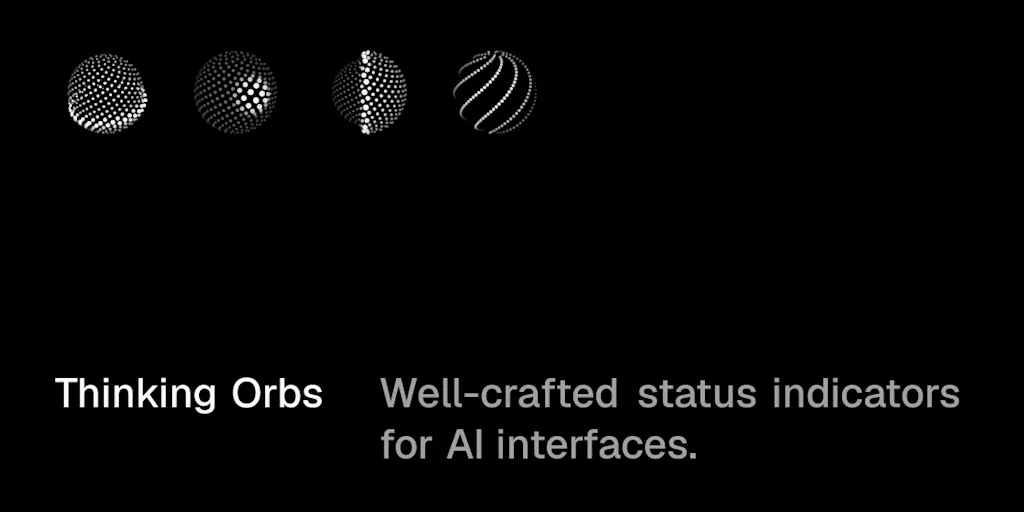
Let me be precise, because the Product Hunt listing is easy to misread. Thinking Orbs is not a content tool. It’s a React component library of animated AI agent status indicators — the little visual pulse that tells a user what an AI is doing right now. Per the maker’s own description, it ships with 8 states, 15 variants, 5 shapes, and 8 render styles, covering moments like “thinking,” “searching,” and “compacting.” It’s installable via npm i @yogesharc/thinking-orbs, and the maker states it’s free and open source. Pricing beyond “free” is not disclosed, and I’d treat the open-source claim as the maker’s framing rather than a verified license detail — worth checking the repo before you ship it into a client build.
That’s it. No dashboard, no API, no scheduler. Which is exactly why I think it matters to people who don’t write React.
Why a status orb is a social-media story
Here’s my thesis, and I’ll defend it: the bottleneck in creator tooling has shifted from generation to legibility. Two years ago the hard part was getting a model to write a decent hook. Now every scheduler and editor — Buffer, Hootsuite, Later, Metricool — has an AI button. The hard part is knowing what the machine is doing while it does it, and whether you can trust the output enough to hit publish on a brand account.
When I scheduled 30 posts across five platforms last month, the friction wasn’t the copy — it was the ambiguity. Did the repurposing agent actually pull the transcript, or did it hallucinate a summary? Did the hashtag suggester time out, or is it still working? A mute spinner forces you to guess, and guessing is how you end up approving a caption that references a product feature you killed in Q1.
So when I see a library that treats “compacting” — the moment an agent summarizes its own context window — as a named, first-class state, my ears prick up. That’s not decoration. That’s an interface admitting that AI work has phases, and that users deserve to see them.
The states tell you what the maker thinks agents actually do
The most interesting thing in the whole listing isn’t the animation polish. It’s the taxonomy. A commenter, Gal Dayan, nailed it: naming “compacting” as its own state is “a very Claude-Code-specific moment” — watching the context window get summarized — that most status libraries would lump into a generic “thinking.” Another commenter, Sagar Deore, made the same point from the product side: “Compacting and retrying as their own states is the detail most agent UIs forget.”
That’s the real insight for anyone building on top of AI. The states you choose to surface are a product decision, not a design one. If your repurposing tool collapses “searching the web,” “reading your doc,” and “rewriting” into one spinner, you’ve told the user those are the same thing. They aren’t. Surfacing them separately sets expectations, reduces support tickets, and — this is the part growth marketers underrate — makes the wait feel shorter because it feels purposeful.
Why TikTok and YouTube operators should care more than LinkedIn ones
Here’s where I’ll get opinionated. If your publishing surface is LinkedIn or X, your AI waits are short. You’re generating text, maybe a carousel, and the latency is measured in seconds. A spinner is fine.
But if you’re running a short-form pipeline — TikTok, YouTube Shorts, Reels — you’re living inside long-running agent jobs. Transcribing a 40-minute podcast, cutting it into nine vertical clips, auto-captioning each, generating hooks, then rendering. That’s a multi-minute, multi-stage process, and it’s exactly the kind of workflow where a status indicator stops being a nicety and becomes load-bearing. If you’ve ever built or commissioned an internal clipping tool (or wrapped something like CapCut’s API), you know the moment a creator loses faith is the moment the bar freezes for 20 seconds with no explanation. A well-designed orb — or any honest state machine — is the difference between “it’s working” and “it’s broken, I’ll just do it manually.”
LinkedIn-first operators can deprioritize this. Short-form and podcast-repurposing teams should not.
What creators and social teams can borrow from it
Even if you never touch npm, there are three transferable lessons here, and they’re the reason I’m writing about a component library on a social-media blog.
First: name your AI’s phases in your own workflows. Your internal SOP for “AI-assisted repurposing” should have explicit stages — ingest, transcribe, segment, draft, review, schedule — because your team’s trust depends on knowing which stage failed. This is the same logic as a status orb, applied to people instead of pixels.
Second: treat “stuck vs. slow” as a design question, not an engineering afterthought. Dayan asked the maker directly whether there’s a state for an agent that’s stuck versus one that’s just working on something hard — and whether “stuck” is even knowable from the UI layer, or has to come from the harness itself. That’s a genuinely open question, and it’s the same one you face when a scheduled post fails silently in your Hootsuite queue. The honest answer, in my experience, is that “stuck” usually has to be inferred from the harness — timeouts, retry counts, error codes — not from the animation. So design your alerts around the harness, not the vibes.
Third: the polish is the product. Commenter Louis Durance said the quiet part out loud: “A polished status indicator is something most people skip because building the animations takes forever.” That’s true of a lot of creator tooling. The unsexy connective tissue — status states, retry logic, error copy — is what separates a tool your team trusts from one they abandon after two weeks.
Where I think it falls short
I’m not going to pretend this is a category-defining launch, because it isn’t, and the listing doesn’t claim it is. Here’s my honest read.
It’s a component, not a solution. Thinking Orbs gives you the visual vocabulary. It does not give you the state machine that decides when to show “compacting” versus “retrying.” You still have to wire that up from your agent framework — whether that’s a custom harness, LangChain, or whatever you’re using to orchestrate. If you expected a drop-in “AI status” service, this isn’t it.
The performance question is open. Commenter Jedidiah Behar asked the sharpest practical question in the thread: are the animations CSS-only or JS-driven, and do they stay smooth on slower phones? As of the source, that question appears unanswered. For a creator-facing mobile app — where a chunk of your audience is on mid-range Android — this matters a lot. Until it’s answered, I’d test it on a low-end device before shipping it into a consumer product.
No pricing or license detail disclosed beyond “free and open source.” That’s fine for a weekend project, less fine if you’re embedding it in a commercial client build. Check the repo.
Who it’s NOT for: if you’re a solo creator using off-the-shelf tools and never writing code, this is not for you — you’ll never install it. If you run a no-code stack, skip it. The value here is for indie founders, tool-builders, and social teams with an in-house dev who are shipping their own AI-assisted workflows.
What I’d watch / test next
Three concrete things I’d do this week if this is relevant to your stack:
- Install it and stress-test the states. Run
npm i @yogesharc/thinking-orbs, wire two or three states to a mock agent, and watch it on a throttled connection. If the animations choke, you’ve saved yourself a production incident. - Audit your own AI workflow for missing states. Open your repurposing or captioning pipeline and list every phase. If two phases share a spinner, split them. This is free and it’s the highest-leverage thing on this list.
- Answer the stuck-vs-slow question for your team. Decide explicitly how you’ll detect a hung job — timeout, retry count, heartbeat — and surface it. Don’t wait for the UI to tell you; it can’t.
My take: Thinking Orbs won’t change your content strategy. But it points at the thing that will quietly decide which AI tools your team keeps — whether the machine is legible while it works. Watch that, not the animations.