The Real Battle for Creator Attention Isn’t Another Editor — It’s Context
Every social media operator I know is drowning in a specific kind of friction right now, and it isn’t ideation or scheduling. It’s the gap between the voice in your head and the voice that actually ships. You know how you want your LinkedIn post to land versus your TikTok caption versus the three-sentence reply to a brand partnership email — but the tools that promise to “write like you” mostly produce a beige average of everyone. That’s the problem Willow Knowledge is trying to solve, and it’s worth a serious look from anyone running multi-platform accounts, because the underlying idea — portable, editable writing context — maps directly onto the repurposing workflows most of us are still doing by hand.
What Willow Knowledge Actually Is (and What It Isn’t)
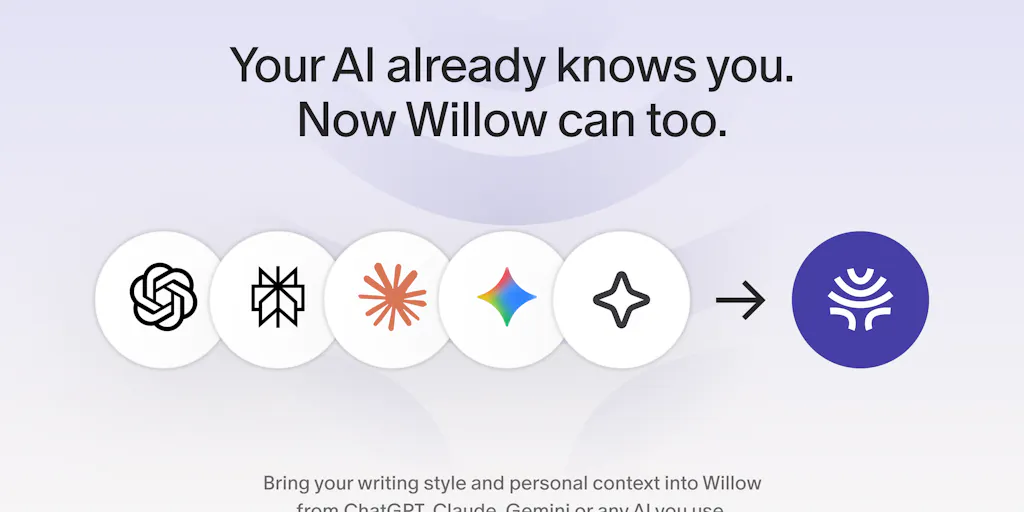
Let me be precise, because the launch page is easy to misread. Willow Voice is a dictation and AI-writing product — the maker, Sharath Kuruganty, describes it as letting you “speak the gist of what you want to say and write it for you inside the app you’re using.” Knowledge is a new feature layered on top of Scribe, Willow’s writing assistant. The mechanic is blunt: you copy a prompt from Willow into whatever LLM you already use — ChatGPT, Claude, Gemini, the launch thread doesn’t name them explicitly but that’s clearly the intent — paste the response back, and Willow ingests your writing preferences and personal context. Then Scribe uses that context when it drafts.
That’s it. No magic API integration, no OAuth handshake with your AI provider. Copy-paste. And honestly, that’s the smartest part of the design, because it sidesteps the entire mess of asking users to connect accounts they don’t trust. Christian Becerra said it plainly in the comments: “Copy a prompt, paste the answer back, done. that’s way easier than typing out my writing style from scratch.”
The feature is available on macOS and Windows. Pricing for Knowledge specifically is not disclosed on the launch page. If you’re evaluating it against your stack, that’s a gap you’ll need to fill by testing directly.
The per-platform preference thing is the actual unlock
Buried in the comment thread is the detail that matters most for social teams. Tori Seidenstein, who works on Tadata, flagged that she wants different writing in Slack than email than WhatsApp — and the maker confirmed Willow supports per-app preference groups. You can tell it to keep emails short, use your usual sign-off, avoid certain phrases, and set up separate profiles for work versus casual messaging. You can also create app groups for places like Notion and Google Docs.
If you run social, translate that immediately: your Instagram caption voice is not your LinkedIn voice is not your X reply-guy voice is not your Pinterest description voice. Most AI writing tools collapse all of that into one “brand voice” setting and call it done. The per-context architecture here is closer to how real operators actually think.
Where the concept gets genuinely interesting for repurposing
Here’s my take, and I’ll flag it as opinion: the most underrated use case for a portable writing-context layer isn’t drafting new content. It’s reformatting existing content across platforms without losing your voice. When I repurpose a long-form YouTube script into a LinkedIn carousel, a Threads thread, and a TikTok hook, the failure mode is always tonal drift — the LinkedIn version sounds like a press release, the Threads version sounds like a different person wrote it. A tool that holds your voice as structured, editable context is a much better fit for that job than a generic “rewrite this for LinkedIn” prompt.
How It Stacks Up Against the Incumbents You’re Already Paying For
The dictation space has gotten crowded fast, and the reviewer comments name the competition directly. Wispr Flow comes up repeatedly — one reviewer chose Willow specifically because of privacy certifications “that none of their competitors hold,” which is a claim worth verifying against Willow’s own documentation rather than taking at face value. MacWhisper, TalkTastic, and OpenAI’s Whisper model all show up in the comparison notes. Apple’s built-in Mac dictation gets called “pretty poor by comparison” by Paul Sussman, a six-month user.
Where does Willow Knowledge sit relative to the writing-assistant side of the market? That’s a different competitive set: Grammarly, Jasper, and the native AI features now baked into Notion AI and Canva. None of those own the dictation-to-draft pipeline the way Willow is trying to. The closest conceptual cousin is probably the “custom instructions” feature in ChatGPT itself — but that context doesn’t travel with you into Slack or Gmail. Willow’s bet is that portability is the moat.
Why TikTok and Instagram creators should care more than LinkedIn ones
This is counterintuitive, so let me explain. LinkedIn and email are text-native. You can type a competent LinkedIn post in ten minutes and it’ll be fine. But short-form video is a script problem — hooks, pacing, spoken rhythm. The creators I know who are most productive on TikTok and Reels write their scripts by talking them out loud first, then transcribing and tightening. A dictation tool that already knows your voice and your recurring phrases is a much bigger multiplier on that workflow than on a platform where you’d just type anyway. If you’re filming three to five short-form videos a week, the script-to-shoot pipeline is where your hours go. That’s the lane Willow is quietly playing in.
What Social Teams Can Steal From This Launch (Even If You Don’t Buy)
Three transferable ideas, in ascending order of usefulness.
First: treat voice as a portable asset, not a per-tool setting. Right now, most social teams have their brand voice documented in a Google Doc that nobody reads and separately configured in five different AI tools. Willow’s copy-paste import model suggests a better pattern — maintain one canonical voice document, and be able to inject it anywhere. You can build this yourself today with a well-structured Notion page and a reusable prompt.
Second: segment voice by surface, not by brand. Tori’s comment about Slack versus email versus WhatsApp is the sharpest insight in the entire thread. Your brand doesn’t have one voice; it has a voice per surface. Document them separately. Your X voice and your Pinterest voice should be different documents.
Third: the “review and edit what it imports” step is a trust feature, not a feature feature. The maker explicitly notes you can review everything, edit it, and add details yourself. That’s the right call. Any tool that silently ingests context about you and starts writing on your behalf without a review step is a liability. If you’re evaluating AI writing tools for a team, make the review-and-edit step a hard requirement in your procurement criteria.
Where the math breaks
Let’s be honest about the friction. The import flow requires you to already have meaningful context stored in an LLM you use regularly. If you’re a creator who’s never written custom instructions, never built a project in Claude, never accumulated a real ChatGPT history — you have nothing to import. The feature’s value scales with how much AI context you’ve already built up. For a solo creator just starting out, this is a solution to a problem you don’t have yet.
There’s also a subtler issue Gal Dayan raised in the comments, and it’s the one I’d want answered before recommending this to a team: does Willow blend context into one averaged voice, or does it genuinely adjust per surface? The maker’s response pointed to Scribe reading on-screen context plus your instructions, but didn’t directly answer the blending question. That distinction matters enormously for anyone doing formal client work alongside casual posting.
The Honest Limitations and Open Questions
I want to be clear about what the source material does and doesn’t tell us, because the launch page is promotional by nature.
Accuracy and speed claims are user-reported, not benchmarked. The review summary cites “high accuracy, near-instant transcription,” and reviewers consistently praise it — 4.9 stars across 11 reviews, with “actual, accurate dictation” as the top-cited pro. But there’s no independent benchmark here, no WER (word error rate) comparison against Whisper or Deepgram. Treat the accuracy claims as strong anecdotal signal, not a spec sheet.
The multilingual bug is real and acknowledged. Martijn van Noordennen flagged that fast dictation mode sometimes forces non-English speech into English transcription. The developers know about it and are working on a fix. If you’re a creator working across languages — and a lot of global social teams are — this is a blocker until it ships.
Inactivity notifications and heavy-user limits. The review summary mentions “persistent inactivity notifications” and “limits that heavy users may hit quickly.” Pricing tiers and specific usage caps are not disclosed on the page. If you’re planning to run this across a team of five social managers, get clarity on seat pricing and rate limits before you commit.
Platform coverage is Mac and Windows only. No mention of mobile, no mention of a web app. For social media managers who live on their phones — and that’s most of us — that’s a real constraint. iOS gets a passing mention from one reviewer, but it’s not in the official availability statement.
Who this is NOT for: If you’re a solo creator who types faster than you talk, or who doesn’t already have substantial AI context built up, the value proposition is thin. If you work primarily in languages other than English, wait for the multilingual fix. If you need team-level admin controls and SSO, the page doesn’t say those exist — assume they don’t until proven otherwise.
What I’d Watch / Test Next
Three concrete things to do this week, whether or not you touch Willow.
One: Audit your own writing context. Open ChatGPT or Claude, ask it to summarize what it knows about your writing style based on your history, and save that output. That document is your portable voice asset. You can use it in any tool, including ones that don’t have a Knowledge feature.
Two: If you want to test Willow Knowledge specifically, download it on macOS or Windows, run the import flow, and stress-test it against your actual workflow — not a demo prompt. Dictate a real Instagram caption, a real client email, and a real Slack message back-to-back. See whether the output actually differentiates by surface or blends. That’s the question the launch page leaves open, and it’s the one that determines whether this is a keeper for your stack.
Three: Watch the multilingual fix and the pricing disclosure. Both are pending. Until they land, this is a promising tool with a genuinely differentiated idea — portable, editable, per-surface writing context — wrapped around a product whose edges are still being sanded down. I’d bet the concept outlives the current execution, and that’s exactly why it’s worth understanding now rather than six months from now when every writing assistant has copied it.


