The Quiet Bottleneck: Voice Is the Input Layer Nobody’s Fixed for Creators
For anyone running social accounts, the expensive part of the week isn’t editing or scheduling. It’s the silent gap between “I have an idea” and “there’s a draft in front of me.” We’ve built a stack around distribution — schedulers like Buffer, analytics tools, design and video editors — but the input layer still runs on typing, and typing is the slowest part of a creator’s day. Voice dictation should fix that. But most dictation turns speech into unformatted text, so I still have to add punctuation, cut the “ums,” and rewrite every other sentence until it sounds like me. That’s a transcription tax. When a tool like Wispr Flow keeps returning to the top of Product Hunt with the same thesis — use your voice, don’t rewrite — I’m interested. This week’s launch of Wispr Flow Notetaker isn’t just another meeting-notes app. It’s a signal that the next productivity unlock for creators isn’t better scheduling. It’s turning spoken thought into publishable words without losing your voice.
What Wispr Flow Actually Does (and Why “Real Names” Is a Bigger Deal Than It Sounds)
The core product is simple to explain. Wispr Flow turns your voice into formatted text in every app on your device, with real-time auto-edits, tone matching, and context-aware formatting. That’s the claim on the Product Hunt listing, framed as “so you never rewrite a word.” I wouldn’t take that literally — anyone who has dictated a paragraph knows you still review it — but the direction is right. Instead of handing you a raw transcript to clean up, Flow tries to produce something closer to a draft while you speak. It also supports over 100 languages, including mixed-language dictation like Hinglish. For a global creator economy, that matters more than most US-centric tools realize.
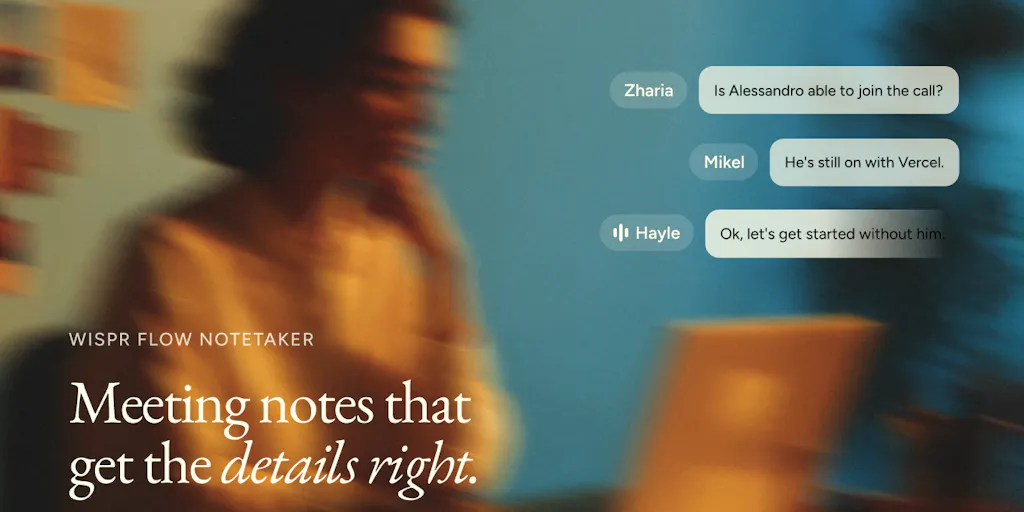
The new piece is Notetaker. According to the listing, it brings the same accuracy to meetings: transcripts you can trust, real names instead of “Speaker 1” and “Speaker 2,” and summaries built on the decisions and next steps rather than a wall of filler. The workflow detail that stands out is that before a meeting starts, Notetaker checks the invite so names are spelled correctly, and it brings the terminology you’ve already taught Wispr Flow into the conversation. Every meeting is also ready to pull into Claude or ChatGPT via MCP. Available on Mac. Free to try. That last part matters: this isn’t a vague “AI notetaker” promise — it’s specifically designed to carry context from your daily dictation habits into your meetings.
Why should a creator care? Because most of us are in meetings that are really content briefs. Brand syncs, agency calls, podcast interviews, team brainstorms — the output is supposed to become posts, but it gets trapped in a transcript with no names, no decisions, and no formatting. I’ve tested Otter, Fireflies, and Granola on client calls. The transcripts are fast, but the follow-up is still manual. You scrub through the timeline for the one line where the client said “launch,” then rewrite it as a caption. Wispr Notetaker’s bet is that the dictation layer and the meeting layer should share context. The terms you taught Flow — your show name, your campaign name, your client’s product — should appear correctly in meeting notes too. That’s not a feature. That’s a workflow.
There’s also a track record here. Wispr Flow has product-market-fit evidence: this is its fifth launch, and it was awarded the People’s Champ Award for AI Dictation Apps in Winter 2025 after previous launches ranked #1 of the day and #1 of the week. That doesn’t guarantee the Notetaker will be good. But it tells me the company has been iterating on voice input long enough to understand what creators actually do with it.
Why TikTok creators should care more than LinkedIn ones
Short-form video is a speech-first medium. A TikTok script is a monologue; an Instagram Reel hook is spoken; a YouTube Short lives or dies on the first two seconds of voice. The algorithm rewards watch time and retention, and retention often comes from how natural the spoken narrative sounds. If dictation can capture a ramble and format it into a tight script without flattening your voice, that’s a direct creative advantage. TikTok creators are also more likely to work in mixed-language formats, especially in South Asia, where Hinglish content is everywhere. Wispr Flow’s claim of 100+ languages with mixed-language dictation speaks directly to that audience.
LinkedIn, by contrast, rewards a more deliberate written structure. Voice dictation can help you draft a post, but you’ll spend more time editing because the audience expects punchy, structured text, not conversational ramble. My take: if you make content for short-form video first, the value of a tool that auto-formats spoken words is much higher. If you spend your week writing long LinkedIn threads, the Notetaker might be more useful for client calls than for content production.
The Wispr Flow Playbook for Social Media Operators
Even if you never install Flow, the workflow principles are worth stealing. The first is a voice-first capture habit. Instead of opening Notes and typing, talk. Dictate a 90-second brain dump for next week’s content. Let the tool format it. Then turn the clean text into a caption, a script, or a thread. I’ve started doing this after shoots and during commutes. The words come out rough, but when the auto-formatting handles punctuation, tone, and paragraph breaks, you’re editing instead of drafting. That shift — from a blank page to a semi-edited draft — is where the time savings compound.
The second principle is turning meetings into content pipelines. The Notetaker’s real-names feature matters because a transcript with “Speaker 1” is a dead document. A transcript with real names, decisions, and next steps is a source file. You can pull it into Claude or ChatGPT and ask for a LinkedIn update, three tweet ideas, and an Instagram story outline. That’s not lazy content. That’s using context you already paid for with your time. The MCP integration is the part that most excites me, because it means the meeting notes aren’t trapped in a proprietary app. They become structured input that can feed into the rest of your automation stack.
The third principle is teaching your tools your vocabulary. Wispr Flow’s moat is that it remembers terminology you’ve already taught it and carries it into meetings. For social media operators, that means brand names, campaign codenames, hashtags, and creator handles. If the tool knows the difference between “the drop” and Dropbox, it saves you from embarrassing errors and from manually correcting the same word every single time. This is where most dictation tools fail: they treat every session as a clean slate. Wispr Flow’s design treats your vocabulary as an asset that should persist across apps, contexts, and meetings.
The fourth principle is respecting platform distribution. A meeting summary is not a post. You still need to adapt for TikTok’s hook-and-retention pattern, LinkedIn’s storytelling structure, Instagram’s comment-driven engagement, and YouTube’s watch-time algorithm. Dictation and notetakers remove the transcription tax; they don’t remove editorial judgment. The teams that get this right will treat voice tools as an input layer, not a content factory.
Where It Falls Short: A Balanced Read
Let me be clear about the limitations. The Notetaker is Mac-only. Flow itself runs on Mac, Windows, iPhone, and Android, but the new Notetaker feature is only on Mac, per the listing. If your team is split between Mac and Windows — which is common in social agencies — this is not a complete solution yet. Android users can dictate, but they can’t get the same meeting workflow. That divides the experience exactly where many creator teams live.
Pricing is also not disclosed in the source. “Free to try” is not the same as “free.” For an indie creator already paying for video editing, design, and scheduling tools, another AI subscription has to earn its keep. Wispr Flow has been around for a while, but the source doesn’t tell us what the Notetaker tier costs after the trial. That’s an honest gap.
There’s also the question of how well the “real names” feature works in messy real-world meetings. The listing says Notetaker checks the invite before the meeting starts, which is great if everyone is on the calendar invite. But if you join a call without an invite, or a guest appears through a room link, the tool may fall back to Speaker labels. I’d bet the magic is strongest in predictable, recurring meetings with known participants — team standups, client check-ins, recurring brainstorms. For ad-hoc calls with strangers, expect less.
Where the math breaks
The math works best if you write a lot or attend many meetings. If you produce three posts a week from written sources, a dictation tool might save you twenty minutes — nice, but maybe not worth a subscription. If you write 30 posts a week across five platforms, or sit on four client calls, the compounding is real. My rule: if you can’t point to a concrete task that takes at least an hour a week, wait before subscribing. Let the free trial prove it.
MCP also cuts both ways. The idea of pulling meeting notes into Claude or ChatGPT is excellent for operators who build automations. But most social media managers are not MCP tinkerers. The average user of Buffer or Later is not going to set up a local MCP server just to summarize a call. Until the export is one click or a native integration, MCP is a power feature, not a mass-market one. The team may know this, and the roadmap may fix it. But right now, the gap between “ready to pull into ChatGPT via MCP” and “actually useful to a busy content manager” is larger than the launch page suggests.
Finally, the listing doesn’t mention data retention, model training, or security certifications. For creators handling brand briefs under NDA, that’s an open question. I’m not saying Wispr Flow does anything wrong — I’m saying the source doesn’t tell us, and the default answer is “not disclosed.” If you’re a solo creator dictating jokes, that’s fine. If you’re an agency recording client strategy calls, you need to ask hard questions before making this a core part of your stack.
What I’d Watch / Test Next
Here’s what I’d do this week to pressure-test this without overcommitting.
Run a three-day voice-drafting experiment. Use Flow — or any comparable dictation tool — to dictate every caption, script, and comment reply. Don’t measure words per minute; measure how much editing survives after the auto-formatting. If you’re still rewriting every sentence, the tool isn’t for you.
Test Notetaker on one recurring internal call. Use a meeting with a calendar invite and known names. After the call, check whether the terminology you taught Flow actually appears correctly in the summary. Then try pulling the transcript into Claude or ChatGPT and ask for platform-specific content. That’s the workflow that would make me pay.
Watch the long-term bet. Wispr Flow has expanded from Mac to Windows, iOS, and Android, and now Notetaker. The question isn’t whether this launch is good; it’s whether the company can keep its dictation accuracy lead while scaling to meetings, mobile, and more platforms. I’d also watch how deep the MCP integrations get. If every meeting can flow into a creator’s content system automatically, the next tool you buy won’t be a scheduler. It’ll be an input layer that makes the scheduler look smart.


