The quiet shift that should worry every social media operator
The most interesting thing happening in AI tooling right now isn’t a new scheduler or a caption generator. It’s the slow erosion of the assumption that a “computer use” agent has to hijack your screen. When a maker posts that AI now gets its own virtual display — a separate desktop where it opens real apps, clicks real buttons, and does real work while you keep your own machine — that’s not a novelty. It’s a preview of how the next generation of content operations gets automated. And for anyone who runs social accounts for a living, it’s worth understanding early, because the same architecture that lets an agent drive Fusion 360 will eventually drive CapCut, Canva, and the web dashboards that Meta and TikTok never gave us clean APIs for.
What ZeroSphere actually is — and the problem it’s really solving
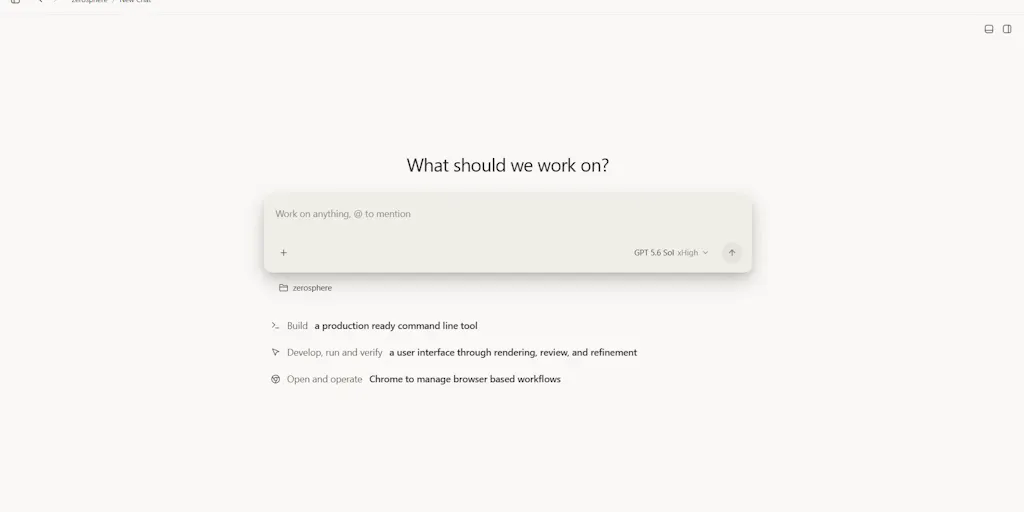
Let me strip the launch-page gloss. ZeroSphere is a Windows app built by maker Vinayak Verma around one stated idea: “AI shouldn’t have to take over your desktop to use your computer.” Instead of an agent seizing your cursor and keyboard, ZeroSphere gives the AI its own virtual display, lets it work inside real applications, and leaves your own desktop untouched. The demo they chose for launch was deliberately theatrical — they gave an AI access to Fusion 360 and had it build a complete race car inside that virtual display.
The maker’s own framing is the part I’d underline. In the launch thread, Verma says the point was to “show that idea in action” and asks what other applications people want to see AI use through ZeroSphere. That question is the whole product thesis. This isn’t a vertical tool for one job. It’s infrastructure for a category — “let an agent operate real desktop software on a display that isn’t yours.”
Why this matters more to a social media operator than it first appears
Here’s my take, and I want to be clear it’s opinion, not something the source states. The reason this should register for creators is that the hardest parts of social media work are not the parts with APIs. Scheduling a post to Instagram or TikTok through an official API is solved — Buffer, Later, Metricool, and Hootsuite all do it, and I’ve run all of them. The unsolved parts are the ones that live in a GUI: pulling performance numbers out of a native analytics panel that has no export button, batch-resizing a carousel in a desktop editor, scrubbing a long-form video into vertical cutdowns in an app that only has a desktop client, or replicating a manual workflow across five platforms’ web dashboards that each rate-limit you differently.
An agent that can sit in its own virtual display and drive those apps is a different kind of automation than a Zapier trigger. It’s closer to hiring a junior operator who never sleeps — with all the reliability problems that implies.
How this differs from the automation stack you already use
I want to place ZeroSphere against named incumbents, because the “AI computer use” space is crowded and the distinctions matter.
- Browser-agent tools (the various “let AI use your browser” startups) operate inside a browser tab. They’re good at web dashboards but blind to desktop-only software. ZeroSphere’s virtual-display approach is aimed at native apps, which is where a lot of creative work still lives.
- RPA suites like UiPath and Automation Anywhere have done “software robots driving a GUI” for a decade — but they’re enterprise-priced, IT-department-deployed, and not built for a solo creator. ZeroSphere reads as a consumer/prosumer play on the same fundamental idea.
- Scheduling SaaS like Buffer, Later, and Metricool solve distribution and analytics within the walled gardens they have API access to. They will not, and structurally cannot, automate a desktop app that has no API.
- Model-side “computer use” features from the big labs let a model control a machine, but the maker’s whole pitch is that ZeroSphere is the container — the separate display — so the agent isn’t fighting you for your own screen.
The maker also ties the launch to a specific model: in the thread, Verma tells people they “HAVE to try this with GPT 6 Astra,” praising how it handles complex tasks across multiple real applications inside the virtual display. That’s a maker’s enthusiasm, not an independent benchmark — treat it as a claim, not a result.
The one data point that’s actually load-bearing
Buried in the comments is the most concrete thing in the whole launch, and it’s worth quoting because it’s the maker’s own account of a real workflow. Verma writes that from September 3 to 12, the team “used Astra heavily for testing and hardening the app,” and that it “helped us uncover bugs, regression issues, security problems, and failures in hardcoded machine functions that we could fix before shipping.” He says this let them “iterate much faster and ship with more confidence,” and that it “shortened our development cycle significantly,” enabling a public Microsoft Store release on September 15.
Read that carefully, because it’s a different use case than the demo. The flashy story is “AI builds a race car in Fusion 360.” The load-bearing story is “AI ran our QA loop for nine days and caught regressions we’d have found later.” For a creator team, the equivalent isn’t “AI makes my content” — it’s “AI runs the boring verification pass on my content.” Did the caption render correctly on all five platforms? Did the link actually resolve? Did the thumbnail survive the crop? Those checks are exactly the kind of tedious, repetitive, GUI-bound work an agent can own.
What creators and social teams can borrow from this — even without buying it
You don’t need ZeroSphere to steal its operating principles. Here’s what I’d take from this launch and apply this week.
1. Separate the agent’s workspace from yours
The single best idea here is architectural: give automated work its own display, its own session, its own context. In my own tests of browser agents, the failure mode that kills them isn’t intelligence — it’s contention. The moment the agent needs the same screen, the same focus, or the same logged-in session you’re using, you get race conditions and broken runs. If you’re experimenting with any computer-use tool, isolate it: a separate user profile, a separate browser profile, a separate VM if you can. Your production accounts stay clean.
2. Automate the verification pass before the creative pass
The maker’s QA story is the template. Before you automate “make me a month of content,” automate “check that my scheduled content is correct.” That’s lower-risk, higher-ROI, and it’s where agents fail gracefully. A missed regression check costs you a broken post; a bad creative generation costs you a brand moment.
3. Treat “no API” as the real automation frontier
Every social operator eventually hits the wall: the platform you need to automate has no public API, or its API is rate-limited to uselessness, or the number you need only exists in a native app. That wall is exactly where GUI agents earn their keep. When you’re evaluating any of them, ask the question ZeroSphere’s maker is implicitly asking: which of my weekly tasks live only in a GUI?
Why TikTok and Instagram operators should care more than LinkedIn ones
This is a judgment call, so flag it as mine. The platforms with the richest native desktop and mobile app surfaces — TikTok, Instagram, CapCut, Canva — are the ones where GUI automation has the most leverage, because so much of the workflow (editing, resizing, native analytics) happens in apps rather than through APIs. LinkedIn and X, by contrast, are far more web-and-API-native, so a browser agent or a scheduler can already cover most of the job. If you’re a short-form video operator, the desktop-app gap is your biggest time sink, and it’s the gap this class of tool is aimed at.
Where my judgment says this falls short
I’ll be blunt, because the launch page won’t be.
It’s a Windows app. The source describes a Microsoft Store release and a desktop-centric virtual display. If your team is on macOS — and a large share of creator teams are — you’re not the audience yet. That’s a real constraint, not a nitpick.
The demo is a flex, not a benchmark. “AI built a complete race car in Fusion 360” is a great launch story. It is not evidence that the tool is reliable across the messy, inconsistent apps a social team actually uses. Fusion 360 is one app; your workflow is seven.
Pricing, user counts, and reliability data are not disclosed. The source gives no pricing, no user numbers, no independent testing, no failure-rate data. I won’t invent them. When a launch page is silent on the boring numbers, that silence is information.
The maker’s model claims are promotional. “Insane,” “you HAVE to try this,” and the GPT 6 Astra praise are marketing. Attribute them to the maker, not to reality.
Who it’s NOT for: solo creators who just need to schedule posts — you’re better served by a mature scheduler with a real analytics layer. Teams without someone technical enough to babysit an agent’s failures. Anyone on macOS. And anyone who needs audit trails and compliance — an agent clicking around a GUI is not a governed workflow, and I’d want to see how it handles account permissions before I’d let it near a brand’s logged-in sessions.
What I’d watch / test next
Three concrete moves for this week, in order of effort.
First, map your GUI-only tasks. Spend thirty minutes listing every recurring social task that can’t be done through an API or a scheduler — the native-app edits, the manual analytics pulls, the platform-specific upload flows. That list is your automation roadmap regardless of which tool you pick, and it’ll tell you instantly whether a GUI agent is even relevant to you.
Second, if you’re on Windows, watch the ZeroSphere launch thread and answer the maker’s own question — tell him which app you’d want automated. The maker is actively asking, and early feedback shapes roadmaps. If you’re on macOS, bookmark the category rather than the product; the virtual-display pattern will cross over.
Third, pilot the verification use case, not the creative one. Pick one repetitive check — link resolution, caption rendering, thumbnail crops — and see whether any computer-use tool can run it reliably for a week. If it can, you’ve found real leverage. If it can’t, you’ve learned that cheaply, before you trusted an agent with your publishing pipeline.
The race car is fun. The QA loop is the future. Watch the boring one.


