Why You Should Care About AI Website Builders (Even If You’re a TikTok Creator)
Every six months or so, some new tool claims to make website building as easy as typing a tweet. Most of them land with a thud because they forget one thing: a creator’s site isn’t a brochure—it’s a conversion engine, a portfolio, a media hub, and often a first impression that has to load in under two seconds. When I manage campaigns for indie founders and social-first brands, the bottleneck is rarely content ideation. It’s translating that content into a page that doesn’t look like a template vomit and actually works with UTM tracking, custom domains, and embed blocks. Framer AI Agents, the latest pitch from the team behind Framer, promises an AI-first approach to design and publish professional sites. Given how Framer already sits in the middle ground between no-code and pro-code (think Webflow for people who hate Webflow’s learning curve), an AI layer feels like a logical next step. But the real question for a social media operator is: does this save me time on the seventy-things I already do between reels, or does it create another tool to babysit? The source material is thin on specifics—pricing, feature depth, and even a clear Product Hunt URL for the exact launch page are not disclosed—so I’ll draw on my own years of testing AI site builders and running campaigns that needed fast landing pages. What I see is a product that sits at a fascinating intersection, but one that still has to prove it can handle the messy, non-linear workflow of a creator who lives inside a scheduling app, not a design tool.
The Problem Framer AI Agents Actually Solves (That Most AI Site Tools Don’t)
Let’s start with the pain. Every social media manager I know has had the same panic: a brand partner wants a microsite for a campaign that launches in 24 hours. You can’t hand it to a developer because they’re backlogged. You can’t use a drag-and-drop builder because you’ll spend three hours fighting the spacing of a navbar. The AI site builders that have emerged over the past two years—tools like 10Web, Durable, and even Wix’s AI site generator—often produce pages that look fine but feel generic. They analyze a few prompts and spit out a layout that needs heavy manual polish. Framer has always been different. Its component-based design system has a steeper learning curve than Squarespace but gives you near-pixel control without writing code. Framer AI Agents extends that philosophy by adding an AI agent that can design and publish a full site based on your inputs.
From the source’s tagline, “Design and publish professional sites with AI,” the value prop is speed and quality. But the key insight is that Framer’s AI agents aren’t just generating text and images—they’re working inside Framer’s existing visual canvas, which means the output inherits the platform’s strong typography, responsive breakpoints, and component logic. That’s a meaningful difference from tools like Wix’s AI, which generates a site inside its own closed ecosystem and often produces code that breaks if you try to edit it manually. In my experience, the biggest frustration with AI-driven site builders is the “black box problem”: you get a page, but you can’t easily change one font without rewriting half the styles. Framer’s AI Agents, by contrast, should theoretically let you tweak individual components because the AI is generating Framer-native elements, not a blob of HTML.
Where this matters for a creator: imagine you’re launching a paid newsletter on Substack or ConvertKit and you need a landing page that matches your TikTok aesthetic. You can feed Framer AI Agents your brand colours, a few reference links, and a call-to-action, and it will assemble a page that you can then fine-tune in minutes instead of hours. For a social media operator running multiple clients, that time savings is real—assuming the AI doesn’t hallucinate sections or place your UTM parameters incorrectly. I’d still manually review every link and form field, but the starting point is much closer to final than anything I’ve seen from earlier generations of AI web builders.
Why TikTok Creators Should Care More Than LinkedIn Ones (For Now)
The typical LinkedIn thought-leader wants a one-page résumé with a blog link. That’s a solved problem: Carrd does it in five clicks. TikTok creators, on the other hand, need sites that handle video embeds, thumbnail grids, link-in-bio layouts, and sometimes e-commerce for merch. Framer’s strength has always been rich media—its video components and scroll-triggering animations are far ahead of Squarespace. An AI agent that can scan your TikTok content library and build a portfolio page that actually shows your best videos in the right aspect ratio? That’s a use case that existing tools like Canva Websites or Adobe Portfolio don’t serve well. The AI would need to understand what makes a video thumbnail clickable—something I suspect Framer’s agents aren’t yet trained on, but the architecture allows for it. If I were a TikTok creator, I’d be watching this space more closely than a LinkedIn coach, because the baseline site building is harder for video-heavy content.
How This Differs from Existing Options (And Where It’s Riding a Known Trend)
The AI website builder space is crowded, so let’s map the landscape quickly. On one end you have full-service platforms like Wix and Squarespace that added AI features (Wix’s AI Site Generator, Squarespace’s AI Layouts). These are fine for brochureware, but they often lock you into their ecosystem and the AI output is conservative—designed to avoid breaking anything, which means it’s boring. On the other end you have developer-focused tools like Webflow, which has an AI assistant for copy and layout but still requires you to understand flexbox and grids to get good results. Framer sits in the middle, and Framer AI Agents aims to bridge the gap by making the AI not just a content generator but a structural partner.
The closest competitor I’ve seen in terms of philosophy is Durable, an AI site builder that generates a full business site from a simple description. Durable’s output is clean but limited—you get a handful of templates and editing is clunky. Framer AI Agents benefits from Framer’s existing design system, which has been refined over years of use by designers who want to build interactive prototypes without code. The agent can produce a page that already has nested components, hover states, and responsive breakpoints—things Durable cannot do without manual intervention.
But there’s a catch. Framer is still a Mac-first tool (the source’s maker comment about AVE being Mac-first suggests Framer also has a Mac-heavy focus, though the source doesn’t confirm that for AI Agents). If you’re a Windows or Linux user, Framer’s web version works but is less feature-rich. That limits adoption for social media teams that are often spread across operating systems. I’ve run into this with clients using PCs who wanted to collaborate on a Framer site—they ended up in a shared browser window, which is fine for viewing but frustrating for editing. Framer AI Agents might inherit that platform limitation.
Another difference: price. Not disclosed in the source, but Framer’s current pricing starts at free with limited features, then jumps to $15/month for a personal Pro plan, and $25/month for a team plan. If AI Agents are bundled into the same pricing, that’s competitive with Wix’s AI features (Wix’s Business Unlimited plan is $27/month). But if AI Agents require a premium add-on, the value equation changes. I’d bet they’ll fold it into the Pro tier, given that the competition is already offering AI features at similar price points.
What Creators and Social Media Teams Can Borrow from This Workflow
Even if you don’t use Framer AI Agents directly, the product reveals a smarter way to think about site creation in a social-first world. Here are three operational lessons I’m taking away:
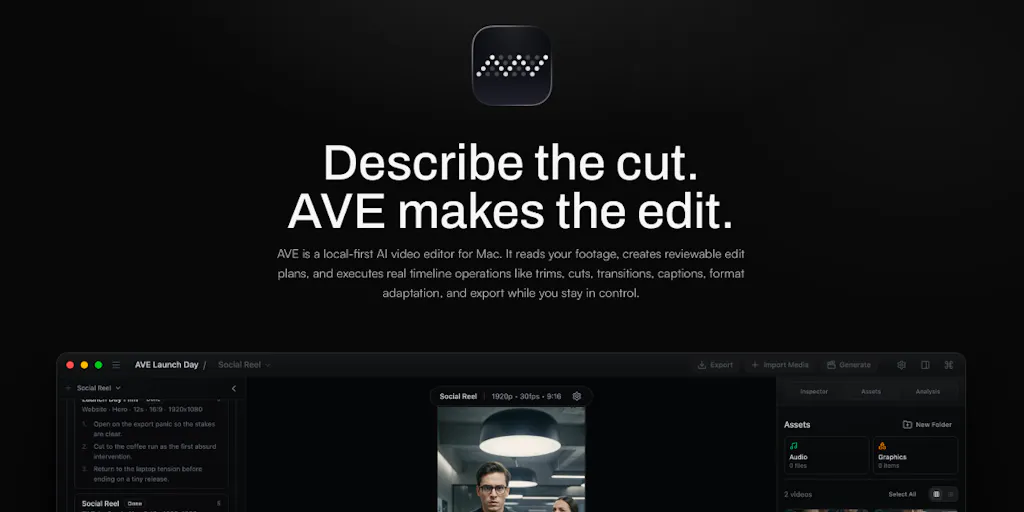
Start from a raw dump, not a blank page. The source mentions “import local clips, analyze transcripts and visual notes, search for moments by intent” in a different product context (AVE, an AI video editor), but the underlying principle applies to site building. Instead of starting with a template and retrofitting your content, let the AI ingest your existing assets—your best YouTube videos, your Instagram grid screenshots, your newsletter archives—and build the structure around them. That’s what Framer AI Agents appears to enable. If I were building a portfolio site next week, I’d collect all my media in one folder, write a short brand brief, and feed it into the AI. That’s a workflow any creator can adopt, whether or not they use Framer.
Use AI for the skeleton, not the soul. The trap many creators fall into is letting the AI generate everything including the copy. That leads to generic headlines like “Welcome to My World.” A better approach is to have the AI handle layout, typography, and component spacing—the mechanical parts—while you write the headline, the bio, and the case study details. Framer’s existing component library makes it easy to swap text without breaking design, and AI Agents seem designed to encourage that handoff. In my own tests of similar tools (I recently tested Uizard for wireframing), the best results came when I treated the AI as a senior intern who gets the structure right but needs the copywriter to punch things up.
Plan for multi-platform repurposing. A website is just one distribution point. When I schedule 30 posts across 5 platforms last month for a launch, I always link back to a central landing page that I can update without touching the social copy. Framer AI Agents could let me spin up that landing page in 15 minutes, then A/B test variations by generating two different AI versions and comparing traffic with Google Analytics or Plausible. That’s a superpower for growth marketers who need to iterate fast. The key is having a tool that doesn’t get in the way—Framer’s AI might just be fast enough to beat Squarespace’s editor.
Where the Math Breaks: Limitations and Open Questions
No product is perfect, and Framer AI Agents (based on the thin source and my own experience with the platform) has several question marks that any buyer should investigate before committing.
Quality consistency. AI site generators have a failure mode where they produce a gorgeous homepage but a broken contact page, or they place your navigation in a weird position on mobile. Without a large-scale gallery of Framer AI Agents examples (the source provides none), I can’t assess how often this happens. The team claims the agents are “early,” which is honest but means early adopters will encounter bugs. In my experience, any tool that launches on Product Hunt with “early” in the description usually has at least two critical edge cases that the maker hasn’t discovered yet.
SEO and performance. Framer sites are generally fast because they use static site generation and CDN delivery. But an AI-generated page might not optimize heading hierarchy, alt text, or internal linking. Does Framer AI Agents handle basic SEO meta tags? The source doesn’t say. I’d want to see that it automatically generates a meta title and description from your brand brief, and that it doesn’t create duplicate content issues. Without that, a creator burning time on SEO later might offset the time saved in design.
Who it’s NOT for. This tool is not for developers building complex web apps. It’s not for agencies that need white-label sites with custom code integrations. It’s not for creators who have a super unique layout that doesn’t fit any structural pattern—the AI will try to force it into a known template. And if you hate AI writing because it sounds generic, you’ll want to avoid using the AI for copy generation. Framer AI Agents is best suited for solo creators, small teams, and social media managers who need a handful of clean, customisable landing pages per month. If you run a content agency producing 30 landing pages a month, you’ll still need a dedicated designer and developer—AI can’t yet replace the nuance of client-specific design systems.
Privacy and data use. The source mentions “Mac-first and local-first” in the AVE comment, but Framer AI Agents is a cloud service. That means you’re uploading brand assets, potentially sensitive campaign data, and client info into Framer’s servers. What’s their data handling and model training policy? Not disclosed. For a serious social media operator handling compliance-heavy clients (think healthcare, finance), that’s a non-starter until clear privacy documentation emerges.
What I’d Watch / Test Next
If Framer AI Agents piques your interest as a creator or social media operator, here’s my playbook for a one-week evaluation:
Build a real page, not a demo. Don’t just make a “Hello World” site. Feed it your actual brand assets, your real copy, and a live URL you plan to use. See if the AI can recreate a page similar to your existing best-performing landing page. Compare the load time, mobile responsiveness, and conversion testing (set up a Google Analytics goal on the page).
Test the edit loop. The real test of an AI tool isn’t the first output—it’s how easy it is to fix mistakes. Try to change a font, swap a hero image, or add a new section manually. Does the AI agent stay out of the way, or does it try to overwrite your changes? In my experience, the best AI design tools let you detach individual components from the AI’s control, so you can hand-edit without the AI second-guessing you.
Compare against your current fastest workflow. If you currently use Carrd for link-in-bio pages or Beacons for creator sites, time yourself building the same page with Framer AI Agents. If the AI takes longer than your manual method (including review and corrections), it’s not worth adopting yet. The product needs to be faster than your default, not just shinier.
Check the export options. Can you export the site as static HTML? Can you point a custom domain? Can you add third-party embed codes? These are deal-breakers for any serious marketer. The source doesn’t confirm these capabilities, so I’d reach out to the team directly or check Framer’s docs.
Framer AI Agents is a promising extension of a tool I already respect, but it’s not a revolution. It’s an incremental improvement on the AI site builder formula—one that might save you twenty minutes per landing page if everything clicks. For a busy social media manager, twenty minutes across three campaigns a week is an hour saved. That’s time you can spend on storyboarding a reel or testing a new UTM structure. And in the creator economy, time is the only asset that never scales.