The Creator Economy’s Next Bottleneck Isn’t Content — It’s Context
Every social media operator I know has the same dirty secret: we’re sitting on terabytes of media we’ll never use again. The raw footage from that brand shoot in March. The 47-minute podcast episode where the guest said something brilliant at minute 32. The B-roll of the office that could have been a Reel, a TikTok, and a YouTube Short if only we’d had the time to find the right five seconds.
We’ve spent the last five years solving the creation problem. Canva made design accessible. CapCut made editing fast. Buffer, Hootsuite, and Later made scheduling painless. But we haven’t solved the retrieval problem — and that’s where the real value is buried. When I scheduled 30 posts across 5 platforms last month, I spent more time scrubbing through footage to find usable clips than I did actually editing them. The bottleneck isn’t making content anymore. It’s finding the content you already made.
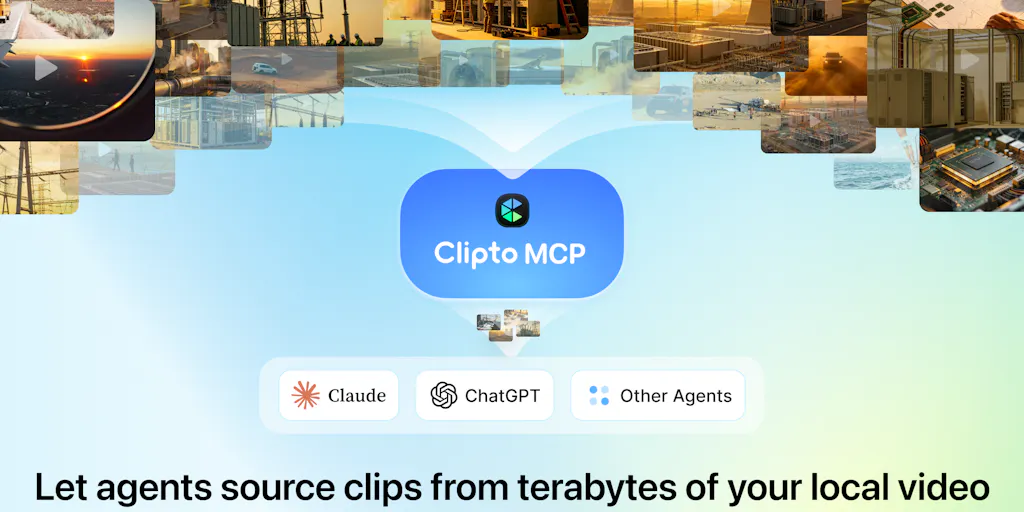
That’s why the launch of Clipto MCP caught my attention — not because it’s another AI video tool, but because it’s attacking the layer underneath everything else. The company’s first launch, Clipto, was a fully local AI media search engine that promised natural language search over terabytes of video, photos, audio, meetings, and documents. Now they’re adding a Model Context Protocol (MCP) server that lets AI agents like Claude and ChatGPT actually understand what’s inside your media library — not just access the files, but semantically search them, retrieve precise moments, and even assemble rough cuts.
This matters to you if you’ve ever missed a deadline because you couldn’t find the footage, or paid an editor to re-watch hours of raw material, or let a great clip die in a folder because you forgot it existed. The tools that win the next phase of the creator economy won’t be the ones that help you make more — they’ll be the ones that help you find what you’ve already made.
What Clipto MCP Actually Solves
Let me be concrete about the problem here, because the pitch deck language (“semantic understanding of local media”) obscures what’s actually painful.
Every creator I know has a version of this workflow: you record a podcast, a YouTube video, or a client testimonial. You know there’s a good moment in there — a quotable line, a compelling story, a specific answer to a question you get asked constantly. But finding it means scrubbing through the timeline, guessing at timestamps, or — if you’re organized — maintaining a manual spreadsheet of notes that you’ll abandon by week two.
The existing solutions are fragmented. Transcription tools like Otter or Descript give you searchable text, but they’re cloud-based and they don’t handle the visual side — you can search for what someone said, but not for when someone showed something. Video editing tools let you mark in/out points, but they assume you already know where to look. And none of them connect to the AI agents that are increasingly becoming the front-end for how we work.
Clipto MCP sits underneath all of that. The company’s first launch established the core: a fully local media search engine that indexes your footage with transcripts, speakers, scenes, and precise timestamps. The MCP layer — which is what’s launching now — exposes that index to AI agents. Instead of an agent being able to see your files but not understand them, it can now search across your entire library using natural language.
The maker, Henry Kang, demonstrated this with a striking experiment. The team indexed around 1,000 clips from Elon Musk interviews, connected the library to Claude through Clipto MCP, and asked a deliberately open-ended question: “What would be something fun to make with all this footage?” Claude decided to create a lyric-replacement supercut of Daft Punk’s “Around the World” using Musk saying the phrase — and the whole thing ran automatically. Clipto handled the retrieval, Claude handled the creative direction, and FFmpeg handled the assembly. The team claims the raw output was the first attempt, with no manual clip selection or cleanup.
That’s a party trick, sure. But it demonstrates something important: the retrieval layer is now good enough that an agent can act on it autonomously. That’s not hypothetical future capability — that’s the kind of workflow that, if it works reliably, changes how we repurpose content.
How This Differs From What You’re Already Using
If you’re a working social media operator, you’ve probably tried the incumbent tools. Let me compare Clipto MCP against the ones I’ve actually used.
Descript is the closest analog for transcription and editing. It’s excellent at what it does — searchable transcripts, text-based editing, easy exports. But it’s fundamentally a cloud tool, and it’s fundamentally manual. You still have to know what you’re looking for, and you still have to do the retrieving yourself. Clipto’s local-first approach means your media never leaves your machine — which matters for client work, unreleased content, or anything with confidentiality concerns.
Frame.io is the industry standard for video review and collaboration, but it’s built for the review workflow, not the retrieval workflow. It assumes humans are looking at the footage. Clipto MCP assumes an agent is doing the looking.
Runway and CapCut have added AI features, but they’re generation tools — they make new content from prompts, not retrieval tools that find existing content. The distinction matters. When I’m repurposing a 90-minute podcast into five TikToks, I don’t need a tool that generates new visuals. I need a tool that finds the six moments worth clipping.
Notion and Airtable are where most creators end up building their own media databases — and it’s always a mess. Manual tagging, inconsistent naming conventions, and it falls apart the moment you have more than a few hundred assets. Clipto’s approach — automatic indexing with transcripts, speakers, and scenes — replaces the manual metadata layer entirely.
The MCP angle is what actually differentiates it. MCP is the protocol that lets AI agents like Claude and ChatGPT connect to external tools and data. Clipto MCP is essentially a bridge between your media library and whatever agent you’re using. That’s a fundamentally different architecture from the all-in-one editing suites. It’s not trying to be your editor — it’s trying to be the memory that your editor (human or AI) draws from.
What Creators and Social Media Teams Can Borrow From This
Even if you’re not ready to install Clipto MCP today, the workflow it demonstrates is worth stealing. Here’s what I’m taking from this launch:
The “Ask the Agent” Repurposing Workflow
The most valuable habit I’ve seen from this launch is the shift from “I need to find X” to “what can I make from what I have?” The team’s experiment — giving an agent 1,000 clips and no specific direction — is a fundamentally different creative posture. Most creators work backwards from a format (“I need a 60-second Reel”) to content. The agent-driven approach works forwards from the archive. It asks: what’s the best thing hiding in my footage?
For a social media team, this means running a weekly “archive audit” where you ask an agent to surface the most quotable moments, the most visually interesting scenes, or the moments that match a specific theme you’re trying to push this month. Even without MCP, you can approximate this with a good transcription tool and a disciplined tagging system. But the agent-native approach makes it a habit rather than a chore.
The Prompt as Creative Director
The detailed prompt the team shared — the “Elon Musk × Around the World” lyric supercut — is a masterclass in creative constraint. It specifies the effect, the non-negotiables, the failure conditions, and the delivery format. It’s essentially a creative brief written in a language the agent can execute.
This is a skill worth developing regardless of what tools you use. The creators who win with AI tools won’t be the ones with the best prompts for generation — they’ll be the ones with the best prompts for direction. Can you articulate what makes a clip good? Can you specify the alignment, the pacing, the audio standards? The more precisely you can describe what you want, the more useful an agent becomes.
Local-First as a Trust Signal
The fact that Clipto runs everything locally — no uploading your library to the cloud — is a trust signal that matters more than most creators realize. When I’m working with client footage, unreleased product shots, or internal meetings, I can’t upload that to a third-party cloud service. The local-first approach makes the tool viable for professional workflows that the cloud-based alternatives can’t touch.
This is also a practical advantage. Uploading terabytes to the cloud is slow and expensive. Local indexing means the search is instant and the privacy is inherent. For a solo creator with a large archive, this is the difference between actually using the tool and abandoning it after the first sync.
Where the Math Breaks: My Honest Assessment
I want to be clear about what I think this tool is not ready for, because the hype cycle around AI tools is brutal and I’d rather be the one telling you the truth than have you discover it after a week of frustration.
The Reliability Question
The reviews on the Product Hunt page tell a more complicated story than the launch post. One reviewer, a paying Pro user, reported that the URL import feature — transcribing from a YouTube or Vimeo link — has been broken on their account since July 28, 2026. The task sits at zero duration for 10-20 minutes, then fails with a “lambda time out” error. Local file upload works fine, but the link download step is broken. Eleven days of support tickets produced no diagnosis, no ETA, and no refund decision.
This is the reality of early-stage AI tools. The core capability works — the reviewer explicitly praises transcription quality, speaker ID, and the editor — but the peripheral features can be flaky, and support can be slow. If your workflow depends on URL import, this is a real risk.
My take: this is a tool for the local-first, file-based workflow, not for the “paste a link and walk away” workflow. If you’re the kind of creator who downloads your YouTube videos or records locally, you’re in the sweet spot. If you’re hoping to transcribe a URL and get a result while you make coffee, you’re gambling.
The Indexing Time Question
Another commenter asked the question that’s on every operator’s mind: how long does it take to index several terabytes of footage, and can you still use your Mac during the process? The maker’s response was characteristically enthusiastic — “that’s exactly the scale we built Clipto for” — but the specifics weren’t disclosed.
In my experience with similar local indexing tools, the answer is always “it depends on your hardware.” WhisperX transcription on a Mac with Apple Silicon is fast but not instant. A terabyte of footage could take days to fully index. The question isn’t whether it can handle multi-terabyte libraries — it’s whether the indexing process is something you can run in the background without it consuming your machine.
The maker’s claim that they’ve “tested it on multi-terabyte libraries with years of footage” is encouraging, but I’d want to see benchmarks. This is where I’d bet the tool is better suited to a dedicated media server or a machine you don’t need for daily work, rather than your primary editing workstation.
The “Agent Does Everything” Gap
The demo — the Elon Musk supercut — is impressive, but it’s also carefully curated. The prompt includes specific non-negotiables about alignment, pronunciation, and audio quality, plus a preflight check for FFmpeg, WhisperX, and other dependencies. That’s not a turnkey workflow; that’s a sophisticated technical setup that requires the agent to install and configure tools on your machine.
For a social media manager who wants to repurpose a podcast into clips, this is overkill. The simpler use case — “find every clip where we mentioned pricing” — is more realistic and more immediately valuable. The agent-driven editing is a demo; the agent-driven retrieval is the actual product.
Who This Is NOT For
Let me be direct:
- If you’re a solo creator with under 100 hours of footage, you don’t need this yet. A good transcription tool and manual tagging will serve you fine.
- If your workflow depends on cloud-based collaboration, where editors and clients need to access the same library from different locations, the local-first approach is a limitation, not a feature.
- If you’re not comfortable with the command line or installing dependencies, the agent-driven workflows will frustrate you. The demo prompt assumes a level of technical comfort that most social media managers don’t have.
- If you need reliable support and a status page, this is a risk. The reviews suggest that when things break, they can stay broken for weeks.
What I’d Watch and Test Next
Here’s what I’m actually going to do this week, and what I’d suggest you do too:
1. Test the retrieval, not the editing. Download a small sample of your own footage — an hour or two of a recent podcast or shoot — and index it in Clipto. Then ask it a specific question: “Find every moment where we mentioned our pricing” or “Show me all the clips where the guest laughed.” The retrieval accuracy is the core value proposition. If that works well, the editing workflows will follow.
2. Try the B-roll starter library. The team has packaged 1,000 royalty-free clips across people, work, cities, travel, and nature. This is a low-risk way to test the MCP workflow without committing your own footage. Connect it to Claude or ChatGPT, ask for a rough cut on a specific theme, and see how the agent handles the retrieval and assembly.
3. Build your own “archive audit” prompt. Don’t copy the Elon Musk prompt — it’s too specific and too technically demanding. Instead, write a prompt that asks the agent to surface the top 10 most quotable moments from your last month of content, with timestamps and transcripts. This is the workflow that will actually save you time.
4. Watch how the MCP ecosystem evolves. The real bet here isn’t Clipto specifically — it’s the MCP protocol and the idea that AI agents will need semantic access to our media libraries. If this becomes a standard, then tools like Clipto are the early movers in a category that will inevitably grow. The question is whether Clipto becomes the Buffer of semantic media search or gets absorbed into a larger platform.
5. Check the promo code before you commit. The team is offering 1 month free with code PHLNCH for anyone who signs up this week. But one commenter reported that the signup flow doesn’t allow you to replace an existing coupon code with the PH offer. If you’ve already signed up, you may need to DM the maker to get it applied manually. Not a dealbreaker, but worth knowing before you enter your payment details.
The bottom line: Clipto MCP is solving a real problem that every serious content operator will eventually face — the gap between the media you have and the media you can actually use. The local-first architecture, the MCP integration, and the agent-driven workflows are all pointing in the right direction. But it’s an early-stage tool with early-stage reliability issues, and it demands a level of technical comfort that not every creator has.
My recommendation: treat it as a strategic experiment, not a production dependency. Index a small library, test the retrieval, and see if the agent-driven workflow actually saves you time. If it does, scale up. If it doesn’t, you’ve lost an afternoon — not a quarter.
The creators who win the next phase of the economy won’t be the ones with the biggest archives. They’ll be the ones who can actually find what they need in the archives they already have. Clipto MCP is one of the first tools that understands this — and that’s worth paying attention to, even if you’re not ready to commit yet.


