The quiet infrastructure problem hiding inside every creator’s content stack
Here’s the thing nobody tells you when you start treating content as a business: the tools that get the headlines — the schedulers, the AI editors, the analytics dashboards — are only as reliable as the boring file layer underneath them. Most creators I know run their entire operation on a Google Drive folder of b-roll, brand assets, and half-written scripts, then bolt on Buffer or Later for distribution. When that Drive layer breaks, the whole pipeline stalls. So when a solo developer launches a tool specifically to fix Drive sync on a platform Google has ignored for years, it’s worth a look — not because you’re switching to Linux tomorrow, but because it exposes how fragile the assumptions baked into your workflow really are. That’s the lens I want to use for Skymir, a native GTK desktop app from developer David Avellan.
What Skymir actually is, and why a creator should care
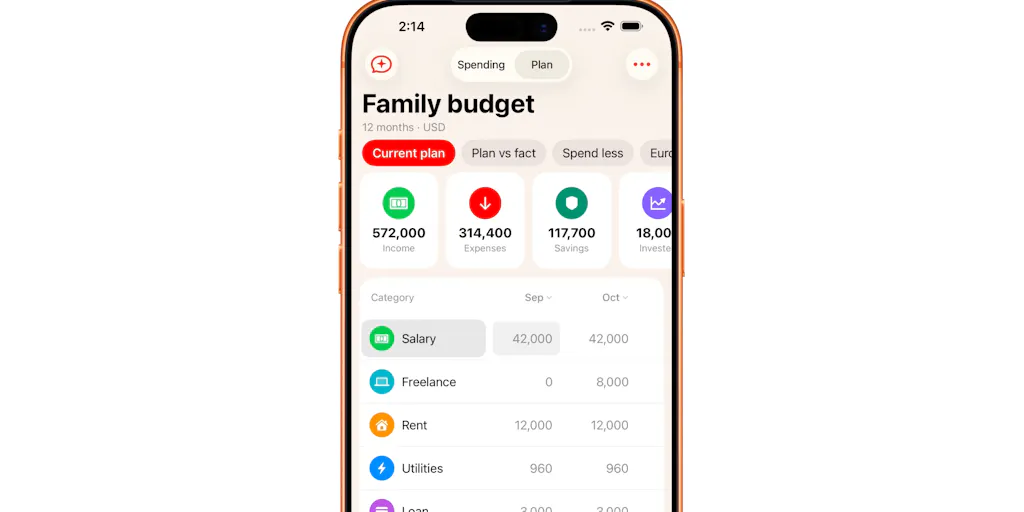
Let me be clear about the product before I editorialize. Skymir is a native desktop client that mirrors selected Google Drive folders to local disk on Linux. It handles Google Docs as clickable shortcuts rather than trying to download them as files, runs in the system tray, ships as a 19 MB download, and syncs saves to Drive within seconds while pulling Drive-side changes within roughly a minute. Deletes always route to trash — never permanent. There’s a 14-day free trial with full features and, per the maker, no account or credit card required.
The origin story matters here, and it’s not marketing fluff. Avellan explains in the launch post that he moved to Linux, hit the wall that Google never shipped a desktop Drive client for Linux the way it did for Windows and Mac, and then had an rclone bisync setup delete 1,437 of his Google Docs because it treated cloud-only Workspace files as missing. If you’ve ever watched a sync tool “helpfully” reconcile your creative archive into oblivion, that number should make your stomach drop. I’ve lost a weekend of CapCut project files to a bad backup rotation, and I still flinch when I see a sync progress bar.
So the real pitch isn’t “Drive for Linux.” It’s “a sync tool that assumes your files are precious and refuses to nuke them by default.” That framing is what makes it relevant to people who will never touch Linux.
Why TikTok creators should care more than LinkedIn ones
This is where the platform math gets interesting. If your content operation is mostly text — LinkedIn posts, X threads, a newsletter — your files are small, your iteration cycle is fast, and you can survive on the web interface. If you’re a short-form video creator, you’re sitting on gigabytes of raw footage, exported cuts, thumbnail variants, and caption files, and you’re probably juggling them across a phone, a laptop, and maybe an editor’s machine. That’s exactly the profile where a desktop sync layer with a safety rail matters. The TikTok creator who shoots 40 clips a week and edits on a laptop is the person who feels a botched sync most acutely. The LinkedIn ghostwriter scheduling posts through Metricool is not.
How it differs from the incumbents you’re probably already using
The comparison set here is small but opinionated. On Linux, the realistic alternatives are rclone, Insync, or just living in the browser. On Mac and Windows, you already have Google’s official client, so Skymir is a non-starter unless you’ve migrated. Avellan is explicitly asking for feedback on what features people would need before switching from rclone, Insync, or the web interface — which tells you he knows the switching cost is real.
Where the design diverges from rclone is the failure mode. rclone is a power tool; it does exactly what you configure, including the destructive thing, and the commenter Uddipta Mahanta called out the specific safety rule that refuses to sync if an operation would delete more than half your files. That rule is adjustable from 0 to 100% in settings, per the maker’s reply. For a creator, that’s the difference between “I set it up once and forgot it” and “I check it every morning like a hawk.” Insync, by contrast, is a mature paid product with a long track record; Skymir is a solo-dev app asking for trust on day one. That asymmetry is the whole story.
Where the math breaks
I’d bet the honest limitation is trust velocity. A solo developer shipping a sync tool is asking you to hand over write access to the folder that holds your brand assets, your client deliverables, and possibly your only copy of a shoot. The 1,437-doc disaster is a compelling origin story, but it’s also a reminder that sync tools fail catastrophically when they fail at all. The adjustable delete-threshold is a genuinely good mitigation, and the trash-not-permanent default is the right call — but neither replaces a real backup. If your entire creative archive lives in one Drive account with no independent backup, no sync client on earth is the fix. That’s a 3-2-1 backup conversation, not a Skymir conversation.
What creators and social media teams can steal from this launch
Even if you never install it, there are three operational lessons here that map directly onto how you run content.
First, treat your file layer as infrastructure, not an afterthought. Most creators I talk to have a documented posting cadence, a content calendar, and a caption template — but no documented file structure. They don’t know where the master export lives, which folder is the “source of truth,” or what happens if a laptop dies mid-project. Skymir’s whole existence is a reminder that the boring layer is load-bearing. Spend an hour this week mapping where your raw footage, finals, and thumbnails actually live, and whether that map survives a device failure.
Second, design for the destructive failure, not the happy path. The half-your-files safety rule is a design pattern, not just a feature. When you set up any automation — a Zapier workflow that cross-posts, an Airtable sync that pushes content into a scheduler, a bulk-delete script for old drafts — ask what happens when it misfires. The creators who survive tooling mistakes are the ones who built the guardrail before they needed it.
Third, watch the pricing model. Magdalena Anderson flagged the one-time payment as a welcome change from another monthly subscription, and the maker confirmed it with a laugh. For creators stacking Notion, Canva, CapCut Pro, a scheduler, and a link-in-bio tool, the subscription fatigue is real. Not every tool needs to be a subscription. I’d like to see more indie tools price this way, even if it means slower revenue for the maker.
The Linux angle is a proxy for a bigger story
The reason this launch resonates beyond Linux users is that it’s a case study in platform neglect creating room for indie tools. Google decided Linux wasn’t worth a first-party client. That decision left a gap that rclone filled imperfectly and that Skymir is now trying to fill properly. The same dynamic plays out across the creator stack constantly: Instagram deprecates an API endpoint, and a dozen scheduling tools scramble. X changes its rate limits, and your analytics break. Threads launches an API late, and everyone builds janky workarounds. The indie tools that win are the ones that treat these gaps as permanent rather than temporary.
Where my judgment says it falls short
I want to be balanced here, because the launch post is genuinely well-written and the maker is clearly responsive — he answered nearly every comment within hours. But a few things give me pause.
The platform scope is narrow by design. This is a Linux-only, GTK-native app. If your team is on Macs and Windows machines, this isn’t for you, and there’s no indication of a cross-platform roadmap in the source. That’s fine for a solo dev, but it caps the addressable audience hard.
Sync reliability is claimed, not proven at scale. The maker says saves reach Drive within seconds and Drive changes arrive within about a minute. Those are plausible numbers for a well-built client, but they’re the maker’s claims, not independently benchmarked figures. I’d want to see how it behaves on a folder with 50,000 files, or on a flaky connection, or when two devices edit the same doc simultaneously. None of that is disclosed.
The safety rule is adjustable, which cuts both ways. Being able to set the delete threshold from 0 to 100% is flexible, but it also means a user can turn the guardrail off. The default matters more than the range, and the default isn’t stated in the source. I’d want to know it’s conservative.
Pricing beyond the trial is not disclosed. The 14-day free trial is clear. What happens on day 15 is not in the launch post. For a one-time-payment model to be a selling point, the actual price needs to be visible, and it isn’t — at least not in the material I’m working from.
And the honest one: most creators don’t need this. If you’re on Mac or Windows, you have Google’s official client. If you’re on Linux and your Drive usage is light, the browser is fine. Skymir is for a specific person: a Linux-based creator or operator with a heavy Drive workflow and a hard-won distrust of rclone. That’s a real person, but it’s not most of my readers.
Who this is explicitly not for
- Mac and Windows users with the official Drive client already working.
- Teams that need shared-drive administration, granular permissions, or audit logs — none of that is mentioned.
- Anyone whose primary content lives in Adobe Creative Cloud, Frame.io, or a NAS rather than Google Drive.
- Creators who’ve never had a sync disaster and don’t want to think about it. The web interface is fine until it isn’t.
What I’d watch / test next
If you’re a Linux-based creator or you run a small content team with mixed OSes, here’s a concrete week-one plan. Install the 14-day trial on a secondary machine — never your primary — and point it at a copy of one project folder, not your entire Drive. Watch how it handles a Google Doc you edit from your phone while the desktop app is running. Deliberately delete a file locally and confirm it lands in trash on the Drive side. Then try to trigger the safety rule by moving a large batch of files out of the mirrored folder and see whether it actually refuses. Document what happens. If it passes those four tests, it’s worth a real conversation about your primary workflow. If it doesn’t, you’ve lost an afternoon and learned something about your own file hygiene.
For everyone else: the takeaway isn’t Skymir specifically. It’s that the layer underneath your content stack deserves the same scrutiny you give your posting schedule. Audit your file structure this week. Confirm you have a backup that isn’t the same Drive account your sync tool writes to. And when you evaluate your next tool — whether it’s a scheduler, an AI editor, or a sync client — ask what happens when it fails, not just what happens when it works. That question separates operators from hobbyists.