The real bottleneck in social video isn’t editing anymore — it’s iteration
For the last two years, every creator I know has been quietly running the same experiment: can we produce enough video to feed the algorithm without burning out the people who make it? The tools got better — CapCut, Descript, Opus Clip, Canva, the whole stack — but the workflow still collapses at the same place. You generate a rough cut, then you go back into a timeline editor and hand-tune it. That second step is where the hours disappear, and it’s exactly the step a new wave of “agent” tools is trying to erase.
That’s the lens I want to use for CutBay, which launched on Product Hunt this week. It’s not interesting because it’s another AI video generator — the market is drowning in those. It’s interesting because it reframes video production as a conversation, and that reframe has real implications for anyone running a content calendar across Instagram, TikTok, YouTube Shorts, and LinkedIn. Whether it actually delivers is a separate question, and I’ll get to the parts I’m skeptical about.
What problem CutBay is actually trying to solve
The maker, Candy Rora, frames the problem precisely in the launch post: most video tools “still make you think in timelines, scenes, and manual asset editing,” and even AI video tools typically force you to generate something first and then “jump back into an editor to make changes and refine the result.” That’s the core friction. Generation isn’t the hard part anymore — refinement is.
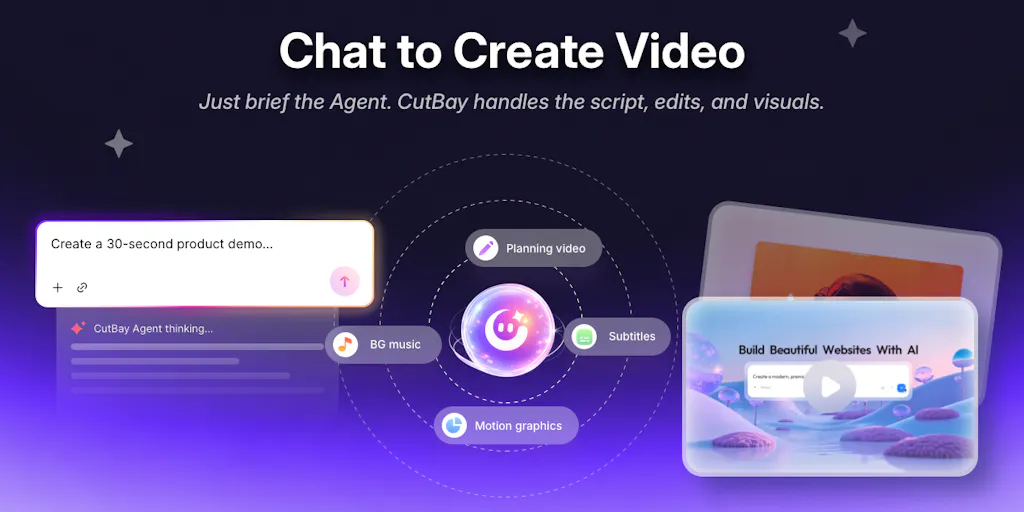
CutBay’s answer is what they call “chat-to-video,” positioned as an “AI Video Agent” rather than a generator. The pitch: you start from a URL, PDF, document, presentation, spreadsheet, image, or other media (not just a text prompt), the tool handles planning, scripting, visuals, voiceovers, subtitles, and editing, and then you refine through natural language — “change the colors,” “swap this scene,” “tighten the pacing.” The maker explicitly says their ambition evolved from “another AI video generator” into an agent that works with your content and keeps refining it conversationally.
In the comments, they confirmed two things that matter operationally: you can upload your own screen recordings and media assets as source material (answering a direct question from Geethika Tatiparthi), and large PDFs get analyzed so the AI extracts key concepts and structures them into a video summary (answering Hemendra Khatik). There are demo videos linked in the launch post for product-assets-to-ad, spreadsheets-to-data-viz, PPTs-to-training-video, and idea-to-social-video.
Pricing details are thin: the launch offer is 100 free credits with code PH100 at cutbay.ai/redeem for the first 100 users, plus 10% off all plans with code PRODUCTHUNT at cutbay.ai/pricing. Actual plan tiers and per-credit costs are not disclosed in the source, so I can’t tell you whether this is cheap or expensive relative to alternatives — and that’s a real gap for anyone budgeting a content operation.
Why this framing matters more than the feature list
Here’s my take, and it’s the reason I’m writing about this at all: the “conversational refinement” model maps almost perfectly onto how social teams actually work. When I’ve scheduled 30 posts across five platforms in a month, the bottleneck was never the first draft — it was the twelfth revision after a stakeholder said “make it punchier” or “the logo’s too small.” A timeline editor is a terrible interface for that kind of feedback loop. A chat box that accepts “make the text bigger and cut the intro” is a much better one, if the agent actually understands the instruction and doesn’t silently break the rest of the video. That’s the whole bet.
How it stacks up against the tools you’re probably already using
I want to be careful here because the comparison is genuinely murky. CutBay sits in a crowded space, and the incumbents aren’t standing still.
Against CapCut: CapCut is a timeline editor with AI assists bolted on. It’s excellent at precision, terrible at speed for non-editors. CutBay is the inverse — fast and conversational, but if you need frame-accurate control, a chat interface is going to frustrate you. These are different jobs.
Against Descript: Descript’s text-based editing (edit the transcript, edit the video) is arguably the closest philosophical cousin to CutBay’s chat model. But Descript is built around your recorded footage and voice; CutBay is built around generated content from documents and assets. If you’re a podcaster or talking-head creator, Descript is the better fit. If you’re turning a PDF or a product page into a video, CutBay’s starting point is more natural.
Against Canva and Opus Clip: Canva’s video tool is template-driven and great for branded social assets; Opus Clip is a repurposing specialist that slices long video into shorts. Neither is trying to be a conversational agent, so the comparison is more about workflow adjacency than head-to-head competition.
Against the broader AI-video crowd — Synthesia, HeyGen, Runway: those are avatar- and generation-first. CutBay’s differentiator, per the maker, is that it works with your content as source material and refines through conversation rather than regenerating from scratch. That’s a meaningful distinction on paper. Whether it holds up in practice is the open question.
Why TikTok and YouTube Shorts creators should care more than LinkedIn ones
This is the sidebar I keep coming back to. The value of fast iteration scales with how many videos you need to ship. A LinkedIn operator posting two videos a month doesn’t need a conversational agent — they need a good editor and a clear brief. A TikTok or Shorts creator shipping daily, testing five hooks per concept, needs exactly this: a way to produce variant after variant without touching a timeline. The launch post’s own demo for “an idea → educational social media video” points at that use case directly.
But — and this is the important caveat — platform algorithms reward native-feeling content, and heavily templated AI video tends to get punished on TikTok specifically. Watch time and completion rate are the metrics that matter, and a chat-generated video that looks like every other chat-generated video will underperform regardless of how fast you made it. My take: CutBay’s best fit is probably educational and explainer content where the information is the value, not personality-driven content where the creator’s face and voice are the product.
What creators and social teams can borrow from the CutBay playbook
Even if you never touch the product, there are operational lessons in how it’s positioned.
1. Treat your source material as the asset, not the video. CutBay’s whole premise is that a PDF, a spreadsheet, or a product page is the raw material, and video is one output. That’s a repurposing mindset worth stealing. If you’re a social manager, you probably already have a doc, a deck, or a data set that could become five short videos. The launch demos for spreadsheet-to-data-viz are a good prompt for thinking about your own content inventory this way.
2. Build a revision vocabulary. The most useful thing about a chat interface is that it forces you to articulate feedback precisely. “Make the hook stronger” is useless to an AI and to a human editor. “Cut the first three seconds, lead with the number, add captions” is actionable. If you manage a team or freelancers, standardizing that vocabulary will speed up every revision cycle, tool or no tool.
3. Iterate on variants, not on drafts. The maker’s claim that eliminating manual timeline editing helps creators “test and iterate ideas 10x faster” (attributed to the team, not verified) is the right mental model even if the multiplier is marketing. The competitive advantage in short-form video in 2025 is volume of tested variants, not polish on a single cut. Anything that shortens the loop from idea to published test is worth evaluating.
Where the math breaks
Here’s where I get cautious. “10x faster iteration” assumes the output is good enough to publish without a human pass — and in my experience testing similar tools, it rarely is on the first or second try. The hidden cost of conversational video tools is the review time: watching a generated video end to end, catching the weird subtitle timing, the mispronounced word in the voiceover, the visual that doesn’t match the script. That’s real labor, and it doesn’t disappear just because the editing did. If your team’s bottleneck was editor hours, this helps. If your bottleneck was review and approval, it doesn’t.
There’s also the API and rate-limit reality that never makes it into launch posts: any tool generating voiceovers, visuals, and subtitles in one pass is chaining multiple model calls, and those chains fail in non-obvious ways. The source doesn’t disclose how CutBay handles failures, retries, or credit consumption on a failed generation — which is exactly the kind of detail a social team needs before committing a monthly budget.
Where I think CutBay falls short (or at least leaves questions open)
I want to be balanced here, because the launch post is genuinely well-constructed and the maker answered questions thoughtfully in the comments. But there are real gaps.
The pricing opacity is a problem. “100 free credits” and “10% off all plans” tell me nothing about what a credit is worth or what a typical video costs. For a social team evaluating this against Metricool, Buffer, or Later for their scheduling-adjacent needs, the lack of published per-video cost is a blocker. Not disclosed in the source.
The output-quality question is unanswered. The demos look polished, but demos always do. What I’d want to see is a raw, unedited export of a video made from a messy real-world PDF — the kind of source material actual teams have, not the clean ones in marketing videos.
Brand consistency is the sleeper issue. Conversational refinement is great for one-off videos. But social teams need consistency across 30 posts a month — same fonts, same color palette, same lower-third style. A chat interface that regenerates visuals on request could easily drift from your brand kit. The source doesn’t mention brand presets or templates, which is a notable omission for the team-use case the maker is pitching.
Who it’s not for: If you’re a creator whose value is your face, your voice, and your personality — a vlogger, a founder-led brand, a streamer — this is probably not your tool. The whole premise is content-first, not personality-first. And if you already have a tight editing workflow with a human editor you trust, the switching cost likely isn’t worth it.
What I’d watch / test next
If you’re a social operator curious about this category, here’s what I’d actually do this week — concrete, not abstract.
Test one real asset, not a demo. Take the ugliest, most real document you have — a messy internal deck, a data export, a product spec — and run it through CutBay’s free credits (code PH100 at cutbay.ai/redeem, first 100 users). Time the full loop from upload to publishable export, including your review pass. That total time is the number that matters, not the generation time.
Pressure-test the refinement. Ask for three specific changes in a row — “change the color,” “shorten the intro,” “swap the second visual” — and check whether each change breaks something else. That’s where conversational agents live or die.
Compare against your current stack honestly. If you already use CapCut or Descript, run the same asset through both and compare the review time, not the generation time.
Watch the pricing page. Plan details aren’t disclosed yet; check cutbay.ai/pricing before you commit a team budget, and ask the maker directly in the Product Hunt comments what a credit buys.
My honest read: CutBay is pointing at a real shift — from editing tools to conversational agents — and the framing is sharper than most launches in this category. But the gap between “chat-to-video demo” and “reliable weekly content engine” is where most of these tools lose social teams, and nothing in the launch material yet proves CutBay has crossed it. Worth a free-credit test. Not yet worth rebuilding your workflow around.