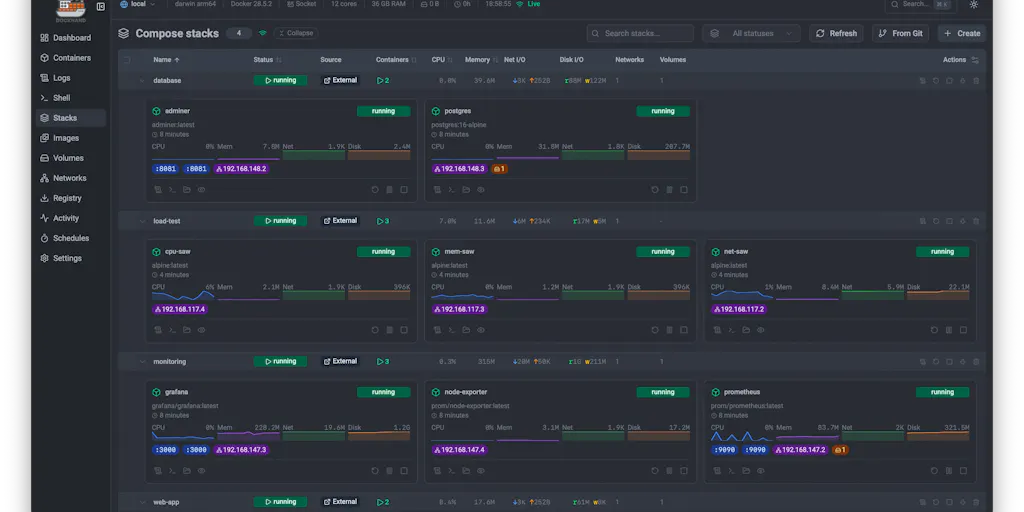
The real lesson from a solo Mac dev tool: creators are drowning in repo-like sprawl too
Most social media operators I know are running what amounts to a portfolio of side projects. There’s the Instagram account, the TikTok, the LinkedIn page, the YouTube channel, the Pinterest boards, the Threads cross-posts, the client accounts you inherited, the abandoned experiments from 2023. Each one has its own login, its own scheduling queue, its own analytics dashboard, its own half-finished content backlog. Nobody opens a terminal per folder anymore — but we absolutely open a separate tab per platform, and the cognitive overhead is the same disease. So when a solo developer launches a native FinderGit on Product Hunt and describes the problem as “developers who keep a lot of repos on their Mac… want to see and act on all of them without a terminal per folder,” my brain doesn’t file it under dev tools. It files it under portfolio sprawl, which is the defining operational problem of the creator economy right now. The tool itself isn’t for us. The design philosophy behind it is worth stealing.
What FinderGit actually is, and why the framing matters more than the feature list
Let me be precise about what launched, because the Product Hunt page is unusually candid about it. FinderGit is a native macOS app — 100% SwiftUI, no Electron, signed and notarized, macOS 15+ — that started life in April as “a Finder-style browser that shows every Git repo’s branch and status in one window.” The maker, Giovambattista Fazioli, says he’s shipped 60 releases since that first launch, and the app has “gone from showing you your repos to letting you work in them.” That sentence is the whole story. The version that’s on Product Hunt now does everyday Git without a terminal (commits with AI-written messages, branch create/rename/merge/rebase/delete, stashing), per-repo dashboards (commit activity, languages, contributors, releases), GitHub issue and PR reading inside the app, public-repo enrichment from Codeberg, GitLab, and Bitbucket without an account or token, a “Repo Trust” panel that lists every script a repo can run on its own and flags changes after a pull, and a disk-cleaning feature that finds rebuildable junk like node_modules, build output, and DerivedData. The maker says his first scan found about 30 GB on his own Mac. It’s free.
But here’s the part that matters for anyone who runs social accounts for a living: the product’s core insight is not “Git is hard.” It’s “you have too many of these things to hold in your head, and the cost of context-switching between them is where your day disappears.” Swap “repo” for “channel” and “terminal” for “platform tab” and the essay writes itself. If you manage five or more accounts across Instagram, TikTok, YouTube, X, LinkedIn, Facebook, Threads, and Pinterest, you are living the exact problem this Mac app was built to solve — you’ve just never seen it named that way.
The “one window” thesis, translated to social
When I scheduled 30 posts across 5 platforms last quarter — a normal month for a mid-size client — the actual publishing took maybe four hours. The other sixteen hours went to checking. Is the TikTok draft still in the queue? Did the LinkedIn carousel publish or get stuck? Which Instagram Reels are underperforming, and is it the hook or the posting time? What’s sitting in the YouTube Shorts backlog? Every one of those questions lives in a different dashboard, and every dashboard has its own definition of “engagement rate” and its own date-range picker. The FinderGit pitch — “see every repo’s branch and status in one window” — is precisely the dashboard consolidation that tools like Metricool and Later have been selling for years. The difference is that FinderGit is a solo dev’s opinionated native app, and the scheduling incumbents are venture-scale SaaS with every feature bolted on. Both approaches have real costs, and I’ll get to those.
Where FinderGit’s design choices map onto content operations — and where they don’t
I want to be honest about the analogy’s limits, because I’ve watched too many creators over-index on a single tool’s philosophy and then wonder why their content calendar still falls apart. So let me separate what transfers from what doesn’t.
What transfers: the local-first, own-your-data instinct
FinderGit runs entirely on your Mac, uses your own API key for AI commit messages (or a model running locally), and pulls public repo data without requiring an account or token. For a developer, that’s a privacy and cost story. For a creator, it’s a data-ownership story — and it’s the one thing the big scheduling platforms are worst at. When you publish through Buffer or Hootsuite, your post history, audience data, and performance metrics live on their servers, behind their export limits, subject to their pricing changes. (Hootsuite’s 2024 repackaging and Buffer’s repeated tier restructuring are the kind of thing every operator has lived through.) The FinderGit model — bring your own key, run locally, no account required for read-only data — is a useful north star for creators who want a personal archive of their own content and metrics that no platform can revoke. I’d bet we see more “local-first” creator tools in 2026 and 2027 for exactly this reason.
What doesn’t transfer: the “act in place” part
Here’s the crucial difference. FinderGit lets you act on repos inside the app — commit, branch, stash — because Git operations are deterministic and the app can shell out to the same underlying primitives. Social publishing is not deterministic. Every platform’s API has different rate limits, different media requirements, different caption-length rules, different approval flows, and different failure modes. TikTok’s Content Posting API has stricter review requirements than Instagram’s Graph API, which behaves differently again from X’s API with its tiered pricing. That’s why scheduling tools are SaaS: they absorb the platform-specific mess so you don’t have to. A native app that tried to “act in place” across eight platforms would either be enormous or be forced into a lowest-common-denominator publishing flow. So the analogy breaks at the action layer. Steal the visibility, not the execution.
Sidebar: why TikTok creators should care more than LinkedIn ones
If your primary channel is LinkedIn, your publishing cadence is low (a few posts a week), your formats are text-and-image, and the cost of a missed post is small. Portfolio sprawl hurts you least. If your primary channel is TikTok or YouTube Shorts, you’re publishing daily or more, your formats are video with watch-time-sensitive hooks, and a missed or mis-timed post has real algorithmic consequences — the TikTok algorithm rewards consistency and early engagement velocity in ways that a text platform simply doesn’t. That means the checking overhead I described above compounds faster for short-form video creators. A “one window” view of your video queue across TikTok, Reels, and Shorts is worth far more to you than the same view is to a LinkedIn ghostwriter. My take: if you’re a short-form-first operator, this is the single highest-leverage operational upgrade available to you this year, and it has nothing to do with which tool you pick.
What creators and social media teams can actually borrow from this launch
I don’t want to end up recommending a Git client to people who don’t write code. So let me be concrete about the transferable practices — the things I’ve started doing in my own workflow because of how FinderGit frames the problem.
1. Build a “status view” before you build a content calendar. FinderGit’s first version showed branch and status, not commands. Before you add another scheduling tool, make a single page — Notion, Airtable, a spreadsheet, whatever — that lists every account, every queued item, and its current state (draft / scheduled / published / failed). The calendar is downstream of the status view. Most creators build the calendar first and then can’t answer “what’s actually live right now?” without opening six tabs.
2. Treat “what changed after a pull” as a first-class alert. Repo Trust flags when a repo’s scripts change after you pull. The social equivalent is: what changed on the platform since you last checked? New posting limits, new format requirements, new API deprecations. Meta’s and TikTok’s developer changelogs are the closest thing we have, and almost nobody reads them. I’d bet a monthly 20-minute changelog review would prevent more failed scheduled posts than any single tool purchase.
3. Keep a “rebuildable” folder for content, the way FinderGit finds rebuildable disk junk. The disk-cleaning feature is the most underrated part of the launch — it’s about reclaiming space from things your tools can regenerate. For creators, the equivalent is your asset graveyard: the raw footage, the Canva exports, the CapCut project files, the old carousel PNGs. CapCut and Canva both let you regenerate exports from projects; if you’re storing every export forever, you’re paying for storage you don’t need. I audited mine last month and found years of exported Reels that existed as editable projects. (I won’t quote a number — I didn’t measure it rigorously — but it was a lot.)
4. Own your AI keys. FinderGit’s “built in, with your own key, or a model running on your Mac” framing for commit messages is a small masterclass in AI integration for creators. The lesson: don’t let your content tooling lock your AI usage behind a subscription you can’t audit. If you’re using AI for captions, hooks, or repurposing, prefer tools that let you bring an OpenAI or Anthropic key, or that run locally. You’ll pay less, you’ll control your data, and you won’t get stranded when a vendor pivots.
5. The “Fix All” button is a UX philosophy, not a feature. The 0.51.0 release note describes “Fix All” as making “every fix that needs no choosing in one go.” That’s a beautiful principle for content ops: separate the decisions that need human judgment from the cleanup that doesn’t. Broken UTM tags, missing alt text, inconsistent hashtag formatting, expired link shorteners — these are “needs no choosing” fixes that a script or a Zapier automation should handle so you can spend your judgment on hooks and strategy.
Where my judgment says this falls short — and who it’s not for
I have to be the boring voice here, because the Product Hunt page is a maker’s page and it’s doing what maker’s pages do: it’s enthusiastic, it’s detailed, and it’s not neutral. A few things to flag.
The analogy has a hard ceiling. FinderGit solves a problem where the underlying operations are standardized (Git is Git everywhere) and the data is local (your repos are on your disk). Social media has neither property. Platforms are adversarial and change constantly; your data lives on their servers. So the “one window” ideal is achievable for reading and structurally hard for acting. If you buy a tool expecting a FinderGit-for-social that lets you publish to eight platforms from one native window, you’re going to be disappointed by every product in the category, not just this one. The realistic version of the dream is a read-only aggregation layer (metrics, queue status, changelog alerts) plus a publishing layer that accepts platform-specific friction.
It’s macOS 15+ only, and it’s free. Free is great for adoption, but free solo-dev tools have a sustainability question. The maker has shipped 60 releases, which suggests real momentum, but there’s no disclosed business model, no pricing, no team. For a developer trying it, that’s fine. For a creator thinking about building a workflow on top of a similar philosophy, it’s a reminder to keep your own exports and backups. I’d want to know how the project funds itself before I’d build anything critical on it — and the source doesn’t say, so I’ll leave it as an open question rather than speculate.
It’s not for you if you’re not a developer. This is obvious, but it’s worth saying plainly: FinderGit is a Git tool. If you don’t have repos on your Mac, there is nothing here for you to install. The value of this launch for creators is entirely in the design lessons, not the software. I’m recommending you steal the thinking, not the download.
The AI commit messages deserve skepticism. “Commit with AI-written messages” is a feature that sounds better than it usually is. Commit messages are a communication artifact for humans, and AI-generated ones tend to be plausible-but-generic (“Update files,” “Fix issue”). The same failure mode shows up in AI-generated captions and hooks — they’re structurally correct and emotionally flat. If you use AI for any content, the test isn’t “does it read okay,” it’s “would a human have written this sentence on purpose?” My experience: AI is great at variants and first drafts, bad at voice. The FinderGit feature is fine for solo repos; it would be a bad model for your brand’s captions.
Sidebar: where the math breaks
The FinderGit pitch says the first disk scan found “about 30 GB” of rebuildable junk. That’s a maker’s anecdote, not a benchmark, and I want to be careful not to generalize it. The creator-economy version of that number is the time cost of portfolio sprawl, and it’s much harder to measure — which is exactly why it gets ignored. If you want to quantify it for yourself, log your context-switches for one week: every time you open a platform dashboard to check status rather than to publish or reply, write it down. Most operators I’ve talked to are shocked by the ratio. That log is your business case for consolidation, and it’s more persuasive than any vendor’s ROI calculator.
What I’d watch / test next
Three concrete things an operator can do this week, in order of leverage:
First, build the status view. One page, every account, every queued item, current state. Don’t buy anything. Just make the page. You’ll immediately see which platforms are actually consuming your attention and which are running on autopilot.
Second, audit your AI dependencies. List every tool in your stack that uses AI and check whether you can bring your own key or run locally. If a tool won’t let you, note it as a lock-in risk. This is the FinderGit lesson with the longest shelf life.
Third, read one platform changelog end to end. Pick your highest-stakes channel — probably TikTok or YouTube — and read the developer changelog for the last quarter. You’re looking for deprecations, new format requirements, and posting-limit changes. This is the “what changed after a pull” habit, and it’s free.
What I’m watching next: whether the local-first, bring-your-own-key model spreads from dev tools into creator tools. The FinderGit launch is a data point that a solo developer can ship a polished, native, privacy-respecting app and get attention for it. If that pattern holds, the next two years of creator tooling might look less like another SaaS subscription and more like a folder of small, sharp, own-your-data apps. I’d take that trade.