The quiet crisis of the notes app is a social media problem in disguise
Every social media operator I know runs their content brain on a graveyard of half-finished notes. A hook that killed on TikTok, saved as a screenshot. A LinkedIn comment that could become a carousel, pasted into a draft that never reopens. A client’s brand-voice rules buried in a doc nobody reads. The bottleneck in modern content operations isn’t ideas — it’s the friction between having a thought and turning it into a scheduled post. So when a native, AI-assisted notes tool gets attention on Product Hunt, I pay attention, because the tools we use to capture ideas quietly shape how fast we can ship them. This week’s example is Likely AI, a lightweight note-taking app from Henry Cauan, and the launch thread tells a more useful story than the landing page does.
What Likely AI actually is, and why the “native, no Electron” pitch matters to creators
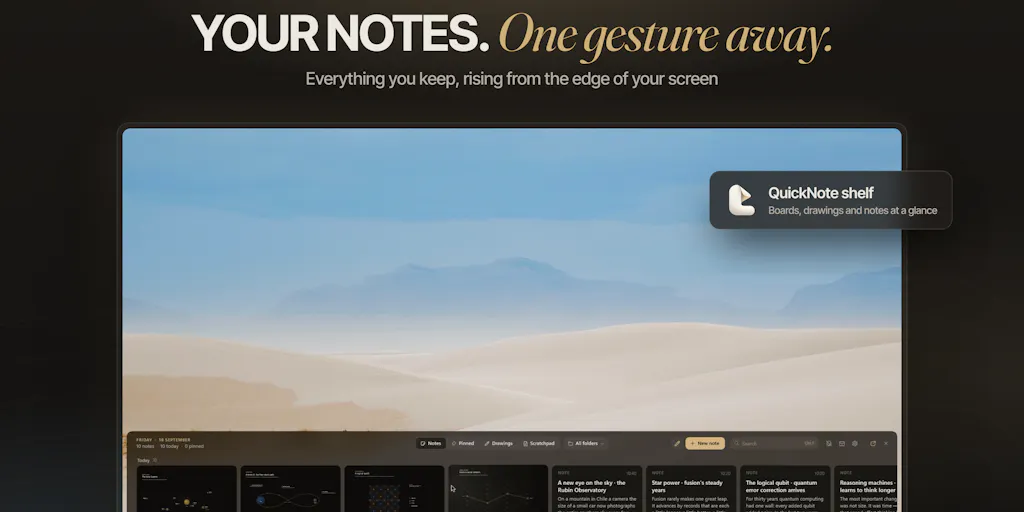
Let me be blunt about the product category. Likely AI is a notes app with AI assistance baked in — not a social scheduler, not an analytics dashboard, not a repurposing engine. If you came here hoping for another Buffer or Metricool competitor, this isn’t that. What it is: a fast, native desktop tool for capturing and working with text, positioned against the bloated, RAM-hungry note apps that most of us have quietly tolerated for years.
The most interesting signal in the entire launch thread isn’t the AI. It’s the memory footprint. In the comments, Gal Dayan points out that “no electron is the real selling point for me honestly, half my ram usage these days is just notes apps idling,” and the maker confirms that going native “was a big reason to go native.” That’s not a marketing claim — it’s a user articulating a pain point that most product teams ignore because it’s unglamorous.
Why should a social media manager care about RAM? Because your working day is a browser with 40 tabs (three of them platform dashboards), CapCut or Canva open for asset edits, a scheduling tool, and a notes app. On a 16GB machine — which is still the default for a lot of agency-issued laptops — every idle Electron app is a tax on the thing you actually need: fast switching between client accounts and a browser that doesn’t stutter when you’re uploading a 4K Reel.
Why TikTok creators should care more than LinkedIn ones
Here’s my take, and I’ll flag it as opinion: the creator who benefits most from a fast capture tool is the one working in short-form video, not long-form text. A TikTok or Reels creator lives or dies on volume and iteration speed. You’re testing 3–5 hooks per concept, filming in batches, and rewriting captions the morning of posting. A notes app that opens instantly and doesn’t fight you for memory is a genuine workflow upgrade when you’re bouncing between TikTok drafts and a shot list.
A LinkedIn ghostwriter or newsletter operator, by contrast, is doing deep, long-session writing where a 200MB RAM difference is irrelevant. They’d be better served by something like Notion or Obsidian with a proper knowledge graph. Different jobs, different tools. The “native and light” pitch is a short-form-video pitch whether the maker framed it that way or not.
The shake-gesture detail is a masterclass in operational thinking
The most instructive part of this launch — and the reason I’m writing about a notes app on a social media blog — is the exchange about the shake gesture. Dayan raises a real concern: “does the shake gesture ever false-trigger though? I drag windows around fast enough sometimes that it’d probably look like a shake to whatever’s listening.”
The maker’s answer is a case study in how to design a trigger that respects real usage:
- While any mouse button is held down, the shake is ignored — so dragging windows never opens the app
- It requires roughly five even back-and-forth strokes in the same spot within about a second — a fast flick or overshoot doesn’t count
- It’s disabled over fullscreen apps
- There’s a sensitivity setting, plus the option to turn it off entirely and use a shortcut
This is the kind of thinking I wish more social media tooling had. Most scheduling tools treat “automation” as an on/off switch, then surprise you with a duplicate post or a mistimed thread. The lesson for anyone building content workflows — even if you’re just building a Zapier or Make automation for your own accounts — is that good triggers have thresholds, exceptions, and escape hatches. A “smart” automation that fires when you don’t expect it is worse than no automation at all.
Where the math breaks
I want to be careful here, because the launch thread doesn’t disclose pricing, user counts, or how the AI features work under the hood. That silence matters. “AI-assisted notes” could mean anything from a local model to a cloud API call that ships every draft you type to a third party. For a social media operator handling client work under NDA, that distinction is the whole ballgame. If you’re drafting a client’s campaign copy or a creator’s sponsorship script inside an AI notes app, you need to know where that text goes.
I’d bet — and this is speculation, not a sourced fact — that a native app leaning on AI is either bundling a local model or calling a hosted API like OpenAI’s. The launch page doesn’t say, and until it does, I’d keep anything sensitive out of it. That’s not a knock on this specific product; it’s a blanket rule I apply to every AI tool that touches client content.
What social media teams can steal from this launch
Strip away the product and there are three transferable lessons for anyone running content operations.
First: audit your tool stack for idle weight. If you’re on a laptop that stutters when you switch between Instagram and your scheduler, run a quick memory check. The apps that quietly eat 300MB while doing nothing are the ones to replace. This isn’t about being a spec snob — it’s about whether you can move fast during a launch day or a trending-audio window.
Second: design your capture layer separately from your publishing layer. Most creators I know try to do everything inside their scheduler, which is a mistake. Later and Hootsuite are publishing tools; they’re mediocre at ideation. Your best hooks come from conversations, DMs, comments, and random 11pm thoughts — none of which live inside a scheduling dashboard. A dedicated, fast capture tool that feeds your scheduler is a healthier architecture than trying to make one app do both.
Third: treat trigger design as a content-safety issue. The shake-gesture discussion is a reminder that every automation needs a “don’t fire when I’m doing X” rule. When you build repurposing workflows — say, auto-pulling your best-performing YouTube Shorts into a Threads queue — build in a manual approval step. The cost of a bad auto-post is higher than the time you save skipping the review.
The repurposing angle nobody’s talking about
Here’s where a fast notes tool could quietly earn its place in a creator’s stack: as the holding pen for repurposing fragments. My own workflow, when I’m running multiple accounts, looks like this — I pull the top-performing hooks from a week of posts, drop the raw lines into a notes doc, and then rewrite each one for a different platform’s native format. A TikTok hook (“wait until you see what happened at 0:07”) does not translate to LinkedIn without a full rewrite. The notes doc is where that translation happens.
If a tool like Likely AI can hold those fragments and help reshape them quickly, it’s doing real work — not because the AI is magic, but because the capture-to-rewrite loop is where repurposing actually lives. The AI is a nice-to-have; the speed and low friction are the point.
Where I think this falls short, and who shouldn’t bother
Now the honest part.
This is a notes app. If you were hoping for a social media management platform, a content calendar, or an analytics layer, you’re looking at the wrong product. There’s no scheduling, no UTM tracking, no engagement-rate dashboard, no cross-platform publishing. It won’t replace Sprout Social or Hypefury for anyone running paid or multi-client operations.
The launch thread also leaves real questions open. Pricing: not disclosed. Platform support: not disclosed beyond the implication of a desktop-native app. AI provider and data handling: not disclosed. Team size and roadmap: not disclosed. For a tool that wants to sit next to your client work, those gaps are meaningful, and I’d want answers before recommending it to anyone handling sensitive brand material.
And the “AI notes app” category is crowded. Notion AI, Mem, Reflect, and a dozen others are fighting for the same slot. The differentiator here — native performance and a thoughtful gesture system — is real but narrow. If you already live happily inside Notion or Obsidian, switching costs probably outweigh the RAM savings unless you’re genuinely hitting memory ceilings.
Who this is actually for
In my read, the target user is a solo creator or a lean operator on a mid-tier machine who wants a fast scratchpad that doesn’t compete with their editing and scheduling tools for resources. If that’s you, the native pitch is worth a look. If you’re an agency running 15 client accounts with a formal approval workflow, this is a personal productivity tool at best — not infrastructure.
What I’d watch / test next
Three concrete things I’d do this week if this category interests you.
One: benchmark your own machine. Open your usual stack — browser, scheduler, editor, notes — and watch memory in Activity Monitor or Task Manager for ten minutes of normal switching. If a notes app is in your top five consumers while idle, that’s your signal to try something lighter. You don’t need this specific product to act on that finding.
Two: separate capture from publishing in your own workflow, even without new software. Start a plain-text or markdown file for raw hooks and fragments, and stop trying to ideate inside your scheduler. Give it two weeks and see whether your posting cadence improves. My experience says it will, because you remove the “open the heavy tool just to jot something” tax.
Three: if you do try Likely AI, test it against your actual sensitive-content rules first. Type a fake client brief, check whether the AI features require a network connection, and read whatever privacy documentation exists. Ask the maker directly in the launch thread — the team has been responsive, and the answers to the data-handling questions are the ones that determine whether this belongs anywhere near client work.
The bigger takeaway for social media operators: the tools that make you faster aren’t always the ones with the loudest feature lists. Sometimes it’s the app that opens in a blink, respects your gestures, and gets out of the way. That’s a design philosophy worth demanding from every tool in your stack — including the expensive ones.