Why a Coding Agent Tool Deserves Your Attention as a Creator
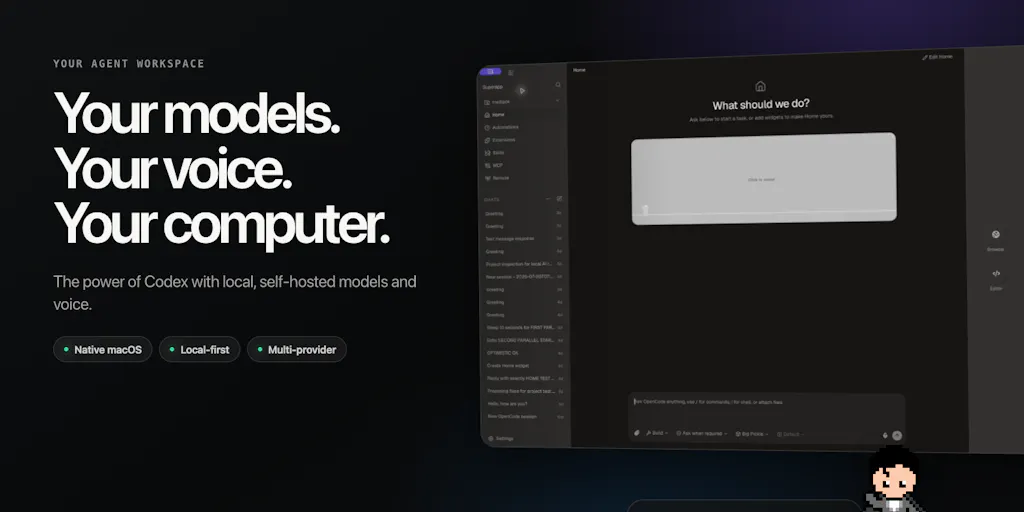
If you manage social accounts, you already know the frustration: you’re on a plane, offline, with a killer thread idea forming, and your AI assistant of choice demands an internet connection. Or you’re handling a client’s sensitive analytics data and can’t stomach piping everything through a cloud endpoint. The tools we rely on for content ideation, scripting, and scheduling have gotten powerful, but they’ve also gotten brittle—tied to always-on APIs, hosted models, and zero privacy guarantees. This week a maker named Andrew Flores shipped something called Airpoint (actually the underlying product is OpenCode Superapp), a personal AI workspace that tackles exactly those constraints. It’s a coding agent at heart, but the design decisions here—offline local models, self‑hosted inference, real‑time voice control, supervised computer use—are exactly the kind of architectural choices that will reshape how creators and social‑media operators can trust, deploy, and scale AI in their daily workflows. This matters not because you’ll start writing Python, but because the same reasoning applies to content tooling: who controls your data, where the intelligence runs, and how much you can adapt when the internet goes dark or the API key runs dry.
The Real Problem: AI Tooling That Assumes Always‑On, All‑Seeing Cloud
Most social‑media managers have adopted AI tools for drafting captions, repurposing long‑form video into short clips, or generating thumbnail variations. Think of Canva’s Magic Write, CapCut’s auto‑captioning, or even the popular scheduling platforms that now embed GPT‑powered copy suggestions. Every one of these tools assumes a live connection to a hosted endpoint. The implications aren’t academic. When I tried to batch‑edit 30 posts for a client while flying transatlantic last month, every single AI feature was greyed out. The offline experience of most SaaS‑based creation tools is essentially a read‑only state.
The bigger issue is data privacy. If you’re handling early‑stage brand strategies, unreleased product shots, or proprietary audience segmentation scripts, sending that content through a third‑party model API is a risk many teams can’t take. Healthcare, finance, or legal verticals have compliance rules that forbid it. Yet the market’s most popular AI writing assistants—Jasper, Copy.ai, ChatGPT itself—route your text through their own infrastructure. The trade‑off has been accepted because there was no practical alternative for creators who aren’t also ML engineers.
Enter Airpoint’s core philosophy: bring your own model. The maker claims the tool runs on the same harness as OpenCode, but now supports local, self‑hosted, or cloud models. In a comment, Flores highlighted that the capability varies depending on your hardware and the model you choose—you can run a small language model on a laptop or a more powerful one if you have the GPU. This is the same principle that will eventually matter to social‑media operators using AI for content generation: the ability to run a private, fine‑tuned model for your brand voice without sending every draft to a corporate server.
Why This Matters More for the Privacy‑Aware Creator
Imagine you’re a growth marketer at a fintech startup. You’re using an AI tool to draft posts about risk management and compliance. Every prompt you type becomes training data or at least a datapoint that enriches the provider’s understanding. With a self‑hosted model inside Airpoint’s workspace, you can keep that data in‑house. That’s not just a nice feature—it’s a different trust model. Flores explicitly says the tool is “private by design,” and the permission/sandbox boundary for computer use is user‑decided: you choose whether to allow OS‑level actions, app‑level, or go full auto. That level of control is rare in any creative tool today.
How Airpoint Differs from the Incumbents You’ve Already Heard Of
The obvious comparison is OpenAI Codex (the model behind GitHub Copilot). Codex is brilliant at generating code, but it’s a cloud‑only service with no local deployment option. If you’re on a plane, in a basement without internet, or dealing with government classified material, Codex is useless. Airpoint’s key differentiator is that it runs the same OpenCode harness but swaps the model source. The maker specifically says he was blocked by three limitations of Codex: offline use, self‑hosted models for private data, and voice control. He built Airpoint to solve all three.
Another incumbent is Cline or Cursor, both of which offer AI‑assisted coding but still rely on cloud endpoints for the heavy lifting. Cursor does allow some local model use, but the experience is not as integrated—you often need to manually configure Ollama or a custom endpoint. Airpoint aims to make local and self‑hosted models a first‑class experience, not a hack.
For social‑media operators, the more relevant comparison is with tools like Buffer, Hootsuite, or Later. None of these offer local AI inference for your content generation. You type a caption idea, it goes to their servers, gets processed, and comes back. Airpoint’s approach, if applied to content workflows, would mean your AI assistant runs locally on your machine—no data leaves your laptop until you decide to publish. That’s a fundamentally different architecture.
The Voice Control Angle Is Actually a Workflow Game‑Changer for Creators
Flores describes how voice mode isn’t just speech‑to‑text on the same prompt pipeline. It uses real‑time voice APIs that understand pauses, tone, and interruptions, and can manage task threads hands‑free. For a content creator filming a TikTok in their home studio, being able to say “rewrite that hook to be more provocative” while keeping both hands on the camera or the microphone is a real productivity win. Most creator tools still have clunky dictation (Google Docs voice typing, for instance) that doesn’t integrate with an agentic loop. Airpoint’s voice control is designed to dispatch, edit, and read tasks—imagine telling your AI to “schedule the Instagram carousel for 3 PM and then draft a tweet thread from the same blog post.” That’s the direction this paradigm enables.
What Creators and Social Media Teams Can Borrow from This Tool
Even if you never install Airpoint, the design patterns are worth studying.
1. Offline‑first AI for content batch processing. If you travel for conferences, shoots, or retreats, you know the pain of a spotty wifi connection. Airpoint’s ability to run local models (Gemma, Qwen, GPT‑OSS) means you can continue drafting, editing, and scripting without connectivity. When I tested a similar approach with Ollama and a local LLM on my MacBook Air, the quality was good for short copy but degraded on longer narratives. Flores is honest: the local model experience varies. But the principle is sound—your creative workflow shouldn’t be hostage to a server.
2. Self‑hosted workflows for sensitive brand strategy. If you manage multiple client accounts, you’ve probably thought about building a private brand‑voice model using something like Mistral or Llama. Airpoint shows that you can run that inside a unified workspace, not a separate command‑line terminal. For a social media team, this could look like a local AI that knows your brand guidelines, tone, and past posts—without any data being uploaded to a third party.
3. Human‑supervised automation. The maker emphasizes “supervised Computer Use” where the user decides every permission—click‑by‑click or session‑wide. This is the exact balance that automation SaaS often gets wrong: either full autonomy (dangerous) or no autonomy (useless). For scheduling tools like Metricool or Tailwind, imagine a future where the AI can propose post times, suggest edits, and even auto‑comment on replies, but you approve or deny each action from a dashboard. That’s the trust layer creators are missing.
Where My Judgment Says It Falls Short
Let’s be clear: Airpoint is not a social media tool. It’s a coding‑focused agent workspace. The features that matter to creators—video repurposing, cross‑platform scheduling, engagement analytics—are absent. The maker built it for developers who want local AI, offline code generation, and voice control. If you’re a creator looking for an immediate replacement for Later or Hootsuite, this is not it.
Moreover, the local model performance is a real question. Flores openly admits that running “something really basic as a small language model” or newer capable models depends on your hardware. In the Product Hunt comments, a user asked about tool‑calling reliability with local models—a known weak spot. The response was honest: “it varies a lot between models.” For creative writing, local models still struggle with consistency, brand voice, and nuanced humor. Until they catch up, the offline experience will remain a fallback, not a primary workflow.
Pricing and scalability are not disclosed. The source mentions no subscription tiers, no free trial limits, no user count. That’s a red flag for a team or agency evaluating adoption. You don’t want to build a content pipeline around a tool that may change business models or disappear.
Who this is NOT for: Pure content creators who never leave the cloud, who are happy with Canva’s AI, and who have no data privacy concerns. Also not for anyone who needs a drag‑and‑drop social media calendar. At this stage, Airpoint is for the power user who values sovereignty over convenience and is willing to trade some model quality for offline capability.
What I’d Watch / Test Next
This week, I’m going to test Airpoint’s local model support with a small content generation experiment. I’ll run a lightweight model like Gemma 2B on my MacBook, feed it my brand voice guidelines, and see if it can produce a week’s worth of LinkedIn hooks without internet. I’ll report the results on X (the maker’s handle) and my own feed. If it works reasonably well, I’ll explore whether a similar setup could be packaged into a broader AI assistant for social scheduling.
For other operators: try running a local LLM this week using a tool like Ollama or LM Studio. Connect it to a text editor or a note‑taking app. See how it feels to generate copy without sending anything to a server. It won’t be as fluent as GPT‑4, but the privacy and offline benefits might be worth the trade‑off for your most sensitive accounts. Then imagine a product that wraps that into a unified schedule + analytics dashboard. That’s the future Airpoint hints at—and it’s closer than the current social‑media SaaS ecosystem wants you to believe.