The permission prompt is the new publish button — and nobody’s watching it
If you run a social account for a living, you already know the feeling of a queue that moves without you: a scheduled post goes live while you’re asleep, a comment thread catches fire on a platform you forgot to check, a client asks why the Reel that “performed well” actually flatlined. We’ve spent a decade building dashboards to watch output. Almost nobody has built a good dashboard to watch permission. That’s the gap OpenCompanion is poking at, and even though it’s a developer tool, I think creators and social operators should pay attention — because the workflow it’s solving is about to arrive in our stack whether we like it or not.
The thesis, plainly: as AI agents start doing the repetitive parts of content work — drafting captions, cutting clips, scheduling, repurposing — the bottleneck stops being “can the model do it” and becomes “who approves it, where, and how fast.” OpenCompanion is an early, opinionated answer to that second question. It’s not a social media tool. But the design pattern it’s testing — one screen, many agent sessions, human approval on every consequential step — is exactly the pattern our tooling is missing.
What OpenCompanion actually is, and why a social operator should care
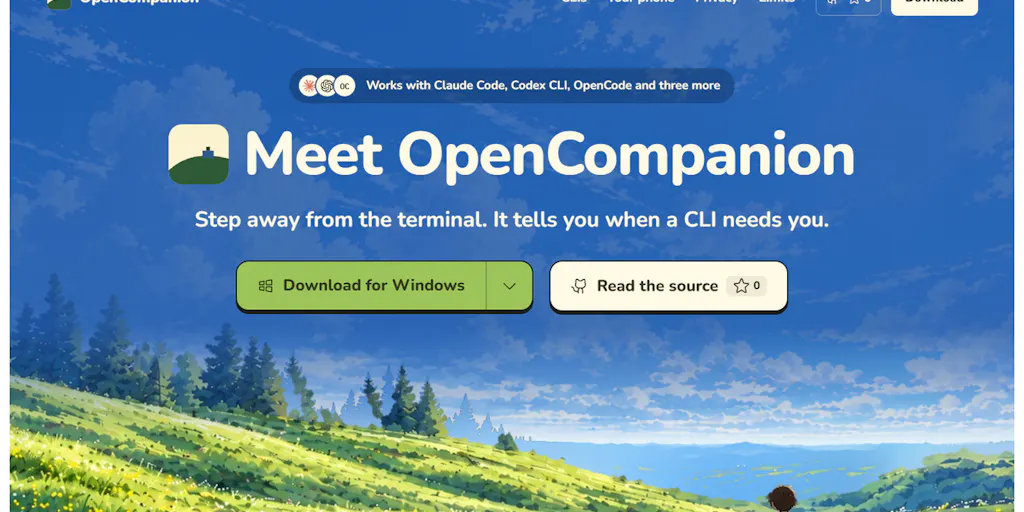
Let me get the facts straight first, because the Product Hunt listing is refreshingly un-hyped and I want to keep it that way. OpenCompanion is built for people who run AI coding CLIs — Claude Code, Codex CLI, OpenCode, and “a few other CLIs” — across more than one project folder at once. The pitch is mundane and specific: each session periodically stops to ask for permission, and you only find out when you happen to look at that terminal. OpenCompanion starts those CLIs in a real terminal or headless, lists every session on one screen with status and latest event, and pings you when something is waiting on you. Claude Code permission prompts get Approve and Deny buttons — on desktop and, over your own Wi-Fi, on your phone.
There’s also a chat layer that turns a plain request into one card per session; you read each prompt, then press Run. Repeat work becomes an automation that starts on a schedule. Beside each session you can split a shell to run tests, browse the folder, and read the uncommitted diff. Everything runs locally: no account, no cloud server, no telemetry, and each CLI keeps using your own login and quota.
Here’s why I think that matters to someone whose job is publishing, not shipping code. The single most common failure mode in AI-assisted content workflows right now isn’t bad output — it’s unreviewed output. You wire up a Zapier or a Make scenario, or you let a tool like Buffer or Later auto-publish from a queue, and somewhere in the chain a human approval step gets skipped because it’s annoying. The result is a brand-safety incident, a tone-deaf reply, or a caption with a hallucinated statistic. OpenCompanion’s core bet — that the human approval moment deserves its own dedicated interface, not a buried notification — is the right bet. I’d argue it’s the most under-designed surface in the entire creator tooling stack.
The uncomfortable parallel: your scheduler already has a permission problem
Think about how you actually approve content today. In most teams I’ve worked with, “approval” means a Slack message, a screenshot in a Google Doc, or a client emailing back “looks good” three days late. The actual publish action happens in Hootsuite, Metricool, or a native scheduler, and the approval trail is a graveyard of screenshots. That’s fine at low volume. It breaks the moment you’re running 30 posts across five platforms, which — in my experience — is roughly the point where a solo operator stops being able to hold the whole calendar in their head.
OpenCompanion’s one-screen, status-per-session model is a direct answer to that. Each “session” is a unit of work with a state: running, waiting, done. Each waiting session is a decision. That’s a mental model social teams could steal tomorrow, even without any AI involved.
The comparison set: what this is really up against
If you’re a creator, you’ve probably never heard of Claude Code or Codex CLI, and that’s fine — the incumbents worth comparing OpenCompanion to aren’t social tools, they’re the terminal multiplexers and agent orchestrators developers already use. tmux and screen let you juggle many terminal sessions, but they don’t know or care that a session is waiting for a human. VS Code terminals and iTerm2 give you tabs, not status. The category OpenCompanion is really competing in is “agent observability for one person” — and the closest analogues in our world are the approval queues inside tools like Sprout Social and Later, which are genuinely good but assume the content is already written and the AI is not the one writing it.
My take: OpenCompanion’s biggest differentiator isn’t the CLI support list. It’s the phone approval over local Wi-Fi. That single feature reframes “I’m away from my desk” from a blocker into a two-tap decision. If you’ve ever stepped out of a client meeting to approve a time-sensitive post, you already understand the value of that.
Why the “no cloud, no account” stance is a real feature, not a gimmick
The listing is explicit: it all runs on your computer, no account, no cloud server, no telemetry, and each CLI keeps using your own login and quota. For developers that’s a privacy stance. For social operators, it’s a cost stance — you’re not paying a per-seat SaaS tax on top of your existing model subscription, and you’re not handing a third party your session tokens. Whether that matters to you depends on how much you trust the current crop of “AI social media manager” startups. I’d bet it matters more than most teams admit, especially agencies handling client accounts under NDA.
What creators and social teams can borrow from this, even if they never install it
This is the section I actually care about, because most of you will never touch a coding CLI and that’s completely fine. The transferable ideas are structural, not technical.
One screen, one status per unit of work. Your content calendar should show, at a glance, which items are waiting on a human versus scheduled versus live. Most calendars show publish time and nothing else. That’s a reporting view, not an operations view.
Approval as a first-class action, not a Slack thread. OpenCompanion gives permission prompts literal Approve and Deny buttons. Your approval workflow should be equally binary and equally logged. If a client says “change the CTA,” that’s a Deny-with-reason, not a comment you’ll forget.
Automations should start from a request you’ve already read. The chat-to-card-to-Run flow is a quiet rebuke of “set it and forget it” automation. You describe the recurring work, you read the generated prompt, then you let it run on a schedule. That’s a much healthier default than most no-code automation tools give you, where the trigger fires before you’ve reviewed the logic.
Local-first isn’t just for developers. If your content workflow involves client credentials, unpublished campaign assets, or embargoed launches, “runs on my machine” is a feature you should be demanding from every AI tool you adopt. CapCut and Canva are wonderful and also cloud-dependent. Know which side of that line each tool sits on.
Why TikTok creators should care more than LinkedIn ones
Velocity. A TikTok trend has a shelf life measured in days, sometimes hours, and the approval loop is the thing that kills it. If your approval chain is “editor → you → client → publish,” you are structurally too slow for trend-jacking, no matter how good your content is. A phone-based approve/deny surface — the pattern OpenCompanion is prototyping — is the only realistic way to compress that loop without abandoning oversight. LinkedIn, by contrast, rewards a slower, more considered cadence, so a daily approval batch is genuinely fine. Match your approval latency to your platform’s decay curve. That’s the operational insight, and it’s one I’ve watched teams get wrong for years.
Where I think it falls short, and who shouldn’t bother
Now the honest part, because the listing itself is admirably candid and I want to preserve that tone rather than sand it into a pitch.
It’s not code-signed yet. The maker says installers for Windows, Linux, and macOS are on opencompanion.vercel.app and GitHub Releases, or you can build from source — but they’re not code-signed, so first launch asks you to allow it once. That’s a normal early-stage tradeoff, and also a real friction point for anyone non-technical.
Platform coverage is uneven, and the maker says so. Windows gets tested by hand every day, Linux end-to-end in Docker, and macOS “so far only builds and passes its tests in CI.” If you’re on a Mac, that’s a yellow flag, not a red one — but it’s the kind of thing I’d want to see change before I’d recommend it to a colleague. Not disclosed: how many users, what the roadmap looks like, or whether a signed build is coming.
The phone link is plain HTTP on your local network. The maker’s own guidance is to use a VPN such as Tailscale when you’re away from home. A commenter on the launch, Dale Mooney, asked the sharpest question on the page: is there a pairing token, or can anything else on the same Wi-Fi press Approve? On a shared office network, that’s the part that decides whether this is usable. The listing does not answer it. That’s an open question, and I’d treat it as unresolved until the maker responds.
The audience is narrow on purpose. If you don’t run AI coding CLIs across multiple folders, this tool is not for you today. Full stop. I’m writing about it because of the pattern, not because I think social media managers should install a developer orchestrator.
Where the math breaks
Here’s the thing I keep circling. The value of an approval dashboard scales with the number of decisions per day. If you approve three posts a week, a dedicated approval surface is overhead. If you approve thirty, it’s essential. OpenCompanion’s design assumes a high-frequency decision stream, which is exactly what agent-driven workflows produce — and exactly what most content teams don’t have yet, because their AI usage is still one-off prompting rather than scheduled automation. So the tool is early relative to the market. That’s not a criticism; it’s a timing observation. The pattern will be mainstream in content ops within a couple of years. I’d bet on that.
What I’d watch / test next
Concrete steps for this week, whether or not you ever touch OpenCompanion:
- Audit your approval latency. For each platform you publish on, measure the time between “content ready” and “content live.” If TikTok is measured in days, you have a structural problem, not a content problem.
- Make approval binary and logged. Pick one tool — even a shared doc — and force every approval to be an explicit yes/no with a timestamp and a name. No more “looks good” in a thread.
- Test one local-first AI tool in a low-stakes workflow and note how it feels to not hand over credentials. That instinct will inform your next SaaS renewal.
- If you’re technical and curious, install OpenCompanion from the GitHub Releases page linked in the listing, run it on Windows or Linux first given the testing notes, and report back on the pairing-token question — it’s the single most important unresolved detail.
- Watch the pattern, not the product. The one-screen, approve-on-phone, local-first model is going to show up in creator tools. When it does, you’ll already know whether it fits your workflow.
The permission prompt is where trust gets built or broken. Right now, in most social teams, it’s invisible. That’s the thing worth fixing — and OpenCompanion, whatever happens to it, is a useful provocation.