Why a Server Management Tool Matters More Than You Think for Social Media Operators
You don’t manage SSH keys. You manage Instagram logins, TikTok API tokens, LinkedIn page admin permissions, and a sprawl of UTM parameters that live in spreadsheets no one audits. But the underlying problem is identical to what ShellMate is tackling: credential sprawl, shared access with no audit trail, and the constant friction between “I need to give someone access fast” and “I need to keep the door locked when I’m done.” Every time I onboard a new freelance editor onto a brand’s social accounts, I’m re-living the same pain that a developer feels handing over root access to a production server. The distinction between a server terminal and a social media manager’s dashboard is just the interface — the operational hygiene is the same. That’s why I paid close attention when ShellMate relaunched on Product Hunt. Not because I’m about to SSH into my Buffer account (I wish), but because the design decisions, pricing philosophy, and candid security conversation happening in that launch thread are directly instructive for anyone who builds, buys, or maintains the tooling that powers a creator operation.
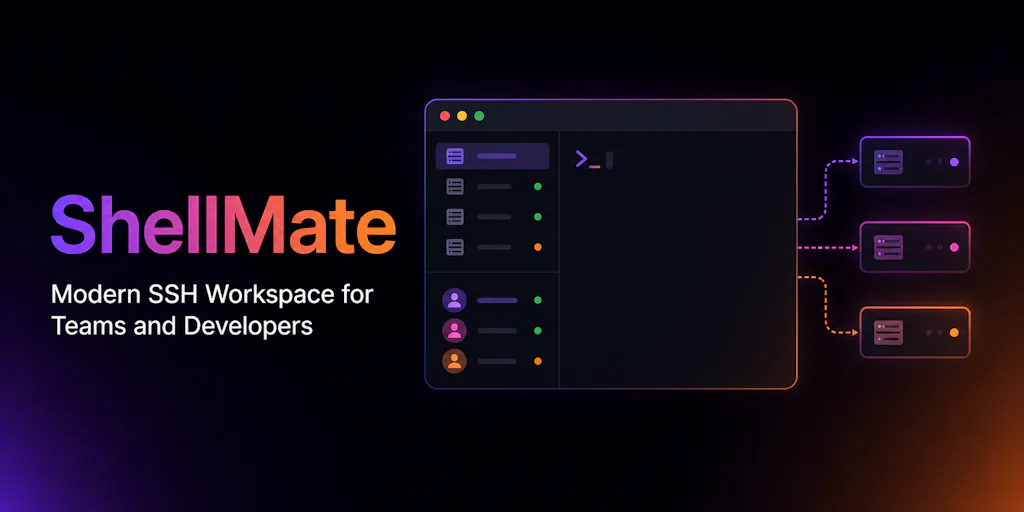
ShellMate is an SSH client — a native app for Windows, macOS, and Linux that manages SSH connections, credentials, teams, and (with its latest v1.3 release) adds AI-assisted troubleshooting and command generation. But the product itself is less interesting to me than the way its maker, Arab Hossain, positioned it, priced it, and responded to the hardest question a security-conscious user can ask. That question came from Gal Dayan and Omri Ben-Shoham in the comments: “If your server gets compromised, can the attacker decrypt stored SSH credentials? Is it truly zero-knowledge?” The answer — “it isn’t a zero-knowledge architecture yet” — was brutally honest and immediately trust-building. Most social media scheduling tools, analytics dashboards, and content management SaaS platforms would never admit where their encryption model falls short. ShellMate’s launch is a masterclass in transparency, even if the product itself is not for social media managers by default.
The Problem ShellMate Actually Solves (and Why It’s Universal)
The core problem ShellMate solves is credential and access fragmentation at the team level. If you’re a small agency running twelve client accounts, each on two to four platforms, you’ve already faced the same chaos: some passwords in a shared Notion doc, some in a password manager that nobody updates, some floating in Slack DMs from three months ago. ShellMate addresses that for server infrastructure — but the pattern is identical. It offers:
- A centralized vault for SSH credentials (encrypted at rest and in transit, though not yet zero-knowledge)
- Team collaboration features with “permission-aware access” and “auditable connection controls”
- Unlimited SSH connections for free individual use, with AI and collaboration features behind a team-paid tier
For a social media operator, the analog would be a dashboard that aggregates all platform credentials, enforces role-based access (editor vs. admin vs. analyst), and logs every session so you know who approved that rogue TikTok comment reply at 2 a.m. No mainstream social media management tool does this well today. Hootsuite gives you team roles, but its permission model is coarse — you can’t scope an editor to a single Instagram account’s Stories while blocking DMs. Later’s team features are better but still don’t provide a full audit log. Buffer’s recent updates to approval workflows are a step, but again, no session-level tracking. ShellMate, for all its developer-centric focus, is solving a meta-problem that the social media tooling industry has been sidestepping for a decade.
How ShellMate Differs from Incumbent SSH Clients
The incumbent space for SSH clients includes Termius, PuTTY, and bare-metal terminal emulators. Termius is the closest analog to ShellMate — cross-platform, team management, credential vaulting, and a paid subscription model. But Termius has drawn criticism for opaque pricing and a lack of transparency around its encryption model. ShellMate differentiates on three fronts:
Pricing transparency. Individual developers get unlimited connections for free indefinitely (minus AI features). Teams only pay when they need collaboration or AI. The maker explicitly stated, “Individual developers can use ShellMate forever for free (without AI features), while teams only pay if they need collaboration or AI capabilities.” That’s refreshingly simple compared to Termius’ tiered plans that limit connections and team seats at every level.
Honesty about security limitations. When asked about zero-knowledge architecture, Arab replied, “Today, ShellMate encrypts credentials both in transit and at rest, but it isn’t a zero-knowledge architecture yet. We want to be transparent about that rather than claim something we don’t support today.” This is the kind of candor that builds long-term trust — especially when you’re handling root access to production servers. Most security audits I’ve seen from social media SaaS tools simply say “end-to-end encryption” without clarifying whether the vendor holds the keys. ShellMate’s approach sets a bar I wish more creator-economy tooling would meet.
Roadmap specificity. The maker outlined exact next features: Docker management, database tools, log viewing, service management. That’s not vague “more collaboration features” — it’s a concrete list that helps users decide whether to invest time today versus wait. For a social media manager evaluating a scheduling tool, knowing the roadmap for analytics integrations or approval workflows is often the deciding factor between Later and Buffer. ShellMate demonstrates that a clear, public roadmap is a competitive advantage, not a distraction.
Where ShellMate falls short compared to incumbents is integration with modern cloud-native workflows. As commenter Rahul Ladumor pointed out, AWS Session Manager eliminates the need to distribute SSH credentials at all — no inbound port 22, IAM as the authz layer, CloudTrail for audit. ShellMate doesn’t support opening a session through Session Manager; its connection model is fundamentally key-based. For a creator or agency that runs their own VPS or dedicated servers, that’s fine. But for teams using managed cloud services, ShellMate’s approach feels a generation behind. My take: if you’re not managing bare-metal or self-managed VPS, ShellMate isn’t the right tool today — but its credential-management layer could be repurposed for other access patterns if the roadmap includes SSM or Kubernetes exec integration.
What Creators and Social Media Teams Can Borrow from ShellMate
You don’t need to install an SSH client to learn from this launch. Here are three concrete takeaways for social media operations:
1. The “permission-aware” model should extend to platform accounts
ShellMate’s comment thread included a question from Hazy: “Can you scope a credential to a specific remote user account rather than just a specific server?” The maker didn’t have a clear answer yet, but the question itself is exactly what social media managers should be asking every tool vendor. When you give a freelance designer access to your brand’s Instagram account, can you limit them to Stories and Posts only, without giving them access to the Shop tab or Ads Manager? The answer for most tools is “no” — they rely on the platform’s own limited role system (which on Instagram is just “admin” and no lower granularity). The gap creates risk. If ShellMate can eventually deliver per-user-account scoping for SSH, the pattern should inspire social media tooling to demand similar granularity from platforms — or build it themselves at the management layer.
2. Free tiers build trust faster than discount codes
ShellMate offers unlimited free usage (minus AI) to individuals. That’s generous for a tool that stores production credentials. The logic is counterintuitive: aren’t security-conscious users more likely to pay for enterprise-grade encryption? But the free tier acts as a risk-free trial that accelerates trust. The maker doesn’t need to convince you to hand over credit card details before you verify the software works for your workflow. For a social media tool, a genuinely generous free tier (not a 14-day trial, but a permanent limited tier like Buffer’s 3-account plan) signals confidence. I’ve seen too many scheduling tools hide their best features behind paywalls that force commitment before competence. ShellMate proves that a “free forever” core can coexist with a paid team tier — and that users are more forgiving of missing features when they haven’t paid upfront.
3. Security transparency is a competitive moat
The honest exchange between Arab and Gal Dayan is the most valuable part of the entire launch. Gal asked a hard architectural question. Arab admitted the limitation and shared the planned upgrade path. Compare that to the typical response from a social media SaaS when you ask about data encryption: “We take security seriously” (read: we run on AWS and hope for the best). I’ve personally asked several analytics tools about whether they store raw API tokens in plaintext in their database — the answer is usually a deflection. ShellMate’s willingness to say “we don’t have that yet, here’s our plan” is rare. For any creator or agency evaluating tooling, that candor should be a buying signal — and for tool builders, it should be a blueprint.
Where the Math Breaks: Limitations, Open Questions, and Who Should Skip ShellMate
No product is a universal fit. ShellMate’s launch thread surfaced several unresolved issues that any operator should weigh before adopting it — even if you somehow need an SSH client on your social media workflow (which you probably don’t, because you’re not a developer).
1. No zero-knowledge architecture (yet)
This is the elephant in the room. The maker admitted that today, ShellMate holds the keys to decrypt stored SSH credentials. For a tool that aims to be “a complete server workspace,” that’s a significant trust gap. The roadmap promises a zero-knowledge upgrade, but until it ships, any compromise of ShellMate’s infrastructure could expose every server your team manages. For a small agency managing a few client sites, that risk might be acceptable. For an agency with compliance requirements (SOC 2, HIPAA, etc.), it’s a dealbreaker. As Omri Ben-Shoham put it: “a centralized vault for SSH credentials across a whole team is a really juicy target if it’s ever compromised.” The same logic applies to any centralized credential store for social media accounts. If a tool like Hootsuite or Later were breached and its encryption was not zero-knowledge, the attacker would have the keys to every connected account. ShellMate’s transparency here is commendable, but it also reveals a gap that many users will rightfully choose to avoid until it’s closed.
2. No AWS Session Manager / SSM integration
Rahul Ladumor’s comment about Session Manager is a genuine competitive threat to ShellMate’s value proposition. If you’re already on AWS, you can eliminate SSH key distribution entirely with IAM roles and SSM. ShellMate’s terminal experience is better than PuTTY, but it doesn’t offer a material advantage over the native AWS console for users who have modernized their infrastructure. For a social media operator who also happens to manage cloud infrastructure (maybe you run a custom video processing pipeline for TikTok clips), this means ShellMate is only useful for legacy setups or non-AWS servers. It’s not a universal solution.
3. Team features still immature for larger setups
Peter Hough asked: “Is the team side aimed at small teams sharing a handful of boxes, or bigger setups with proper access rules?” The answer, based on the current feature set, seems like small teams. The credential scoping question from Hazy remains unanswered. The audit trail exists but isn’t detailed in the source. For a social media team of five people managing 20 client accounts, the analogous need is role-based access control with precise scoping. ShellMate’s team features are promising but not yet at the level of a mature enterprise IAM system. I’d bet the roadmap will close this gap, but today, it’s a “wait and see.”
4. Not for non-technical creators
This one is obvious but worth stating: ShellMate is an SSH client. It requires command-line comfort, knowledge of SSH keys, and the ability to reason about server infrastructure. If you’re a social media manager who doesn’t run your own servers, this tool is irrelevant to your daily work. However, the principles it demonstrates — transparent pricing, honest security, roadmap clarity — are transferable to any tool you evaluate. You don’t need to install ShellMate to learn from it.
What I’d Watch / Test Next
If you’re a social media operator or agency owner, here are three concrete actions to take this week:
Audit your credential hygiene for platform accounts. Use the same mental model ShellMate applies to SSH: ask which of your tools store your Instagram or TikTok login tokens, whether they use zero-knowledge encryption, and what happens to those credentials if the vendor is breached. If the vendor’s security documentation (or lack thereof) doesn’t satisfy Gal Dayan’s standard, consider moving to a tool that is more transparent. I’d start by checking the security docs for Later, Buffer, and Hootsuite. If you can’t find a clear statement on encryption architecture, email their support — and quote ShellMate’s response.
Evaluate team permission models in your current scheduling stack. Do you have per-account scoping for editors? If not, figure out your risk exposure. For example, if you give a freelance video editor access to your brand’s TikTok account through a tool like Metricool or Sprout Social, can they also access analytics, billing, or the Ads Manager? Likely not with granularity. Consider whether you need to rotate credentials after each contractor engagement. ShellMate’s team features point toward a future where credential borrowing is auditable and time-limited — ask your vendor when they plan to offer that.
Test ShellMate yourself (if you manage servers) or recommend it to your DevOps colleague. Even if you never open a terminal, you can learn from its pricing model: offer a free unlimited tier for individuals, charge for collaboration. Evaluate whether that model could apply to your own content operation — for example, offering a free version of your newsletter template or social scheduling spreadsheet, and charging for team-sharing features. The ShellMate launch shows that radical simplicity in pricing can cut through the noise.
Finally, keep an eye on ShellMate’s zero-knowledge update. If Arab delivers on the promise, it will set a new baseline for trust in SSH management — and by extension, raise expectations for every SaaS tool that handles credentials. For now, I’m bookmarking the ShellMate Product Hunt page and following the community thread. The conversation there — maker answering hard questions honestly, users pushing on architecture, no marketing fluff — is a model for how the next generation of creator-economy tools should be built, evaluated, and adopted.