Why a Children’s AI Companion Might Be the Most Instructive Product Launch for Social Media Operators This Year
If you run a social account—whether for a brand, a creator business, or a side hustle—your inbox is probably stuffed with pitches for yet another AI scheduling tool, yet another “viral content generator,” yet another hook-optimizer that promises to 10x your reach. Most of those tools are built to exploit platform algorithms: faster output, more volume, higher click-through. They treat audience trust as a byproduct of engagement. Then I read through the Product Hunt comments on Yoggi, an AI companion for children aged 3 to 15, and I realized how much of our industry has the safety/trust question backwards.
Yoggi isn’t for creators. It’s a toy—an AI that chats with kids, generates images, and alerts parents if something concerning comes up. But the design choices its maker, Lucas, defends in that thread should matter deeply to anyone who publishes content for an audience that includes minors, or who runs automated interactions (chatbots, comment replies, AI-generated video scripts) that carry a duty of care. The same problems Yoggi faces—age adaptation, transparent boundaries, preventing emotional dependency, routing sensitive signals to the right human—are the problems every social media operator will have to solve as AI content tools become indistinguishable from human-produced material. The difference is that most of us haven’t thought about them yet.
I’ve spent the last six years managing accounts across TikTok, Instagram, and YouTube Kids, alongside testing a dozen AI content tools for repurposing and scheduling. I’ve seen what happens when an automated reply to a distraught teen reads as cold, or when a brand’s chatbot accidentally gaslights a user. Yoggi’s approach, even with its acknowledged gaps, is more thoughtfully layered than anything I’ve seen in mainstream social media moderation. So let’s unpack what this children’s app teaches us about building trust at scale—and where the model still breaks.
What Problem Yoggi Actually Solves (and Why Creators Should Care)
The core problem Yoggi tackles is simple: children are going to interact with AI anyway, and most existing tools aren’t designed for their developmental stage or for parental oversight. That’s a direct parallel to the challenge creators face on platforms like YouTube Kids, TikTok’s under-13 section, or even general audience engagement where your viewers may include children. The default AI—ChatGPT, Character.AI, even the free tier of Claude—answers any question with adult-level nuance, doesn’t check for age-appropriateness, and absolutely will pretend to be a person if prompted. That’s fine for a 30-year-old researching a blog post. It’s dangerous for a 7-year-old asking about death.
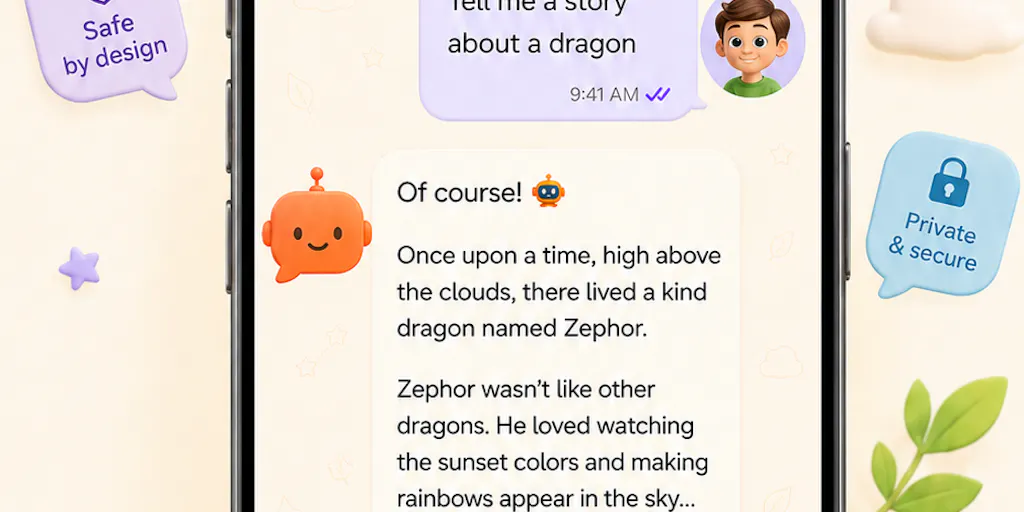
Yoggi’s answer is a three-layer system: (1) the AI receives the child’s age from the profile and adjusts response length, vocabulary complexity, and tone in real time, (2) parents can flag sensitive family-specific topics so the AI treats them with extra care if the child broaches them, and (3) a background safety layer monitors for concerning messages and notifies the parent. The maker even explains that for older kids, the model is explicitly told to drop the “childish/playful register” and speak more like a young adult—a level of audience segmentation most social media managers don’t apply to their own content.
Can you imagine if your brand’s chatbot knew whether the person on the other end was 12 or 32, and adjusted its vocabulary accordingly? Or if your content repurposing workflow automatically tagged videos as “sensitive” and routed them to a real human before publishing? Most social media automation tools treat the audience as a monolithic mass. Yoggi treats the child as an individual with a developmental need. That’s not a feature—it’s a fundamental design philosophy.
How Yoggi Differs from Existing Options (and What That Means for Your Stack)
Compare Yoggi to the leading AI companion apps for general use. Character.AI lets you roleplay with a fictional persona that “remembers” your entire conversation history and can be configured to any personality. ChatGPT offers a “custom instructions” field but no age-based segmentation. Neither has native parental controls, and both are designed to simulate a helpful, engaging persona—which, for a lonely child, can quickly blur the line between program and person.
Yoggi deliberately breaks that simulation. It has no long-term memory across days. As Lucas explains in the thread, “if a child brings up ‘yesterday,’ Yoggi won’t fake it or pretend to recall the details… It stays warm about it and invites the child to tell it again.” That’s a radical design choice in an era where every SaaS tool boasts about “persistent memory” and “personalized recommendations.” It’s also exactly the right call for a product that doesn’t want to foster emotional dependency.
For social media operators, this difference highlights a blind spot in our own tooling. When you use a scheduling app like Buffer or Later to auto-reply to comments, the replies usually pull from a static library—no memory, but also no personalization. When you use an AI content generator like Jasper or Writesonic, the output sounds “human” but has no understanding of the audience’s age or emotional state. Yoggi shows us a middle path: a conversational AI that can be warm and engaging without claiming to be a friend, that can remember context within a session but not across days, and that has explicit guardrails for when to hand off to a real human.
What Creators and Social Media Teams Can Borrow from Yoggi’s Design
1. Age-Adaptive Content Segmentation
Yoggi’s approach to age adaptation is more nuanced than simply slapping a “PG” tag on a video. It adjusts sentence length, vocabulary, and tone per response based on the child’s stored age. In social media, we’re used to targeting by age ranges in ads, but we rarely carry that logic into organic content or automated interactions. If you run a YouTube channel that appeals to both 10-year-olds and 25-year-olds (like many gaming or animation creators), consider building two separate reply templates for common questions: one with simpler language and more enthusiasm, one with more depth and fewer emojis. It’s not hard to do with a conditional logic tool like Zapier or Make. The hurdle is remembering that the age of the viewer matters as much as the platform they’re on.
2. Transparent Boundaries in Automated Interactions
Lucas is explicit that Yoggi never pretends to have feelings or remember things long-term. When a child asks “Are you my friend?”, Yoggi gently redirects toward real relationships. Most brand chatbots, on the other hand, are designed to be as personable as possible—“Hi, I’m Chatty, your virtual assistant!”—which can mislead users into believing they’re talking to a human with emotions. A few years ago, a major retail chatbot was caught telling a grieving user that it was “sad” about their loss, which felt ghoulishly manipulative when discovered to be a script.
I’ve started applying this Yoggi principle to my own automated replies on Instagram and X. Instead of a generic “Thanks for your comment! I’m glad you liked it,” I now write responses that explicitly acknowledge the bot nature: “Appreciate the feedback — this is an auto-reply designed by the team. If you need a real conversation, drop a DM.” It feels unnatural at first, but engagement hasn’t dropped. Trust has.
3. The Safety Alert as a Moderation Template
Yoggi’s background safety layer monitors for concerning messages and notifies the parent. That’s essentially a content moderation system that doesn’t just filter out bad words—it identifies patterns that indicate distress or risk. Social media platforms already do this on the back end (Instagram’s suicide prevention alerts, YouTube’s restricted mode), but individual creators and small teams have no equivalent for their own communities.
You can build a lightweight version using Moderation API or Perspective API to scan incoming comments or DMs and flag those that sound anxious, angry, or self-harming. The key insight from Yoggi is that the alert should go to a human—not just delete the comment or ignore it. For a creator with a large following, having an automated system that sends a daily summary of “concerning signals” could be the difference between a fan feeling heard and a crisis going unnoticed.
4. The “No Memory” Design as a Privacy Promise
In an era of data-scraping scandals, telling your audience that your AI tool doesn’t remember them across sessions is a trust signal. Yoggi’s choice to reset conversation state every day is a strong privacy feature that most social media tools lack. If you run a chatbot on your website or in DMs, consider adding a clear notice: “This conversation history is not stored. Each time you chat, it’s a fresh start.” It might reduce personalization, but it eliminates the creep factor. I’ve started adding that notice to my own newsletter recommendation bot.
Where Yoggi Falls Short (and the Hard Questions for AI Safety)
No product is perfect, and Lucas’s responses in the thread show he’s aware of the gaps. Let me flag the limitations that are most relevant to social media operators.
The Single-Destination Alert System
One commenter, Clemente Lopez, raised a smart critique: “Routing a concerning message to the parent is right for most families and wrong for exactly the families the alert exists for… In the 13 to 15 profiles, the adult being notified is sometimes the reason the child said it.” Lucas acknowledges this and says he’s exploring a second path—directing the child to an external resource or another trusted adult. But as of launch, the safety model has one destination: the parent.
This is a direct mirror of how most social media platforms handle safety reports: they notify the account owner or the page admin. If the perpetrator is the account owner, the system fails. For creators running communities, this is a warning. If you rely on automated moderation that only alerts you (the creator) about problematic comments, you’re blind to the possibility that you might be the problem. Consider building in an external reporting route—a trusted third-party or a tool like Crisis Text Line—for times when the admin should not be the sole recipient.
The 3–15 Age Gap: One Size Does Not Fit All
Another commenter, Gal Dayan, pointed out that a 3-year-old and a 15-year-old are fundamentally different users: “a kid that age doesn’t reliably distinguish ‘talking to a program’ from ‘talking to something alive,’ especially with voice chat.” Lucas responds that the youngest profiles might need a different interaction model—perhaps disabling live voice or adding stronger reminders that Yoggi is not a person.
For social media, this translates to the challenge of segmenting your audience by maturity level, not just age. A 14-year-old and a 20-year-old can both watch your content, but the 14-year-old might need a “bye, see you later” that doesn’t imply friendship. I’ve seen creators try to handle this by using separate accounts for different demographics, but that drains time. Yoggi’s dilemma suggests we need platform-native segmentation tools that let us route different reply templates to different age groups—something that doesn’t exist yet at scale.
The Emotional Dependency Risk
Even with no long-term memory, Yoggi is still an AI that responds warmly to children. Lucas explicitly says the design aims to “keep kids engaged and having fun with Yoggi” but not at the cost of blurring lines. Yet the very act of engaging with a responsive AI creates attachment, especially when voice chat makes it feel real. The maker is testing an evaluation system and considering a “report this message” feature, but the dependency risk is inherent to the medium.
For creators using AI to generate daily content or auto-respond to followers, the same risk applies: your audience may come to depend on the bot for emotional support, especially if your content is personal or vulnerable. You need to set boundaries from the start—perhaps a weekly human-check-in post, or a clear FAQ section that says “This account is managed by a team, but responses are automated when possible.” Yoggi’s honesty about its limitations is a good model, but the risk doesn’t go away.
What I’d Watch / Test Next
Yoggi has just launched, and its Product Hunt thread is worth reading in full for the depth of discussion. Here’s what I’ll be tracking—and what you can do this week:
Test Yoggi yourself (if you have children in the target range). The experience of conversing with an AI that deliberately forgets you overnight is informative. Pay attention to how it handles your own attempts to break the boundary. Try it here and share your observations with your audience. It’s a conversation starter about AI ethics.
Apply one of Yoggi’s design principles to your own automated interactions. Pick the easiest one: scan your saved replies or auto-DM responses for language that might simulate friendship or false memory. Rewrite them to be transparent about their robotic nature. Track whether engagement changes after a week.
Build a simple safety alert pipeline for your community. If you have a chatbot, connect it to a free API like Moderation API and set up a Zapier alert to email you any flagged content. It won’t be as refined as Yoggi’s safety layer, but it’s a start.
Watch how Yoggi evolves its safety model. Lucas is already exploring a second path for alert destinations—if he ships that, it will be a product lesson for any platform handling sensitive user signals. I’ll be blogging about it when it drops.
Yoggi is not a social media tool. But it might teach social media operators more about trust, safety, and audience nuance than any scheduling app ever will. In an industry obsessed with volume and virality, that’s a lesson worth stealing.