The screen recorder you actually want as a creator is the one that never asks you to log in
Most creators I know don’t have a recording problem. We have a friction problem. The demo, the tutorial, the “here’s how I do this in five seconds” clip — that content is the highest-converting thing we publish, and it’s also the thing we make least often, because the path from “I should record this” to “it’s on the timeline” is littered with account walls, cloud uploads, and a workspace somebody else owns. So when a tool shows up whose entire pitch is no install gate, no account, nothing leaves your machine, that’s not a feature list — that’s a workflow change. Flicka, which launched as a Chrome extension after an earlier web-app attempt, is worth a serious look from anyone whose content calendar includes screen-based video. Here’s my honest read.
What Flicka actually is, and the problem it’s quietly solving
The maker’s own explanation of the pivot is the most interesting part of the whole launch, and it’s the part most coverage will skip. The first Flicka was a web app — a recorder living in a browser tab. The team learned the hard way that a web page can’t draw on other pages. The moment you’re recording, the thing you actually want to do is point at something, circle it, blur an email address sitting in the corner of the screen — and a tab simply cannot reach across that boundary. That’s a real architectural constraint, not a marketing pivot, and it explains why Flicka 1.0 had to become an extension.
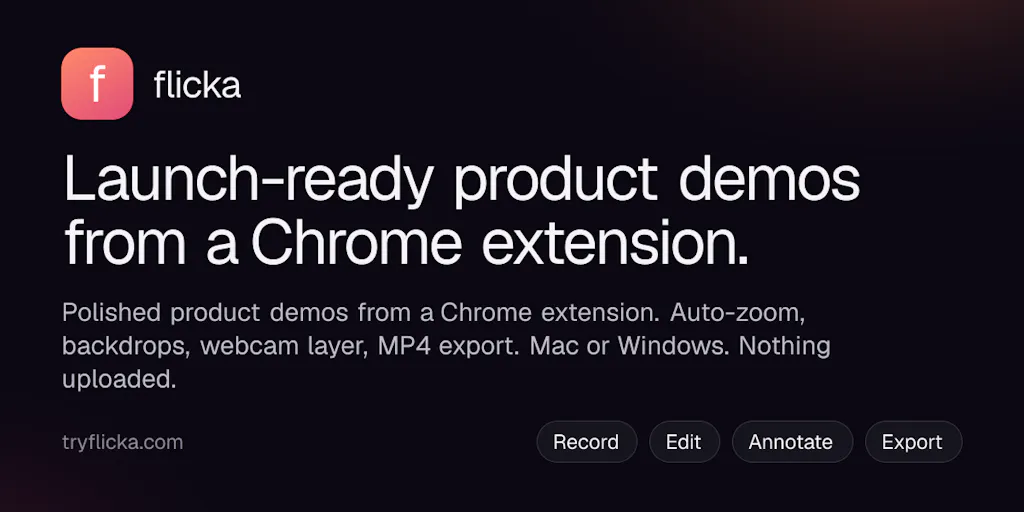
What you get now: the recorder, the library, and the editor all live inside the extension. You can capture a tab, a full screen, a window, a drawn region, or just your camera. There’s a one-sentence configuration model — the maker describes it as “Record this tab with my mic and auto-zoom,” where clicking a word changes that parameter. You can draw, highlight, add arrows and text, and blur on the page while you record, or hide the toolbar entirely. Takes are written to disk as they record, so a Chrome crash doesn’t cost you the take. Captions are generated word-by-word on your machine, and the maker is explicit that your audio is never sent anywhere. Camera layouts (bubble, side-by-side, camera-only) are eased on the timeline.
The free tier covers recording, editing, and exporting. Pro removes the watermark and adds MP4, 4K, captions, and “the rest” — pricing is not disclosed on the launch page. It runs in Chrome, Edge, Brave, and Arc on Mac and Windows.
Why the local-first architecture matters more to creators than it sounds
I want to be precise about why “nothing uploads” is not just a privacy talking point. In my own workflow, the recordings I make most often are the ones I’m least willing to route through a third-party server: a client dashboard with real names in it, an ad account with spend figures visible, an analytics view with a customer’s email in a table. The reviewer who flagged this — Gal Dayan — put it well: local-only processing meant not having to think about whether it was fine to record something semi-sensitive before sharing it. That’s the actual unlock. It collapses the decision time between “I could record this” and “I’m recording this.”
For social teams specifically, that matters because the best-performing short-form content is often the least polished and most specific. The 40-second Loom-style walkthrough of a real dashboard beats the animated explainer every time on watch time, because specificity is the retention mechanic. Anything that lowers the cost of producing that specific, semi-sensitive clip is a content-strategy tool wearing a utility-tool costume.
How it stacks up against the incumbents you’re already paying for
Let’s name names, because the comparison is where the real decision lives.
Loom is the obvious one, and the launch’s own reviewer made the case directly: Loom wants an account and uploads to the cloud by default, and for a quick one-off demo you don’t want tied to a workspace, Flicka’s zero-setup local approach wins. My take: that framing is correct but incomplete. Loom’s cloud-first design is a feature if you’re running a team — shared libraries, view analytics, comment threads, permissions. It’s a tax if you’re a solo creator making a throwaway demo. These are different jobs.
CapCut and Descript sit downstream of recording, and this is where I’d push back on treating Flicka as a replacement. CapCut’s strength is the edit — captions, effects, the short-form grammar that TikTok and Reels reward. Descript’s strength is text-based editing and studio sound. Flicka is upstream of both. The realistic pipeline for a creator is: record in Flicka, export, finish in your editor of choice. If you’re expecting Flicka to be your whole post-production stack, you’ll be disappointed; if you’re expecting it to be the fastest possible path to a clean raw take, that’s the right expectation.
Screen Studio is the comparison nobody in the thread made but every Mac-based product marketer will make. Screen Studio’s auto-zoom and cursor smoothing became the de facto look for indie SaaS demos, and it’s Mac-only. Flicka’s auto-zoom-on-click is chasing the same aesthetic — the reviewer who called it “the standout feature” because it makes a rough recording look like an edited demo without touching a timeline is describing exactly the Screen Studio value proposition. Flicka’s pitch is that it does a version of this cross-platform, in the browser, on-device.
Where the math breaks
Here’s my honest skepticism. Auto-zoom-on-click is a heuristic, and heuristics fail in specific, predictable ways: it zooms when you click a menu item you didn’t mean to highlight, it misses the thing you pointed at with your voice but didn’t click, and it produces a rhythm that reads as “automated” to viewers who’ve seen a hundred of these demos. The maker’s answer to this is good, and I want to credit it: every auto-zoom becomes a draggable block on the timeline after recording, adjustable between 1.1× and 4×, deletable, and you can double-click to add your own. The auto part is the starting point, not the final cut. That’s the correct design. But it means the tool doesn’t eliminate the timeline — it just front-loads the tedious part.
What social media operators should steal from this launch
Even if you never install Flicka, there are three transferable lessons in this launch for anyone running accounts.
One: the one-sentence configuration model is a content-ops pattern. The maker’s stated goal was that “by the time you’ve read the sentence back, you’ve already configured the recording.” That’s the same principle behind good brief templates, good Notion dashboards, and good scheduling presets. Every click you remove between intent and output increases output volume. When I scheduled 30 posts across 5 platforms last month, the bottleneck wasn’t creativity — it was the number of decisions per post. Audit your own stack for decision count, not feature count.
Two: crash recovery is an underrated content-safety feature. The recording is written to disk every second, including cursor data, so auto-zooms survive a crash. Ask yourself how many of your tools have that property. If your scheduling tool loses a draft when the tab dies, you’ve got the same problem Flicka solved for video.
Three: the local-first argument is going to keep winning. Regulatory pressure, client confidentiality clauses, and plain old paranoia are pushing creator tooling on-device. The tools that respect that will pick up the users who can’t use cloud-first alternatives.
Why short-form video creators should care more than B2B writers
If you’re a LinkedIn ghostwriter or a newsletter operator, Flicka is a nice-to-have. If you’re producing short-form video for TikTok, Reels, or YouTube Shorts, it’s closer to infrastructure. The reason is mechanical: watch time is the dominant ranking input on those surfaces, and watch time on a screen-recorded demo is almost entirely a function of legibility. If the viewer can’t see what you clicked, they scroll. Auto-zoom is, functionally, a watch-time optimization. That’s why the reviewers in this thread — people making product demos — are the right audience, and why a text-first creator can safely ignore this category.
Where I think it falls short, and who should skip it
Let me be balanced, because the launch page is a launch page and the reviews are four stars from one reviewer.
The trimming gap is real and it’s the first thing I’d fix. The reviewer’s main complaint was that they couldn’t find a way to trim dead air from the start of a recording without re-editing the whole timeline — they wanted a simple in/out trim on the raw clip before the editor opens. That’s a small feature with an outsized effect on perceived speed, because the first three seconds of a raw take are almost always dead air, and every creator knows it.
No team layer, and that’s probably deliberate. No shared library, no view analytics, no comment threads, no permissions. If you’re running a social team of five and you need to know who watched the demo and for how long, Flicka is not your tool — Loom is. The maker’s framing is “for a quick one-off demo I don’t want tied to a workspace,” which is a positioning choice, not a gap. But it does mean this is a solo-operator tool.
Chrome-family only. Chrome, Edge, Brave, Arc on Mac and Windows. No Safari, no Firefox, no Linux mentioned, no mobile. If your workflow lives in Safari or you record on an iPad, this is a non-starter today.
The caption quality is unverified. The maker claims word-by-word captions made on your computer, which is a genuinely hard thing to do well on-device. I haven’t seen the output, and the launch page doesn’t include samples. Treat that claim as unproven until you test it against your own audio — especially if you have an accent, record in a noisy room, or use a lot of product jargon.
And the obvious one: “nothing uploads” is a claim about architecture, not a guarantee about your browser. An extension with page-drawing permissions has broad access by definition. I’d want to read the permissions list before installing on a work machine, and I’d want to know what the extension does with cursor telemetry beyond the local timeline. The maker’s answer on customer data — that a recording shouldn’t take a round trip through someone’s server just to get cropped — is the right instinct. Verify it yourself.
What I’d watch / test next
This week, if you make any screen-based content, here’s the concrete test I’d run. Install Flicka in a secondary Chrome profile — not your main one — and record one real 60-second demo of something you’d actually publish. Don’t use a test page. Use the messy real one, with a real name or a real number on screen, and blur it live. Then export and watch it back on your phone, because that’s where 80% of your audience will see it, and legibility problems that are invisible on a 27-inch monitor are obvious on a 6-inch one.
Then answer three questions. Does the auto-zoom land on the right moments, or does it need a full pass of manual adjustment? Do the on-device captions survive your accent and your jargon? And does the export format drop cleanly into CapCut or whatever you finish in?
If two of three are yes, this belongs in your stack. If the auto-zoom needs constant correction, you’re paying the timeline tax anyway and Screen Studio or Descript might be the better spend. And if you need team sharing and view analytics, stay on Loom and don’t waste the afternoon.
The bigger thing I’m watching: whether “no account, no upload” becomes a durable category position or a launch-week talking point. My bet is durable — because the creators who make the most money from screen content are the ones recording things they can’t afford to leak, and nobody has built the obvious tool for them yet.