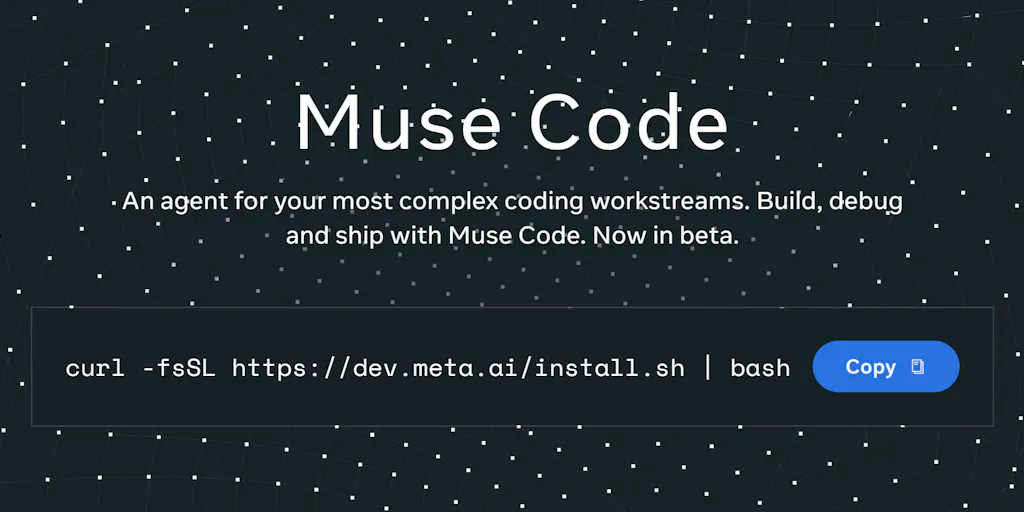
The most consequential product update I’ve seen for social media operators this quarter is buried in a Product Hunt comment thread, not a launch headline. Meta is quietly pushing Muse Code — a terminal agent powered by the Muse Spark 1.2 model — into the same workflow where most creators still trust ChatGPT for captions and Canva for assets. The demo, feed it a house-tour video and get a vacation-rental marketing site, sounds like another AI parlor trick. The architecture underneath is the story: a main agent loop running alongside persistent background agents, a local event log of every model call, tool run, approval, and edit, and the ability to resume a crashed task from the exact step where it failed. For anyone who has ever babysat an AI pipeline at 2 a.m., that triplet — persistence, auditability, resumability — is the difference between a toy and a tool.
The problem: content operations is a pipeline problem, not a publishing problem
If you run social accounts for a living — as a solo creator, an agency lead, or the one-person marketing team at an indie startup — your job stopped being “posting” somewhere around 2022. The job is now moving an idea through a production pipeline: shoot, edit, caption, schedule, engage, analyze, repurpose, repeat. You have to do it natively on every platform because the algorithms punish lazy cross-posting. A video that sings on TikTok looks lazy on LinkedIn; a carousel that drives saves on Instagram dies in a Threads feed. So the creative stack expands to match the platform count: a scheduling tier, a design tool, a video editor, an analytics dashboard, and now an AI assistant for every step.
The problem is that each tool is an island. I spent a chunk of last month scheduling a 30-post campaign across five platforms, and the scheduling itself was the easiest part of the day. The drain was the glue work — reconciling asset versions, re-formatting captions per network, adding correct UTM parameters to every link, and then reconstructing which post actually drove what. No scheduler fixes that. No analytics tool fixes that. The handoffs between tools are where the time goes, and that is exactly where Meta has been pointing its product story for a while.
Read the Product Hunt page for Meta as a strategic map rather than a launch announcement, and the pattern is obvious. Meta is currently listed as Runner Up for Open Source Product of the Year on Product Hunt, and the recent launches stacked on the page tell one coherent story. Astryx is an open-source, agent-ready design system. Forum creates a dedicated space for Facebook groups. Muse Spark is Meta’s smart multimodal AI. These are infrastructure plays for the same thesis: the platform company wants to own the tools that produce the content that feeds its platforms. One reviewer on the page puts it plainly, calling Meta their “daily command center for brand and community work” because having Facebook, Instagram, and Threads under one roof makes cross-posting and ad management smoother — while wishing the reporting felt less scattered between platforms. That review is the before picture. Muse Code is the after picture.
What Muse Code actually changes — and what it doesn’t
Let’s start with what’s actually in front of us, because it’s easy to miss. The substance is not in the page header. The substance is in a community comment from a Product Hunter named Zac Zuo, who writes that Meta is “entering the terminal agent space with Muse Code, powered by the new Muse Spark 1.2 model.” The comment describes a runtime design, not just a feature list. A main agent loop works alongside “persistent async background agents that stay active throughout the session, gathering context and handling supporting work without being recreated for every step.” Muse Code keeps a local event log of every model call, tool run, approval, and edit. If a long task crashes, it can resume from the exact point where it stopped. The demo: you pass an .mp4 fly-through of a house into the terminal, and Muse Code interprets the video and builds a vacation-home marketing and booking website.
My take: the demo is the least interesting part of that paragraph. The house-to-website trick is a repackaging of what multimodal models can already sort-of do — extract frames, generate copy, generate HTML. The architecture is the story. Three words deserve your attention.
Persistence. Most AI workflows today are stateless. You open ChatGPT, you prompt, you get an answer, and when the tab closes, the context evaporates. You re-ask, re-paste, re-explain. A persistent background agent — one that stays alive for the whole session and gathers context while the main loop does the heavy lifting — is a different category of tool. It’s closer to a junior employee than a search box.
Auditability. A local event log of every model call, tool run, approval, and edit means the system can show you exactly what happened, in what order, and at whose sign-off. That is not a luxury feature. In my experience, the reason social teams hesitate to hand real work to AI is rarely that the output is bad. It’s that the output is unaccountable. When a client’s post goes out with the wrong link, “the AI did it” is not an acceptable post-mortem. A log changes the conversation from blame to trace.
Resumability. “If a long task crashes, it can resume from the exact point where it stopped.” Anyone who has run overnight content batches knows how rare this is. In my own tests of similar agent tools, the most common failure mode is not a bad answer — it’s a dead session. Token limits, network errors, API rate limits, a laptop that went to sleep. The task dies at step 8 of 12, and you restart from zero, re-uploading files and re-writing prompts. Operators who have been burned by that twice have quietly stopped using AI agents and gone back to manual. Resumability is the feature that rescues the entire category.
But let me be clear about what Muse Code does not change. It is a terminal agent. It assumes command-line comfort, and it’s aimed at builders and operators who think in workflows — not a solo creator who just wants a better caption generator. The page shows a 5.0 rating based on two reviews. The official details are thin enough that the real announcement lives in a comment. Treat this as a signal, not a finished product.
The event log is the real feature
If I am a social media manager, the single most valuable line in the whole write-up is “local event log of every model call, tool run, approval, and edit.” Let me explain why that matters beyond compliance. The reason AI content operations keep hitting walls in brand environments is the absence of a decision record. When I run a campaign, I need to know whether a given caption was the model’s suggestion, a human’s edit, or an approved compromise — because when the client asks who changed the headline, the answer needs to be a person, not a probability distribution. An event log that records approvals turns AI from an unsupervised intern into a supervised one. That is the difference between a tool you can hand to a risk-averse client and a toy you can only use on your personal accounts. The scheduling incumbents — Buffer and its peers — have spent years building analytics and reporting layers to give marketers receipts for what they published. Muse Code’s log gives receipts for how the content was made. That is the next battlefield.
How it differs from the AI-content stack you already use
Put Muse Code next to the stack most creators actually run, and the differences become instructive.
ChatGPT and the chat-assistant tier are brilliant at text and abandoned at workflow. They are synchronous: you ask, they answer, the session ends, the context dies. A campaign with a dozen assets, captions, an approval chain, and a publishing schedule cannot fit in a chat window, so you end up with a Google Doc full of prompts and a lot of copy-paste. Muse Code’s persistent-agent model is a direct response to that failure. Whether Meta executes it well is open for debate, but the architecture targets the right gap.
Canva and CapCut are the creative layer, and both have added serious AI features. But their AI is still single-asset thinking: generate a background, remove an object, auto-caption a video. They make individual pieces faster; they don’t run a pipeline. The pipeline is still the human’s job. Framer AI Agents — which Product Hunt was promoting on this very page — is the closest cousin: type a prompt, get a published site. But that is one-shot generation. Muse Code’s write-up describes a continuous session with background agents and crash recovery. Whether it delivers on that promise, the target is clearly the multi-step, multi-output workflow, not the one-shot landing page.
Then there is the distribution moat, which is the elephant in the room. This is not a random AI startup. This is the company that owns Instagram, Facebook, and Threads. If Muse Code eventually connects to Meta’s platform APIs — and I’d bet that is the direction, given the company’s pattern of building tools that feed its own ecosystem — then it can close the loop no third-party scheduler can: pull performance data from your accounts, generate the next round of content from that data, get human approval, publish, and measure, all inside one audit trail. That is the elegant endgame. It would squeeze the scheduling layer from above and the creative layer from below. Buffer would become a connector, not a destination. That is a long way from a Product Hunt comment, and I am speculating about an unannounced roadmap, but the strategic logic is hard to miss.
Why TikTok creators should care more than LinkedIn ones
The value of an agent like this is not uniform across platforms. TikTok creators should care more, and here is why: TikTok’s algorithm rewards velocity and native adaptation, and the trend cycle is measured in hours, not days. A creator sitting on a library of long-form video is holding an asset mine that a persistent agent could repurpose into dozens of native pieces — not just clips, but scripts, comment replies, and trend-mapped hooks. The house-video-to-website demo is exactly that logic: one continuous video, many structured outputs. LinkedIn, by contrast, is a text-first environment with a slower cadence, and its audience is aggressively allergic to obvious AI voice. The repurposing pipeline matters less there; the audit trail matters more, because a brand’s LinkedIn presence is usually under legal or executive review. So the same product serves two very different operators: the TikTok creator needs the speed, and the LinkedIn manager needs the receipts. If you run both, you need both halves — which is exactly why persistence and logging bundled into one tool is more valuable than either alone.
What creators and social media teams can borrow from it
Even if you never open a terminal, the architecture of Muse Code is worth stealing — and I don’t mean the code. I mean the operating principles. Four of them, in increasing order of usefulness.
First, separate the main loop from the background workers. In plain language: don’t make your AI start from scratch for every step. If you’re producing a YouTube video, the caption-writing, the thumbnail-text brainstorming, the comment-moderation helper, and the Threads teaser should not each be a fresh cold-start conversation. They should be persistent tasks that run while you do the part that requires you. You can build this today with any agentic tool that supports background tasks, even a set of ChatGPT projects sharing one brief.
Second, keep receipts. Log the model calls, the tool runs, the approvals, the edits. If your tool can’t produce a log, make one manually in a simple Airtable or Notion table. You will be amazed how many “AI mistakes” turn out to be process mistakes — a bad prompt, a skipped approval — once you can see the chain.
Third, design for resumability. This is a discipline, not a feature. Break batch work into checkpoints so that if a step fails, you don’t redo the whole run. In practice: generate assets first, approve them second, schedule third, and never let one long command do all three. That habit has saved me more hours than any prompt technique.
Fourth, treat video as the seed asset. The most powerful signal in the Muse Code demo is that the input is an .mp4, not a text prompt. Every creator is sitting on hours of video that currently does one job. A pipeline that can ingest raw footage and emit a website, a caption set, and a content calendar is the repurposing workflow we have all been stitching together manually. The tools are getting closer to that; the operators who structure their workflows around it now will be the ones who benefit when it arrives. I’d also point indie founders at how one builder used Meta to launch MotionX: per his review on the page, he used Meta’s platforms to communicate about the product and soft-launch in communities. That is the other half of the story — Meta is not just an AI vendor here; it is the distribution network your pipeline ultimately feeds.
Where the math breaks: who should skip this and what’s still unknown
Now for the part that matters for trust. Several things about this launch are unresolved, and anyone who tells you otherwise is selling something.
Pricing is only partially disclosed. The Product Hunt write-up says the Contributor API pricing is “unusually low” if you’re comfortable with your content being used for product improvement, with a link to the pricing and rate limits documentation. Another commenter asks whether it works in the US only and how much it costs; the reply points to pricing at the bottom of the hunter’s post. The actual numbers are not in this page scrape, so I won’t quote them. Consider geo-availability unconfirmed.
The data trade-off is the catch. “Unusually low” pricing in exchange for your content being used for product improvement is a straightforward bargain: the cost is privacy. For an indie founder building an experimental tool, that is a fine trade. For an agency handling client content under confidentiality, it is a deal-breaker. You would be feeding Meta’s model-improvement loop with your clients’ brand strategy — and you’d need the client’s permission first. If you’re in that position, wait for a non-contributor tier with real pricing, or isolate the content you let flow through the cheap tier.
The platform risk is real. Meta’s history is littered with developer tools and APIs that got folded, deprecated, or re-priced out of existence. That pattern is widely known in the industry, and it should temper anyone’s plan to build a business directly on a Meta AI runtime. I like the architecture. I’m cautious about the landlord.
And there is the ethical dimension the page itself surfaces. A forum thread on the page asks, directly: is it ethical to train AI to then fire and replace us?, referencing Meta’s layoffs. It is a fair question, and the page doesn’t answer it. The uncomfortable truth for social media operators is that adopting a tool like this can be the first step of automating parts of your own role. My take: the professional defense is not to refuse the technology, but to become the person who designs and supervises the pipeline — the one who sets the approvals, owns the event log, and decides where AI is allowed to operate. That is cold comfort, but it is the actual strategy, and it has been the strategy for every media-industry shift since the printing press.
Who is this not for? Brand accounts under regulatory or legal constraints, where an AI runtime with a data-use clause will not pass review. Teams that predominantly publish text-first content on networks where voice is the differentiator and automation reads as inauthentic. And solo creators producing fewer than a dozen assets a month — the setup time isn’t worth it; do it by hand. If you’re not at the scale where a pipeline saves you hours, a pipeline just gives you more to maintain.
The data-privacy catch in the Contributor API
The Contributor tier deserves its own sidebar because the pricing model is the product decision, not a footnote. The write-up’s framing — low cost in exchange for your content being used for product improvement — is the kind of arrangement that sounds reasonable at signing and feels invasive in retrospect. “Product improvement” can mean a lot of things: model fine-tuning, response-quality curation, or something closer to mining what users build. None of that is spelled out here, and the source doesn’t disclose specifics. If you’re an independent operator, decide consciously whether your output — including the client content you process — is something you want funneled into Meta’s training loop. My rule of thumb: treat anything that goes through a Contributor-tier tool as publishable to Meta’s internal teams. If that thought makes you flinch, don’t use it for that client.
What I’d watch and test next
Here is what I’m doing this week, and what I’d suggest you do too.
First, take one repetitive repurposing workflow — a long-form video you already have — and run it through whatever agentic tool you can access today. Ask it to produce a Threads thread, an Instagram carousel outline, and a landing page mock. Time it against your manual process. The goal isn’t a perfect result; it’s to discover where the pipeline breaks so you know what to expect when the tooling matures.
Second, watch two things: whether Meta publishes real pricing and geo-availability for Muse Code, and whether the scheduling incumbents start integrating agentic generation. The moment Buffer adds a “generate from video” action, the competitive landscape shifts.
Third, set up a human-approval gate and an audit trail for every AI-assisted post you publish, even if it’s a simple spreadsheet. And if the team behind this ever ships an API that connects Muse Code to Instagram and Threads accounts, test that integration immediately — because that is the moment the creator-economy tooling race actually starts.
The launch is quiet. The architecture is loud. Build your pipeline accordingly.