The creator economy’s next privacy headache isn’t the algorithm — it’s the coffee shop
Every social media operator I know has a version of the same story: you’re editing a client’s Reel in a café, or reviewing a brand’s analytics dashboard on a train, and you suddenly realize the person behind you has been reading your screen for the last ten minutes. For creators and social media managers, our devices are our studios, our analytics war rooms, and our client-confidentiality zones — often all in public. That’s why a small open-source macOS utility called QuietGlass, launched by maker Clinton Imaro, caught my attention this week. It’s not a scheduling tool, not an AI caption generator, not another analytics dashboard. It’s a screen-privacy layer — and for anyone who runs social accounts from shared or public spaces, that’s a genuinely under-served part of the creator stack.
What QuietGlass actually does — and why it’s not just another privacy gimmick
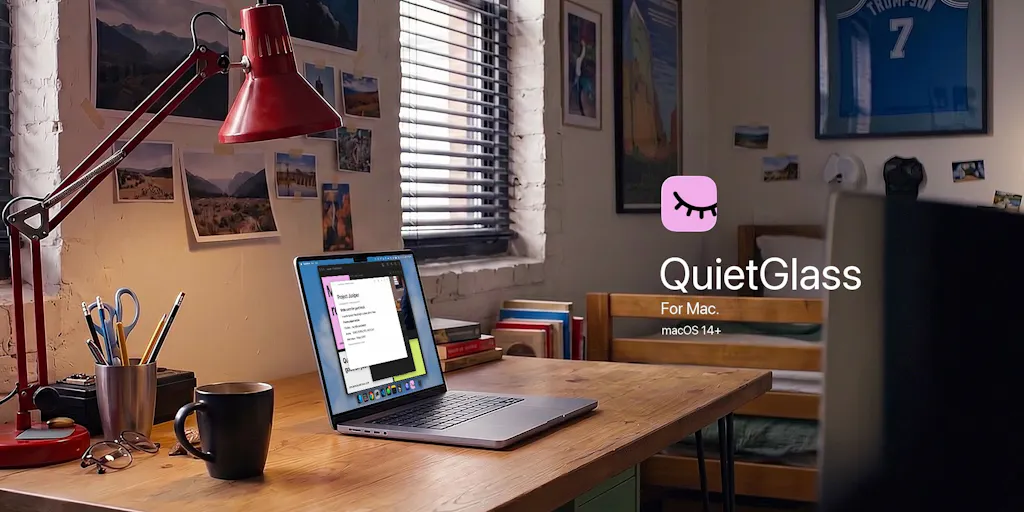
The pitch, per the maker’s own launch copy, is straightforward: QuietGlass is an open-source native macOS menu bar app that frosts your screen when you look away while wearing compatible AirPods, and clears it when you look back. That’s the headline feature. But the more interesting capabilities, in my view, are the ones that work while you’re still looking at the screen.
According to the maker, the app can:
- Detect a second face in view using your Mac’s camera and either warn you or blur the screen — no AirPods required for this mode
- Protect a single window or a selected screen area
- Blur detected sensitive text automatically
- Keep your active window clear via a “Focus mode”
- Optionally run a “Recognize me” check against a saved face before clearing camera-based protection
The maker also states that it’s built in native Swift, offers quick controls beside the notch, and — critically for anyone handling client data — processes screen content and camera frames locally on your Mac. No photos or video are saved or uploaded, per the launch post. QuietGlass is free and open-source, targets macOS 14+ on both Apple silicon and Intel, and the current download includes first-launch instructions because it isn’t Apple-notarized yet.
That last detail matters more than it sounds. Notarization is Apple’s automated security check that confirms an app hasn’t been tampered with since it was signed by a known developer. Apps that skip it trigger a Gatekeeper warning on first launch, and macOS sometimes makes you jump through System Settings hoops to open them. For a tool that asks for camera access, that friction is both a trust signal (the maker is being upfront) and a real onboarding tax.
Why this matters more to TikTok and Instagram creators than to LinkedIn ones
Here’s the operator’s lens. If your content workflow lives on a laptop in public — editing CapCut timelines, reviewing Later or Buffer queues, checking Metricool dashboards for a client — your screen is constantly displaying unreleased creative, unpublished captions, and sometimes client analytics you’re contractually obligated to keep private. A TikTok creator prepping a launch week has unreleased hooks and trending audio selections visible on screen. A LinkedIn ghostwriter has a client’s unfinalized thought-leadership post open. A Pinterest manager has a whole board strategy mapped out.
The threat model isn’t espionage. It’s the person at the next table who happens to glance over, or the coworker walking past your desk. QuietGlass’s “nearby person” mode is aimed squarely at that scenario, and the maker’s framing — “your screen. your business.” — is the right one for a creator economy where so much of the work happens in transit.
How it stacks up against the incumbents you already know
Let me be honest: screen privacy on macOS has historically been a DIY problem. The tools that exist fall into a few buckets, and QuietGlass sits in an unusual spot between them.
Bucket one: manual blur and overlay apps. Apps like HazeOver dim background windows to help you focus, but they don’t respond to who’s watching. HiddenMe hides desktop icons for screen sharing. Neither is a privacy tool in the threat-model sense — they’re cosmetic or focus tools.
Bucket two: enterprise DLP (data loss prevention). Tools from Microsoft Purview or Netskope can detect and block sensitive content leaving a managed device. These are deployed by IT departments, cost real money, and are wildly overkill for a solo creator or a five-person agency.
Bucket three: browser extensions and webcam covers. The physical slider is still the most reliable camera privacy tool ever made. But it doesn’t help with screen content, and it defeats the purpose of a look-away detection feature.
QuietGlass’s differentiator, as I read the launch copy, is that it treats presence as the trigger — both your own presence (via AirPods motion/attention signals) and other people’s presence (via camera face detection). That’s a genuinely different mechanic from anything in the mainstream creator tool stack. The closest analog I can think of is the “attention aware” features Apple itself ships on iPhone, but Apple doesn’t extend that to screen privacy on the Mac in any comparable way.
The “Recognize me” detail is the one to watch
In the Product Hunt comments, Gal Dayan — whose own launch that day was Dial — raised what I think is the sharpest question on the thread: in a crowded space like a coffee shop or open office, does the camera stay calm and only trigger on a face actually oriented toward the screen, or does raw “second face detected” logic false-positive constantly?
That’s the gap between “cool idea” and “I’d leave this on all day,” and Dayan said it better than I could. The maker’s “Recognize me” feature — which checks a saved face before clearing camera protection — is a partial answer, but it addresses the clearing side, not the triggering side. If you’re in a WeWork and eight people are in frame, does QuietGlass blur your screen every thirty seconds? If it does, the app becomes unusable. If it doesn’t, the detection logic has to be doing real work to distinguish “a face in frame” from “a face looking at my screen.”
My take: this is the single most important engineering question for the product’s long-term usefulness, and the launch copy doesn’t answer it. Not disclosed. I’d want to test it myself in a busy café before trusting it during a client call.
What creators and social teams can borrow from this — even if they never install it
Here’s where I want to zoom out, because QuietGlass is a useful case study for anyone building a content operation, regardless of whether you use a Mac.
1. Privacy is becoming a creator-workflow category, not just an enterprise one. For years, “creator security” meant two-factor auth and not getting your Instagram hacked. But as creators take on brand deals with NDAs, manage client accounts under agency contracts, and handle unreleased campaign assets, the confidentiality surface area has exploded. If you’re a social media manager juggling five client logins, you’re effectively a one-person agency with agency-grade data obligations. Tools that acknowledge that reality — even small open-source ones — are pointing at a real gap.
2. Local processing is a trust primitive. The maker is explicit that screen content and camera frames are processed on-device, with nothing saved or uploaded. In an era where every AI tool wants to ingest your content, “runs locally” is becoming a meaningful differentiator. I’d bet we see this framing show up in more creator tools over the next year — especially as platforms tighten rules around third-party data access and API rate limits push more processing client-side anyway.
3. Open source as a distribution strategy for niche utilities. QuietGlass is free and open-source. For a solo maker, that’s often a smarter play than a $5/month subscription for a narrow utility — it builds trust, invites contribution, and sidesteps the “why would I pay for this” objection. The tradeoff is monetization, which the launch post doesn’t address. Not disclosed.
Where the math breaks — and who this isn’t for
I want to be balanced here, because the launch copy is promotional and I’ve only seen the Product Hunt page, not the app in action.
It’s macOS-only. If your content workflow runs on Windows or an iPad — and a lot of creators edit on iPad these days — QuietGlass does nothing for you. The maker is explicit about the macOS 14+ requirement.
The AirPods dependency is a real constraint. The look-away blur feature requires compatible AirPods. If you use wired headphones, third-party earbuds, or no headphones at all, you lose the headline feature. The camera-based “nearby person” mode works without AirPods, per the maker, but it’s a different (and more battery-intensive, presumably) mode.
Notarization is pending. The current download includes first-launch instructions because it isn’t Apple-notarized yet. For less technical users, that’s a hurdle. For security-conscious users, it’s a yellow flag — not a red one, since the code is open-source and auditable, but a flag nonetheless.
Camera access on a laptop is a real privacy tradeoff. You’re installing a tool that watches your webcam to protect you from being watched. That’s not hypocrisy — it’s the actual mechanic — but it’s a tradeoff every user should make consciously. The maker’s on-device processing claim is what makes it defensible; if that claim were false, the whole thing would be a nightmare. This is exactly the kind of claim that open-source code lets you verify, which is a point in the product’s favor.
No pricing, no user numbers, no roadmap. Not disclosed. For a free open-source tool, that’s fine. For anyone evaluating it as part of a team workflow, it means you’re adopting something with no support contract and no SLA.
What I’d watch / test next
If you run social accounts from anywhere other than a locked home office — and most creators I know do — here’s what I’d actually do this week:
- Download QuietGlass and test it in a genuinely crowded environment. Not your kitchen. A café, a coworking space, a train. Watch how often the “nearby person” mode false-triggers. That single test will tell you whether it’s a daily-driver tool or a demo.
- Audit what’s actually on your screen during public work sessions. Before you install anything, spend a day noticing what a passerby would see: client dashboards, unpublished captions, DMs, analytics with revenue figures. That audit is free and it’s the real value here.
- Check the source. It’s open-source. If you or someone on your team can read Swift, verify the on-device processing claim yourself. If you can’t, ask in the Product Hunt thread — the maker is clearly engaged with commenters.
- Watch the notarization status. Once it’s Apple-notarized, the onboarding friction drops and it becomes much easier to recommend to less technical teammates.
- Consider the category, not just the app. Even if QuietGlass isn’t for you, the underlying question — what’s your screen-privacy policy when you work in public? — is one most creator workflows don’t have an answer for yet.
The creator economy has spent a decade optimizing for reach, engagement rate, and watch time. It’s spent almost no time optimizing for the physical reality that most of this work happens on a laptop in a room with other people in it. QuietGlass is a small, free, imperfect answer to a question most of us haven’t even been asking. That’s worth a download and an hour of testing — and for the social media managers reading this, it’s worth asking what else in your stack assumes you’re working alone.