The docs site you’re ignoring is quietly becoming your most important social surface
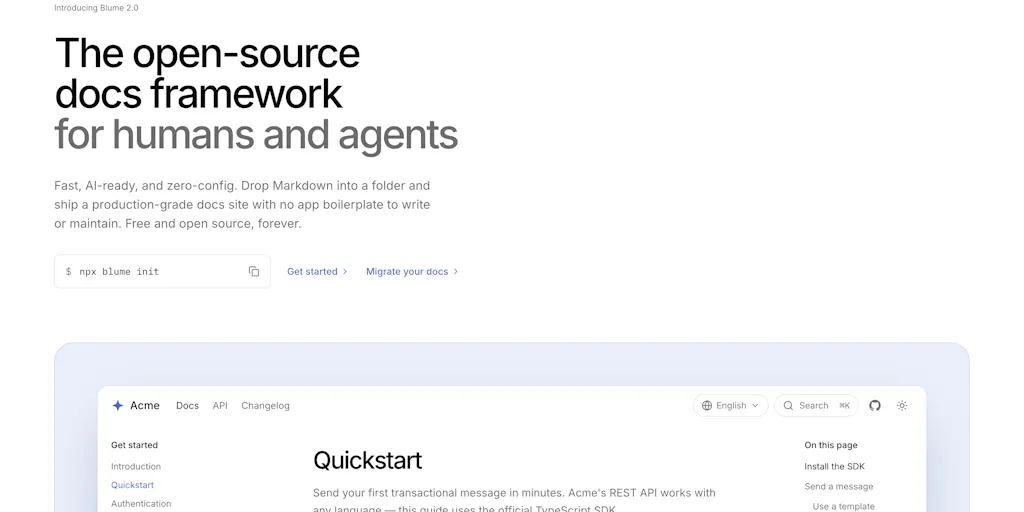
Every social media operator I know is obsessed with the same three surfaces: the feed, the inbox, and the analytics dashboard. Almost none of them are paying attention to the fourth one — the documentation layer that sits behind their product, their API, their creator tools, and increasingly behind the AI agents that summarize, cite, and recommend them to end users. That’s why Blume, an AI-ready, Markdown-first documentation framework that launched on Product Hunt, deserves a longer look than its “developer tool” framing suggests. If you run a creator business, a SaaS with a public API, or a brand that ships any kind of structured content, the way your docs are written, structured, and exposed to machines is now a distribution channel — and it’s one most social teams have completely outsourced to engineering. This essay is my attempt to explain why that’s a mistake, what Blume actually does, where it fits against tools you already know, and where I think the pitch oversells itself.
What Blume actually is, and the problem it’s really solving
Strip away the launch-page gloss and Blume is a documentation framework: you write Markdown files, drop them in a folder, and the tool builds a production-ready docs site. The maker, Hayden Bleasel, describes it as an open-source Mintlify alternative, and the launch thread notes it’s already used by products like Neon, with support from Cloudflare and CodeRabbit. The framework is built on Astro, and one reviewer specifically called out that the one-command deploy “actually works as advertised” and that search felt instant compared to their previous setup. That reviewer was migrating off Docusaurus, which is the incumbent most teams in this space have either used or inherited.
So far, so developer-tool. Here’s where it gets interesting for social and content operators.
The “AI-ready” part of the pitch is the actual product thesis. Blume generates an llms.txt-style output — a machine-readable summary of your documentation — and the launch materials reference “scored by two independent scanners,” which is essentially an agent-readability audit. If you’ve spent any time in SEO, that phrase should feel familiar: it’s the same instinct as a Lighthouse score or a Core Web Vitals report, but pointed at a different reader. Not Googlebot. Not a human skimming a help center. An LLM that’s deciding whether your product is worth citing when someone asks “what’s the best scheduling tool for TikTok” or “how do I set up UTM tracking in Buffer.”
That’s the shift. In my experience running content operations, the biggest mistake teams make is treating docs as a support artifact — something you write after the product is done, to reduce ticket volume. The teams that win the next two years will treat docs as a content surface with its own distribution logic, its own formatting rules, and its own KPIs. Blume is one of the first frameworks I’ve seen that bakes that assumption into the build step rather than bolting it on later.
Why TikTok creators should care more than LinkedIn ones
Here’s a concrete way to think about who this matters to. If you’re a TikTok creator whose entire business is short-form video, Blume is probably irrelevant to you today — your “documentation” is your content library, and it lives inside TikTok’s recommendation system, not on a static site. But if you’re a creator who sells a course, runs a paid community, or ships a small SaaS on the side, you almost certainly have a help doc, a FAQ page, or a “how to use this template” page that real customers read. That page is now competing for attention in AI summaries, and if it’s a mess of unstructured HTML with no headings, no clean examples, and no machine-readable index, you’re invisible to that channel.
LinkedIn-side operators — B2B founders, agency owners, consultants — should care even more, because their buyers increasingly start research inside ChatGPT, Perplexity, or Gemini rather than Google. When I’ve tested AI search for tool recommendations, the answers consistently favor products with clean, well-structured documentation and clear pricing pages. Blume’s whole value proposition is that it makes that structure the default instead of an afterthought.
How it compares to what you’re probably already using
Let’s do the honest comparison, because “open-source Mintlify alternative” is a positioning statement, not a feature list.
Against Mintlify: Mintlify is the polished, hosted, VC-backed option. It’s beautiful out of the box, it has a strong AI-search story, and it’s the default choice for a lot of modern API companies. The trade-off is that you’re renting the docs experience — pricing scales with usage, and you’re dependent on their roadmap. Blume’s pitch is that you own the output, it’s open source, and you can deploy it anywhere Astro runs. The reviewer’s comment about “no app boilerplate to set up or keep updated” is the real differentiator: with Mintlify you’re configuring a product; with Blume you’re building a site.
Against Docusaurus: This is the migration story in the source. Docusaurus is battle-tested, has a huge plugin ecosystem, and is the safe choice for large doc sets. But the reviewer’s complaint — slow builds as the doc set grew, and “fighting the swizzle/theming system” — is a real, widely-shared pain. My take: Docusaurus is a framework you grow into and eventually grow out of. Blume is aimed at the team that wants to skip the middle years.
Against GitBook, Notion-as-docs, and ReadMe: GitBook is collaborative and non-technical-friendly; Notion is where a lot of indie founders actually write their first docs (and where they should not stay); ReadMe is API-reference-first. None of these are direct competitors to Blume, but they’re what you’re probably using right now, and the migration question is whether your docs need to be a website you control or a page inside someone else’s product.
Against Canva and CapCut: Not competitors at all — but worth naming because the mental model is the same. Canva made design accessible to non-designers; CapCut made video editing accessible to non-editors. Blume is trying to do that for docs: make a production-grade, AI-readable documentation site something a solo operator can ship without a frontend engineer. Whether it succeeds is an open question, but the analogy is the right one.
Where the math breaks
Here’s where I get skeptical, and I want to be explicit that this is my judgment, not a sourced claim.
The “AI-ready” framing is doing a lot of marketing work. Generating an llms.txt file and running a readability scan is genuinely useful, but it is not a guarantee that any AI system will cite you. The major model providers don’t publish their retrieval and ranking logic, and there’s no evidence — at least none in the launch materials — that an llms.txt file meaningfully changes whether ChatGPT or Perplexity surfaces your docs. The reviewer who asked exactly this question (“what does the scanner actually check — structure/headings, or does it get into whether code examples are runnable as-is”) never got a public answer in the thread. That’s a gap.
So the honest version of the pitch is: Blume makes your docs easier for machines to parse, which is a necessary but not sufficient condition for AI visibility. If you’re expecting a switch that flips you into AI answers, you’ll be disappointed. If you’re expecting a framework that removes friction from doing the right thing — clean Markdown, sensible structure, fast builds, one-command deploys — that’s a much more defensible promise.
What creators and social teams can steal from Blume’s playbook
Even if you never install Blume, there are operational lessons here that apply directly to how you run social.
Lesson 1: Structure is a distribution decision. Blume’s entire bet is that well-structured Markdown beats hand-crafted HTML for machine consumption. The same logic applies to your content. When I’ve audited creator content libraries, the ones that get repurposed most efficiently are the ones where every piece has a consistent structure — a hook, a clear claim, supporting examples, a CTA. That structure is what makes it possible to slice one long-form YouTube video into ten TikToks, five LinkedIn posts, and a newsletter. If your content is unstructured, repurposing becomes a manual rewrite every time.
Lesson 2: Build for two readers, not one. Blume builds for humans and agents simultaneously. Your social content should do the same. A carousel that only works visually is half a post; a carousel with a clean text transcript, alt text, and a caption that stands alone is a full asset. I’ve watched creators double their Pinterest and Threads performance simply by writing captions that make sense without the image — because that’s how those platforms’ discovery systems actually surface content.
Lesson 3: Own your substrate. Blume’s open-source positioning is a statement about control. You can deploy it anywhere, you can read the source, you’re not locked in. Social operators should apply the same test to their stack. If your entire content archive lives inside one scheduling tool’s database, you’re one pricing change or API deprecation away from a bad quarter. Export your content. Keep a canonical copy. Use tools like Buffer, Hootsuite, Later, or Metricool as distribution layers, not as systems of record.
A quick note on the scheduling-tool parallel
The reason this resonates with me is that the social scheduling market has spent the last three years racing toward the same “AI-ready” positioning. Every tool now claims to generate captions, suggest hashtags, and predict best posting times. Almost none of them expose your content in a format that another AI system can actually read and reuse. That’s the gap Blume is pointing at, and I’d bet the next wave of scheduling tools will ship something like an llms.txt export for your content library. If you’re evaluating tools this quarter, that’s a feature worth asking about directly.
Where I think Blume falls short — and who shouldn’t bother
Let me be balanced, because the launch thread is mostly positive and the review is a 4.0, not a 5.0.
The scalability question is unresolved. The reviewer explicitly said they were “holding back a star” until they’d tested a 500+ page doc set, and that’s the right instinct. Astro is fast, but large doc sets stress build pipelines in ways small ones don’t. If you’re running a documentation site with thousands of pages, I would not migrate blind. Test it on a branch first.
The AI output is a black box. The reviewer’s second complaint — wanting to preview the AI-generated summaries and llms.txt output before it goes live, “rather than trusting it blindly” — is a legitimate operational concern. If you’re publishing anything that touches customer data, pricing, or legal language, you need to see exactly what’s being exposed to crawlers. As of the launch, that preview capability doesn’t appear to exist. That’s a real limitation, not a nitpick.
Zero-config has a ceiling. “Drop Markdown into a folder and ship” is genuinely great for small projects. It’s less great when you need custom authentication, versioned docs, interactive API explorers, or complex localization. The maker’s answer to the custom-component question — that you can bring your own Astro, React, or Vue components — solves the flexibility concern in theory, but it also means you’re back to writing code. The zero-config promise holds until it doesn’t.
Who this is not for: If you’re a solo creator with no product and no docs, Blume is not for you. If you’re on a team that has a dedicated docs engineer and a mature Mintlify setup you’re happy with, the migration cost probably outweighs the benefit. If you need enterprise SSO, audit logs, and a support contract, this isn’t that product — not disclosed in the launch materials, and I wouldn’t assume it’s on the roadmap.
What I’d watch / test next
If you’re an operator reading this and wondering whether to act, here’s what I’d do this week.
First, audit your own docs and help content against the same standard Blume is selling: can a machine parse it? Open your help center, your FAQ, and your API reference. Check whether they have clean headings, consistent structure, and a machine-readable index. If they don’t, that’s a fix you can make today, regardless of what framework you use.
Second, if you’re considering a migration, run Blume on a small internal project first — not your public docs. The reviewer’s weekend experiment is the right template: pick a contained doc set, deploy it, and stress-test the search and build times before you commit.
Third, ask your scheduling and content tools a pointed question: how do you expose my content to AI systems? If the answer is “we don’t,” that’s a gap you should factor into your 2026 tooling decisions. The platforms are moving fast — Instagram, TikTok, YouTube, X, LinkedIn, Facebook, Threads, and Pinterest are all experimenting with AI-mediated discovery — and the operators who structure their content for both human and machine readers will have a measurable edge.
Blume itself is a small, early-stage tool with a 4.0 rating and a single public review. I wouldn’t bet your docs roadmap on it. But I would bet on the thesis behind it: the documentation layer is becoming a distribution channel, and the people who treat it that way will win the next round of discovery. That’s worth an afternoon of testing, even if you end up sticking with what you have.