The Voice Layer Is Becoming the Bottleneck — and Drama 3 Is a Bet That Direction Beats Selection
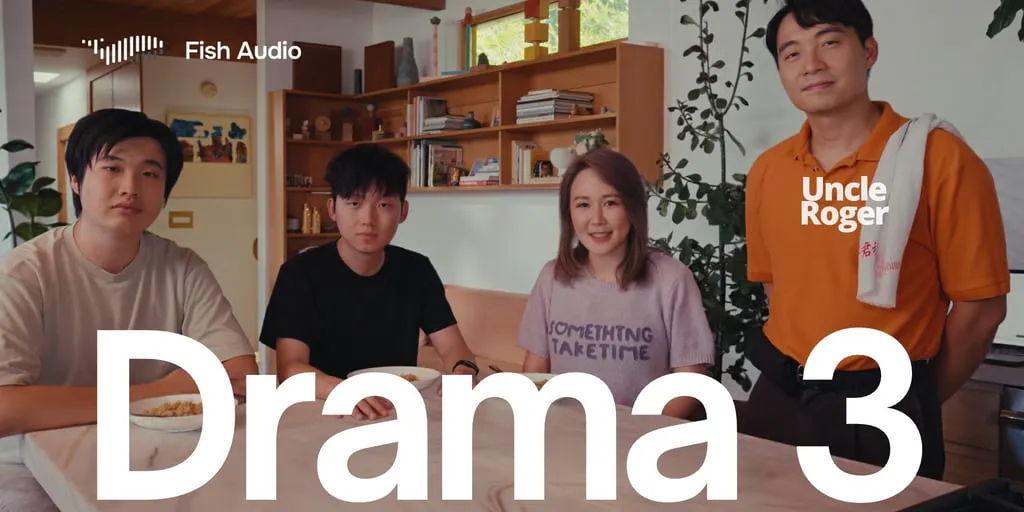
Here’s the thing nobody tells you when you start publishing short-form video at volume: the writing is rarely the hard part. The hard part is the voice. Not the script — the actual sound of it. When I’ve batched twenty Reels in a single afternoon, the bottleneck was never the hook or the caption; it was the fact that every line I recorded sounded like a person reading, not a person performing. That gap — between technically correct delivery and a line that actually lands — is where most AI voice tools have quietly failed creators for the last two years. Fish Audio’s latest release, Drama 3, is interesting to me not because it’s another text-to-speech model, but because it reframes the interface: instead of picking a voice and pressing generate, you direct the performance — where a line whispers, where it laughs, where the emotion shifts mid-sentence. That’s a small-sounding shift with big implications for anyone who produces audio-led content at scale. Below, I’ll break down what it actually does, how it compares to the incumbents I’ve tested, what social operators can steal from its design, and where I think the hype outruns the reality.
What Drama 3 Actually Solves (and Why It Matters More Than Another Voice Model)
Most text-to-speech tools in the creator stack — ElevenLabs, PlayHT, Murf — have converged on a similar workflow: pick a voice from a library, paste your script, generate, download. The output is usually fine. It’s clean, it’s intelligible, and for a lot of use cases — explainer videos, faceless YouTube channels, podcast intros — “fine” is enough. But “fine” is exactly the problem when you’re trying to make content that competes for attention against humans who can act.
The Product Hunt launch post for Drama 3 describes a different model. The hunter frames it as: rather than choosing a voice and generating speech, you can “actually direct how a line is performed — where someone whispers, laughs, pauses, or changes emotion halfway through a sentence.” It also handles multi-character dialogue, supports 83 languages, and ships with downloadable model weights. The team is reportedly working on a feature that lets you change a single word without regenerating the whole recording — which, if it ships cleanly, would be the single most operationally useful thing in the entire product.
Why does that matter to a social media operator? Because the cost of a bad take in AI voice isn’t just aesthetic — it’s temporal. When I’ve used earlier TTS tools to voice short-form content, the workflow was: generate the full clip, listen, find the one word that landed wrong, regenerate the entire 40-second file, re-listen, re-export, re-upload to the editor. Every iteration costs minutes. Multiply that across a week of daily posting and you’ve burned hours on re-rolls. A word-level edit — assuming it works as described — collapses that loop. It’s the difference between “prompt and pray” and actual editing.
Why short-form creators should care more than podcasters
Podcasters and audiobook producers have long timelines and tolerate imperfection. Short-form creators don’t. A TikTok or Reel lives or dies in the first 1.5 seconds, and the voice is doing most of the emotional lifting in that window. If the delivery is flat, the scroll happens before the algorithm even gets a chance to distribute the video. The Product Hunt reviewer who noted that “controlling a pause or an emotion change inside one sentence feels much closer to directing a performance” is pointing at exactly this: the difference between a line that’s correct and a line that’s compelling is usually in the micro-timing, not the words. Drama 3’s pitch is that it lets you shape that micro-timing. Whether it delivers is a separate question — more on that below.
How It Stacks Up Against the Tools You’re Probably Already Using
I’ve run voice generation through ElevenLabs, PlayHT, and HeyGen’s avatar tooling over the past eighteen months, mostly for client work and my own faceless content experiments. Each has a different center of gravity: ElevenLabs is the quality benchmark and the most polished for cloning; PlayHT is the workhorse for bulk generation; HeyGen is the all-in-one for avatar-led video. Fish Audio sits in a slightly different lane — it’s positioning itself as the directable option, and it’s leaning hard on the open-weights angle.
The Product Hunt listing shows a launch history that’s worth reading as a signal: Fish Speech launched in July 2024 as a few-shot voice cloning tool, Fish Speech 1.4 followed in September 2024 as an open-source multilingual release, Fish Audio S1 arrived in October 2025 with “expressive voice cloning,” and S2 landed in March 2026. Drama 3 is the current release. That cadence — roughly every six to twelve months — tells me the team is iterating on model quality rather than bolting on features, which is usually a good sign for a voice product. It also tells me the open-weights strategy is deliberate, not a one-off.
The open-weights detail is the one I’d flag for indie founders and technical creators. Downloadable model weights mean you can self-host, which matters if you’re producing content at a volume where per-character API pricing starts to bite, or if you have data-residency concerns (client work, healthcare, finance). ElevenLabs and PlayHT are API-first and cloud-only; Fish Audio is offering an escape hatch. That’s not a small differentiator for the right buyer.
The pricing question the source doesn’t answer
Here’s where I have to be honest about what I don’t know. The Product Hunt page doesn’t disclose Drama 3’s pricing, plan tiers, or commercial-use terms on the free plan. A reviewer named Adam Petritsis asked directly whether voices can be used in a paid client video on the free plan or only on a paid one, and I don’t see a public answer in the scrape. If you’re a social media manager producing client work, that’s the first question you need to resolve before you build a workflow around this — not the voice quality, not the language count. Licensing is the thing that gets agencies in trouble. I’d treat any “free plan” claims as unverified until you’ve read the actual terms.
What Social Teams Can Borrow From the “Directing, Not Selecting” Framing
Even if you never touch Fish Audio, the design philosophy behind Drama 3 is worth stealing for your content workflow. The core insight is that voice is a performance parameter, not a preset. Most social teams I’ve worked with treat audio as an afterthought — they pick a trending sound, or they record a scratch VO, or they let the editor slap on whatever music bed fits. The teams that consistently win on short-form treat voice the way a film director treats a take: they know where the breath goes, where the pause lands, where the energy drops.
Concretely, here’s what I’d lift from this launch and apply this week, regardless of which tool you use:
- Annotate your scripts for delivery, not just content. Before you generate or record, mark the beats: whisper here, laugh here, pause 400ms here. If your TTS tool supports inline tags, use them; if it doesn’t, use those annotations to guide your human VO talent. The annotation habit alone will improve your output.
- Batch by emotional register, not by topic. When I’ve scheduled 30 posts across 5 platforms in a week, the thing that killed quality was context-switching between tones. Group your generation sessions by mood — all the deadpan explainers in one block, all the hype-y launches in another — so the voice stays consistent and you’re not re-rolling takes because the energy drifted.
- Build a “single-word fix” QA step into your pipeline. Whether or not Drama 3’s word-level editing ships, the discipline of listening for one bad word per clip is worth adopting. Most AI voice output fails on a single syllable, not the whole paragraph. Catching it early saves a full regeneration.
- Treat multilingual output as a distribution lever, not a checkbox. 83 languages is a big number, and the temptation is to spray content across every market. Don’t. Pick two or three languages where you actually have audience signal — check your Metricool or native platform analytics for where your existing viewers are — and localize deliberately. Machine-translated voiceover with no cultural adaptation reads as spam in every language.
Where the “multi-character dialogue” feature actually earns its keep
The multi-character dialogue support is the sleeper feature here for a specific use case: narrative-led short-form. Think duet-style skits, fake podcast clips, “two characters argue about X” formats — the kind of content that performs well on TikTok and Instagram Reels because it gives viewers a reason to watch to the end (who wins the argument?). Historically, producing that with AI voice meant generating each character separately and stitching in an editor, which is fiddly and error-prone. If Drama 3 handles the turn-taking natively, it collapses a multi-step workflow into one generation. That’s the kind of feature that doesn’t sound sexy in a launch post but saves real hours in production. My take: this is more valuable than the language count, and I’d bet the team knows it.
Where My Judgment Says Drama 3 Falls Short
I want to be balanced here, because the launch-page framing is enthusiastic and the reviewer quotes are warm, but there are real gaps.
First, the demo/trial friction is a documented complaint. A reviewer named Steve Conrad wrote that tags “do not seem to work when I generate a file” in the demo version, and that some features appear available but don’t function — “I don’t know if the feature is broken or just not available.” That’s a trust problem, not just a UX problem. When a creator is evaluating a tool on a tight timeline, an ambiguous demo is worse than no demo. If Drama 3’s directing features are gated behind a paid tier, the team needs to say so loudly on the launch page. The scrape doesn’t make that clear.
Second, “inconsistent audio quality” is flagged as a con in the aggregated review summary, alongside praise for “fast performance” and “cost-effective.” That tracks with my experience of open-weights TTS generally: quality is excellent on clean scripts and degrades on edge cases — unusual proper nouns, code-switching between languages mid-sentence, emotional extremes. If your content leans on brand names, technical jargon, or rapid tonal shifts, test those specific cases before you commit.
Third, the word-level editing feature is described as “working on,” not shipped. The hunter says the team is “working on a feature that lets you change a single word without regenerating the whole recording.” I’d treat that as a roadmap item, not a current capability. Don’t build a workflow that depends on it until you’ve confirmed it’s live in your tier.
Fourth — and this is the big one — voice cloning at this speed raises consent and disclosure questions that the launch page doesn’t address. A reviewer named Christian Ruink noted that voice cloning “took like half a minute! That’s incredible (and a little scary!).” He’s right on both counts. For social teams, the operational question is: what’s your policy on cloning talent voices, and how do you disclose AI-generated audio to audiences? Platforms are moving toward mandatory AI-content labeling — YouTube and Meta both have disclosure requirements now — and a tool that makes cloning trivially fast also makes it trivially easy to violate those rules by accident. The source is silent on watermarking, provenance, or consent tooling. That’s not necessarily a knock on Fish Audio specifically, but it’s a gap every operator needs to close on their end before they scale.
Who this is not for
If you’re a solo creator posting once a week and you’re happy recording your own voice on your phone, Drama 3 is overkill. If you need a fully managed, compliance-reviewed voice pipeline for a regulated industry, this isn’t it — you need enterprise tooling with audit trails, and you should be talking to ElevenLabs’ enterprise team or a specialist vendor. If you need avatar-led video with lip-sync, HeyGen is still the more complete answer. Drama 3 is for the operator who is producing audio-led content at volume and is tired of re-rolling entire clips to fix one word.
What I’d Watch / Test Next
Here’s my concrete checklist for the next seven days, whether you’re evaluating Drama 3 or just trying to level up your voice workflow:
- Run a five-clip A/B against your current tool. Same script, same voice profile, one clip per tool, blind-listen with a colleague. Score on: naturalness, emotional range, and — critically — how many re-rolls it took to get a usable take. The re-roll count is the real cost metric, and nobody puts it in the marketing.
- Test your edge cases first. Brand names, acronyms, numbers, code-switching, and one deliberately emotional line. If it survives those, it’ll survive your normal scripts.
- Resolve the licensing question in writing. Email support and get the commercial-use terms for the free and paid tiers in a reply you can forward to your legal or client team. Don’t rely on the launch page.
- Audit your AI-disclosure workflow. Before you scale any AI voice into client or public content, confirm you know how to label it on YouTube, TikTok, Instagram, and LinkedIn — the rules differ by platform and they’re tightening.
- Watch the word-level editing feature. If it ships and works, it’s the reason to switch. Until then, treat it as a reason to watch, not a reason to migrate.
The voice layer of the creator stack is consolidating fast, and the tools that win won’t be the ones with the most languages or the cleanest demo — they’ll be the ones that let operators direct instead of pray. Drama 3 is a credible bet in that direction. Whether it’s the bet you should make depends on answers the launch page doesn’t give you yet.