The notch as a notification layer is a bigger idea than the product that shipped it
If you run social accounts for a living, you already live in a state of low-grade tab anxiety. Somewhere between the scheduler, the analytics dashboard, the comment inbox, and whatever AI tool you’re testing this week, there’s always a session you forgot to check. That’s the exact itch Shrine scratches — not for social platforms, but for the coding agents that a growing slice of technical creators and indie founders now run in parallel. The reason I’m writing about a Mac notch utility on a social-media blog is simple: the pattern it encodes — ambient status for autonomous workers, surfaced without a context switch — is the next interface problem every creator tool will have to solve. If you’re already juggling three AI writing assistants and two schedulers, you’ve felt a preview of it.
What Shrine actually is, per the launch page
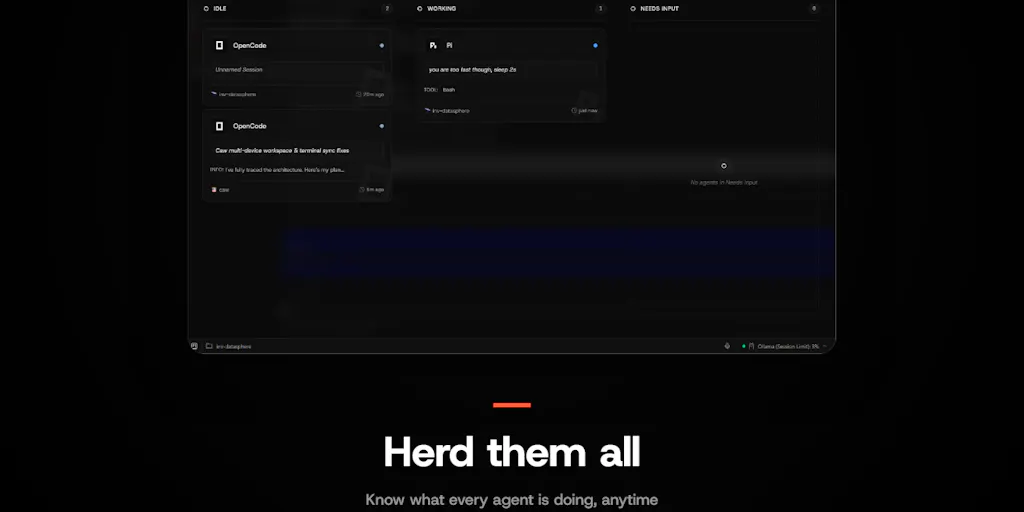
The Product Hunt listing describes Shrine as a Mac app that sits in the notch at the top of your screen and keeps you up to date with your coding agent sessions and their progress. It was built from scratch in a hackathon by a team at Lightdash — the hunter names Josh, João, Bruno, Rohan, and Winnie as the five colleagues involved. The pitch from the hunter, Oliver Laslett, is framed around a specific failure mode: “Once you have more than a couple of coding agents running, you lose track of which one has stopped to ask you something.”
The pricing on the page is listed as a base fee of 14.99 with add-ons for assets. Currency isn’t specified in the scrape, and I’m not going to guess — treat that as not disclosed. The “assets” language ties to the second half of the product: you earn assets as your agents ship work, and those assets let you build out a “shrine” with pets and custom content. That’s the gamification layer, and it’s the part that will either delight you or make you roll your eyes depending on how much you enjoy Duolingo-style streaks.
A second commenter, Oleksii Sekundant, makes the operational case cleanly: putting the “this agent needs you” signal in the notch “makes sense, it’s the one thing I’d want to see without opening another window.” He also calls the room-filling-up-as-work-ships mechanic “a lovely touch for a hackathon build.” That’s a fair summary of the reception — two comments, both positive, both focused on the ambient notification angle rather than the pet collection.
The real problem: agent supervision is a context-switching tax
Here’s where I stop summarizing and start arguing. The dominant workflow assumption in most AI tooling right now is that you’ll go to the tool. You open a chat window, you paste context, you wait, you read, you copy the output somewhere else. That’s fine when you’re doing one thing at a time. It falls apart the moment you’re running several agents in parallel, because the bottleneck stops being generation speed and becomes attention routing. Which one finished? Which one is stuck? Which one is asking a clarifying question that’s been sitting unanswered for eleven minutes?
Why this maps directly onto social media operations
Swap “coding agent” for “content pipeline” and the shape of the problem is identical. When I scheduled 30 posts across 5 platforms last month, the failure wasn’t the scheduling — Buffer, Later, and Metricool all handle cross-posting competently at this point. The failure was the interstitial state: a draft waiting on my approval, a comment thread that crossed the threshold where it needed a human reply, a TikTok that underperformed its first-hour benchmark and needed a decision about whether to boost or let it ride. None of those are visible from inside any single dashboard. They’re visible only if you’re the kind of operator who compulsively refreshes four tabs.
My take: the notch is a genuinely clever surface for this because it’s persistent, non-modal, and sits in peripheral vision. You don’t have to check it. You notice it. That’s a meaningfully different interaction model from a browser tab or a Slack ping, and it’s the thing I’d want product teams at creator-tool companies to study here — not the feature list, the placement.
The gamification layer is doing more work than it looks like
Earning assets as agents ship, then spending them on a shrine with pets, sounds frivolous. I’d argue it’s a retention mechanic borrowed from a very specific playbook. The reason streak-and-collection systems work in consumer apps is that they convert an invisible, effortful behavior (shipping work) into a visible, accumulating artifact. For a tool whose core value is “you’ll stop losing track of things,” the risk is that users churn the moment they have a quiet week and stop noticing the value. A shrine that visibly grows gives them a reason to keep the app installed through the quiet weeks.
Whether that lands with a professional audience is an open question. The launch page doesn’t disclose retention data, user numbers, or anything about how the asset economy is balanced — and I’d be skeptical of any hackathon build that claims to have solved the long-term incentive design on day one.
How it stacks up against the tools you’re probably already paying for
The honest comparison set here isn’t other notch apps. It’s the notification and orchestration layers you already have, plus the AI coding tools that have their own session management.
Against general-purpose notification and focus tools
Raycast has become the de facto command layer for a lot of Mac-based operators, and it does surface some ambient information. Notion and Linear both have inbox models that try to centralize “things needing you.” The difference is that all of these require you to open them. Shrine’s bet is that the notch is a strictly better real estate than a menu bar icon or a dock badge, because it’s physically larger and harder to ignore without being modal. That’s a defensible bet. It’s also a bet that only works on Macs with a notch — which, in my experience, is a smaller slice of the creator population than the developer population.
Against AI coding assistants with their own session UI
If you’re running Claude Code, Cursor, or GitHub Copilot agents, each of those tools has some notion of a running session with a status. What none of them has is a unified view across vendors. That’s the gap Shrine is positioning into — it doesn’t care which agent you’re running, it just wants to tell you when one of them is blocked. My take: that vendor-agnostic positioning is the single most valuable thing about the product, and it’s also the hardest thing to maintain, because it depends on integrations that the agent vendors have no incentive to keep stable.
Where the social-media parallel breaks
I want to be careful not to over-extend the analogy. Coding agents are, by design, semi-autonomous and long-running. Social media publishing is mostly batch-and-schedule, with a smaller real-time component around comments and DMs. The number of genuinely parallel, long-running “sessions” a social operator manages is lower than a developer’s. So the direct port of Shrine’s model to social tooling would be over-engineering for most accounts.
Where it does transfer is at the top end: agencies running dozens of client accounts, or creators running multi-platform repurposing pipelines where a single piece of content spawns six derivatives that each need a platform-specific pass. In those setups, the number of things that can silently stall is high enough that ambient status becomes genuinely valuable.
What creators and social teams should actually borrow from this
Strip away the pets and the notch and there are three transferable ideas here. I’d separate them because they have different shelf lives.
Ambient beats modal for anything time-sensitive
The strongest design principle on that launch page is the one Oliver Laslett states directly: you lose track of which agent has stopped to ask you something. That’s a latency problem, not a visibility problem. The information exists; it’s just not where your eyes are. Every social team I’ve worked with has some version of this — a Slack channel where approval requests go to die, an email alias nobody monitors, a shared spreadsheet with a status column that’s three days stale. The fix isn’t a better dashboard. It’s putting the signal somewhere the person who needs to act will see it without being asked to look.
In practice, for a social team, that might mean routing approval requests to a persistent surface — a pinned Slack workflow, a dedicated channel with a bot that re-pings on a timer, or honestly just a physical second monitor with a status board. The mechanism matters less than the principle: don’t make people check.
Vendor-agnostic orchestration is a real moat, if you can hold it
Shrine’s willingness to sit above whatever agent you’re running is the thing that makes it useful rather than redundant. The same logic applies to your content stack. If your repurposing workflow is tightly coupled to one tool — say, everything runs through CapCut templates and nothing else — you’ve optimized for speed today and fragility tomorrow. Building a thin orchestration layer that can swap the underlying generator is more work up front and considerably more durable.
I’d bet the tooling market moves toward this over the next year. The AI content tools that survive will be the ones that treat model choice as a config setting rather than a product identity.
Gamified progress is a retention lever, not a growth lever
The shrine mechanic won’t bring anyone in the door. It might keep them around. That distinction matters when you’re evaluating whether to add streaks, badges, or progress bars to your own creator-facing product or community. Gamification works on people who are already inside the loop. It does almost nothing for acquisition, and it can actively repel a professional audience if it feels like it’s patronizing them. The Shrine version is playful enough that it reads as a hackathon flourish rather than a serious product strategy — which is probably the right call for a launch like this, and the wrong call if you’re trying to build a business on it.
Where I think it falls short, and who shouldn’t bother
Let me be direct about the limitations, because the launch page doesn’t dwell on them and you should know before you spend 14.99 on anything.
The platform constraint is real
The notch only exists on certain Macs. If you’re on an older MacBook, a Mac Mini, an iMac, or any Windows or Linux machine, this product is not for you — not “less ideal for you,” just not for you. That’s a hard ceiling on addressable audience, and it’s the kind of constraint that tends to get glossed over in launch-day enthusiasm. The team hasn’t disclosed whether a non-notch fallback (menu bar, floating window) is planned.
The asset economy is undefined
“Base fee: 14.99 w/ add-ons for assets” tells me there’s a monetization model layered on top of the core app, but the page doesn’t explain what the add-ons cost, what they unlock, or whether the asset economy is balanced such that you can earn meaningful progress without paying. That’s a meaningful gap. If the pets and custom content are gated behind add-on purchases, the gamification layer shifts from “delightful flourish” to “upsell mechanism,” and that changes how I’d feel about recommending it.
Integration stability is the unspoken risk
Any tool that sits above multiple agent vendors is dependent on those vendors’ APIs and session models. API rate limits, undocumented state changes, and silent breaking changes are the norm in fast-moving AI tooling. A hackathon build has had roughly no time to harden against that. I’d want to see how it behaves after a month of real use before trusting it as a daily driver.
Who it’s not for
If you run one agent at a time, you don’t need this. If you’re not on a notched Mac, you can’t use it. If you’re a social media manager who doesn’t touch coding agents at all, the direct utility is zero — though the design pattern is worth studying. And if you’re the kind of person who finds pet-collection mechanics irritating rather than charming, you’ll be paying for a feature you actively dislike.
What I’d watch, and test, next
Three concrete things I’d do this week if this space is relevant to you.
First, if you’re running multiple agents, install it and watch your own behavior for a week rather than evaluating the feature list. The question isn’t “does it notify me” — it’s “do I stop checking tabs.” That’s the only metric that matters for an ambient tool, and it’s the one no launch page can tell you.
Second, if you’re on the social side, run the same experiment with your own approval workflow. Pick one thing that currently requires someone to go look — a draft queue, a comment inbox, a client review — and move the signal to a persistent surface for two weeks. I’d bet you see response latency drop, and I’d bet the effect is larger than whatever dashboard redesign you were considering.
Third, watch whether Shrine ships a non-notch fallback and whether the asset economy gets documented. Both are signals about whether this is a hackathon artifact or a product with a roadmap. The launch page doesn’t say, and I’m not going to pretend I know.
The broader thing I’m watching: whether ambient status surfaces become a category. If they do, the winners won’t be the ones with the best integrations — they’ll be the ones that figured out which three signals are worth interrupting a human for, and had the discipline to surface only those.