The Quiet Rebellion of Local-First Tooling: What an Open-Source Logitech App Teaches Us About the Creator Economy’s Bloat Problem
Every social media manager I know has a version of the same confession. You’re sitting there at 11pm, three drafts deep into a content calendar that spans five platforms, and you realize you’ve spent more time fighting your tools than creating content. The scheduler that promised “set it and forget it” requires a login migration. The analytics dashboard that should show you one clean number instead asks you to upgrade for a “team feature.” The AI repurposing tool that was supposed to turn one YouTube video into thirty clips decides it needs to sync your calendar, contacts, and possibly your soul.
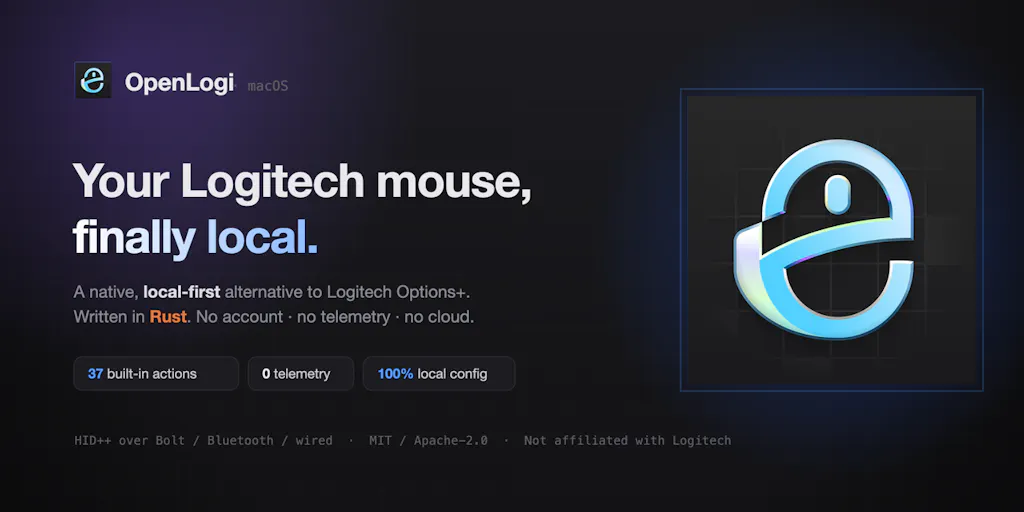
This is the backdrop against which I want to talk about a small, unassuming Product Hunt launch that has nothing to do with content creation at all — and everything to do with the philosophy that should govern every tool we use to run our social media operations. OpenLogi is an open-source Rust alternative to Logitech’s Options+ software. It’s a mouse configuration utility. On paper, it’s the most boring thing you could possibly launch. In practice, it’s a masterclass in what’s gone wrong with the creator economy’s tooling stack — and what we should all be demanding from the platforms and SaaS products we depend on.
The thesis is simple: the best tools for creators and social media operators are the ones that get out of the way, respect your data, and let you own your workflow. OpenLogi embodies this in a way that most social media scheduling platforms, analytics dashboards, and AI content tools have completely forgotten. And if you’re running a content operation — whether you’re a solo indie founder posting to LinkedIn daily or a team managing brand accounts across TikTok and Instagram — there’s a lesson here that’s worth more than any feature drop.
The Problem We All Pretend Doesn’t Exist: Tool Bloat Is Killing Your Workflow
Let me paint a picture that I suspect will feel uncomfortably familiar. Last month, I was setting up a new content workflow for a client who needed to be on Instagram, TikTok, YouTube, and LinkedIn. The brief was simple: repurpose long-form video into short-form clips, schedule everything a week out, and track performance across all platforms. Simple, right?
Here’s what actually happened. The scheduling tool I’d been using required me to reconnect my Instagram account because of a platform API change. The video repurposing software I’d tested wanted me to create an account, connect my Google Drive, and verify my email before I could even see the interface. The analytics dashboard I’d subscribed to had quietly added a “collaboration” feature that I didn’t ask for, didn’t need, and couldn’t remove from my sidebar. By the time I’d actually created and scheduled content, I’d spent more time managing the tools than managing the content.
This is the disease that OpenLogi is a cure for, even though it’s not designed for social media at all. The maker, Xuan Zhang, describes the origin story in the launch post: they bought an MX Master mouse because the hardware was great, then installed Options+ and got “an account prompt, a background service, telemetry, several hundred MB — all so I could change what the thumb button does.” The frustration is palpable and immediately recognizable. It’s the same frustration I feel every time a scheduling tool asks me to “upgrade to unlock” a feature that should have been basic — or when an AI content tool requires a cloud round-trip to process a single image.
The core problem OpenLogi solves is this: peripheral software has become a bloated, privacy-invasive nightmare that treats a simple configuration task as an excuse to collect data, run background services, and force account creation. The maker’s claim that “your config is a file you own” and that “nothing leaves your machine” isn’t just a feature list — it’s a philosophy. And it’s a philosophy that the creator economy desperately needs to borrow.
The parallel: your social media stack is the new Options+
Think about the last time you signed up for a new social media management tool. What did the onboarding look like? Almost certainly: create an account, connect your social profiles, grant permissions, accept cookies, maybe install a browser extension, and then spend twenty minutes configuring settings that should have been sensible defaults. The tool is ostensibly there to save you time, but it’s actually there to capture you — your data, your workflow, your monthly subscription.
OpenLogi flips this model. There’s no account because there’s nothing to sync to. There’s no telemetry because there’s no reason to collect it. The configuration is a plain config.toml file that you can read, edit, diff, and copy between machines. It’s the exact opposite of the SaaS model that has come to dominate the creator economy — and that’s precisely why it’s worth paying attention to.
I’m not saying every social media tool should be open-source or local-first. That would be impractical for tools that need to coordinate with platform APIs and team workflows. But the underlying principle — that your tools should serve you, not the other way around — is something we’ve collectively lost. When I’m scheduling 30 posts across 5 platforms, I don’t want to fight the scheduler. I want the scheduler to be invisible. And the more features these tools pile on, the more visible they become.
Why this matters more for TikTok creators than LinkedIn ones
There’s a specific subset of creators who should care about this more than others: those who live and die by fast-moving, short-form platforms. TikTok creators, in particular, operate on a cadence that makes tool bloat actively harmful. The algorithm rewards consistency and volume — you need to post multiple times a day, every day, to maintain distribution. If your tooling requires constant maintenance, re-authentication, or manual workarounds, you’re losing the race before you even start.
LinkedIn creators, by contrast, can often get away with a simpler stack. The platform rewards thoughtful, long-form written content that doesn’t need the same repurposing machinery. But TikTok creators are essentially running a content factory, and factories need reliable, low-friction machinery. When I think about the creators I know who are succeeding on TikTok, the common thread isn’t just their content — it’s their ability to move fast. They’re not fiddling with scheduling dashboards or fighting API rate limits. They’re using tools that get out of the way.
OpenLogi is a reminder that this isn’t a technical limitation — it’s a design choice. The tool exists because someone decided that a mouse configuration app didn’t need to be a cloud-connected, telemetry-collecting, account-requiring behemoth. The same logic applies to social media tools. A scheduling app doesn’t need to be a full-fledged CRM. A repurposing tool doesn’t need to be a full-fledged video editor. The best tools are the ones that do one thing well and then stay out of your way.
What OpenLogi Actually Does Differently (and What We Can Steal)
Let me get into the specifics of what OpenLogi offers, because the details matter. The app talks directly to Logitech hardware over HID++ and UVC protocols, which means it doesn’t need the official Options+ software to be running. It supports macOS, Windows, and Linux natively — a point that one commenter, Moe Sy, highlights as a major win: “love finally having Linux support as well instead of having to boot to Mac to change configs.”
The feature set includes remapping every button with 44 built-in actions, setting DPI presets, toggling SmartShift, and checking battery status for every paired device. It supports Bolt, Unifying, Lightspeed, Bluetooth, and USB connections. In other words, it’s a full-featured replacement for the official software — but with a fundamentally different architecture.
Here’s where the creator economy comparison gets interesting. When I look at the social media tools I use, the ones that work best are the ones that follow a similar philosophy. Buffer, for example, has always been relatively simple — it schedules posts, it shows basic analytics, and it gets out of the way. Hootsuite and Later have added more features over the years, and in doing so, they’ve become more powerful but also more cumbersome. There’s a trade-off there, and it’s not always obvious which side is winning.
The OpenLogi approach suggests a third path: instead of trying to do everything, do the core things exceptionally well, and make the configuration transparent and portable. For social media teams, this translates to tools that let you export your content calendar, that don’t lock you into proprietary formats, and that don’t require a cloud account to function. The config.toml file is the killer feature here — it’s a plain text file that you can version-control, diff, and share. Imagine if your social media scheduling tool let you export your entire content strategy as a readable file that you could move between tools. That’s the kind of portability we should be demanding.
The “no telemetry” standard
The most striking part of the launch post is the maker’s emphasis on privacy: “No telemetry, and the update check is off by default.” This is a radical stance in an industry where every tool wants to phone home. Ilko Kacharov captures it well in a comment: “most peripheral software treats a mouse config as an excuse to phone home, so building it in Rust as open source flips that whole model on its head.”
Now, I’m not naive. I know that social media management tools need to connect to platforms like Instagram and TikTok, and that requires some level of API access. But there’s a difference between API access and telemetry. When a scheduling tool collects data about how you use the tool itself — which features you click, how long you spend on each screen, what time of day you schedule posts — that’s telemetry, and it’s not necessary for the tool to function. It’s for the tool’s benefit, not yours.
In my experience, the tools that respect your privacy are also the tools that respect your time. They don’t have hidden agendas, they don’t change their algorithms to serve their business model, and they don’t suddenly deprecate features because it’s more profitable to push you toward a premium tier. The “no telemetry” standard is a proxy for a broader trustworthiness — and it’s a standard we should apply to every tool we add to our stack.
Where the Math Breaks: OpenLogi’s Honest Limitations
I want to be balanced here, because no tool is perfect, and the maker is refreshingly honest about what’s missing. In the launch post, Zhang explicitly lists what’s “not there yet”: per-app profiles (in progress), an Options+ importer, and Flow — Logitech’s cross-device copy-paste and file-sharing feature. The maker also notes that if those features are dealbreakers, “it’s not a full replacement yet — the roadmap is public.”
This is a masterclass in honest product marketing, and it’s a lesson for creators too. How often do we see tools launch with a feature list that overpromises and underdelivers? How often do we see SaaS products bury their limitations in fine print? OpenLogi puts its limitations front and center, which builds trust — even if it means some users won’t convert.
There’s also a practical limitation that’s worth noting: you can’t run OpenLogi alongside Options+ or Solaar simultaneously. The hunter’s comment explains it clearly: “Both apps need direct access to the same HID++ receiver, so running them together would naturally conflict.” This is a real constraint, but it’s also a reasonable one — it’s a hardware limitation, not a business decision. And the fact that the team is upfront about it, rather than trying to hide it, is another trust signal.
Who OpenLogi is NOT for
Let me be clear about who shouldn’t use this tool — and by extension, who shouldn’t adopt the local-first philosophy wholesale. If you’re a casual user who just wants to set your mouse DPI and forget about it, OpenLogi might be more than you need. The config.toml file is powerful, but it’s also a learning curve. If you rely heavily on Logitech’s Flow feature for cross-device workflows, OpenLogi isn’t ready for you yet. And if you’re not comfortable with the idea of managing your own configuration file, the official Options+ app might be a better fit — despite its bloat.
The same logic applies to social media tools. Not every creator needs a local-first, config-file-driven scheduling tool. If you’re a solo creator posting once a day to Instagram, a simple tool like Canva with built-in scheduling might be all you need. The local-first philosophy is a spectrum, not a binary. The point isn’t to reject all cloud tools — it’s to be intentional about which tools you let into your workflow and what you’re trading away when you do.
What We Can Borrow: Three Concrete Lessons for Your Social Media Stack
So what should you actually take away from an open-source mouse configurator? Let me give you three concrete lessons that you can apply to your social media operations this week.
1. Demand portability. The config.toml file in OpenLogi is a reminder that your data — your content calendar, your audience insights, your brand guidelines — should be portable. If your scheduling tool can’t export your content calendar in a format you can read and move, that’s a red flag. Start auditing your tools today. Can you export your scheduled posts? Can you download your analytics? Can you move your workflow to another tool without starting from scratch? If not, you’re locked in.
2. Question the account requirement. OpenLogi has no account because there’s nothing to sync. Many social media tools require accounts because they want to lock you in, not because they need to. Before you sign up for a new tool, ask yourself: does this genuinely need an account, or is it just a way to capture me? The answer will tell you a lot about the tool’s business model — and whether it’s aligned with yours.
3. Read the limitations before you commit. The OpenLogi launch post is a model of transparency. It tells you exactly what’s missing and who shouldn’t use it. When you’re evaluating a new social media tool, look for that same honesty. If a tool’s marketing page is all hype and no caveats, that’s a warning sign. The best tools tell you their limitations upfront because they’re confident in what they do well.
A note on open-source as a trust signal
There’s one more thing worth borrowing: the open-source nature of OpenLogi. When the code is open, you can verify the claims — you can see exactly what data is being collected, exactly what the tool does, and exactly what it doesn’t. This is the ultimate trust signal, and it’s something we should demand more of in the creator economy. I’m not saying every tool needs to be open-source — that’s impractical for many SaaS products. But the ones that are should be celebrated, and the ones that aren’t should be held to a higher standard of transparency.
Where My Judgment Says OpenLogi Falls Short (and Where the Category Needs to Evolve)
I’ve been singing this tool’s praises, but let me be clear about where I think it falls short — because honest assessment is part of the trust equation. First, the lack of per-app profiles is a significant gap for power users. The maker says it’s “in progress,” but until it ships, OpenLogi is a one-size-fits-all solution for a mouse that many users configure differently for different applications. That’s a real limitation.
Second, the absence of an Options+ importer means that switching to OpenLogi is a manual process. If you have a complex configuration set up in Options+, you’ll need to recreate it from scratch. That’s friction, and friction is the enemy of adoption. The maker has acknowledged this, and it’s on the roadmap, but it’s not there yet.
Third, the broader ecosystem question: OpenLogi is a single tool for a single brand of hardware. It doesn’t solve the broader problem of peripheral bloat across all manufacturers. It’s a step in the right direction, but it’s not a revolution. The revolution would be a universal standard for peripheral configuration — something that doesn’t exist yet.
For social media operators, the lesson is similar. The tools that follow OpenLogi’s philosophy — local-first, privacy-respecting, portable — are still the exception, not the rule. We’re early in this shift, and the tools are imperfect. But the direction is clear, and the tools that embrace this philosophy are the ones I’d bet on for the long term.
What I’d Watch / Test Next
If you’re a creator or social media operator, here’s what I’d do this week, based on this launch:
1. Audit your current tool stack for “Options+ bloat.” Go through every tool you use for content creation, scheduling, and analytics. For each one, ask: does it require an account? Does it collect telemetry? Can I export my data? If the answer to any of these is “no” or “I don’t know,” that’s a problem. The OpenLogi setup guide is a good model for what transparent tooling looks like — use it as a benchmark.
2. Test a local-first or open-source alternative for one part of your workflow. You don’t need to switch everything at once. Pick one tool — maybe your video editing or your scheduling — and try an open-source or local-first alternative. See how it feels to have a tool that doesn’t phone home, doesn’t require an account, and doesn’t try to upsell you. In my experience, the feeling is liberating — and it changes your standards for every other tool.
3. Watch the OpenLogi roadmap. The maker has said the roadmap is public, and the missing features — per-app profiles, Options+ importer, Flow — are exactly the ones that will determine whether this becomes a full replacement for the official software. If those ship, this tool becomes a serious alternative for power users. If they don’t, it remains a niche tool for the privacy-conscious. Either way, it’s worth watching, because it’s a bellwether for the broader trend toward local-first tooling.
The creator economy is built on tools, but we’ve lost sight of what tools are for. They’re supposed to serve us — to help us create, schedule, analyze, and grow. Instead, many of them have become a second job: managing accounts, fighting interfaces, and paying for features we don’t use. OpenLogi is a small, unassuming rebellion against that status quo. It’s a mouse configurator, sure. But it’s also a reminder that we have a choice — and that the best tools are the ones that get out of the way.