How to Build a 30-Day Social Media Content Calendar with Flownib

In the past I managed three brand accounts. Every morning my first task was to open each platform’s backend, copy‑paste the same copy, and then manually adjust formatting and tags. One account took five minutes, three accounts fifteen minutes, and over a month that repetitive work ate up seven to eight hours. Worse, one time I forgot to switch accounts on Instagram and posted Brand A’s promotional post on Brand B’s page. That day I finally decided I needed a tool to standardize the scheduling process.
Why You Need a 30‑Day Social Media Content Calendar
The biggest problem with manual posting is that humans can’t remember every detail. You might remember to post today but forget to prepare the image in advance; or you remember a Friday post but only realize on Thursday night that the copy isn’t written. My worst experience was on the eve of Double Eleven. Busy handling customer messages, I completely forgot to prepare holiday posts and rushed a few items together on the day itself. The result was obvious—the post’s engagement was more than 60 % lower than usual.
The value of a content calendar isn’t that it’s a calendar; it’s that it front‑loads decision‑making pressure. You decide what to post, when to post, and on which platform at the beginning of the month, and the rest is just execution. A 30‑day cycle is especially suited to quarterly marketing and product launch rhythms—three weeks of warm‑up followed by one week of a, or two weeks of buildup and two weeks of harvest—perfectly covering a full content cycle.
A 30‑day calendar requires at least 30 distinct posts. If you can’t produce a unique piece every day, you should still aim for 3‑5 posts per platform each week. I usually leave 20 % of the monthly calendar blank for opportunistic trends or emergency catch‑ups.
Step 1: Define Content Themes and Posting Rhythm
Before you start, decide which content directions you’ll cover this month. I allocate them by four quadrants: industry hot topics 25 %, common user questions 30 %, product value points 25 %, brand story or team daily life 20 %. This ratio isn’t fixed, but it guarantees a structured monthly content plan rather than “post whatever comes to mind.”
After defining themes, assign formats based on platform characteristics. Instagram and Pinterest are visual‑first, requiring high‑quality images or videos. LinkedIn suits long‑form content; turn a product highlight into a ≤300‑word industry insight. X (formerly Twitter) and Threads favor short, punchy messages—a data point plus a comment is enough. The same topic is written completely differently across platforms.
On average you need 15 posts per week—if you’re active on five platforms, that’s three posts per platform each week. It sounds like a lot, but most content is derived from a single original asset. I usually schedule the Monday‑to‑Friday topics first, then on Friday afternoon I draft the next week’s copy, leaving the rest of the time for publishing and responding to comments.
The gap between planning and execution is often underestimated. My biggest early mistake was planning beautifully but realizing the material wasn’t ready in time. I later built a template library—title, copy skeleton, image requirements, tag list—so each week I only fill in blanks instead of starting from scratch. If you want to compare how different scheduling tools perform during the planning stage, see the detailed comparison of Flownib, Buffer, Hootsuite, etc. (https://flownib.com/blogs/flownib-vs-buffer-vs-hootsuite-2026-global-brand-ai-scheduling-tools-comparative-review), which includes several processes I’ve tested myself.
A typical weekly distribution looks like this: Monday – deep content, Tuesday – interactive topic, Wednesday – product recommendation, Thursday – industry news, Friday – weekend teaser. Adjust dates per platform to avoid bombarding all channels with the same message on the same day.
Step 2: Use AI to Generate and Automatically Rewrite Posts in Bulk
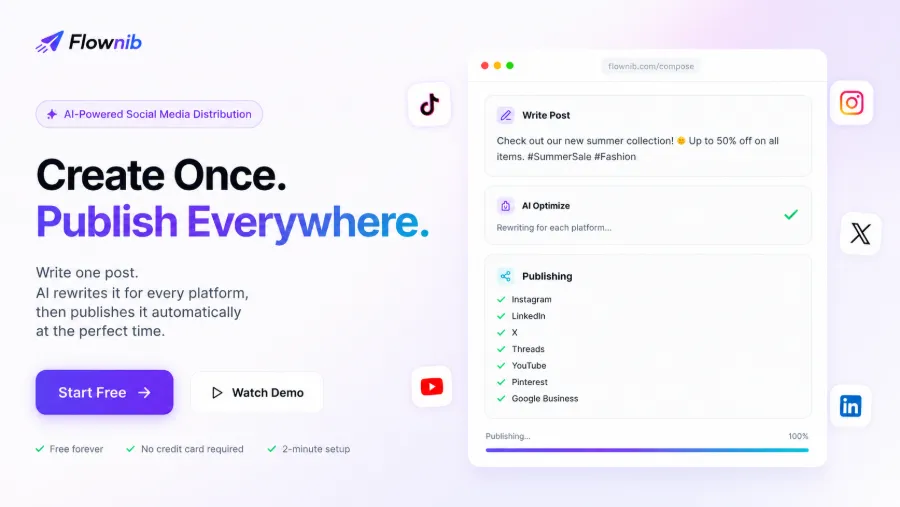
With planning and assets ready, it’s time to produce the actual content. In Flownib (https://flownib.com) I create an original post; the AI analyzes the theme and then tailors tone, length, and format for each platform. I only write one complete copy, and it rewrites the same paragraph into an Instagram‑friendly short caption with hashtags, a LinkedIn‑style professional paragraph, an X‑compatible ≤140‑character post, and a Pinterest descriptive copy.
A tip when writing the original copy: pre‑annotate brand keywords, prohibited words, and preferred tone. Many people treat AI rewriting as a black box and just feed it in, but 80 % of the result depends on how much information you give the AI beforehand. I usually add a comment line after the original copy specifying instructions like “keep conversational, avoid first‑person, no exclamation marks.” After doing this, the AI’s directly usable rewrite rate jumped from about 50 % to over 80 %.
The system supports ten major social platforms, covering most cross‑border sellers and content creators. After rewriting, I preview each platform’s output and manually tweak a couple of details—usually tone adjustments such as changing “buy” to “get” or “click the link” to “tap to learn.” Bulk‑generating a month’s worth of content in one go saves at least three workdays compared to rewriting each post individually.
For a deeper dive into AI‑assisted rewriting and multi‑platform distribution architecture, see the article “FlowNib, Seonib, Veonib Collaborative Architecture and Use Cases” (https://medium.com/@seoaiblogteam/cross-border-ai-full-traffic-closed-loop-collaborative-architecture-use-cases-of-flownib-c7294defa36f).
Step 3: Bulk Scheduling and Publish‑Time Optimization
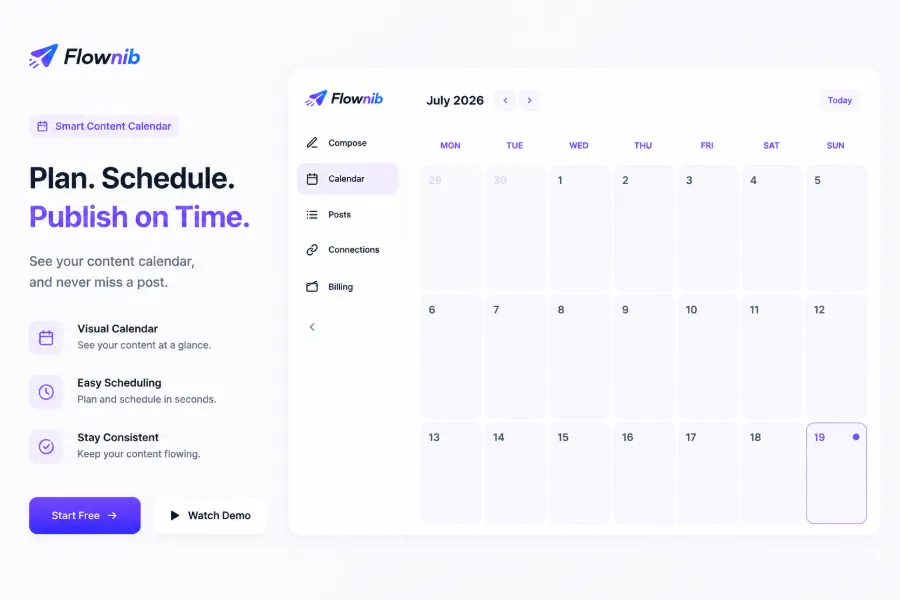
Once the rewrites are done, drag all posts into the content calendar at once. The calendar view shows the entire month’s schedule, making it clear what goes where and when.
Pay attention to special dates when scheduling: major promotions, holidays, product launches have completely different strategies from daily posts. I mark these dates on the calendar and set the posts to manual‑publish mode so I can control the exact timing.
Multi‑account management is another concern. When I used Buffer, conflict detection between accounts wasn’t transparent. Flownib’s unified dashboard lets me view the scheduling status of three brand accounts simultaneously, preventing the awkward situation of pushing two different brand messages to the same user on the same day. Its API uptime is advertised at 99.99 %, and I haven’t experienced any publishing interruptions after months of use. The average time to set up a full month’s schedule is about two minutes—once the month’s themes and assets are ready, importing and scheduling is hassle‑free.
Step 4: Track Publishing Records and Iterate
Publishing isn’t the end point. At month‑end I open Flownib’s “Published” view to quickly scan the posting records across all platforms. I can see which posts went out on time, which were skipped due to content review failures, and which were manually rescheduled.
I then combine each platform’s native analytics to evaluate engagement: Instagram Insights for reach, LinkedIn Analytics for click‑through, X for retweets and replies. There’s no magic here—just pulling data from each platform. Flownib’s calendar saves me the “when was this post published?” search cost—all original content, timestamps, and platforms are centralized in one view.
The key to retrospectives is identifying “which content works best on which platform.” Over three months I logged interaction data for every post and discovered a pattern: the same product intro gets twice the engagement on Instagram when posted as an image versus a video, but on LinkedIn a long‑form post outperforms a short one by 30 % in click‑through. Without a unified calendar, I would never have noticed these platform differences.
Based on the retrospective, I adjust next month’s content direction: increase density on high‑engagement platforms, reduce frequency on low‑performing ones; expand a well‑performing theme into a deeper piece; narrow the publishing window to the two‑hour slot that shows the best performance. I conduct this systematic review once a month and adjust at least 20 % of the content plan. This isn’t a gut feeling—after three months, maintaining a >20 % iteration rate consistently lifts total monthly engagement by roughly 15 % month‑over‑month.
The stability of the product and traceability of data have turned this review process into a habit. If you want to know whether Flownib is worth it for real cross‑border scenarios, the comprehensive review (https://flownib.com/blogs/flownib-review-one-stop-ai-social-distribution-tool-cross-border-sellers-worth) lists all pros and cons.
FAQ
Q1: How many posts can the Flownib free plan schedule?
The free plan supports 3 social accounts and 6 posts, suitable for small‑scale testing. If you have multiple brand accounts or dense scheduling needs, upgrade to a paid plan. No credit card is required to register for the free version.
Q2: How accurate is the AI rewrite? Will I lose my own style?
AI rewrite accuracy depends on the quality of your original material and the clarity of your instructions. If you pre‑annotate brand terminology and tone preferences, consistency can reach over 80 %. The remaining tweaks are done manually.
Q3: Does the content calendar support multi‑user collaborative editing?
The current version supports multi‑account management, but real‑time multi‑user editing is still in development. For teams larger than three, we recommend using a shared account alongside external spreadsheet management for scheduling permissions.
Q4: Can I manage different brand or client accounts in the same calendar?
Yes. Flownib’s multi‑account feature lets you connect various brand social accounts under a single dashboard, each with independent scheduling to avoid confusion.
Share Article