2026 AI Social Media Management: Why Manual Posting Is Heading Toward Obsolescence

Imagine a weekday morning: you open five browser tabs at once, copy copy from Google Docs, and paste it sequentially into Instagram, X, LinkedIn, TikTok, and Pinterest. Each platform has different character limits, tone requirements, and image dimensions, so you have to manually adjust the post three or four times. By the time you finish reviewing the preview of the last post, an hour and a half has passed. The next day, you repeat the same process.
This isn’t an isolated case. In 2026, many marketing teams still handle social media publishing this way. Publishing a single piece of content across five platforms takes on average 2–4 hours; when you factor in review processes, account switching, and data aggregation, the number is even higher. Manual workflows have gone from an early‑stage compromise to today’s biggest growth bottleneck. The problem isn’t the creative content itself, but the distribution efficiency.
The friction caused by manual operations is being amplified by algorithms. Platforms reward high‑frequency, stable posting with steady traffic tilt, but human creators can’t keep up with a cadence of 4–7 pieces per week. The format differences—Instagram favoring carousel captions of about 50 words, X requiring precise expressions within 280 characters, LinkedIn demanding a longer, industry‑focused tone—turn simple copy‑and‑paste into a time‑consuming formatting marathon. Managing multiple accounts makes complexity grow geometrically: an agency handling 10 clients, each on five platforms, already has a daily workload approaching that of a full‑time employee.
This is 2026, yet content distribution efficiency is still stuck at 2016 levels. It’s not a lack of creative ability; it’s that the distribution infrastructure hasn’t kept pace.
How AI Is Reshaping the Content Distribution Workflow
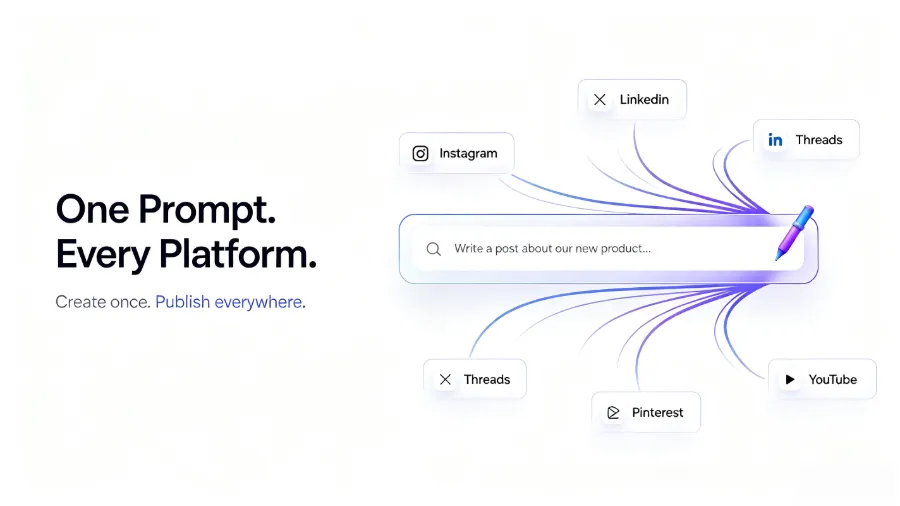
The real game‑changer isn’t a single feature but end‑to‑end automation. When you write a piece of content, AI automatically rewrites it into versions suitable for each platform—compressing for X to 280 characters, converting for LinkedIn into an industry tone, and adding a visually‑first description for Pinterest. Each AI rewrite can save 10–15 minutes of manual tweaking, which adds up quickly for high‑frequency publishing teams.
That’s the core problem tools like Flownib solve: automating the entire chain from idea to publication, eliminating repetitive, inefficient, and error‑prone manual steps. Teams should spend their energy on content strategy, not on copy‑and‑paste.
From Content to Publication: Key Capability Breakdown
Content rewriting and platform adaptation is the most technically demanding part of AI distribution. Maintaining a consistent brand voice is often overlooked—many teams purchase AI tools only to find the generated copy is correctly formatted but bland and lacking brand distinctiveness. Good AI rewriting should follow your pre‑defined brand guidelines, automatically switching to each platform’s language style while preserving core information. This isn’t just a matter of shortening or lengthening sentences; it’s generating content that still feels “like you” under the triple constraints of character limits, platform culture, and audience expectations.
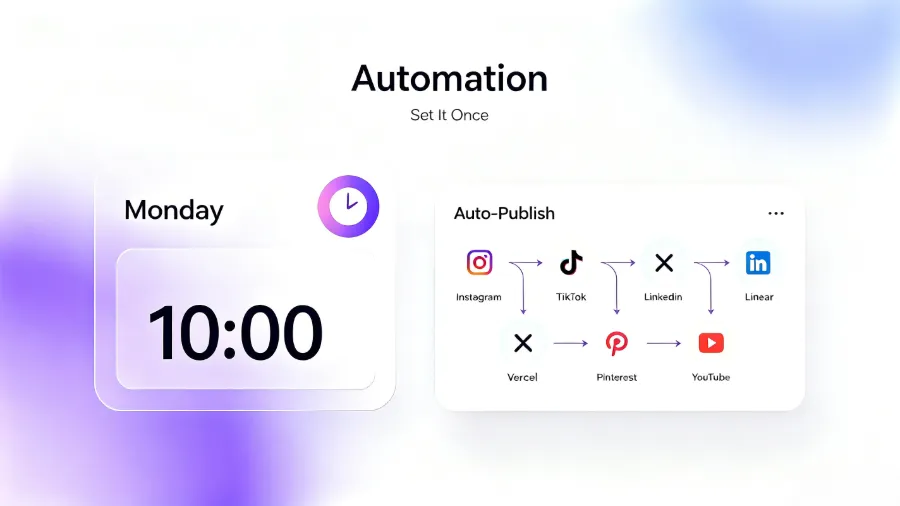
One‑click multi‑platform publishing and intelligent scheduling work together to boost efficiency. Direct API connections ensure publishing stability—99.99 % API uptime means you don’t have to worry about scheduled posts failing. A often‑overlooked detail is that the core appeal of buying an AI tool isn’t flashy features, but the certainty of posting. Most teams buy the tool for the peace of mind that they won’t have to stay up late manually publishing.
Visual content calendars hide the biggest hidden benefit. On the surface they just display posting cadence, but in practice they shift teams from fire‑fighting publishing to strategic content reserves. You no longer scramble each morning to decide what to post; you can see next week’s layout in advance, prepare assets early, and reduce gaps and duplication.
Multi‑account management adds value through simplification. When handling cross‑brand or cross‑project operations, you don’t need to log in and out of different accounts; all publishing, scheduling, and logging happen within a single dashboard. For agencies, this reduces the complexity of managing 20 accounts to a manageable level. To dive deeper into tool differences, see the detailed comparison of FlowNib, Buffer, and Hootsuite. Platform‑specific adaptation strategies also vary; for example, LinkedIn’s tone is more professional, and the LinkedIn official marketing resources can help teams calibrate brand voice.
But tools aren’t a panacea. One team, after deploying FlowNib, found that without a unified content guideline, the AI‑generated cross‑platform copy suffered severe tone inconsistency—X brand appeared witty on X but legal‑ese on LinkedIn. Two weeks later the team had to halt publishing, spend a week re‑defining brand tone rules and configuring them into the tool before returning to a normal cadence. The lesson: AI rewriting can boost efficiency, but you must know what you want to say and how to say it.
Core Considerations When Choosing an AI Social Tool
When evaluating tools, first look at platform coverage. Which platforms do you currently use or plan to use? Does the tool connect via official APIs? Unofficial integrations can make scheduled posts unreliable.
Next, assess AI rewriting quality. Generic template rewrites add no value. A good AI tool should retain your brand’s unique voice rather than producing a “one‑size‑fits‑all” commercial copy. In the testing phase, let the tool generate a few pieces of copy and compare them to your team’s actual style.
| Consideration Dimension | High‑Priority Feature | Common Pitfalls |
|---|---|---|
| Platform Coverage | Official API integration covering all target platforms | Unofficial interfaces cause unstable publishing or limited functionality |
| AI Rewriting Quality | Preserves brand tone, supports custom guidelines | Generates templated, indistinguishable generic copy |
| Pricing Structure | Free tier to test core features, transparent per‑account pricing | Irrational feature tiering, core capabilities locked behind expensive plans |
Pricing directly impacts experimentation cost. Free tiers usually support three social media accounts and a limited number of posts, enough for small teams to test thoroughly before buying. Run two weeks of actual workflow on the free tier before deciding to upgrade. For detailed pricing and feature depth, see the FlowNIB pricing and feature analysis. If you’re considering moving away from Buffer, this 2026 Buffer alternatives deep dive may help clarify your decision criteria.
FAQ
Are AI social media management tools suitable for small businesses?
Yes. Small business teams often have only 1–2 people handling operations, so manual distribution consumes a larger share of their time compared to larger teams. Most AI tools offer a free starter tier (e.g., three accounts, six posts) that comfortably supports early‑stage operations, and onboarding takes about two minutes.
Do these tools cover all major social media platforms?
Major platforms are generally fully covered. Tools that integrate via official APIs effectively support Instagram, X, LinkedIn, TikTok, Facebook, Threads, Pinterest, YouTube, Bluesky, Google Business, and more. However, some regional or emerging platforms may be excluded, so verify that your current platforms are listed before committing.
How long does setup and onboarding usually take?
From registration to the first post typically takes 2–5 minutes. Steps: create an account → authorize social accounts → write the first piece of content → AI automatically rewrites and previews → choose a publish time or post immediately. Configuring the brand tone guide may require an additional 10–15 minutes, but that’s a one‑time investment.
Share Article