FlowNib 2026 Shopify Dropshipping Seller Social Distribution Operation Guide: Low‑Cost Full‑Platform Bulk Seeding

Manually posting product links on Instagram, TikTok, Facebook, Pinterest, X, and LinkedIn every day, switching between six or seven platforms, with inconsistent content formats and intermittent publishing rhythm. For dropshipping sellers who update products frequently, this inefficient process not only consumes a lot of time but also misses a lot of organic traffic. Dropshipping margins are thin; spending an extra hour on repetitive tasks means testing one less product, publishing one less piece of content, and losing one more opportunity to reach potential buyers. This article breaks down, from a practical perspective, how to use AI rewriting and automatic distribution tools to turn a single set of product assets into platform‑specific posts, achieving “one creation, full‑platform bulk seeding” while keeping operational costs within a manageable range.
Why Dropshipping Sellers Need to Change the Inefficient Social Distribution Model
Have you ever experienced this: after a new product is listed, you download the product images from Shopify, then sequentially open Instagram, TikTok, Facebook, Pinterest, X, and LinkedIn, copying and pasting copy, adjusting image sizes, and adding tags one by one. Half an hour passes, and you haven’t even counted publishing to YouTube Shorts and Google Business. The next day, new products arrive, and you repeat the process.
The problem with this manual mode isn’t just the time cost. Each platform’s content style is completely different—Instagram requires polished images and story‑like copy, X demands short and snappy text, Pinterest relies on high‑resolution product images with keyword descriptions, and TikTok needs sub‑15‑second “mind‑seed” videos. If sellers don’t adjust the copy while copying and pasting, users will see fragmented brand perception across platforms and won’t sense professionalism.
More importantly, manual operation directly lowers publishing frequency. Posting one piece per day is easy, but covering six platforms requires six differentiated pieces of content. Most sellers end up abandoning most platforms and focusing on one or two channels. The core logic of dropshipping is product testing and scalable customer acquisition; the narrower the platform coverage, the lower the chance of hitting a breakout product.
Data shows that brands using automated distribution tools can triple their social publishing frequency. For dropshipping sellers, this translates into a multiplied product‑testing speed and continuous accumulation of organic traffic.
How FlowNib Achieves One‑Click Full‑Platform Distribution (with AI Rewriting Logic)
FlowNib solves the core problem: you write a single original asset, and the system handles cross‑platform adaptation and publishing. Its workflow can be broken into three stages.
First is the AI rewriting layer. After you write a post, the system automatically adjusts it according to each platform’s user habits, character limits, and content format. For example, a copy that points to a new Shopify product becomes a visually oriented short description with hashtags on Instagram, a concise teaser under 140 characters on X, and a more professional product value statement on LinkedIn. Rewriting is not a simple truncation; it judges the context of each piece of content to choose the expression most likely to generate interaction on the target platform.
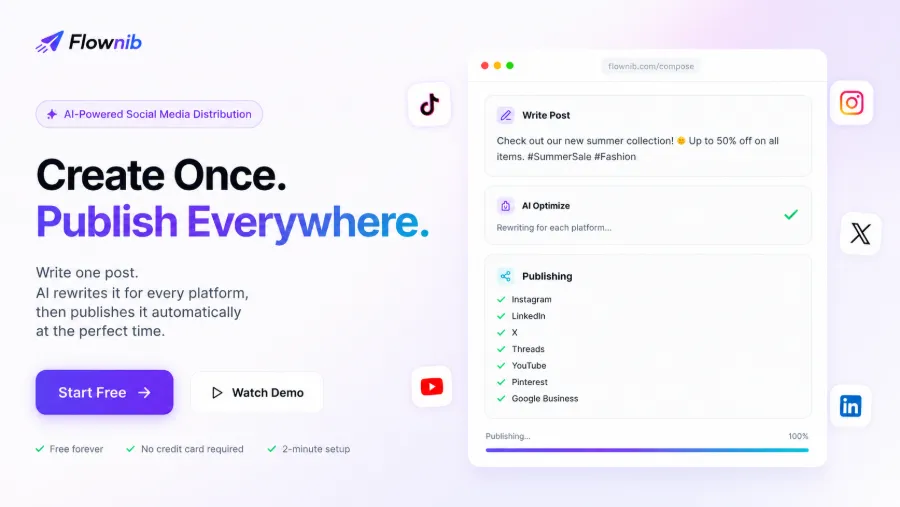
Second is the one‑click distribution mechanism. All connected social accounts—including Instagram images and Reels, X short texts, LinkedIn professional content, TikTok videos, Pinterest product images, YouTube Shorts, Google Business, etc.—are pushed simultaneously with a single click. For sellers managing multiple stores or accounts, the unified multi‑account management interface dramatically reduces repeated login/logout actions.
The whole process from drafting to publishing takes an average of only 2 minutes to set up. The free plan provides 3 accounts and 6 posts without requiring a credit card for trial.
From Scratch: Step‑by‑Step FlowNib Integration with a Shopify Store
The actual steps are simple. First, register an account; email login is supported and no phone verification is needed. Second, connect social accounts—each platform uses official API authorization, and you just confirm permissions in the pop‑up window without repeatedly entering keys or tokens.
After connecting accounts, go to the drafting page. Here’s a hidden efficiency tip: you can directly use the title and description from a Shopify product page as seed material. For instance, copy the description “800 ml sports water bottle with straw” into FlowNib’s editor, and AI will automatically break it down into core information adapted for each platform. Instagram may highlight the scene, Pinterest may emphasize specification keywords, and X will simplify it into a traffic‑driving hook.
Do not skip the preview stage. After AI rewriting, you can see each version’s appearance, including character count, image cropping area, and tag suggestions. Once confirmed, choose scheduled or immediate publishing. Scheduling lets you line up a week’s posts in advance and then forget about them.
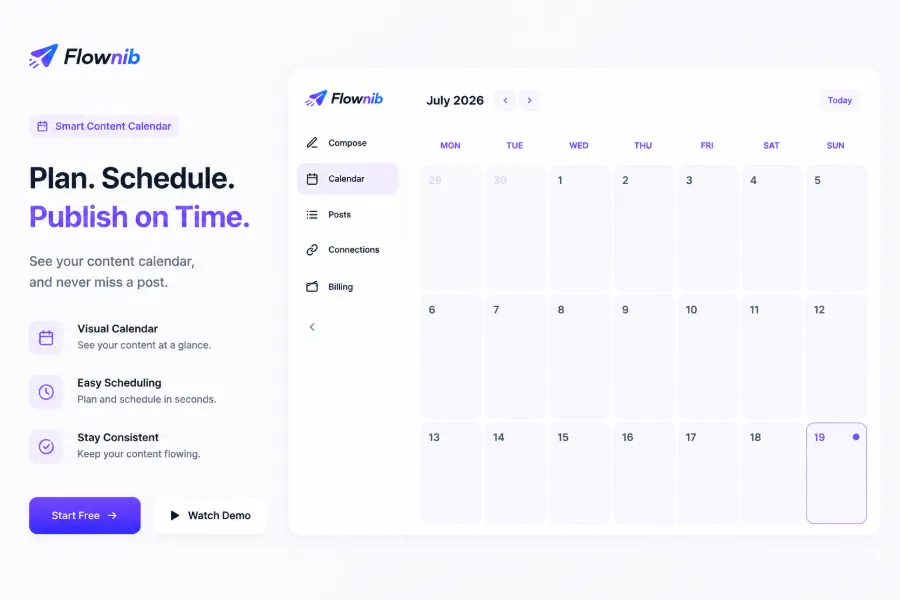
Published posts automatically appear in the content calendar. The visual calendar interface lets sellers instantly see which platforms have posts for the week and which have gaps. If you’re testing products, you can discover that certain platforms’ product‑related content performs significantly better, allowing you to adjust allocation strategy.
When selecting a plan, check the FlowNib Pricing and Feature Analysis to match your publishing volume. If you’re still unsure which tool fits your team size, refer to the FlowNib vs Buffer vs Hootsuite Comparison for platform differences.
Content Calendar and Data Analysis: Optimizing Social Media Customer Acquisition
Publishing does not mean the work is done. Dropshipping sellers need continuous iteration of their social media strategy, and the content calendar and analytics dashboard are the foundation for iteration.
The content calendar is more than scheduling. After you fill in the daily post topics for the next week—e.g., Monday product test, Wednesday scenario seeding, Friday promotion countdown—cross‑platform content consistency noticeably improves. Previously, manual publishing often led to each platform operating independently; with a unified plan, brand perception gradually aligns.
If you want to compare other tools, see the scheduling logic of the Later social management platform. You can also read the FlowNib case study on helping global creators boost social impact to see how other sellers configure their calendars.
One non‑obvious observation: AI rewriting can quickly generate multiple angles of seed copy—pain point, scenario, spec comparison—but visual assets still require manual adjustment. The same product image may perform very differently on Pinterest versus Instagram, so you need to tailor the image for each platform’s characteristics.
Potential Limitations and Considerations When Using FlowNib
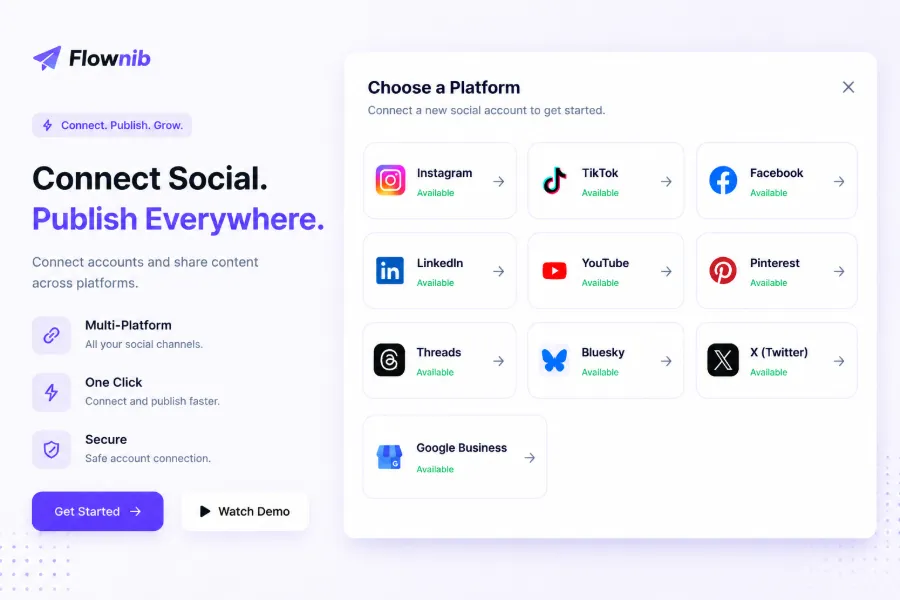
Although FlowNib supports ten major social platforms, sellers should still be aware of several limitations.
The first is the precision of AI rewriting. When product parameters are specific—e.g., “material 304 stainless steel, capacity 800 ml, mouth diameter 5.5 cm”—AI may simplify these details to “high‑quality stainless steel water bottle.” This loss of precise specs can lead to mismatched expectations after purchase. Therefore, sellers should manually preview posts containing key parameters to ensure AI hasn’t over‑abstracted the product information. I once saw a pair of pants’ size chart turned into “a suitable size” by AI, which triggered a round of return negotiations.
The second limitation is the free plan quota. Exceeding the quota requires upgrading: the Starter plan starts at $11/month and raises the limit to 100 points/month; the Growth plan at $23/month increases it to 300 points. Even though FlowNib supports mainstream platforms, sellers must monitor point consumption to avoid sudden interruptions from posting too aggressively.
The third limitation is platform coverage. Xiaohongshu, Snapchat, and WhatsApp channels are currently not supported. If your target market concentrates on these platforms, you’ll need to supplement with other tools.
Multi‑account management also has a learning curve. Different platforms have varying permission scopes and token expiration dates, so an account may expire unexpectedly and cause a publishing failure. It’s advisable to check connection status weekly.
Recommended approach for new users: start with the free plan, publish a few test posts, observe interaction data across platforms, and confirm that AI‑generated tone matches your brand’s voice before paying for higher publishing limits. This avoids buying a high‑tier plan only to discover the rewriting direction is off, which would waste time and budget.
FAQ
Do AI‑generated rewrites need manual preview?
Strongly recommended. AI may over‑simplify product parameters, technical terms, or brand‑specific language, leading to tone drift or inaccurate descriptions. A preview step prevents post‑publish issues.
Is there data analysis and content‑calendar functionality?
Yes. The content calendar can be viewed monthly for all platforms, helping you optimize your publishing strategy.
Share Article