How to Make an AI Agent Automatically Publish Social Media Content
The team generated a large amount of copy with AI, but each post still required manually opening each platform’s backend, copying, pasting, and adjusting formatting before publishing. Most “AI social media tools” only write the content and don’t actually press the “publish” button for you. The result: content production capacity increased, but the publishing step became a new bottleneck.
The problem isn’t that AI can’t produce good content; it’s that AI doesn’t have “hands” to execute the publishing action. To let an AI Agent truly publish for you, you need to connect the entire chain from content generation to cross‑platform publishing—including API integration, permission configuration, platform adaptation, and monitoring/debugging. This article explains, from a practical standpoint, how to build that chain and what pitfalls you’ll encounter after it’s set up.
Direct answer: To make an AI Agent automatically publish social media content, the core is to give the Agent publishing permissions through each platform’s official API rather than simulating browser clicks. Configure an Access Token, and the Agent can publish text, images, and videos on your behalf within the authorized scope. The whole process takes about 2 minutes to connect accounts and supports the ten major platforms.
Why Publishing Automation Must Use Official APIs
First, consider a common failure scenario. A team used a browser‑automation script to simulate clicking the publish button. It worked for the first two weeks, but in the third week posts started failing to go out—platform risk detection spotted abnormal operation patterns and blocked the requests. Even worse, the script depended on the page’s DOM structure; a single platform redesign broke the entire script. Such solutions have almost no stability guarantee.
Official APIs are a different story. API publishing goes through the platform’s authorized channel; the request carries a legitimate Access Token, and the platform can recognize it as an authorized app’s operation. In terms of stability, mainstream platforms’ APIs have an uptime of around 99.99 %, far higher than any click‑simulation approach. Compliance is also not a concern—operating within the authorized scope and not triggering rate limits means you won’t be flagged as abnormal.
The permission model of Access Tokens deserves clarification. Each Token is bound to a specific permission scope, e.g., “publish only, no read private messages.” This means that even if a Token leaks, an attacker can only perform actions within the granted scope. Follow the principle of least privilege when configuring—grant only the permissions needed for publishing, don’t just select everything for convenience.
Tokens also have expiration. Most platforms’ Access Tokens expire and require a refresh mechanism. This is the most overlooked part of automated publishing—details will be covered later.
AI Agent Workflow from Generation to Publishing
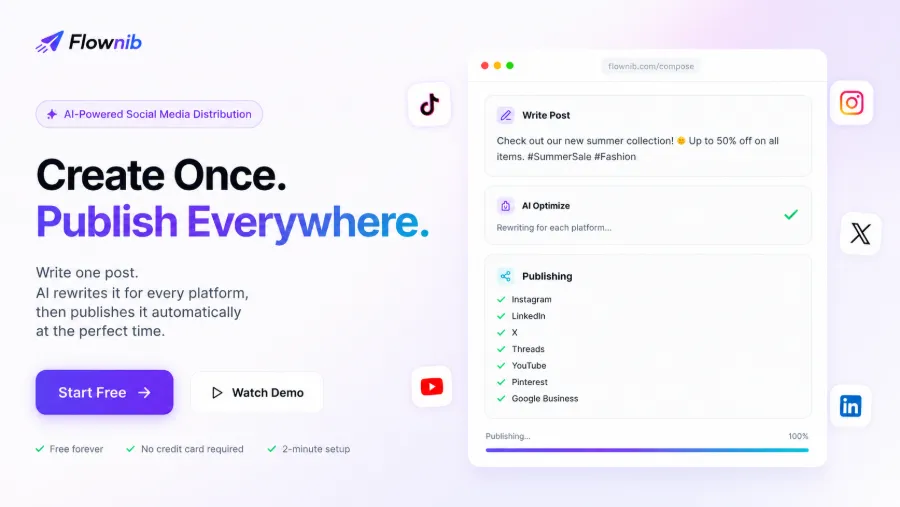
A typical AI Agent workflow consists of four steps: generate content, adapt per platform, human preview/confirmation, one‑click distribution.
The Agent first uses ChatGPT, Claude, or OpenAI Agents to generate the original copy, then adapts it for each platform—Instagram needs hashtags, X must be compressed to ≤280 characters, LinkedIn requires a more formal tone. This step isn’t just about reducing word count; it’s about restructuring and re‑expressing according to each platform’s rules.
After adaptation, the preview stage begins. Here’s a counter‑intuitive finding: keeping a human confirmation step actually reduces failures. AI rewrites sometimes misjudge tone, e.g., making a brand’s voice too casual, which can lead to negative feedback and post deletions—costlier than spending ten seconds to review before publishing.
Once confirmed, the Agent uses the API to distribute the content to all connected accounts. The entire process—from generation to publishing—takes about 2 minutes for account connection and supports ten major platforms. Compared with traditional scheduling tools (e.g., Loomly social media management platform), the difference is that scheduling tools only handle timed publishing and don’t rewrite content; the AI Agent creates a complete “generate‑rewrite‑publish” automated pipeline.
Tools like Flownib provide a unified publishing capability for AI Agents—after the Agent generates content, a single Access Token enables cross‑platform publishing without writing separate integration code for each platform.
Specific Steps to Configure Agent Publishing Permissions
The practical process is five steps; the following are copy‑and‑paste instructions written in second‑person.
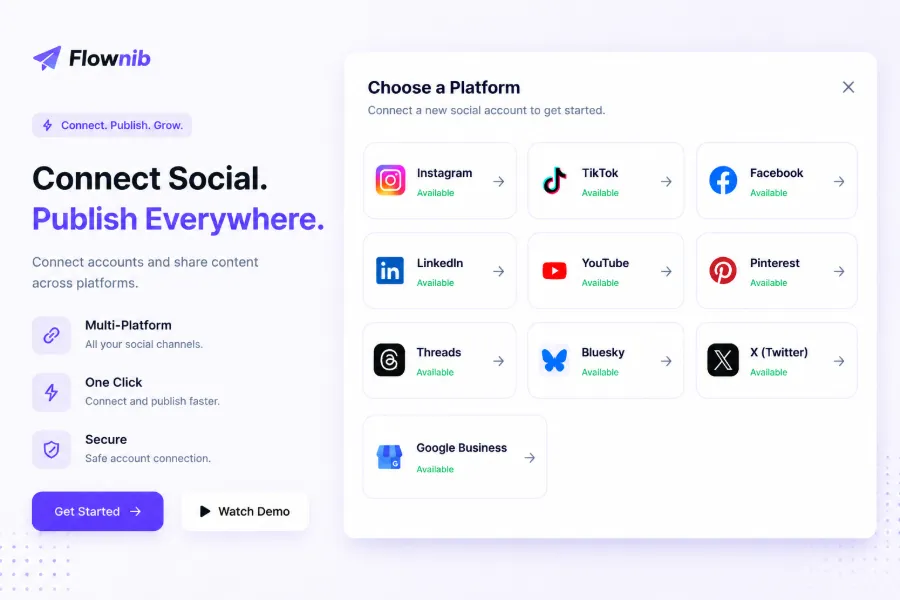
Step 1: Connect platform accounts. In the integration tool, select the platforms you want to connect (Instagram, X, Threads, Google Business, etc.). Click “Connect,” which redirects you to the platform’s authorization page; confirm the permission scope. All connections are direct via official APIs, covering ten platforms.
Step 2: Generate and configure the Access Token. After platform authorization, the tool automatically generates an Access Token. This Token is the Agent’s “publishing credential.” Configure it in the Agent’s call parameters, and the Agent can publish within the authorized scope.
Step 3: Bind and manage multiple accounts. If the brand has multiple accounts (e.g., regional sub‑accounts), you can bind them all in the dashboard. Each account has its own Token; specify the target account when publishing.
Step 4: Permission verification and expiration handling. This is the part most prone to issues. When a Token expires, the Agent’s API calls return 401 or 403 errors. Be sure to set up expiration alerts or incorporate a token‑refresh mechanism in the Agent’s logic.
Step 5: Notes on switching accounts. Before switching accounts, confirm the current Token’s permission scope to avoid accidental actions. Also check that the target account is in a normal state; some platforms impose risk controls on frequent account switches.
For detailed connection and configuration steps, refer to the Tutorial for adapting a single creation to ten platforms, which includes step‑by‑step screenshots and common issue resolutions.
Cross‑Platform Adaptation: Different Expressions for the Same Content
Cross‑platform adaptation is the most labor‑intensive part of automated publishing. Each platform has its own character limits, content formats, and audience expectations. The same product description must be formal and professional on LinkedIn, upbeat and colloquial on TikTok, and visually descriptive on Pinterest.
The table below summarizes key adaptation points for mainstream platforms:
| Platform | Content Type | Core Limits | Tone Style |
|---|---|---|---|
| Images, Reels, Carousel | 2,200‑character posts, 5‑10 hashtags recommended | Visually driven, casual and engaging | |
| X | Short text, images, video | 280‑character limit | Concise, direct, hashtag‑friendly |
| Long articles, image‑text, documents | 3,000‑character limit, supports Markdown | Professional, formal, industry‑insight | |
| TikTok | Short video | 15 seconds–10 minutes | Conversational, trend‑savvy |
| Images, video | 500‑character description | Descriptive, emphasizes usage scenarios | |
| YouTube | Long video, Shorts | 100‑character title, 5,000‑character description | Information‑dense, keyword‑first |
Automated rewriting isn’t just about reducing word count. For example, a 300‑word brand story must be distilled to core points and compressed to 280 characters for X, expanded into a full industry viewpoint for LinkedIn, and rewritten as a keyword‑rich image description for Pinterest. Tone adaptation is equally crucial—while a brand’s “persona” can vary across platforms, the core message must stay consistent.
Publishing timing also matters. Different platforms have different peak activity periods; schedule posts based on each platform’s audience activity data. When publishing in parallel across multiple accounts, control content duplication—excessive repetition in a short time can trigger platform demotion mechanisms.
For LinkedIn content strategy and publishing guidelines, see the LinkedIn Marketing Solutions documentation.
Post‑Publish Monitoring and Ongoing Content Supply
Automated publishing isn’t a set‑and‑forget solution. In practice, two types of failures occur most frequently.
The first is throttling and rate limiting. Each platform’s API has a Rate Limit; publishing too many items in a short window results in rejections. This is especially common during peak periods (e.g., major sales events). The solution is to set publishing intervals to avoid burst sending.
The second is silent failures after token expiration. A real case: a team’s automated setup worked fine for two weeks, then posts silently failed in the third week because the Access Token expired and there was no monitoring alert; additional platform throttling also caused rejections during peak times. The result was the brand’s official account went several days without updates, and operations staff only discovered the issue after checking backend logs.
This case shows that the true test of automated publishing is not the initial configuration but ongoing monitoring and retry mechanisms. Token and permission expiration are the most common silent failures and must be addressed with regular checks. Publishing logs should be queryable, failures should trigger retry logic, and token status should generate alerts.
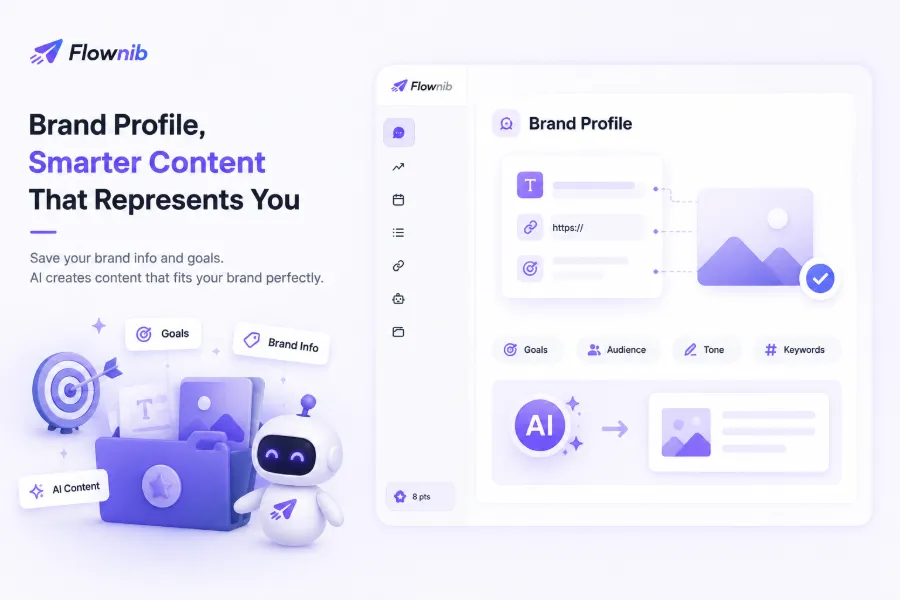
Content supply is another often‑overlooked issue. Once automated publishing is running, content consumption outpaces manual creation. Continuous content supply relies on hot‑topic scanning—enter a keyword, and the system scans Reddit, Hacker News, YouTube trending topics in real time, turning rising discussions into publishable posts. This keeps content fresh and avoids creative burnout.
According to Flownib’s actual usage data, after automating, a team saved about 15 hours of operational time per week and published over 500,000 posts in total. However, the time savings are only realized if monitoring is solid—otherwise you spend the saved time troubleshooting silent failures.
For a comparison of AI Agent capabilities across different tools, see the Tool Comparison on AI Agent Skills. Additionally, a B2B hardware brand reduced its social media operation time by 75 % using this workflow; details are in the B2B Hardware Brand Optimization Case Study.
FAQ
Q1: Does AI Agent publishing require a high technical threshold?
No. Connecting accounts, configuring Tokens, and setting publishing rules take about 2 minutes. No coding or deep OAuth knowledge is needed. The integration tool already wraps the API connections; you just click a few times in the UI.
Q2: Will platforms detect AI‑automated publishing? Is there a risk of account bans?
Publishing via official APIs is not considered abnormal—it’s the authorized channel. Risks come from two sources: (1) hitting rate limits, which can trigger throttling; (2) low‑quality or repetitive content that may be reported by users. Maintaining reasonable publishing frequency and content quality keeps risk manageable.
Q3: Which social platforms are currently supported?
The major platforms are covered: Instagram, X, LinkedIn, TikTok, Facebook, Threads, Pinterest, YouTube, Bluesky, and Google Business—a total of ten platforms. All are connected directly via official APIs for stable publishing.
Q4: How to troubleshoot publishing failures?
First check the error codes in the publishing log. 401⁄403 usually indicate token expiration or insufficient permissions; 429 signals rate limiting; 5xx denotes platform‑side issues. Refresh the token for expiration, and increase the interval for rate limiting. Configure failure alerts to avoid silent failures.
Q5: Will AI automatic rewriting make the content look identical across platforms?
No. AI rewriting adjusts character count, tone, and format according to each platform’s rules, resulting in clearly different presentations. However, if the rewrite logic is poorly set up, you might get “same soup, different bowl.” The human preview step before publishing effectively prevents this.
Share Article