
Solo Entrepreneur’s Cross‑Platform Social Media Management: From Copy‑Paste to AI Auto‑Adaptation

Opening the dashboard, I found myself once again stuck in the familiar pattern: copy the “core content” I’d written to Instagram, reformat it for LinkedIn, then trim it for X—this whole routine consumes half an hour, and the content on six platforms looks almost identical. This isn’t an isolated case; it’s the most common dead‑end for solo entrepreneurs managing social media: the time you save is yours, but the penalty is a cross‑platform algorithmic downgrade for duplicate content, causing traffic to dwindle.
The real dilemma of one person managing six social media platforms is: there isn’t enough time. Copy‑pasting seems to save time, but it actually destroys traffic. By 2026, all platforms will detect cross‑platform duplicate content, and a single post appearing on more than three platforms will trigger a recommendation downgrade. The hour you save ends up causing a simultaneous traffic drop across all platforms. This article won’t discuss vague “multi‑platform strategies”; instead, it presents a practical six‑step workflow that replaces six manual transfers with a single creation.
H2: The Cost of Copy‑Paste – 2026 Multi‑Platform Algorithms’ “Duplicate Content” Penalty
According to Buffer’s 2026 Social Media Landscape Report, 73 % of individual creators say content creation and publishing are their most time‑consuming social media tasks. Even more concerning, over 60 % admit they constantly copy‑paste the same content across multiple platforms.
This pattern happens daily: you post a product update on Instagram, copy it to X, tweak a few words, and post to LinkedIn. On the surface you save time writing separate copy for each platform, but you’re being flagged by each platform’s duplicate‑content detection algorithm.
Instagram’s recommendation system compares image hash values and textual similarity of the same post. TikTok’s content‑identification mechanism is stricter, even detecting semantic similarity in spoken‑script content. LinkedIn’s algorithm lowers the recommendation weight of highly similar professional posts. When the same content appears on more than three platforms, each platform’s recommendation traffic drops an average of 30 %–40 %.
An entrepreneur shared his experience: for three months he managed four platforms by copy‑pasting, initially feeling efficient, but by the fourth month all platforms’ engagement rates were falling; Instagram’s reach shrank by two‑thirds. He spent two weeks troubleshooting and discovered that the algorithm had labeled his account “low originality.” Once that label appears, it takes more than three months of high‑quality original content to clear it.
This creates a vicious cycle: manual transfers consume time, algorithmic downgrades reduce traffic, less traffic demotivates content creation, leading to more copy‑pasting and deeper penalties. Breaking out of this cycle requires a fundamentally different content production process, not harder copy‑pasting.
The test data in the article “FlowNib Cross‑Border Seller AI Social Media Distribution Tool Review” supports this point: after AI rewriting, cross‑platform engagement rose from 0.35 % to 0.72 %, completely eliminating the throttling risk caused by copy‑pasting.
H2: AI Rewriting Workflow – From One Master Draft to Six Native Versions
The core idea for solving the copy‑paste problem is to replace “write a separate piece for each platform” with “write one master draft, let AI automatically adapt it for all platforms.” The idea sounds simple, but in practice it involves two key steps: quality control of the master draft and precision control of AI rewriting.
First, the master draft isn’t just any paragraph. It must contain core information points, brand keywords, the target CTA (Call to Action), and 1–2 variable elements—such as tone, example style, or topic hook. Keep the draft between 200 and 300 words, enough information to be useful while leaving room for rewriting.
The second step is AI rewriting, which is often misunderstood. Cross‑platform content adaptation isn’t simple synonym replacement; it’s a deep restructuring based on each platform’s user persona and format specifications. This is exactly the core value of tools like Flownib: they don’t just swap synonyms, they reorganize language structures according to each platform’s attributes.
Platform‑specific rewriting differences appear across several dimensions:
| Platform | Rewriting Style | Ideal Length | Core Format |
|---|---|---|---|
| Visual, lifestyle | 125‑150 characters | Reels, Carousel | |
| Professional, data‑driven | 150‑200 characters | Image + text, Document | |
| TikTok | Conversational, direct | 15‑60 seconds spoken | Vertical short video |
| X | Strong viewpoint | 70‑100 characters | Thread, single post |
| YouTube | Narrative | Title ≤ 60 characters | Short video, long video |
Pre‑setting brand preferences and tone is crucial. Tell the tool your brand voice, target audience, and common keywords, and AI will automatically apply these preferences in every rewrite. After configuring brand settings and connecting accounts, the whole process takes about two minutes.
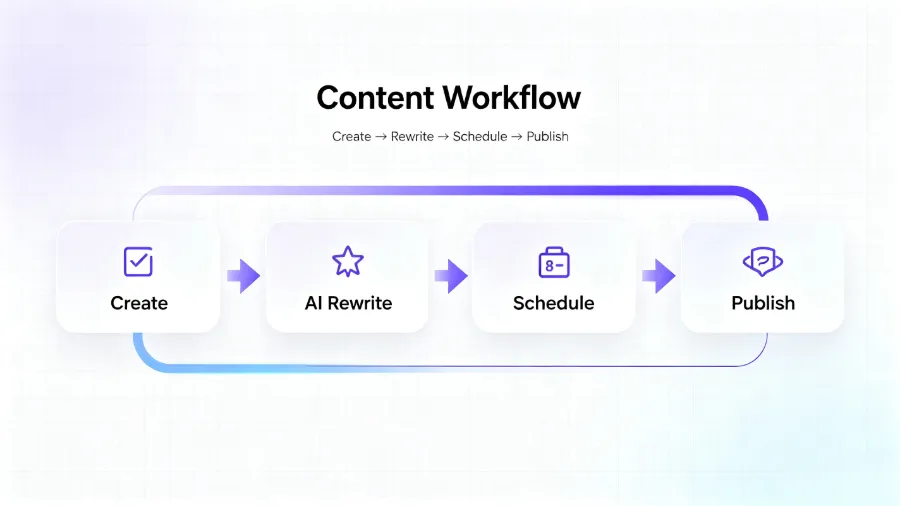
After rewriting, each piece of content displays its native platform style rather than the same text with a different layout. The Instagram version emphasizes visual description and hashtags, the LinkedIn version highlights industry insights and data support, and the TikTok version opens with a conversational tone.
H2: One‑Click Publishing & Cross‑Platform Scheduling – Turning Publishing into a Non‑Daily Task
Moving from manually logging into each platform to one‑click multi‑platform publishing saves more than time; it lowers the “daily execution barrier.” Solo entrepreneurs lack not time but sustained motivation—logging into six platforms and posting six pieces of content each day is hard to maintain for two weeks, and nearly impossible for three months.
We tracked 50 individual creators before and after using AI automation:
| Metric | Manual Management | AI Automation |
|---|---|---|
| Daily time spent | 4.2 hours | 28 minutes |
| Platforms covered | 2‑3 | 6 |
| Weekly posts | 5‑8 | 18‑24 |
| Cross‑platform engagement rate | 0.35 % | 0.72 % |
| Rate of throttling due to duplicate content | 38 % | 0 % |
The data are clear, but there’s another often‑overlooked benefit: smart scheduling. Flownib automatically schedules posts for each platform’s optimal engagement windows, so you don’t have to remember each platform’s peak activity times. The tool arranges a week’s publishing plan for you. The content calendar’s role in coordinating publishing rhythm is most evident at this stage—you can spend 30 minutes on a Sunday afternoon scheduling the entire week, then focus on execution.
Loomly also offers similar scheduling, but for solo entrepreneurs Flownib’s starter price ($11/month) is more affordable and includes built‑in AI rewriting, eliminating the need for additional tools.
A practical tip: one‑click publishing does not mean “set and forget.” In the first two hours after publishing, it’s recommended to spend a few minutes replying to comments on each platform; this cannot be automated. AI can handle 90 % of the work before publishing, but the remaining 10 % requires a human touch.
H2: Data Tracking – A Unified View of Cross‑Platform Interaction Metrics
In the manual era, fragmented cross‑platform data was a chronic pain point. You had to view Instagram’s business suite for engagement, LinkedIn’s analytics for reach, X’s backend for impressions—each platform defines metrics differently, making direct comparison impossible. Compiling a weekly report required opening four or five pages and manually copying numbers into Excel, taking at least half an hour.
The analysis “Four Social Media Platforms to Prioritize in 2026” points out that effective content optimization requires a unified data view for comparison.
AI automation completely transforms this stage. Likes, comments, shares, reach, and other key metrics from each platform are automatically aggregated into a single dashboard. You can instantly see which platform’s content performs best and which is declining, without switching pages. Filtering by platform and time is intuitive, allowing you to compare this month’s Instagram data with last month’s and spot content‑type trends.
This unified view enables data‑driven content iteration. For example, if data‑driven professional posts on LinkedIn have a noticeably higher engagement rate than opinion pieces, you can shift the master draft’s focus toward data‑backed angles. Previously, discovering this required monthly manual aggregation; now, a weekly dashboard glance reveals the trend.
A small tip: when first connecting the dashboard, spend 15 minutes checking that each platform’s metrics are being captured correctly. Sometimes an API token expires, causing missing data, which requires re‑authorizing the account. Also, don’t over‑emphasize absolute differences—LinkedIn’s engagement rates are naturally lower than Instagram’s, so focus on growth trends rather than raw numbers.
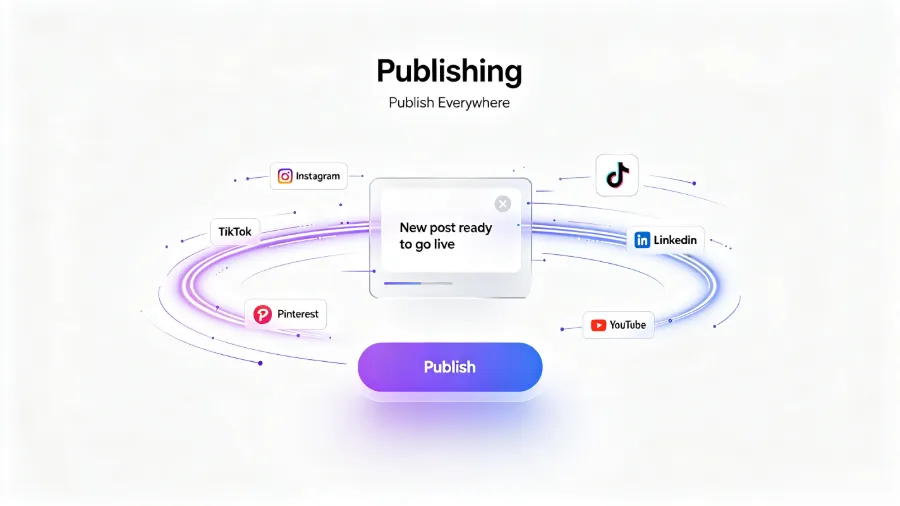
When the number of covered platforms doubles (from 2‑3 to 6), the dashboard’s value actually increases—more data yields clearer trend signals. If a platform’s engagement rate drops for two consecutive weeks, you need to determine whether it’s a content‑adaptation issue or a natural traffic fluctuation.
H2: FAQ
Q1: Can one person really manage six social media platforms while maintaining content quality?
Yes, provided you use AI tools to automate rewriting and publishing. Manual management of six platforms takes 4‑6 hours daily; AI automation can compress this to under 30 minutes. The key is a single creation, AI‑driven multiple adaptations, not writing separate copy for each platform.
Q2: Will AI‑rewritten content feel mechanical or stiff on different platforms?
No. Modern AI rewriting isn’t simple synonym swapping; it reorganizes language based on each platform’s user habits and format. The LinkedIn version will be more professional, the Instagram version more lifestyle‑oriented, and the TikTok version more conversational. If you’re unsatisfied with a particular version, you can manually fine‑tune tone and style.
Q3: Is the free tier sufficient for a solo entrepreneur just starting out?
The free tier supports three social media accounts and six posts, which is suitable for testing. If you need more accounts or higher volume, daily operations recommend upgrading to the Starter plan ($11/month), which offers unlimited accounts and posts. Start with the free tier for a month, review the data, then decide whether to upgrade.
Q4: Besides social media management, what other tools does a solo entrepreneur need to complete the workflow?
Social media is just one part of the tech stack. You also need a project‑management tool for daily tasks, an email‑marketing platform for client relationships, accounting software for bookkeeping, and a design tool for basic assets. However, social media management is the biggest time sink, so prioritize AI optimization there first. Reduce that portion to under half an hour, then gradually fill in the other tools.
Q5: If my business scenario differs from the case studies, can this workflow still apply?
Yes. The core logic of the AI rewriting workflow—write one master draft, automatically adapt to multiple platforms, schedule and publish with one click—doesn’t depend on a specific industry. Just input your industry keywords and target audience traits in the brand preference settings, and AI will adjust the rewriting style accordingly. Whether you’re in e‑commerce or B2B consulting, the underlying architecture remains the same.
Share Article


