
Bluesky Content Scheduling Guide: Achieving Multi-Platform Synchronous Publishing with Automation Tools

When Bluesky opened registration on February 2024, more than 1 million users signed up in a single day. By 2026, the number of registered users had surpassed 40 million. This decentralized platform is indeed growing fast, but it has a clear shortcoming—it does not support native content scheduling.
You can’t pre‑write a post for 9 a.m. tomorrow; you have to stay in front of the screen and publish manually. For people who manage multiple accounts, this is almost physical labor. Missing the optimal posting time, forgetting to post, or skipping a post because something came up are all common.
It gets even trickier if you run Bluesky, X, Threads, and LinkedIn simultaneously. The duplicated effort of maintaining each platform quickly eats up your time. Every piece of content has to be written, logged in, and published separately, causing brand voice to drift and rhythm to become chaotic.
This article works around Bluesky’s interface limitations and shows how to integrate it into a unified publishing workflow with automation tools—from connecting accounts and AI‑driven content rewriting to cross‑platform synchronization—solving multi‑platform maintenance in one go.
It’s especially important for solo operators; you can refer to our One‑Man Cross‑Border Fully Automated Operations Plan to learn how to concentrate limited time on creation rather than publishing.
Why Schedule Content on Bluesky
Bluesky is built on the AT Protocol, which differs from ActivityPub used by Mastodon and Threads. It isn’t part of the traditional “fediverse,” but its decentralized architecture does bring some interesting changes.
The biggest issue is that the Bluesky team apparently has not prioritized a native scheduling feature. At present, if you want to schedule content in advance, you must use third‑party tools.
The cost of not scheduling is direct. Although Bluesky’s algorithm isn’t as closed as traditional platforms, its content discovery mechanism still relies on a steady posting rhythm. If you lose presence during peak interaction windows (typically 10 a.m.–2 p.m. and 8 p.m.–11 p.m.), your post’s exposure drops noticeably.
I’ve seen a tech‑content creator who manually posts three Bluesky updates every day, spending about 20 minutes logging in, writing, and checking. Over a month, the posting step alone consumes 10 hours. If the same content must also go to X and LinkedIn, the time doubles. This repetitive work takes away time that could be spent replying to comments and participating in discussions.
Cross‑platform scheduling solves this problem. A unified brand voice isn’t achieved by copy‑pasting; it’s about making each piece of content feel natural on its respective platform while conveying the same core message. Bluesky’s community leans toward conversational exchanges, so overly formal posts feel out of place.
Integrating Bluesky into an Automated Publishing Workflow
Connecting Bluesky to third‑party tools isn’t complicated, but the first step is easy to mess up. You need to generate an App Password, not use your main password directly. Many first‑time configurators connect with their email password and end up with failed posts and security risks.
Steps:
- Go to Bluesky Settings → Privacy & Security → App Passwords.
- Enter a name (e.g., “Automation Tool”) and generate a temporary password.
- Copy that password into the third‑party tool, along with your Bluesky username (in the format
yourname.bsky.social).
Using tools like Flownib, you just generate the app password and paste it into the settings to complete account linking. The whole process takes about two minutes, after which you’ll see Bluesky’s publishing status in a unified dashboard.
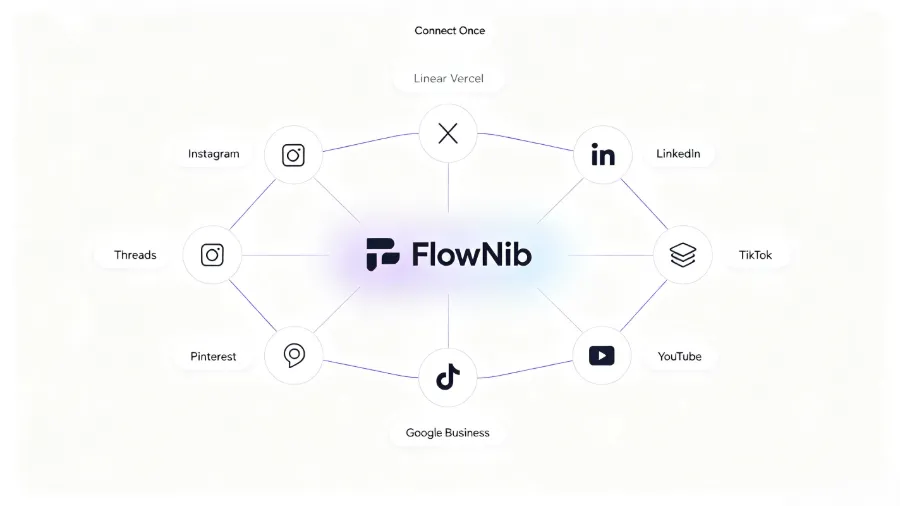
Bluesky’s decentralized nature has some impact on API connections. AT Protocol differs slightly from traditional REST APIs, but most modern automation tools have already adapted to its interface. As long as you use the correct app password, connection stability is comparable to centralized platforms.
Creating a piece of content that covers Bluesky, X, Threads, LinkedIn, and other platforms is feasible. Once accounts are configured, publishing one piece to four platforms takes under 30 seconds of clicks—four times less manual work, saving a substantial amount of hidden cost.
AI‑Driven Rewriting: One Piece, All Platforms
Copy‑pasting the same content verbatim across platforms usually yields poor results. Bluesky’s character limit is 300 characters, X is 280 characters (4000 characters for paid users), Threads is 500 characters, and LinkedIn allows much longer posts. Each platform’s audience also has different formatting expectations.
Manual rewriting is time‑consuming and error‑prone. I once manually adjusted four posts, keeping each within its platform’s limit, and spent 15 minutes—still missing two punctuation marks. Doing this daily would increase error rates as fatigue sets in.
AI rewriting shines here. A typical rewriting workflow can adapt a single original copy to ten platforms in about two minutes. The key is that AI doesn’t just compress text; it understands the context and tone of each platform, preserving core information while making the post read like native content.
For example, the same promotional copy can be more conversational on Bluesky with hashtags, while on LinkedIn it needs a professional tone and supporting data. A good AI rewriting tool satisfies both needs without manual per‑post adjustments.
Flownib works exactly like this—it analyzes the original content and automatically generates platform‑specific versions for Instagram, X, LinkedIn, Threads, YouTube, etc. You can preview each platform’s rewritten result and manually tweak if needed.
To see format differences across platforms, check the Threads official website for style guidelines.
Managing Multi‑Platform Publishing Rhythm with a Content Calendar
Without a content calendar, publishing rhythm easily gets out of control. You might post today, forget tomorrow, and then publish three posts the day after. Irregular updates cause algorithmic recommendation weight to drop, especially on newer platforms that rely heavily on current active content ordering.
A content calendar solves two problems: visual preview and avoidance of date conflicts. In the calendar view you can see the distribution of content across platforms for the week, flag holidays, product launch dates, or industry events, and avoid publishing unrelated posts on the same day.
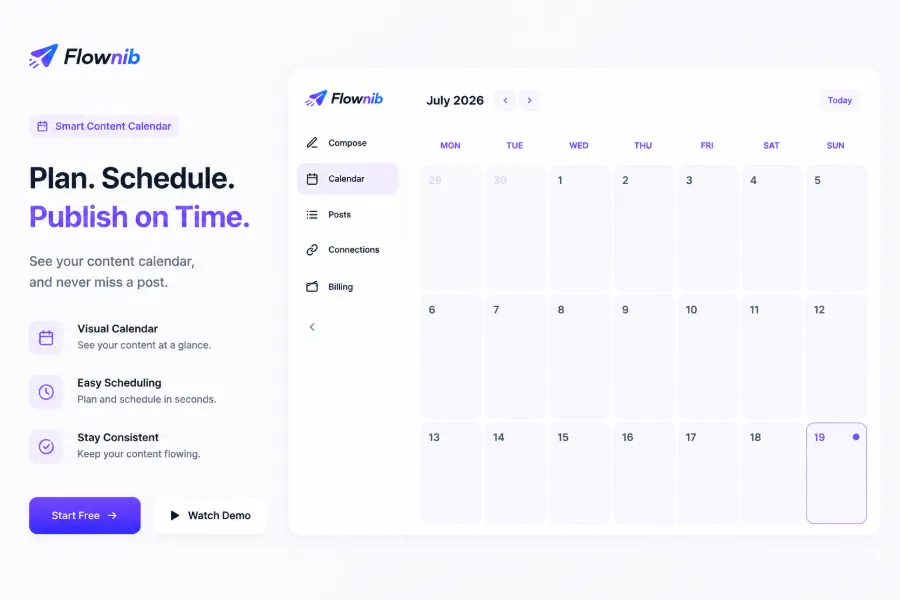
After setting up a post, the system can automatically publish it to all connected platforms within 12 hours. The time lag mainly depends on the chosen publishing window and each platform’s queue logic. Most automation tools support minute‑level precise scheduling.
Choosing the optimal publishing time no longer requires guesswork. The tool recommends slots based on historical engagement data—e.g., Monday 10 a.m. works well for B2B accounts, while Saturday 9 p.m. suits lifestyle content. See the time‑configuration section in the Flownib Multi‑Platform Adaptation Tutorial.
Various content calendar solutions exist in the market; the Hootsuite blog offers many articles on best practices, including how to combine AI scheduling to pick the best times and plan holiday‑related content six months in advance.
Tracking historical records is also crucial. After each post, log engagement metrics (likes, shares, replies) and conduct a monthly review to eliminate underperforming content types and amplify high‑engagement directions. This is especially relevant for independent‑site sellers; see the Cross‑Border Seller AI Global Social Distribution Guide for detailed content review methods.
FAQ
Q1: Does Bluesky support native content scheduling?
No. Bluesky currently lacks built‑in scheduled publishing; you must use third‑party tools to schedule content. These tools connect to Bluesky via the AT Protocol API to enable pre‑writing and timed publishing.
Q2: What permissions are required to connect Bluesky to a third‑party tool?
You need to generate an app password in Bluesky settings, not use your main password. Path: Settings → Privacy & Security → App Passwords → Add App Password. Copy the generated password into the third‑party tool’s authentication screen.
Q3: Can I manage Bluesky and X with the same account?
Yes. Most automation tools allow you to add multiple platform accounts within a single dashboard, including Bluesky, X, Threads, LinkedIn, etc. After connecting, you can write, preview, and publish to all platforms from one interface.
Q4: What’s the difference between Bluesky’s AT Protocol and ActivityPub?
AT Protocol is Bluesky’s proprietary decentralized protocol; ActivityPub is used by Mastodon, Threads, and other fediverse platforms. They are not compatible, but third‑party tools can publish content to both via their respective APIs.
Q5: Will using a third‑party tool to post on Bluesky trigger rate limiting?
Currently, Bluesky does not impose a clear rate‑limit mechanism on official API third‑party publishing. As long as you use the correct app password and keep the posting frequency reasonable (e.g., no more than 30 posts per hour), you won’t hit limits.
Share Article


