How to Build an Automated Social Media Publishing Workflow
In cross‑border e‑commerce operations teams, the few days after a new product launch are often the busiest. Operators have to switch back and forth among six to eight platforms—Instagram, X, LinkedIn, TikTok, etc.—copy the same copy, adjust character limits, hashtags, and image sizes one by one, and often spend an entire morning “moving” content rather than “creating” it. By the time they finally finish publishing, the optimal time slots are usually already missed. After a few weeks of this, the team naturally thinks of one word: automation.
To manage these accounts more efficiently, many teams refer to the guide from Buffer: Social media management for everyone.
But automation isn’t solved by buying a set of tools once and for all. It first requires redesigning the content production process, identifying repetitive steps, and then letting tools take over those steps. Deploying tools without a clear process only amplifies chaos. This article walks through process mapping, building a tool stack, platform adaptation, and scheduling review, gradually unpacking a practical automated publishing workflow.
Start with Subtraction: Map the Content Production Process Before Adding Tools
The first pitfall many teams fall into is skipping process audit and buying tools directly. The result is usually a pile of tools, each platform still operating in isolation, and automation ends up creating new confusion.
The content workflow can be broken into six stages: topic selection, creation, rewriting, scheduling, publishing, and tracking & review. Of these, rewriting, scheduling, publishing, and basic data tracking can almost entirely be handed over to tools; topic selection and creation must retain human judgment—at least for now, AI can’t decide “which product line to push this month” for the team.
A useful data point: operators spend about 40 % of their workday copying content, adjusting formats, and switching tabs. This means that automating just the rewriting and publishing stages can free up nearly half of the operational manpower.
Start with the most repetitive stage as a pilot. For example, begin with “one‑click multi‑platform publishing”; once that works, gradually add AI rewriting and smart scheduling. Going for full‑scale automation from the start makes it hard to pinpoint problems when something goes wrong in a particular step. For platform selection priority, refer to the 2026 top four platforms for cross‑border e‑commerce data to avoid wasting automation resources on low‑value channels.
Another often‑overlooked point during process mapping is over‑automation. Some teams hand over topic selection and creation to tools, resulting in a loss of brand identity and lower engagement rates. Tools should handle repetitive labor, not replace judgment.
Build the Tool Stack: Assign Repetitive Steps to the Right Tools
After the process is clearly mapped, the next step is to build a tool stack. The goal is not “one tool does everything,” but rather to assign each stage to the most suitable tool.
| Process Stage | Core Task | Suggested Automation | Typical Tools | Main Benefits |
|---|---|---|---|---|
| Content Creation & Topic Selection | Define topics, draft initial copy | Partial automation | ChatGPT, trend‑discovery tools | Shorten ideation time |
| AI Platform Rewriting | Adjust copy to platform specs | Recommended automation | AI rewriting engines | Eliminate manual copy‑paste |
| Scheduling & Timed Publishing | Choose publishing times | Recommended automation | Scheduler tools, content calendar | Hit optimal time slots |
| One‑Click Multi‑Platform Publishing | Sync to all accounts | Recommended automation | Aggregation & distribution platforms | Skip tab switching |
| Data Tracking & Review | Compile engagement & conversion metrics | Recommended automation | Dashboards, analytics tools | Feed the next round of topics |
A persistent operational friction in the stack is the maintenance burden of the aggregation and publishing step. Direct API connections are stable, but each platform requires separate integration, and maintenance costs rise sharply as the number of accounts grows. Third‑party aggregation tools are quick to integrate but vary in stability. Consider platforms like Flownib, which average about 2 minutes for account onboarding and boast 99.99 % API uptime, striking a balance between stability and integration cost.
For example, the rapid iteration of the Threads social platform requires timely adjustments to publishing strategy.
When selecting tools, start with free options. Use each platform’s native scheduling feature for two weeks, confirm the workflow runs smoothly, then bring in an aggregation tool. Account for integration time and daily maintenance costs in the overall budget—some “free” tools demand frequent manual syncing, which erodes the time saved.
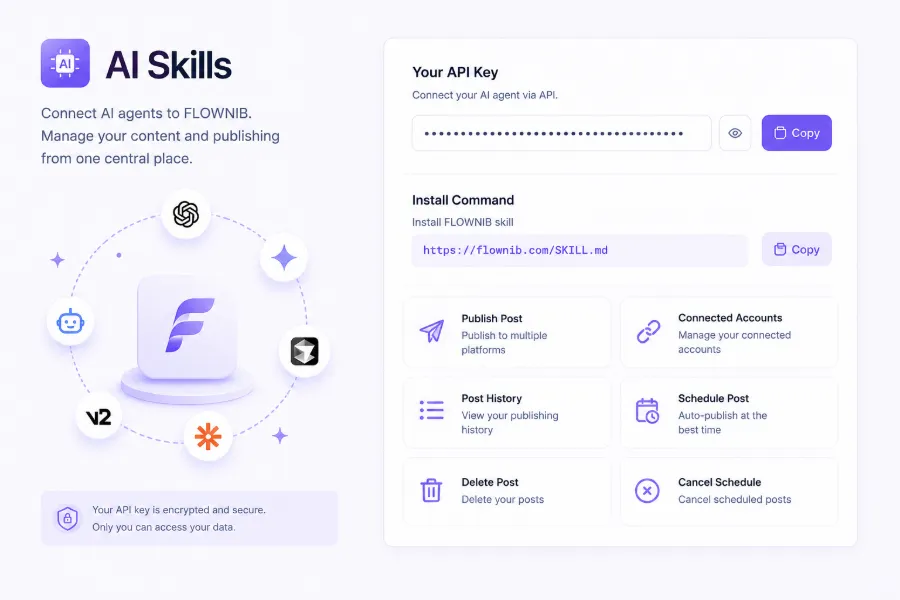
A real‑world case illustrates the difference between direct API connections and third‑party aggregators. One team connected all platforms to an automated scheduler without platform‑specific adaptation, resulting in character‑limit overruns, mismatched image specs, and hashtag chaos. Several posts failed or saw a sharp drop in engagement, forcing a fallback to manual publishing and losing about two weeks of schedule and content rhythm. This lesson shows that tools only execute a process; the process itself must be refined first. For detailed onboarding steps, see the tutorial on using adapters to automatically rewrite and publish to ten overseas platforms.
AI Rewriting & Platform Adaptation: Make One Piece of Content Work on Ten Platforms
Platform differences are the most underestimated part of an automated workflow. A single post may be ~280 characters on X, while LinkedIn favors long‑form articles; the rewriting strategies are completely different. Hashtag counts, tone formality, and opening hooks each follow platform conventions. AI rewriting isn’t just trimming text—it must preserve brand voice while adapting these details per platform.
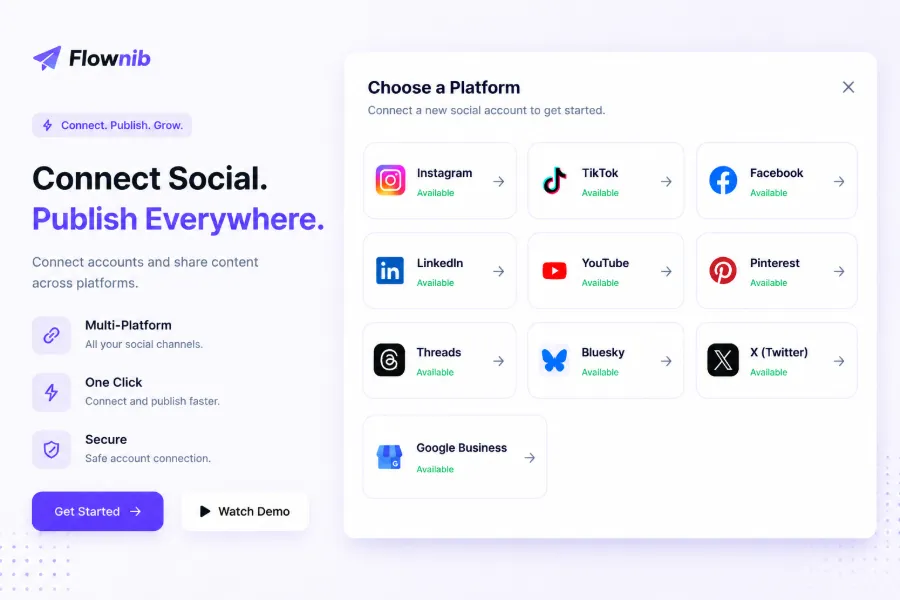
Creating one piece of content for ten platforms sounds appealing, but only if the rewriting quality is solid. Instagram is visual, TikTok favors short video scripts, LinkedIn expects professional insights, Threads leans toward light conversation—each platform should present the same product news in a distinct way. The value of AI rewriting tools lies here: they can reorganize a core message according to each platform’s language habits and format rules.
Cross‑border scenarios add another layer of complexity: multilingual adaptation. The same product targeting both Western and Southeast Asian markets needs not only translation but also tone adjustments and localized phrasing. A brand guide acts as a constraint—by codifying product info, target audience, and brand positioning, AI has a clear direction and won’t drift.
Nevertheless, a human review before publishing remains essential. AI rewriting can occasionally introduce factual errors or tone shifts, especially for pricing or promotional details. Teams should keep a “pre‑publish preview” step to glance at each platform’s final output. For newer platforms like Threads, where official features evolve quickly, adaptation rules change often, making careful review even more important.
Pre‑publish preview also serves an often‑overlooked purpose: checking image specs. Instagram uses square images, Pinterest prefers vertical long images, LinkedIn favors horizontal header images—each has different requirements. AI can rewrite copy, but image adaptation often still needs human input. Multilingual teams have even more complex adaptation flows; see the global‑team multilingual social media automation guide for reference.
Scheduling, Multi‑Account Management & Tracking: Automate “Timing” and “Review”
Scheduling is the most directly beneficial part of an automated workflow. Optimal publishing times differ across platforms, and cross‑border scenarios add time‑zone considerations—audiences on the US West Coast and Europe may have a 6‑ to 8‑hour window between peak times. Manual scheduling would require operators to remember each platform’s and each market’s timing patterns, which is practically impossible.
Two approaches can be combined: manual scheduling works when a team has already learned its audience rhythms; “AI smart timing” fits teams just starting out without enough data. However, smart timing must consider target‑market time zones, not just platform metrics. An account aimed at the Middle East, for example, will suffer if scheduled according to US time‑zone patterns.
Multi‑account management is another necessity. An e‑commerce brand often has multiple sites, sub‑brands, and each brand may have accounts on several platforms. Consolidating these accounts into a single dashboard dramatically reduces confusion and the risk of posting to the wrong account. The content calendar plays a central role here—not only as a scheduling tool but also as a record of publishing history, making it easy to trace which content was posted where and how it performed.
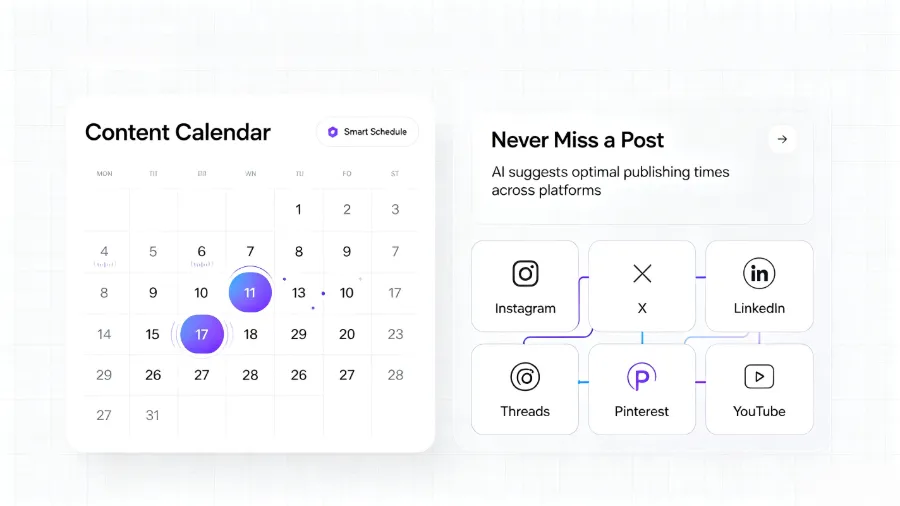
The closed‑loop value of data tracking lies in feeding back into the next cycle. Engagement and click metrics from publishing records directly inform the next round of topic selection and scheduling. For instance, if a certain type of content performs well on LinkedIn but poorly on X, the team can adjust the content mix for each platform accordingly. A real case: after switching to a unified distribution workflow, an e‑commerce team saved about 15 hours of operational time per week, most of which was reinvested in content creation and data analysis.
Unified distribution tools also solve the multi‑account and scheduling problem. Platforms like Flownib integrate account management, scheduling, and publishing records into a single dashboard, reducing the cost of switching between tools. Teams only need to maintain one stack instead of juggling three separate tools. The Hootsuite Blog provides empirical data on scheduling frequency and timing that can serve as a reference for strategy.
A hidden benefit of scheduling automation is “stable content rhythm.” Manual publishing is subject to daily workload fluctuations, leading to irregular output; automated scheduling guarantees a steady flow, which helps algorithmic recommendation engines more than many people realize.
FAQ
How much does it cost to build an automated social media workflow?
Initial costs are low. Free plans can cover three social accounts and a modest number of posts, enough for a small team to validate the process. Advanced plans are subscription‑based, typically ranging from a few dozen to a few hundred dollars per month, depending on account count and posting volume. The real cost lies in the time spent on process mapping and human review, which is often underestimated.
Which stages should not be handed over to automation?
Topic selection and creation should not be fully automated. AI can assist with draft generation and trend discovery, but decisions such as “which product line to push this month” or “whether to comment on a controversial issue” require human judgment. The pre‑publish review step should also be retained, especially for pricing or promotional information.
Will automated publishing affect a platform’s algorithmic recommendation?
Normally, no. Content published via official APIs is algorithmically indistinguishable from manually posted content. What truly influences recommendations is content quality and publishing frequency, not the method of posting. However, if automation leads to lower quality or abnormal posting frequency, the algorithm will treat it the same as any other content and may downgrade it.
Should a small team aim for full automation at once or roll it out gradually?
Roll it out gradually. Start with one‑click multi‑platform publishing; once that works, add AI rewriting and smart scheduling. Full‑scale automation from day one makes it hard to pinpoint failures—whether they stem from rewriting, scheduling, or API issues. A phased approach lets the team develop troubleshooting skills at each step.
Share Article