
Social Media Tool Selection Guide: From Manual Management to AI Automation
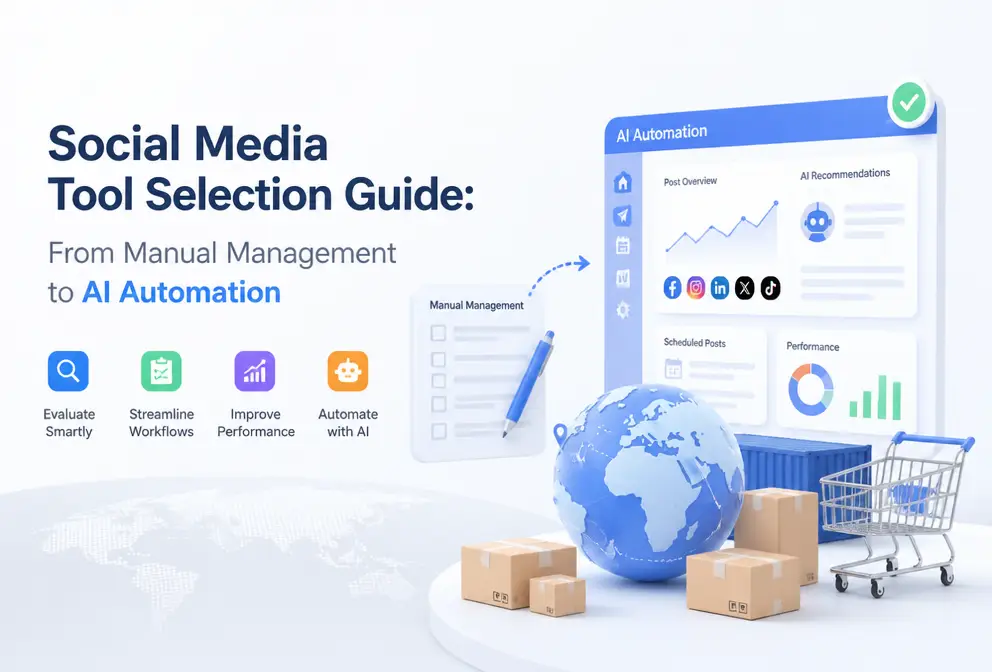
Open the social media backend and you find yourself toggling between six platforms, copying and pasting the same text, adjusting formatting, uploading images—this workflow repeats daily and eats up dozens of hours each week. In 2026, social media tools are no longer a “whether to use” question, but a “which set can reduce my repetitive work” question. This article starts from real workflows, breaks down mainstream tool types, and helps you find the combination that truly saves time.
How many categories do social media tools actually have? Clarify what you need first
The classification of social media tools is actually quite fuzzy. Hootsuite calls itself a management platform, Canva says it’s a design tool, Talkwalker focuses on public opinion monitoring—but they’re all considered social media tools. The problem is that most people, when choosing a tool, don’t even know which category they need.
From a practical workflow perspective, social media tools can be divided into five major categories:
Management Platforms solve publishing and scheduling problems. You don’t need to operate each platform’s backend separately; a single dashboard can handle cross‑platform publishing. Hootsuite is a typical example, covering scheduling, analytics, interaction, and essentially all core functions a team needs.
Analytics & Listening Tools handle data problems. Just looking at platform‑provided Insights isn’t enough—they tell you what happened, not why. Tools like Talkwalker can track brand mentions, analyze sentiment, monitor competitor activity, and for teams that need a content strategy, this is the watershed between “posting” and “operating”.
Content Creation Tools solve visual production efficiency problems. Canva lets non‑designers quickly produce usable images and video assets. Note that these tools only “make” the content, not “publish” it, so they usually need to be used together with a management platform.
AI Tools are the fastest‑growing category in 2026. Industry data predicts the AI marketing automation market will double by 2028. AI tools differ fundamentally from traditional ones—traditional tools help you “operate”, AI tools help you “think”. They can generate copy, rewrite content, recommend posting times, detect trends, and automate decision‑making stages.
Collaboration Workflow Tools solve team coordination problems. Content calendars, approval processes, permission management—these aren’t important for a solo operator, but once a team exceeds three people, without a workflow tool everything becomes chaotic.
A common misconception is that native platform features are sufficient. Instagram’s native scheduling can post, but when you need to manage five platforms, three brands, and two time zones simultaneously, native limitations become obvious. They won’t analyze which time slot yields the highest engagement, won’t alert you when a post exceeds a platform’s character limit, and won’t auto‑reply comments while you’re on vacation.
If you’re still unsure where to start, check out the HubSpot Marketing Blog discussions on tool selection. They update a social media tool comparison each year, helping you quickly build a judgment framework.
AI Is Rewriting the Game Rules for Social Media Tools
In 2024 a brand fell into a big pit. They rolled out AI content generation across all platforms, letting AI write every post. After three months, users started saying “Did your account switch to a robot?”—the copy style was identical across platforms, even the filler words matched. They had to pause publishing and spent two weeks re‑adjusting their content strategy.
This case highlights a key point: the essence of AI tools is not to replace humans, but to strip away repetitive labor so people can focus on tasks that truly require judgment.
AI’s use in social media tools currently concentrates on three scenarios:
Content Generation & Rewriting. You write an original piece, and AI automatically adjusts it for each platform—Instagram needs short copy with emojis, LinkedIn requires a formal tone with data support, X (Twitter) needs concise power. This solves the most painful cross‑platform publishing issue: not “don’t want to post”, but “formatting drives me crazy”.
Trend Detection. AI can scan massive social data to spot rising hashtags and keywords early. For content planners, this means you can prepare related material before a trend explodes.
The core differences between AI and traditional tools can be summarized in a table:
| Traditional Tools | AI Tools | Core Difference |
|---|---|---|
| Content Creation (manual writing) | AI generation + rewriting | From zero to one vs from one to many |
| Scheduling (manual time selection) | AI recommends optimal time | Based on experience vs based on data |
| Multi‑platform publishing (copy‑paste per platform) | One‑click distribution | Operational layer vs strategic layer |
Returning to the failed brand case: their mistake wasn’t using AI, but completely abandoning human review. AI rewriting solved cross‑platform formatting, but introduced content homogenization risk—effective practice is to let AI handle structure and humans inject perspective and story.
That’s why, when I choose an AI tool, I especially value the ability to preview and edit before publishing. Some tools claim to be “fully automatic”, but in practice you’ll find that full automation means losing control over brand tone.
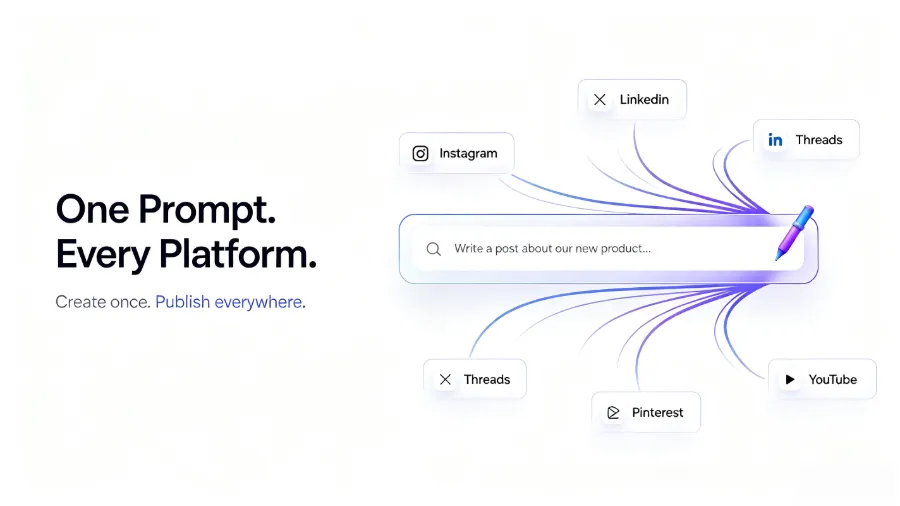
In the AI rewriting and multi‑platform distribution stage, Flownib puts AI generation and human review in the same workflow—AI rewrites according to platform characteristics, you preview and confirm, then click to publish. This design avoids the loss‑of‑control risk of “fully automatic” while retaining the efficiency advantage of cross‑platform publishing.
If you’re interested in AI trends in social media, the YouTube Official Blog frequently posts articles about updates to content creation tools, helping you understand how the platform itself views AI.
From Free to Paid, How Should You Spend Your Tool Budget?
I’ve seen many teams stumble on tool budgets. Some startups buy the most expensive package early on, only to discover after three months that 80 % of the features are never used. Others expand to ten people but still rely on free Canva and Google Business Profile, resulting in suffocating collaboration inefficiency.
The capability limits of free tools are actually clear. Canva’s free tier is enough for everyday social media images, and Google Business Profile’s free management of local business info works fine. These tools suit solo operators or very small teams; they’re limited but zero‑cost and zero‑learning‑curve.
However, free tools don’t solve workflow problems. You can design in Canva, manage reviews in Google Business Profile, and manually post on each platform—but each additional tool adds a switching cost. Worse, data becomes fragmented, making it hard to answer basic questions like “How much traffic did last week’s posts generate?”
The core value of paid tools isn’t the number of features but three things: analytics capability, governance mechanisms, and collaboration efficiency.
Analytics lets you see unified cross‑platform reports instead of siloed platform data. Governance solves permission issues—who can publish, who must approve, who can only view. Collaboration efficiency shows up in content calendars, approval flows, version control, and other details.
So how should you allocate budget? My personal experience:
Solo Operator (1 person): Primarily free tools, budget for a basic management platform tier, about $10–$20 per month. Focus on publishing efficiency; analytics and collaboration can be manual for now.
Small Team (2–5 people): Need a management tool with collaboration features, budget $30–$80 per month. Content creation can stay free, but upgrade analytics to a paid tier.
Growth Team (5+ people): Need a full tool stack, budget $100–$300 per month. At this point, integration capability between tools outweighs individual tool features.
Regarding reasonable use cases for free plans, my advice is: use free tiers for testing and evaluation, not for long‑term operation. Free versions usually limit account numbers, posting frequency, and data retention; once you truly rely on them, those limits become bottlenecks.
If you want a pricing comparison of different tools, see the comprehensive analysis “Flownib Pricing and Feature Full Analysis”, which breaks down feature differences and suitable scenarios for each tier.
Also, if you’re already using Instagram’s native scheduling, you may encounter the question—where do you view and manage scheduled posts? This article “How to View Scheduled Posts on Instagram” helps clarify the operational differences between native platform features and third‑party tools.
Building Your Social Media Tool Stack: A Replicable Workflow
You’ve chosen the tools, now you need to connect them. I’ve seen many teams buy the best tools but still have chaotic workflows—content is finished in Canva, screenshot sent to operations, operations manually paste into each platform, then screenshot data sent to analytics—each step creates information loss.
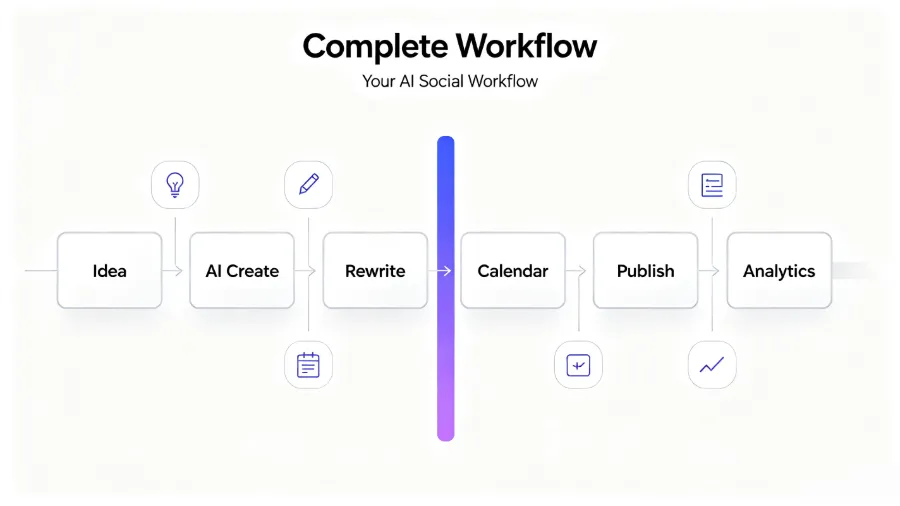
A replicable workflow should look like this:
Step 1: Content Ideation. Regardless of tools, this stage requires human input. AI can suggest topics, but the final decision rests with you. I spend 30 minutes on Monday deciding the week’s content direction, then hand it to AI for a first draft.
Step 2: AI Creation & Rewriting. Feed the original content into an AI tool, which generates platform‑specific versions. The key is: after AI rewrites, a human must preview. Flownib’s process design is sensible here—after AI rewriting, you can preview each platform’s version line by line, confirm, then move on.
Step 3: Scheduling & Publishing. Drag the rewritten content onto the content calendar and set publishing times. An easily missed detail: optimal times differ by platform. LinkedIn sees highest engagement on weekday mornings, Instagram performs better in evenings and weekends.
Step 4: Data Analysis. Publishing isn’t the end; it’s the start of the next content planning cycle. Look at which pieces had high engagement, which topics sparked discussion, then feed that back into step 1.
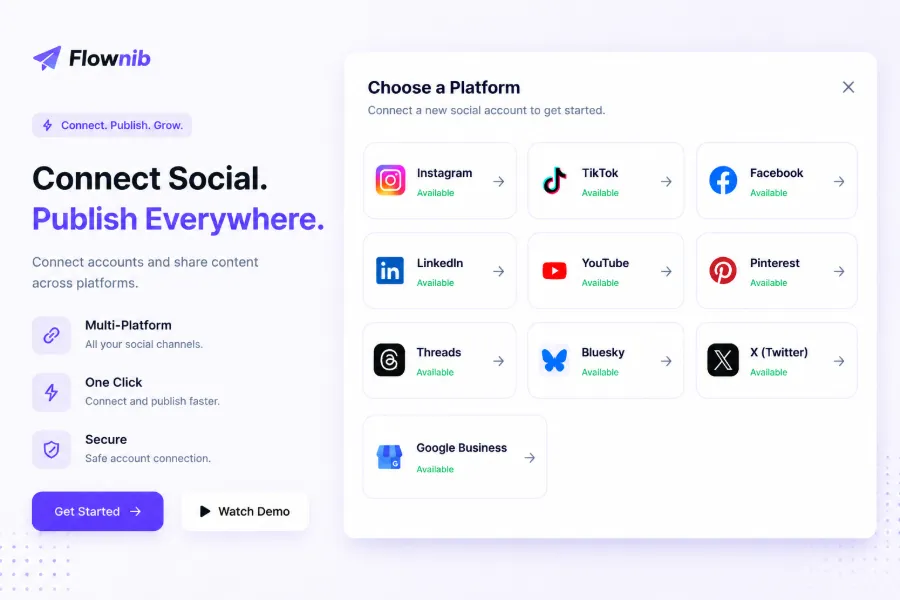
The workflow sounds simple, but the biggest bottleneck in practice isn’t tool capability—it’s data silos between tools. If you design graphics in Canva, publish with Hootsuite, and view data in Google Analytics, you’re constantly switching among three systems. Flownib consolidates creation, rewriting, scheduling, and publishing in one flow, averaging 2 minutes to set up account connections and publish, reducing friction from tool switching.
If you’re comparing tool combos, see the comparison “Flownib vs Later vs Sprout Social”, which details how these three tools perform in multi‑platform publishing and AI rewriting.
Different industries have vastly different social media strategies. For example, a pet product seller’s content strategy differs completely from a fashion brand’s—they rely more on user‑generated content and community building. This case study “How Pet Product Sellers Use Automated Social Media to Build Loyal Fanbases” provides a concrete industry example, showing how automation tools are used in practice.
If you need to integrate TikTok’s API for more complex publishing control, refer to the TikTok Developer Documentation for technical requirements and limitations.
FAQ
Are free social media tools sufficient?
They’re sufficient but have clear limits. For solo operators or scenarios with fewer than 20 posts per month, free tools can handle everything. Once you need multi‑account management, team collaboration, or cross‑platform analytics, free tool restrictions become bottlenecks. Test your workflow with free versions first, then upgrade when needs are confirmed.
Do AI‑generated copy need human editing?
Yes, and you shouldn’t skip this step. AI rewriting excels at format and structure but lacks awareness of your brand history, recent campaigns, and user sentiment. The 2024 brand failure shows that relying solely on AI leads to homogenized style. Human review should focus on injecting brand personality and current context, not just grammar.
Will multi‑platform publishing tools cause content homogenization?
They will if you don’t differentiate. Good multi‑platform tools let you customize versions per platform rather than simple copy‑paste. AI rewriting helps with differentiation—same core message, different tone and structure. The final result depends on the quality of your prompts to the AI.
Which tool should a small team prioritize?
Prioritize a management platform, then an analytics tool. The management platform solves the biggest pain point—publishing efficiency. Start with the platform’s free analytics, upgrading only when data‑driven decisions become necessary. Free content creation tools are enough unless you have a massive visual output need.
Can social media tools replace native platform features?
They cannot fully replace them, nor should you aim for total replacement. Tools shine in cross‑platform management and automation, but native features are more reliable for real‑time interaction, comment management, and live streaming. The optimal strategy: use tools for routine publishing and scheduling, and rely on native backends for real‑time engagement and urgent operations.
Share Article


